Tired of your primary email inbox being bombarded with spam? Private temporary email services provide a disposable, anonymous inbox that safeguards your real identity and keeps your personal data secure. Use these throwaway addresses for sign-ups, downloads, and any online activity where you don’t want to share your permanent email, effectively putting a stop to unwanted correspondence and potential data breaches. It’s a simple, powerful tool for taking back control of your digital privacy.
Every time you hand over your email address online, you’re making a trade. You get access to a free article, a discount code, or a new app, but in return, you often get a one-way ticket to a perpetually clogged inbox. That “free” download comes with a hidden cost: your attention and your data. What if you could have the access without the trade-off? Enter the world of private temporary email—a simple, clever tool that acts as your digital bodyguard, intercepting spam and shielding your real identity while you browse, sign up, and explore the web.
This isn’t about being paranoid; it’s about being practical. In an age of rampant data harvesting, phishing scams, and non-stop marketing blasts, your email address is a golden ticket for companies and criminals alike. A private temporary email service gives you a throwaway, anonymous inbox for those moments when you need to provide an email but don’t want to give away the keys to your digital kingdom. Let’s break down exactly how this works, why it matters more than ever, and how you can use it to unlock a cleaner, more private online experience starting today.
Key Takeaways
- Disposable Inboxes: Private temporary email creates a short-lived, anonymous email address you can use for one-time online interactions without linking back to you.
- Spam and Scam Defense: By using a temp mail for registrations and downloads, you prevent spam, phishing attempts, and marketing emails from ever reaching your primary, personal inbox.
- Enhanced Data Privacy: These services minimize the personal data trail you leave online, protecting your identity from being sold to data brokers or exposed in a company’s data breach.
- Common Use Cases: Ideal for signing up for forums, accessing gated content (like PDFs or whitepapers), testing online services, and verifying accounts without commitment.
- Not for Critical Accounts: Never use temporary email for essential accounts like banking, primary social media, or any service where account recovery is vital, as the inbox is temporary.
- Limitations Exist: Temp emails often have a short lifespan (hours to days) and cannot receive emails from all senders (some block known temp mail domains).
- Choose Reputable Providers: Select services that don’t require registration, have clear privacy policies, and automatically delete emails after the set time for maximum security.
📑 Table of Contents
- What Exactly is a Private Temporary Email Service?
- The Undeniable Benefits: Why Your Inbox Will Thank You
- Practical Use Cases: When to Reach for a Temp Mail
- Critical Limitations and What You Should NEVER Do
- Choosing the Right Service: Features of a Truly Private Provider
- Best Practices for Maximum Privacy and Utility
- The Future of Privacy: Where Temp Mail Fits In
What Exactly is a Private Temporary Email Service?
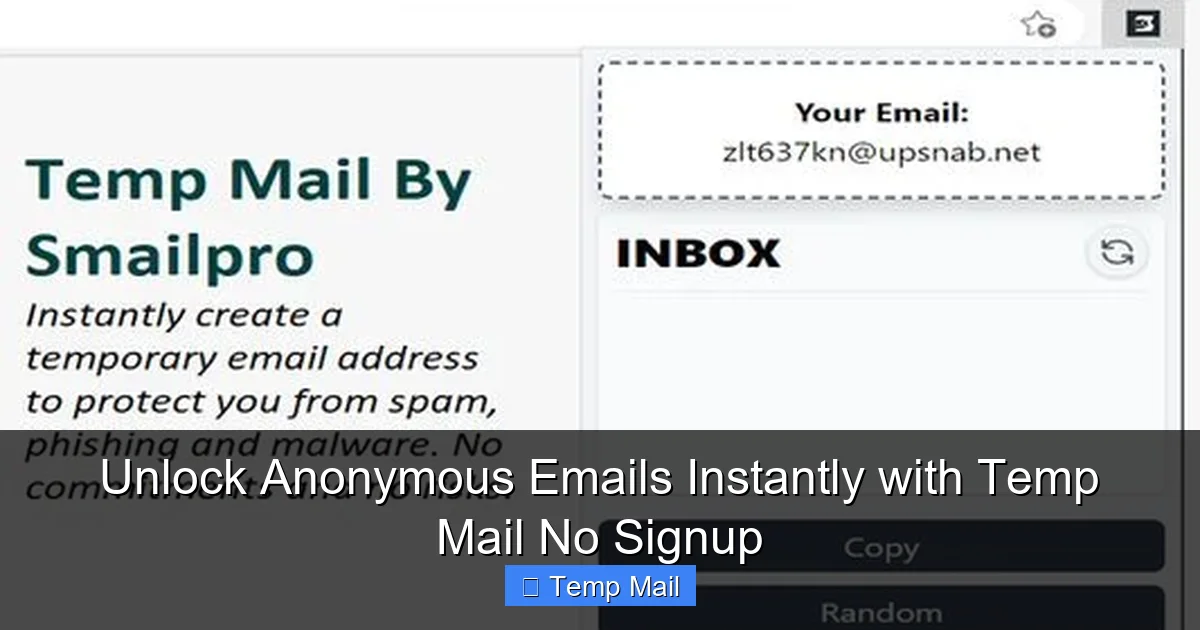
At its core, a private temporary email service is a platform that generates a random, disposable email address for you to use instantly, without any sign-up or personal information required. Think of it like a public payphone for the internet era. You walk up, use it for a quick call (or in this case, receive a verification email), and then walk away, leaving no trace behind. The inbox associated with that address exists for a predetermined short period—often just 10 minutes to 48 hours—and then self-destructs, along with all its contained messages.
The Core Mechanics: How It Works in 30 Seconds
You visit the temp mail website. A random address like [email protected] is generated for you. A browser-based inbox is already open and refreshing, waiting for mail. You copy that address, paste it into a website’s sign-up form, and request the verification email. Seconds later, the email appears in your temporary inbox. You click the verification link, complete your task, and close the browser tab. Within an hour, the address and its entire history vanish into the digital void. No password was created, no personal details were entered, and your primary email address remains pristine and unaffected.
Key Differentiators: Private vs. Standard Temp Mail
Not all temporary email services are created equal. The term “private” here emphasizes two critical features: anonymity and non-retention.
- Anonymity: A truly private service does not require you to create an account, log in, or provide any identifiable information to generate an address. The address is created on-the-fly for your current browser session.
- Non-Retention: The provider has a strict, automated policy to delete both the email address and all received messages after the expiration time. There is no database storing your emails or linking that temporary address to your IP address long-term. This is the crucial privacy promise. Some less reputable “temp mail” sites may log data or serve ads; a *private* service focuses on being a clean, transient conduit.
The Undeniable Benefits: Why Your Inbox Will Thank You
Using a private temporary email isn’t a fringe hack; it’s a mainstream privacy hygiene practice. The benefits stack up quickly, creating a tangible improvement in your daily digital life.
Visual guide about Unlock Online Privacy with Private Temporary Email Services
Image source: is1-ssl.mzstatic.com
Benefit 1: The Spam Sieve – Reclaiming Your Primary Inbox
This is the most immediate and gratifying benefit. Every time you use your real email to download a whitepaper, enter a contest, or sign up for a free trial, you’re often signing up for a lifetime of newsletter spam. Companies sell email lists, and your address gets passed around. A temporary email acts as a perfect sieve. It catches all that commercial and promotional correspondence, which then simply expires and disappears. Your primary inbox, reserved for family, friends, and critical work, becomes a peaceful, organized space again. No more sifting through “20% Off Your Next Purchase” emails to find a real message.
Benefit 2: A Shield Against Phishing and Data Breaches
Phishing emails are designed to look legitimate and trick you into clicking malicious links or entering credentials on fake sites. By using a disposable address for low-stakes website registrations, you dramatically reduce the number of targets attached to your real identity. Even more importantly, when a company you used a temp mail for suffers a massive data breach (an all-too-common occurrence), your email address isn’t in that stolen database. This means you won’t receive breach notification emails, and more critically, your real email can’t be used to try and crack into your other, more important accounts through password reset attempts.
Benefit 3: True Anonymity for Casual Browsing
Want to read a controversial article on a news site that requires an email to bypass a paywall? Need to post on a forum where you’d prefer not to be identified by your usual handle linked to your email? A temporary address gives you a veil of anonymity for these low-commitment interactions. It allows you to explore, research, or participate without building a permanent, searchable data profile linked to your core identity. This is invaluable for journalists, researchers, activists, or anyone valuing digital anonymity for non-malicious reasons.
Practical Use Cases: When to Reach for a Temp Mail
Knowing the theory is great, but knowing *exactly* when to use it is what makes this tool powerful. Here are the most common and effective scenarios.
Visual guide about Unlock Online Privacy with Private Temporary Email Services
Image source: m.media-amazon.com
Use Case 1: Accessing Gated Content
This is the #1 use case. You want a PDF guide, an e-book, a webinar recording, or a research report. The website asks for your name and email to “send you the download link.” Instead of handing over your work email, use a temporary address. You get the content instantly via the temp inbox, and the marketing drip campaign that follows vanishes with the inbox. Pro Tip: Use a different temp address for each major content download to easily track which company’s spam you’re avoiding.
Use Case 2: One-Time Service Sign-Ups and Trials
Signing up for a 7-day trial of a SaaS tool? Creating an account on a new photo editing site to try it out? Registering on a platform you might only use once? Use the temp mail. This prevents the inevitable “Your trial is ending!” and “Come back to us!” emails from piling up. It also stops the service from having your real email to potentially add to other promotional lists.
Use Case 3: Software and App Downloads
Some software download pages, especially for free utilities or tools from smaller developers, require an email address to proceed. Often, this is for a newsletter. A temp mail lets you bypass this hurdle cleanly. You download the software, and the confirmation email (and any future updates/newsletter) goes to an address that will be gone in a few hours.
Use Case 4: Forum and Community Registrations
Joining a niche hobby forum, a gaming clan community, or a comment section on a blog? Using your primary email here exposes you to potential forum-specific spam, hack attempts (if the forum is compromised), and links your online persona to your real identity. A temporary address keeps this compartmentalized.
Critical Limitations and What You Should NEVER Do
While powerful, temporary email is a specialized tool with clear boundaries. Using it incorrectly can cause real problems.
Visual guide about Unlock Online Privacy with Private Temporary Email Services
Image source: rigorousthemes.com
Limitation 1: The Inherent Ephemeral Nature
The biggest limitation is also its main feature: the inbox is temporary. If you need to reset a password six months from now, the reset email will be gone. If a service sends a crucial receipt or legal document to that address, it will be lost forever. You must treat any account created with a temp email as disposable and non-recoverable.
Limitation 2: Blocked by Many Major Platforms
Google, Microsoft, Apple, Facebook, Twitter, LinkedIn, and most major financial or government platforms actively block known disposable email domains. They do this for security and to ensure user accountability. You cannot use a temp mail to create a Gmail account, a Facebook profile, or a bank account. This is by design. These platforms require a persistent, verifiable point of contact.
The Golden Rule: Use Cases to AVOID at All Costs
Here is the non-negotiable list. Never use a temporary email for:
- Any Financial Account: Bank accounts, PayPal, Venmo, investment platforms, cryptocurrency exchanges.
- Primary Communication Accounts: Your main email provider (Gmail, Outlook, iCloud), your primary phone number account (for 2FA), your main social media profiles.
- Essential Services: Government services (taxes, benefits), healthcare portals, insurance accounts, university/student portals.
- Long-Term Subscriptions: Any paid service where you need ongoing receipts, billing alerts, or terms of service updates.
- Any Account You’d Regret Losing: If you’d be upset if you couldn’t log in tomorrow, don’t use a temp email.
Violating these rules leads to locked accounts, lost money, and inaccessible services. Temporary email is for peripheral interactions, not your digital core.
Choosing the Right Service: Features of a Truly Private Provider
Not all temp mail sites are safe. Some are filled with ads, malicious links, or may even log your IP address. To ensure true privacy, look for these hallmarks.
Essential Feature 1: Zero Registration
The moment a service asks you to create an account, set a password, or verify a captcha that ties to your IP, it’s not truly private. The best services generate the inbox immediately upon page load. You arrive, you have an address, you use it. No strings attached.
Essential Feature 2: Auto-Deletion and No Logs
A reputable service’s privacy policy will explicitly state that emails are automatically deleted from servers after the expiration time (e.g., 10 minutes, 1 hour, 1 day) and that no logs linking the temporary address to your session are stored. The service should have no way of knowing what was sent to that address after it’s gone.
Essential Feature 3: Clean, Ad-Light Interface
While most free services have some ads, be wary of sites plastered with misleading download buttons, pop-ups, or adult content ads. These can be vectors for malware. A cleaner interface, even with standard banner ads, is a better sign of a legitimate operation focused on the core utility.
Recommended Types of Domains
Many private services use their own unique domains (e.g., @guerrillamail.com, @10minutemail.com, @tempmail.net). Be aware that some websites block entire domains known for temp mail. If you find a specific service’s domain is consistently blocked, try another provider with a different domain. Some services even offer “domain rotation” where you can choose from several of their domains to bypass simple blocks.
Best Practices for Maximum Privacy and Utility
To get the most out of private temporary email while staying safe, follow these practical habits.
Practice 1: Use a Different Address for Different Purposes
Don’t reuse the same temporary address for multiple sign-ups. If one address gets spam (from the service you signed up for, which sometimes happens before deletion), it’s isolated. Generate a fresh address for each new website or purpose. This creates clean, separate compartments of activity.
Practice 2: Never Use It for Password Recovery
This is so important it bears repeating. When a website asks, “What’s your recovery email?” this is a permanent, critical security setting. Always use your real, secure, permanent email address here. A temp mail will lock you out permanently.
Practice 3: Check the Inbox Manually and Promptly
Since the inbox expires, you must check it soon after requesting an email. Some services auto-refresh, but it’s good practice to keep the tab open and watch for the incoming message. Copy the verification link quickly and complete your action on the original site. Don’t close the temp mail tab until you’ve successfully verified or received what you needed.
Practice 4: Combine with a Privacy-Focused Browser
For the ultimate privacy stack, use your temporary email service within a privacy-focused browser like Brave or Firefox with strict tracking protection enabled. Even better, use a private/incognito window. This prevents any potential session cookies from the temp mail site or the site you’re signing up for from following you around the web.
Practice 5: Understand the “Reply” Limitation
Most temporary email services allow you to *receive* emails but do not support *sending* emails from the temporary address. The address is for one-way communication: websites sending you verification codes or links. You cannot use it to email a friend. Do not attempt to correspond from it, as the reply will fail or expose your real IP if the service poorly implements it.
The Future of Privacy: Where Temp Mail Fits In
As data privacy regulations like GDPR and CCPA have grown, the principle of data minimization—“collect only what you need”—has gained traction. Using a temporary email is the ultimate act of data minimization for your online identity. You are choosing to provide less data, not more. While not a silver bullet for all online privacy woes (a VPN, password manager, and two-factor authentication are also essential), it is a highly effective, low-effort tactic in your overall strategy.
The rise of privacy-focused tools indicates a shifting user expectation. People are no longer willing to accept spam and data harvesting as the “cost” of being online. Temporary email services democratize this fight, putting a powerful privacy tool in the hands of anyone with a web browser, for free. They represent a small but significant act of rebellion against the “data is the new oil” economy, asserting that your inbox, and by extension your attention and your identity, is yours to control.
In conclusion, a private temporary email is more than just a spam filter; it’s a fundamental tool for digital self-defense. It’s the difference between leaving your home address on every public form you fill out and using a P.O. box for all your junk mail. By strategically deploying these disposable inboxes for the myriad low-stakes, one-off interactions that define modern web browsing, you protect your primary email, reduce your attack surface, and reclaim a significant measure of your online privacy. Start using one today—your future, uncluttered inbox will be the first to thank you.
Frequently Asked Questions
Is using a temporary email address legal?
Yes, using a temporary email service is completely legal. These services operate within the law by providing a communication channel. The legality depends on how you use it. Using it to avoid spam or protect your privacy for non-critical sign-ups is fine. Using it for fraudulent activities, like creating fake accounts for malicious purposes, is illegal, as the illegality lies in the action, not the tool itself.
Can a temporary email be traced back to me?
A truly private temporary email service that requires no registration and auto-deletes messages should not be able to trace the address back to you. However, your activity can still be tracked via your IP address by the websites you visit while using the temporary email. For maximum anonymity, use a reputable VPN or the Tor network in conjunction with a temporary email service.
How long do temporary emails last?
The lifespan varies by provider. Common expiration times are 10 minutes, 1 hour, 1 day, or 1 week. The most common and useful duration for quick sign-ups is between 10 minutes and 1 hour. Always check the specific service’s countdown timer so you know how long you have to retrieve your verification email before the inbox vanishes.
Will I be able to recover my account if I used a temp email?
Almost certainly not. This is the critical risk. If you use a temporary email to sign up for a service and later forget your password, the “forgot password” reset email will be sent to an inbox that no longer exists. You will be permanently locked out of that account. This is why you must only use temp mail for accounts you intend to abandon or that are truly disposable.
Do all websites accept temporary email addresses?
No. Many major platforms (like Google, Facebook, Microsoft, Apple, and most financial institutions) maintain blocklists of known disposable email domains and will reject them during sign-up. Additionally, some smaller websites may also block them to reduce fake accounts. If your temp email is rejected, you’ll need to use your real address or try a different temp mail provider with a domain not on that site’s blocklist.
Are temporary email services safe from malware?
Safety depends on the provider. Reputable private services are generally safe; they simply relay emails. However, some low-quality temp mail sites are filled with deceptive ads, pop-ups, and malicious download buttons that can infect your device. To stay safe, use well-known, ad-light providers, avoid clicking any ads or suspicious links on the temp mail site itself, and ensure your device has updated antivirus/anti-malware protection.