Temporary email without phone verification is your digital shield against spam, data harvesting, and privacy invasion. These disposable inboxes let you sign up for websites, download files, or verify accounts instantly—no personal phone number required. Perfect for one-time sign-ups, testing services, or safeguarding your primary email, they offer a simple, anonymous layer of online security. However, they’re not for critical accounts like banking. Use them wisely for maximum privacy with zero commitment.
Key Takeaways
- Privacy First: It completely separates your real identity from online interactions, preventing data brokers and marketers from linking activities to your phone number or primary email.
- No Phone, No Problem: The core advantage is bypassing SMS verification, which is often the biggest hurdle for quick, anonymous sign-ups on many platforms.
- Use Case Specific: Ideal for forum sign-ups, ebook downloads, software trials, and accessing gated content—not for password recovery or essential services.
- Inherent Limitations: Inboxes are temporary (hours to days), lack advanced features like folders/labels, and are public if you share the address.
- Security Awareness: While great for privacy, never use for sensitive transactions. The inbox URL is your only key; lose it, lose access forever.
- Easy as Pie: Generation is instant—visit a site, get a random address, use it, and forget it. No registration, no passwords, no phone numbers.
- Not a VPN Replacement: It hides your email/phone, not your IP address. For full anonymity, combine with a reputable VPN or Tor browser.
📑 Table of Contents
- What Exactly Is Temporary Email Without Phone Verification?
- How Does It Work? The Magic Behind the Burner
- The Undeniable Benefits: Why Go Phone-Free and Temporary?
- Perfect Use Cases: When to Break Out the Disposable
- The Critical Limitations and Risks: What You Can’t Do
- Best Practices for Safe and Effective Use
- Choosing a Service: What to Look For
- The Future and Final Verdict
What Exactly Is Temporary Email Without Phone Verification?
Imagine needing to download a free PDF guide, but the website demands your email address and then sends a verification code to your phone. Annoying, right? This is where temporary email without phone verification becomes your best friend. At its core, it’s a disposable email service that provides you with a random, working email address for a short period—usually 10 minutes to a few days—without ever asking for a phone number for SMS verification.
These services generate a unique inbox on their own domain (like [email protected]). You can receive emails in that inbox via a web interface, read them, click links, and sometimes even reply. Once the time expires or you manually delete it, the address and all its contents vanish into the digital ether. The “without phone” part is the crucial differentiator from many other services that still require a mobile number to create even a temporary account, tying it back to a real person.
The Core Philosophy: Ephemeral Communication
The guiding principle is ephemerality. Just like a note written on foggy glass, it exists temporarily and then disappears. This model directly counters the modern internet’s obsession with permanent data collection. Every time you use your primary Gmail or Outlook address online, you’re feeding the machine—your activity, preferences, and location (via your phone number) are logged, profiled, and often sold. A temporary email without phone is a deliberate act of digital minimalism, creating a clean, isolated event with no lasting footprint.
How Does It Work? The Magic Behind the Burner
The technology is surprisingly straightforward, which is part of its beauty. There’s no complex setup on your end. Here’s the step-by-step process:
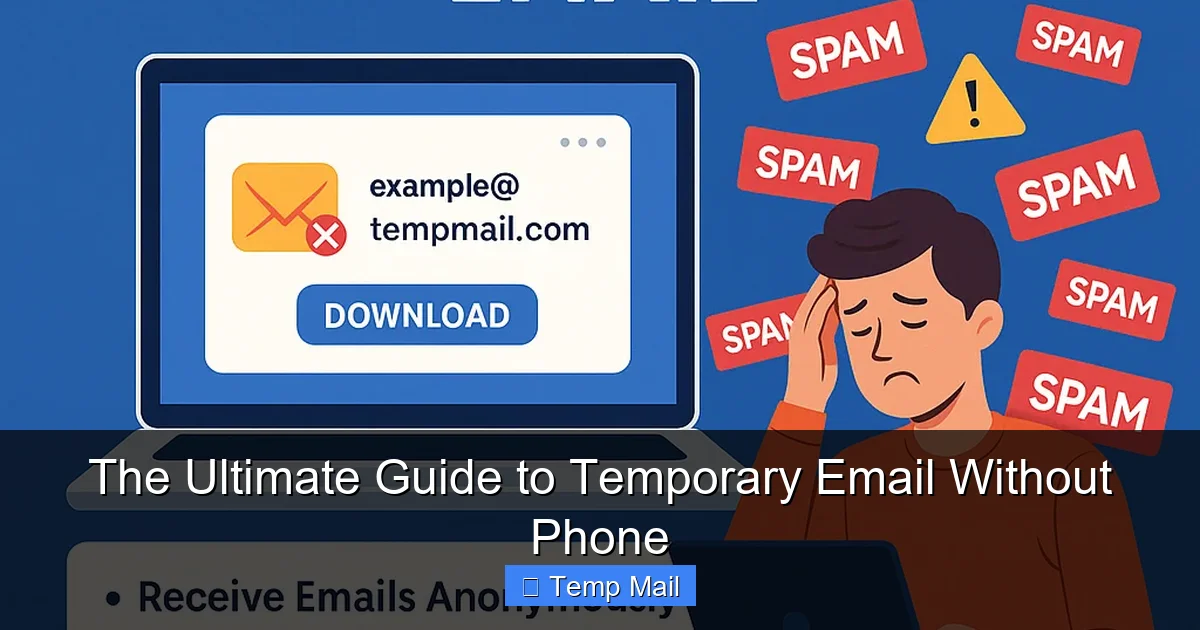
Visual guide about The Ultimate Guide to Temporary Email Without Phone
Image source: temporary-email.net
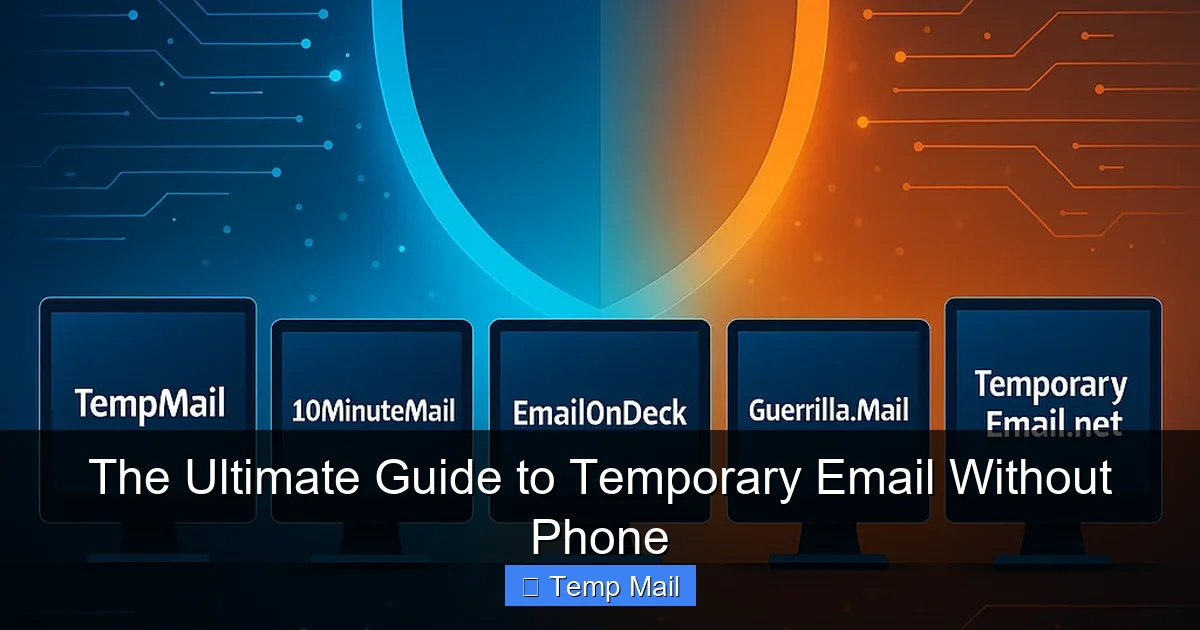
- Visit a Provider Site: You go to a website like Temp-Mail.org, 10MinuteMail.com, or Guerrilla Mail.
- Automatic Generation: The site instantly generates a random email address for you, often displayed prominently on the homepage. It also creates a corresponding inbox, accessible via a unique URL or a session-based browser tab.
- Use It Anywhere: You copy that address and paste it into the website or service you’re signing up for.
- Receive Mail: When that service sends a confirmation email or a download link, it arrives in the temporary inbox within seconds. You refresh the temporary inbox page to see it.
- Access & Forget: You click the link, download the file, or confirm the account. Once done, you simply close the tab. The address will either expire after a set time (the timer is usually visible) or be recycled for another user.
No Backend, No fuss: The Technical Simplicity
These services run on streamlined email server configurations. They don’t implement traditional, secure user login systems (hence no password). Instead, your “session” is often tied to a browser cookie or a unique, long URL that identifies your specific temporary inbox. When you close that session, the system eventually purges the mailbox. The lack of phone verification is simply because they don’t have a user database to tie the number to; the address itself is the only key.
The Undeniable Benefits: Why Go Phone-Free and Temporary?
Choosing a temporary email without phone over your primary address offers a cascade of immediate benefits, primarily centered on reclaiming control.
Visual guide about The Ultimate Guide to Temporary Email Without Phone
Image source: chemtronics.com
1. Unmatched Spam and Junk Prevention
This is the numero uno reason. That free ebook you downloaded? The forum you joined? The “exclusive” discount code you signed up for? They are now spam factories. By using a disposable address, you create a dead-end for all that marketing noise. Once the temporary inbox expires, so does all the future spam it would have collected. Your primary inbox remains pristine.
2. Ultimate Privacy and Anonymity
Your phone number is a golden key to your identity. It’s used for two-factor authentication, account recovery, and is often linked to your real name and address in various databases. By avoiding phone verification, you sever a critical link. The temporary email address is a pseudonym with no traceable path back to you, offering a layer of anonymity perfect for whistleblowers, activists in restrictive regions, or just someone wanting to browse a controversial forum without fear of doxxing.
3. Bypassing Aggressive Verification Walls
The internet is becoming a walled garden. More and more sites use phone verification as a crutch to fight bots, but it punishes legitimate users who value privacy. A temporary email without phone service allows you to bypass these walls effortlessly. You get the content or service without surrendering your mobile number to yet another corporate database.
4. Zero Commitment, Zero Risk
There’s no “account” to create, no password to forget, no profile to deactivate. It’s a pure, one-time-use tool. If the service you’re signing up for turns out to be shady or spammy, you’ve lost nothing. The temporary address becomes a one-way ticket; they can email you, but you have no obligation to ever engage again, and they can’t find you elsewhere.
5. Testing and Development Made Simple
For developers, QA testers, or marketers, these tools are gold. Need to test an email sign-up flow 50 times? Create 50 temporary inboxes in minutes. Want to see what a competitor’s gated content looks like without using a company email? Use a burner. It’s a sandbox for real-world email interactions.
Perfect Use Cases: When to Break Out the Disposable
Knowing *when* to use a temporary email is as important as knowing *how*. Here are the prime scenarios where it shines.
Visual guide about The Ultimate Guide to Temporary Email Without Phone
Image source: temporary-email.net
Downloading Gated Content
You see a compelling whitepaper, template, or software trial that requires an email. Use your temporary email without phone, get the instant download link in the inbox, and save the file to your computer. The marketing emails from that company will go to a dead address.
Signing Up for One-Time Services
Need a quick account on a forum to ask one question? Want to use a free online tool for a single project? Register with a disposable address. You get the access you need without cluttering your digital identity.
Accessing Region-Locked or Age-Restricted Content
Some websites block access based on email domain or require age verification via email. A temporary address from a neutral domain can sometimes bypass these simplistic blocks, though this is a gray area and depends entirely on the site’s methods.
Protecting Your Identity on Public Wi-Fi
If you’re on a café or airport network and need to sign up for something (like a Wi-Fi portal itself), using a temporary address adds a layer of security. Even if the network is compromised, attackers only get the disposable address, not your primary contact.
Avoiding Data Brokers at the Point of Entry
Data brokers collect information from every online form. By consistently using a burner for non-essential sign-ups, you pollute their databases with useless, temporary data, making the profiles they try to build about “you” less accurate and valuable.
The Critical Limitations and Risks: What You Can’t Do
Temporary email is a powerful tool, but it’s not a universal solution. Understanding its limits is crucial for using it safely and effectively.
1. No Account Recovery, Ever.
This is the biggest danger. If you use a temporary email without phone to sign up for a service you *actually* want to keep (like a social media account, cloud storage, or bank), you will be locked out forever the moment you need to reset your password. The service will send the recovery link to an address that no longer exists. Never use it for anything you care about long-term.
2. Public and Insecure Inboxes.
Most temporary inboxes are not private by design. The URL to access your specific inbox is often the only security. If someone else gets that URL, they can read your emails. Do not use it for sensitive personal or financial information. Assume anything sent to it could be read by the service provider or a hacker who guesses the URL pattern.
3. Blocked by Major Platforms.
Google, Facebook, Twitter, Microsoft, and most major platforms actively block known temporary email domains. They want real, persistent users. You will likely be prevented from signing up for these essential services with a disposable address, which is actually a good safety net to prevent you from making a catastrophic mistake.
4. Short Lifespan and No Features.
You get a bare-bones inbox. No folders, no labels, no powerful search, no integration with other apps. It’s a simple list of received emails. And it disappears. If you need to reference an email weeks later, you’re out of luck. Save important attachments immediately to your device.
5. Legal and Terms of Service Violations.
Using a burner to circumvent a ban on a platform, create fake accounts for manipulation (e.g., review spam), or hide illegal activity is a violation of most sites’ Terms of Service and could be illegal. The tool itself is neutral; the user’s intent determines its ethical and legal standing.
Best Practices for Safe and Effective Use
To master the art of the temporary email without phone, follow these practical guidelines. Think of it as a safety checklist.
Rule #1: The Golden Rule – Never for Important Accounts
This cannot be stressed enough. Your primary email, banking, main social media, cloud storage, and work-related accounts must always use a permanent, secure email with 2FA enabled (using an authenticator app, not SMS if possible). The temporary address is for everything else.
Rule #2: Use a Different Address Every Time (Ideally)
For maximum privacy, don’t reuse the same temporary address for multiple sites. Generate a new one for each new sign-up. This creates isolated data points that cannot be correlated. If a service you used twice has a data breach, the attacker can’t link those two separate activities to the same “person” (the burner address).
Rule #3: Act Fast and Save Attachments
Know the lifespan of your chosen service (10 min, 1 hour, 1 day). The moment you receive the needed email with the download link or code, use it immediately. If there’s an attachment you need, download it to your computer right away. Do not let the inbox expire with the file inside.
Rule #4: Bookmark the Inbox URL (If Allowed)
Some services provide a unique URL to access your specific inbox. If you think you might need to check it again within its lifespan (e.g., a confirmation email that takes 5 minutes to arrive), bookmark that exact URL in a separate, incognito browser window. Do not bookmark it in your main browser where it could be synced or discovered.
Rule #5: Combine with Other Privacy Tools
For a holistic privacy shield, use your temporary email without phone in conjunction with:
- A reputable VPN (to mask your IP address).
- Privacy-focused browsers like Brave or Firefox with strict tracking protection.
- Search engines like DuckDuckGo.
- Never use your real name or other personal details when filling out forms associated with the temporary address.
Rule #6: Know When to Switch to a More Permanent Alternative
If you find yourself wanting to use the same disposable address repeatedly for a specific service (e.g., a weekly newsletter you actually enjoy), it’s time to create a dedicated “junk” or “newsletter” email address with a provider like Gmail or ProtonMail. This keeps your primary inbox clean but gives you a persistent address for recurring low-stakes communications.
Choosing a Service: What to Look For
Not all temporary email providers are created equal. Here’s your checklist for selecting a reliable one.
Essential Features Checklist
- No Phone Verification Required: This is your core requirement. The service should never ask for a mobile number at any point.
- Clear Lifespan Display: A visible countdown timer so you know exactly how long you have.
- Multiple Domain Options: Good services offer several domains (e.g., @tempmail.com, @tmpmail.org). If one gets blocked, you can try another.
- No Registration: The entire point is no sign-up. If a service asks you to “create an account” to get a burner, skip it.
- Simple, Ad-Light Interface: You’re there for functionality, not to battle pop-ups and misleading download buttons. A clean interface is a sign of a more reputable operation.
Popular and Reputable Providers (As of 2023)
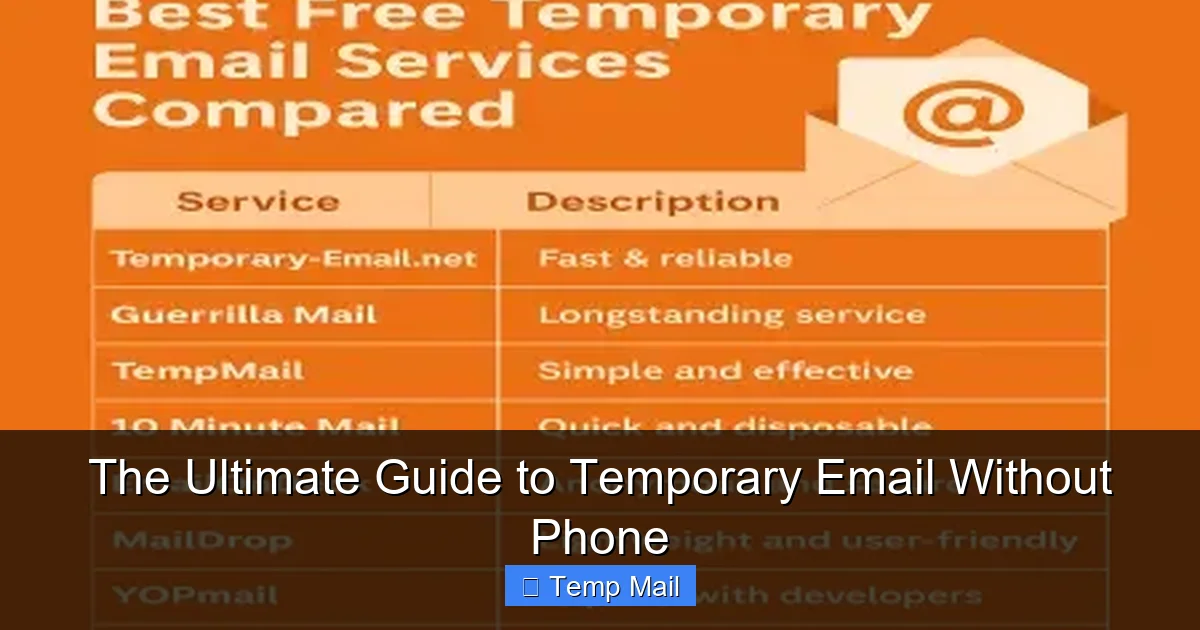
Temp-Mail.org: One of the most popular. Offers a clear 10-minute default timer (extendable), multiple domains, and a straightforward interface. Very reliable for quick tasks.
10MinuteMail.com: The classic. It’s literally just a 10-minute inbox. No frills, no fuss. The address and timer are on one simple page. Perfect for the fastest tasks.
Guerrilla Mail: Offers a bit more flexibility with options to choose your own random address and a slightly longer default duration (60 minutes). Has a clean interface and a “send email” feature if you need to reply from the burner.
Maildrop.cc: Focuses on simplicity and privacy. No JavaScript, minimal tracking. Offers a 24-hour retention period, which is longer than most, making it good for multi-hour tasks.
Important Note: The landscape changes. A provider that’s reliable today might be blocked by a major site tomorrow or start injecting ads. Always have 2-3 in your bookmarks to switch if one fails.
The Future and Final Verdict
The demand for temporary email without phone services is growing in direct correlation with the internet’s increasing surveillance capitalism. As companies and governments seek more and more identifiers (phone numbers, real names, government IDs) for the simplest tasks, the desire for ephemeral, anonymous tools will only intensify. We may see more integration with privacy networks like Tor or decentralized identity systems.
However, the cat-and-mouse game
Frequently Asked Questions
What is temporary email without phone?
temporary email without phone is an important topic with many practical applications.