Tired of spam cluttering your primary inbox? Temp mail no signup services provide a free, temporary email address in seconds, with no registration required. It’s the perfect tool for signing up to websites, downloading files, or verifying accounts without risking your personal information or dealing with unwanted newsletters. Use it for one-time tasks and maintain your online anonymity effortlessly.
Ever stared at a registration form, hand hovering over your mouse, because it demanded an email address you didn’t want to give? You’re not alone. That feeling of dread—knowing your primary inbox will soon be flooded with promotions, newsletters you never read, and potential data breaches—is universal. What if you could just… skip that? What if you could get a perfectly functional email address for that one task, use it, and forget it existed, all without creating another account or remembering another password? Enter the world of temp mail no signup. It’s not a secret hacker tool; it’s a simple, powerful piece of internet hygiene for the modern user. This guide will walk you through everything you need to know about using temporary email services that require zero commitment, helping you reclaim your privacy and sanity, one disposable inbox at a time.
Key Takeaways
- Instant Access: Generate a working email address in under 5 seconds with zero signup, no passwords, and no personal details required.
- Spam Shield: Use a disposable address for sign-ups and downloads to keep your permanent email spam-free and your identity protected.
- Privacy First: These services don’t require any user data, ensuring your anonymity and preventing data tracking by the temp mail provider itself.
- No Long-Term Commitment: Emails and addresses are automatically deleted after a short period (usually 24-48 hours), leaving no digital footprint.
- Universal Bypass: Effectively circumvent website registration walls for content access, gated downloads, or forum access without using your real email.
- Simple & Free: The core functionality is completely free, supported by minimal, non-intrusive ads on the service’s interface page.
- Know the Limits: Not for sensitive communications, password recovery, or long-term accounts. It’s a tool for disposable, low-stakes interactions only.
📑 Table of Contents
- What Exactly is “Temp Mail No Signup”?
- Primary Use Cases: When and Why You Need It
- The Undeniable Benefits: Freedom and Cleanliness
- Potential Risks and Critical Limitations
- How to Choose and Use a Temp Mail Service: A Practical Guide
- Best Practices for Responsible and Effective Use
- The Future and Ethical Considerations
- Conclusion: Embrace Controlled Anonymity
What Exactly is “Temp Mail No Signup”?
Let’s break it down. “Temp mail” is short for temporary mail. It’s a service that provides you with a random, valid email address for a short duration. The “no signup” part is the revolutionary, user-friendly twist. Traditional online services, even free ones, usually want something from you: your name, your existing email, a password, maybe a phone number. Temp mail no signup flips this model on its head. The provider doesn’t want your information. You visit their website, and an email address is generated for you immediately. You copy it, use it elsewhere, and then you close the tab. There is no profile to create, no verification email to click, no password to lose. It’s the ultimate “take and forget” digital tool.
The Core Mechanics: How It Works Instantly
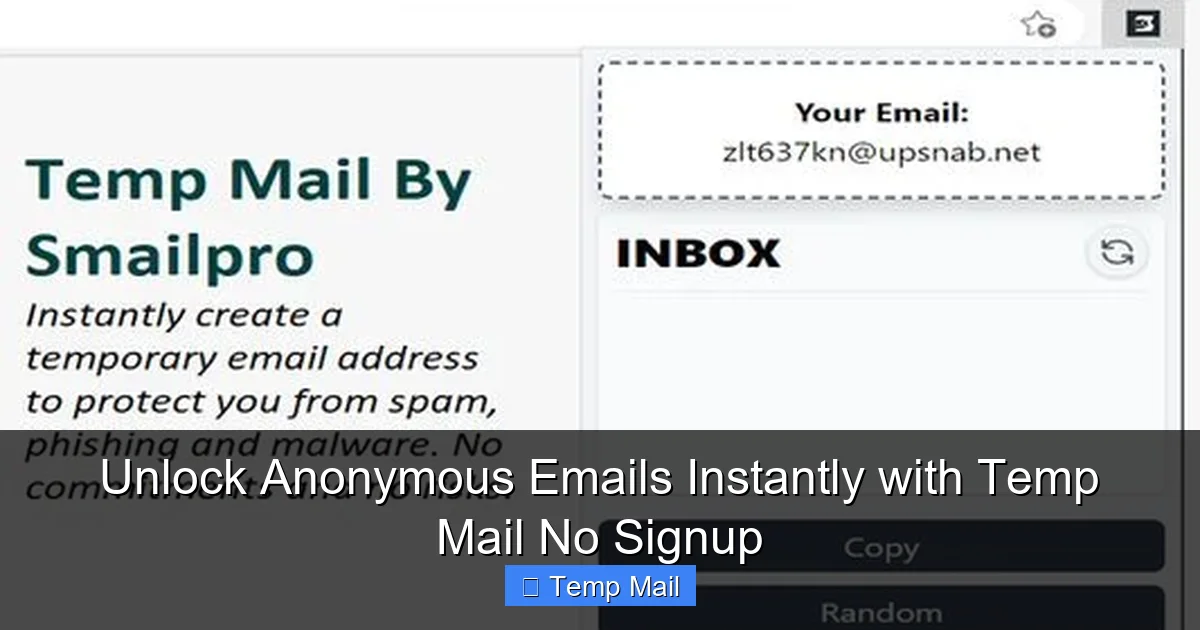
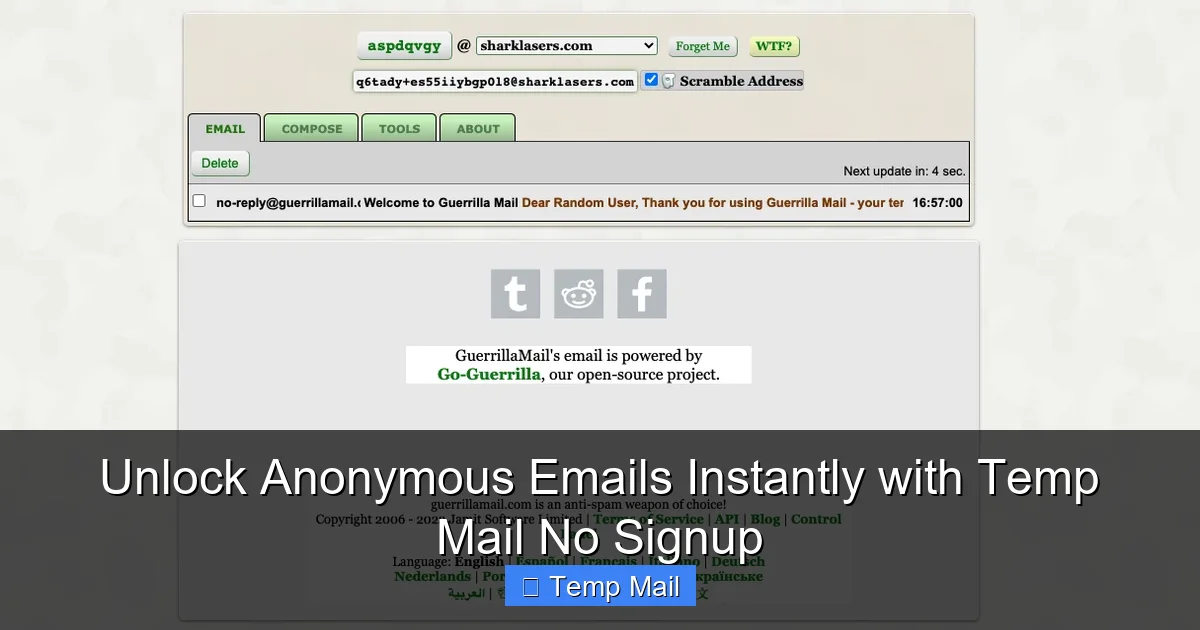
Behind the simple interface is a straightforward technical process. The service maintains a pool of domain names (like @tempmail.demo or @10minutemail.com) and a vast, rotating list of random usernames. When you hit their homepage, their system algorithmically assigns you a unique combination—say, [email protected]—and creates a corresponding inbox on their servers, linked to a temporary database record. This inbox is public in the sense that anyone who knows the full address can send to it, but it’s private to you because only you know the specific address string. You receive emails directly in a web-based inbox displayed on the provider’s site. No forwarding to your real Gmail. It’s a self-contained, ephemeral messaging unit.
Why “No Signup” is a Game-Changer
The “no signup” feature eliminates the final barrier to entry. Imagine a temp mail service that still asked you to create an account with a password. You’d just be trading one email problem (spam) for another (password management for a service you’ll use once). The no-signup model respects your time and your desire for anonymity from the very first click. It reduces friction to zero. There is no “I agree to the terms and conditions” checkbox you blindly click. There is no “confirm you’re not a robot” CAPTCHA on the provider’s own site (though the site you’re signing up for will likely have one). You arrive, you get your email, you leave. It’s digital altruism in action—a utility built for convenience, not data harvesting.
Primary Use Cases: When and Why You Need It
Understanding *why* to use temp mail is as important as knowing *how*. It’s a specialized tool for a specific set of problems. Using it for your main email is a terrible idea, but using it for the right jobs makes it indispensable.
Visual guide about Unlock Anonymous Emails Instantly with Temp Mail No Signup
Image source: cleveland.com
1. Bypassing Gated Content and Downloads
This is the most common and legitimate use. You want to download a PDF, an e-book, a software trial, or a design template from a website. The site says, “Enter your email to download.” You suspect that email will be sold or spammed. A disposable address is perfect here. You get the download link in the temp inbox, grab your file, and abandon the address. The website gets a “valid” email (which bounces later), and you get your content with zero commitment. It’s a clean transaction.
2. Creating Test Accounts for Online Services
Want to try out a new social media platform, a project management tool, or a streaming service’s free trial without the follow-up marketing? Use a temp mail. Sign up, explore the features for the trial period, and let the account expire with the email. This prevents your primary inbox from being added to “lifecycle marketing” campaigns for services you didn’t ultimately want.
3. Forum or Comment Section Registration
Many forums and news sites with comment sections require registration to prevent trolls. If it’s a one-time discussion you want to participate in, a temp email lets you create that account, post your comment or question, and never look back. It keeps your real identity separate from that specific, potentially contentious, online interaction.
4. Avoiding Spam After Data Breaches
We’ve all been there: a service you used years ago has a data breach. Your email is now on a list sold to spammers. If you had used a disposable email for that old, forgotten account, the spam goes to an address that no longer exists, leaving your primary inbox pristine. Using temp mail for low-stakes, “throwaway” accounts is a proactive defense against future spam waves.
The Undeniable Benefits: Freedom and Cleanliness
Choosing a temp mail no signup service isn’t just about avoiding spam; it’s about adopting a cleaner, more private digital lifestyle.
Visual guide about Unlock Anonymous Emails Instantly with Temp Mail No Signup
Image source: rightinbox.com
Unmatched Convenience and Speed
There is literally no faster way to get an email address. From the moment you decide you need one to having a working inbox is a matter of seconds. No navigating signup forms, no verifying a previous email, no setting a password. This speed is crucial when you’re in a flow state, trying to access something you need *now*. It removes all friction from the process of engaging with the wider web.
Enhanced Privacy and Anonymity
Because you provide zero personal information to the temp mail provider, there is no data trail linking *you* to that *address*. The service itself cannot identify you. For users in regions with strict privacy laws (like GDPR in Europe) or those who are simply privacy-conscious, this model is ideal. You are not the product; you are a transient user of a utility. The temporary nature of the address also means there is no long-term repository of your communications for anyone to subpoena or hack.
Clutter Reduction and Inbox Zero
The primary benefit is a cleaner primary inbox. Every marketing newsletter, promotional offer, and “we miss you” email from a service you tried once is funneled into a disposable address that self-destructs. This makes managing your important email—from your boss, your family, your bank—vastly easier. You achieve and maintain “Inbox Zero” not through constant sorting, but by preventing the clutter from ever arriving.
Potential Risks and Critical Limitations
Temp mail is a powerful tool, but it’s not a Swiss Army knife. Understanding its limitations is crucial to using it safely and effectively. Misusing it can lead to real problems.
Visual guide about Unlock Anonymous Emails Instantly with Temp Mail No Signup
Image source: cdn.prod.website-files.com
Not for Anything Important
This is the cardinal rule. Never, ever use a disposable email for: password recovery for an account you care about, official government or banking communications, job applications, primary account registration for services like PayPal or Amazon, or any communication where proof of identity or long-term access is required. Once the email expires, access is permanently, irrevocably gone. If you forget a password for an account tied to a temp mail, that account is lost forever.
Security and Trust Issues
While the service provider may be anonymous, the *inbox itself* is not secure. The email address is often publicly visible on the provider’s homepage list of active addresses (though many now hide them). Anyone could theoretically guess or find the address and view the emails in that inbox if they navigate to the right page. Therefore, you should never receive sensitive information like password reset links, financial statements, or confidential documents in a temp mailbox. The connection to the temp mail site may also not be encrypted (though most reputable ones use HTTPS).
Website Blocklists and Detection
Many major platforms (Google, Facebook, Microsoft, Twitter, etc.) actively maintain blocklists of known disposable email domains. If you try to sign up with a temp mail address, the site may reject it outright, displaying an error like “Please use a valid email address.” This is a common hurdle. It means for critical services, temp mail simply won’t work, which is often by design. Some smaller sites may not have these blocklists, which is where temp mail is most effective.
How to Choose and Use a Temp Mail Service: A Practical Guide
Not all temp mail services are created equal. Here’s what to look for and how to use them correctly.
Features to Look For
- No Signup, Obviously: The homepage should immediately generate an address.
- Auto-Refresh Inbox: The inbox should automatically check for new emails every 10-30 seconds so you don’t have to manually refresh.
- Copy Button: A one-click button to copy the email address to your clipboard is essential for speed.
- Reply Functionality (Rare): A few advanced services allow you to reply to received emails from the temp interface. This is useful for email verification loops but is uncommon.
- Domain Options: Some services let you choose from several available domains.
- HTTPS: Ensure the site URL starts with https:// for basic connection encryption.
Step-by-Step Usage Workflow
Using a temp mail no signup service is idiot-proof, but a smooth workflow helps:
- Navigate: Go to your chosen temp mail provider’s website (e.g., tempmail.net, 10minutemail.com).
- Copy: Your new email address will be displayed prominently. Click the “Copy” button.
- Paste & Use: Paste this address into the signup or download form on the other website. Complete whatever action you needed (sign up, download, verify).
- Wait & Check: Return to the temp mail tab. The inbox will show your received email. Click it to view the content. Look for the verification link or download file.
- Act Quickly: Complete the necessary action on the other site (click the link, download the file) as soon as you see the email. Some verification links expire quickly.
- Abandon: Close the tab. The address and all its emails will vanish automatically. There is nothing else to do.
Best Practices for Responsible and Effective Use
To get the most out of temp mail without falling into traps, follow these simple rules.
Strictly for Transient, Low-Stakes Interactions
Train yourself to ask: “What happens if I lose access to this?” If the answer is “I’d be locked out of something important” or “I’d lose money,” do not use a temp mail. The boundary must be clear. Social media trial, gaming beta signup, whitepaper download? Yes. Bank account, primary cloud storage, main communication hub? Absolutely not.
Have Your Primary Inbox Ready
If you’re using temp mail to sign up for a service you *might* want to keep long-term, immediately add your *real* email to the account settings as a secondary or recovery email once you’ve gained access. Then, you can stop using the temp mail for that service. This is a crucial migration step for services you grow to like.
Don’t Use for Account Recovery
This cannot be stressed enough. If you use a temp mail to sign up for a service and later forget your password, you will be unable to recover the account. The “forgot password” email will go to an address that has expired. You will have permanently lost that account. Always add a real email for recovery if you intend to keep the account.
Respect Website Terms of Service
While using a temp mail to download a gated PDF is generally harmless, using it to create hundreds of spam accounts on a forum violates that forum’s terms. Use the tool ethically. Its purpose is to protect *your* privacy from *their* spam, not to enable you to spam others or maliciously circumvent rules.
The Future and Ethical Considerations
The temp mail ecosystem exists in a delicate balance. On one side, users demand privacy and freedom from spam. On the other, businesses rely on email lists for marketing and use email verification as a basic anti-abuse measure (to deter bots and trolls). This tension will continue.
An Arms Race? The Blocklist Dynamic
As disposable email domains become popular, they get added to blocklists. This forces temp mail providers to constantly rotate their domains, creating a cat-and-mouse game. Some services now use more generic, less suspicious-looking domains to avoid detection. This cycle means the list of “working” domains is always changing. If a particular provider’s domain gets blocked, you simply try another. The ecosystem is resilient because the demand is constant.
A Tool, Not a Solution
Temp mail no signup is a fantastic tool for a specific job. It is not, however, a solution to the broader problem of data capitalism. It doesn’t stop companies from trying to collect your data when you *do* use your real email. It simply gives you an escape hatch for interactions where you don’t trust the recipient. The real solution for long-term privacy involves using privacy-respecting services, reading terms critically, and managing your digital footprint holistically. Think of temp mail as a tactical shield, not a strategic fortress.
Conclusion: Embrace Controlled Anonymity
The internet doesn’t have to mean surrendering your email address at every turn. The rise of temp mail no signup services represents a small but significant victory for user agency. They hand power back to you: the power to say “no” to unwanted data collection, the power to access information without a trace, and the power to keep your primary digital mailbox clean and sacred. By understanding its mechanics, respecting its limitations, and using it strategically for low-stakes, disposable tasks, you can navigate the web with greater confidence and privacy. It’s a simple habit that, once adopted, makes you wonder how you ever browsed without it. So next time you see that email field, pause. Ask yourself if this interaction is permanent or disposable. If it’s the latter, open a new tab, generate a temp mail, and click through with the quiet satisfaction of someone who just sidestepped a minor digital nuisance. Your future, less-spammed self will thank you.
Frequently Asked Questions
Is using temp mail no signup legal?
Yes, using a temporary email service is completely legal in virtually all jurisdictions. You are simply using a provided communication service. However, using it to commit fraud, impersonate someone, or violate a website’s terms of service could have legal consequences unrelated to the tool itself.
Is temp mail safe from hackers?
It is safe from hackers targeting *your* identity because no personal data is stored. However, the inboxes themselves are not secure. The email address is often publicly listed, and anyone could access the inbox if they know the address. Therefore, you should never receive sensitive data like passwords or financial info in a temp mailbox.
How long do temp emails last?
It varies by provider, but most standard services delete the email address and all its contents after 24 to 48 hours of inactivity. Some offer 10-minute or 1-hour sessions. The duration is always clearly stated on the provider’s site.
Can I send emails from a temp mail address?
Generally, no. Temp mail services are designed almost exclusively for *receiving* emails, specifically for verification and download links. The ability to send outgoing mail is rare and, if available, is usually very limited to prevent abuse.
What happens if a website I need blocks temp mail domains?
If a site detects and blocks the disposable domain, you simply cannot use that address to sign up. Your options are to use a different temp mail provider (which may have a different domain), or bite the bullet and use your real, primary email address for that particular service.
Should I use my real name in the temp mail address?
It’s better not to. While the provider doesn’t know it’s you, the address itself could be visible to others. Using a random combination of letters and numbers maintains better anonymity and makes it harder for anyone to associate that address with you personally if they see it somewhere.