As a freelancer, your email is your lifeline—but it’s also a target for spam, scams, and endless promotions. A temporary email for freelancers acts as a disposable shield, letting you sign up for tools, apply for gigs, and test services without compromising your primary professional address. It’s a simple, free strategy to boost your security, organization, and peace of mind while you focus on your work.
Hey there, fellow freelancer! Let’s have a real talk about your email inbox. Is it a chaotic mess? Are you drowning in promotional newsletters from that one tool you tried three years ago? Do you get those heart-sinking “Urgent: Your Account is Compromised!” emails that you know are phishing attempts, but you still have to open them to be sure? If you’re nodding your head, you’re not alone. This is the unspoken war we fight daily. But what if I told you there’s a secret weapon, a tactical tool that can dramatically clean up your digital life and protect your freelance business? I’m talking about using a temporary email for freelancers. It’s not just for signing up to sketchy websites; it’s a core part of a smart, secure, and organized freelance workflow.
Think about it. Your primary professional email address is your digital storefront, your business card, and your most important communication channel all in one. It’s tied to your bank accounts, your client contracts, your identity on platforms like Upwork or Fiverr. Every time you use it to sign up for a new project management tool, download a free ebook, or register for a webinar, you’re handing over a key to your digital kingdom. Companies sell data, databases get breached, and bots scrape the web for emails to spam. Your valuable address ends up on lists you never agreed to be on. A temporary email service gives you a disposable, throwaway address for these exact moments. It’s like using a P.O. box for your online life—you get the mail you need, then you close the box when you’re done, leaving no trace behind.
In this guide, we’re going deep. We’ll move beyond the basics and explore exactly how, why, and when a freelancer should integrate temporary email into their daily operations. We’ll cover the tangible benefits, the potential pitfalls to avoid, and a step-by-step system you can implement today. By the end, you’ll see your inbox not as a source of stress, but as a streamlined, secure command center for your freelance career. Let’s dive in.
Key Takeaways
- Spam & Scam Defense: A temporary email creates a barrier, preventing unwanted solicitations and phishing attempts from ever reaching your main professional inbox.
- Client Communication Clarity: Use dedicated temporary addresses for initial client inquiries or specific project platforms to keep your primary inbox solely for confirmed, paid work.
- Risk-Free Sign-Ups: Test new freelance platforms, software trials, or webinars without commitment, using a disposable address that can be discarded after use.
- Identity & Data Protection: Minimize your digital footprint by not exposing your real email to every website, reducing the risk of data breaches and identity harvesting.
- Inbox Zero Maintenance: Achieve and maintain a clean, organized inbox by filtering all non-essential, transactional, and potential junk emails to a separate, discardable address.
📑 Table of Contents
- What Exactly Is a Temporary Email Service?
- Why Freelancers Are Prime Targets for Spam and Scams
- 5 Key Benefits of Using a Temporary Email as a Freelancer
- How to Implement a Temporary Email Strategy: A Step-by-Step Guide
- Potential Pitfalls and How to Avoid Them
- Integrating Temporary Email into Your Broader Security Hygiene
- The Final Word: Reclaim Your Focus and Security
What Exactly Is a Temporary Email Service?
Before we get into the “why,” let’s solidify the “what.” A temporary email service (also called disposable email, burner email, or temp mail) is a platform that generates a random, unique email address for you to use immediately, without any registration or personal information. These addresses typically live for a set period—from 10 minutes to a few days—or until you manually delete them. Emails sent to this address appear in a web-based inbox on the service’s site. You can read, reply (sometimes), and download attachments, all without ever creating a password or linking the address to your identity.
How It Differs From Your Regular Email
Your Gmail, Outlook, or ProtonMail account is persistent. It’s tied to your identity, has storage limits, and is designed for long-term communication. A temporary email is ephemeral. It’s a tool for a specific, temporary interaction. The key difference is intent and lifespan. You use your permanent email for relationships—clients, colleagues, banks. You use a temporary email for transactions—signing up, downloading, accessing—where a long-term relationship with the sender is not your goal.
Common Features of Freelancer-Friendly Temp Mail
Not all temp mail services are created equal. The best ones for freelancers offer:
- No Registration Required: You visit the site, get an address, and go. No forms, no phone numbers.
- Customizable Inbox Time: The ability to extend the lifespan of an address if you need it for a longer trial or project.
- Multiple Domain Options: The service provides several domain names (e.g., @tempmail.demo, @discard.email) to increase deliverability and avoid simple filters.
- Simple, Clean Interface: You don’t need bells and whistles. Just a clear list of received emails and a way to view them.
- Attachment Support: Crucial for downloading whitepapers, templates, or invoices from new platforms.
Services like Temp-Mail.org, 10MinuteMail, and Guerrilla Mail are popular starting points. For more advanced needs, some offer browser extensions or APIs.
Why Freelancers Are Prime Targets for Spam and Scams
To understand the power of the shield, you must know the nature of the attack. Freelancers are a goldmine for malicious actors because we are often:
Eager and Accessible
We put our contact information everywhere: our websites, LinkedIn profiles, portfolio sites, and freelance marketplaces. We’re actively seeking work, so we respond to inquiries and opportunities quickly, sometimes without the same caution a large corporation might have.
Financially Motivated
Scams are often financial: fake client overpayments, phishing for bank details under the guise of “contract signing,” or ransomware attacks disguised as project files. The promise of a big paycheck can lower our guard.
Tech-Forward but Not Always Security-Focused
We use dozens of SaaS tools—project management, time tracking, invoicing, communication. Each new tool is a potential data leak point. We might prioritize functionality over security hygiene, like reusing passwords or using our main email for everything.
The “Too Good to Be True” Trap
Who hasn’t seen a job posting for a “simple data entry job paying $50/hour”? These are often money-mule or check-cashing scams. The first step is almost always “Please reply to this email with your details.” Using your real email marks you as an active target for follow-up scams.
This constant exposure means your primary inbox is under siege. Spam isn’t just annoying; it’s a productivity killer and a security hazard. It’s the digital equivalent of someone constantly ringing your doorbell—you never know if it’s a friend or a robber.
5 Key Benefits of Using a Temporary Email as a Freelancer
Now, let’s get practical. Here’s how this tool directly improves your freelance life and business.
Visual guide about Temporary Email for Freelancers Avoid Spam and Scams
Image source: foxiewebdesign.com
1. Ultimate Spam Filtering (Your Inbox’s Bouncer)
Imagine a bouncer at the door of your inbox. Every time you need to sign up for something—a new freelance platform like Toptal, a free trial of Asana, a webinar on SEO—you give the website the bouncer’s name (your temp email). All the promotional junk, the “We miss you!” emails, the upgrade offers? They go straight to the bouncer’s locker (the temp inbox). Your main inbox receives only what you explicitly forward or the rare, essential confirmation you might need to save. The result? A pristine, professional, and focused primary inbox that only contains client emails, project updates, and truly important notifications.
2. Bulwark Against Phishing and Scams
This is the security superpower. How many “security alerts” from “PayPal” or “LinkedIn” have you gotten? Most phishing emails rely on two things: urgency and familiarity. They use your real email address to make the scam seem legitimate. If that phishing email lands in a temporary inbox you check once a week, you’re far less likely to click a malicious link in a panic. You create a critical layer of separation. Even if you accidentally engage with a scammer using a temp address, they have no way to target your primary identity, your bank, or your real clients. You can simply delete the disposable address and walk away, scot-free.
3. Clean Client and Project Separation
This is a game-changer for organization. Create a system:
- Temp Email A: For all freelance platform sign-ups (Upwork, Freelancer.com, PeoplePerHour).
- Temp Email B: For all software and tool trials (Notion, Figma, Grammarly).
- Temp Email C: For content downloads and generic webinars.
- Your Real Email: ONLY for direct client communication, contract signing, and invoice payments.
Suddenly, your inbox isn’t a jumbled mix of “Project X feedback from Client Y” and “Your Canva Pro trial ends tomorrow!” This separation makes you more professional and saves hours of mental sorting each week.
4. Risk-Free Exploration and Testing
Freelancing means constantly learning and trying new things. Want to test a new CRM? Need to access a gated case study? Curious about a competitor’s tool? Use a temporary email. There’s no commitment, no follow-up spam to your main address, and no “unsubscribe” from 20 lists later. You can explore the digital world freely, gather the information you need, and vanish without a trace. It’s the ultimate “try before you buy” for your online presence.
5. Preserving Your Professional Reputation
Picture this: you’re applying for a high-value client. You send your proposal from your sleek, professional “[email protected]” address. Then, the client, out of curiosity, does a quick Google search of your email address. What do they find? Nothing, because you’ve never used it for public sign-ups. Your digital footprint is clean. Now, imagine if that same email was plastered across 50 “free ebook” download sites and low-quality forums. It looks unprofessional and suggests a lack of digital hygiene. A temporary email keeps your professional address pristine and untarnished by the underbelly of the web.
How to Implement a Temporary Email Strategy: A Step-by-Step Guide
Okay, you’re convinced. But how do you actually do this without creating more chaos? Here’s your actionable plan.
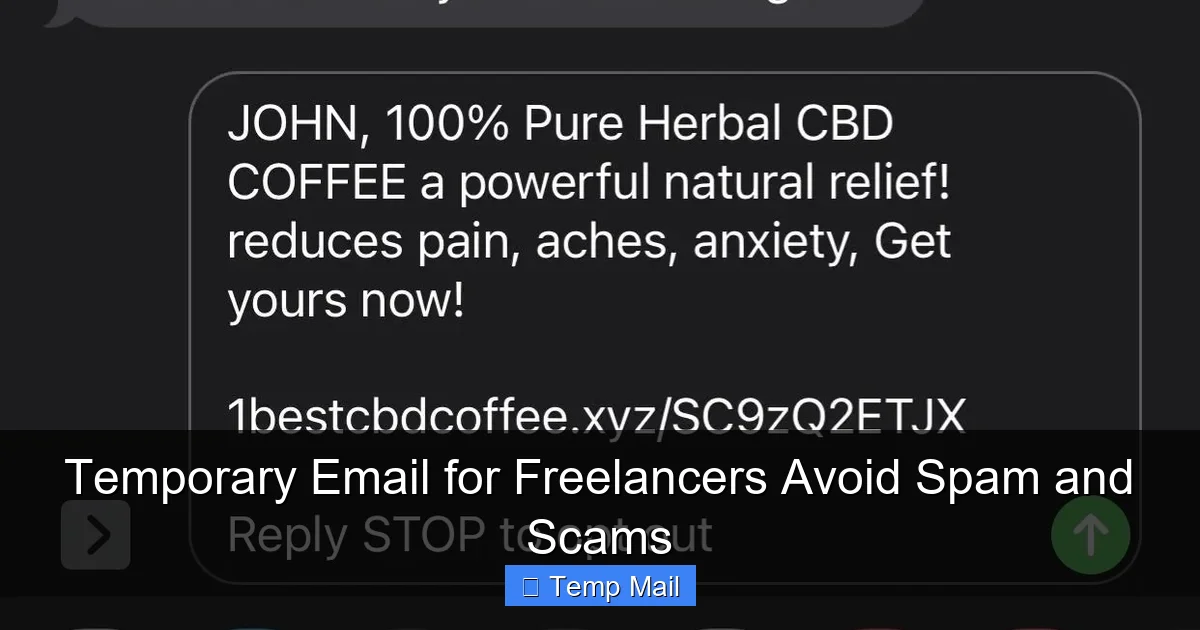
Visual guide about Temporary Email for Freelancers Avoid Spam and Scams
Image source: img.gadgethacks.com
Step 1: Choose Your Primary Temporary Service
Pick one reliable service and stick with it for consistency. I recommend starting with Temp-Mail.org or 10MinuteMail for their simplicity and no-fuss approach. Bookmark it. Consider installing its browser extension if available for one-click access.
Step 2: Create Your “Alias” System
Don’t just use a random temp email for everything. Be systematic. Since most temp services let you copy the address easily, create a mental or physical note (in a secure password manager, not a plain text file!) of your designations:
You won’t be able to *choose* the exact name, but you can use the same service and mentally tag which address is for which purpose. When you sign up for a new platform, you’ll know which “role” your temp email is playing.
Step 3: The Sign-Up Protocol
Make this a non-negotiable habit:
- Navigate to your chosen temp mail site. Get a fresh address (or use your designated one if it’s still active).
- Copy it.
- Paste it into the “email” field on the website you’re signing up for.
- Complete the sign-up. If a confirmation email is required, switch to your temp mail tab, find it, click the link (if needed), and then immediately close that temp inbox tab.
Do not, under any circumstances, use your main email for anything that isn’t a direct, paid client relationship or a critical financial account.
Step 4: Manage the Temporary Inbox
Check your temp inboxes only when you are expecting something. Maybe once a day, or once every few days. Scan for the confirmation email you need, save any important attachment to your computer, then delete all emails and close the tab. Let the address expire naturally. This prevents the temp inbox from becoming a new form of clutter. The goal is transient use, not maintenance.
Step 5: Know When to Switch to Permanent
There is a transition point. When a “temporary” relationship becomes permanent, migrate it. Examples:
- You’ve been using a temp email for a tool you now pay for monthly. Update your account to your real email.
- A client from a freelance platform moves to direct communication. Politely say, “For our ongoing project, let’s move this to my primary email for better record-keeping,” and provide your real address.
- You’re accepted into a long-term retainer program. Use your professional email from day one of the official contract.
This keeps your system dynamic and efficient.
Potential Pitfalls and How to Avoid Them
A temporary email is a powerful tool, but using it incorrectly can backfire. Here’s what to watch out for.
Pitfall 1: Forgetting Which Email You Used
You signed up for “Tool X” six months ago with a temp email. Now you need to reset your password. You have no idea which address you used. The Fix: Your “alias system” is key. For any service you might need to access again (even if it’s a paid tool), the moment you get the confirmation email, create a quick note: “Tool X – [email protected]”. Store this in a secure note in your password manager alongside the login credentials you’ll eventually set.
Pitfall 2: Using Temp Mail for Critical Accounts
Never, ever use a temporary email for:
- Bank accounts or financial services (PayPal, Stripe, TransferWise).
- Your primary freelance platform account where payment is sent.
- Any service that stores long-term, critical data you cannot afford to lose access to.
- Government or official documentation sites.
The address might disappear, locking you out forever. These must be anchored to your real, permanent email.
Pitfall 3: Assuming 100% Anonymity
While temp mail protects your identity from the *service you’re signing up for*, it does not make you anonymous on the internet. Your IP address is still logged by the temp mail service and the site you visit. For normal freelance activity, this is fine. But do not use it for illegal activities or to harass others. It provides privacy from spam, not a cloak of criminal invisibility.
Pitfall 4: Relying on It for Client Trust
You should not use a temp email to communicate with a paying client. It looks unprofessional and signals a lack of commitment. The moment a prospect becomes a client, switch to your primary professional email. The temp email is for the acquisition phase, not the relationship phase.
Integrating Temporary Email into Your Broader Security Hygiene
A temp email is one fantastic piece of your security puzzle. Here’s how it fits with other best practices.
The Triad of Digital Defense for Freelancers
Think of your security in three layers:
- Layer 1 – The Gatekeeper (Your Email): This is where the temp email strategy lives. It filters 90% of unwanted contact at the door.
- Layer 2 – The Vault (Your Password Manager): Use a service like Bitwarden, 1Password, or Dashlane. Generate and store unique, complex passwords for every single account. Never reuse. Your temp email sign-ups should also have unique passwords stored here.
- Layer 3 – The Shield (2FA/MFA): Enable Two-Factor Authentication on every account that matters—your real email, your password manager, your payment platforms, your main freelance profiles. Use an authenticator app (Google Authenticator, Authy) instead of SMS where possible.
With these three layers, even if a scammer gets one piece (like a password from a breached site), they are stopped cold by the next layer.
Working Alongside a VPN
For the security-conscious freelancer, especially those who work from cafes or co-working spaces, a VPN (Virtual Private Network) encrypts your internet connection. Using a temp email from a VPN-protected connection means your IP address is hidden from both the temp mail service and the site you’re signing up for, maximizing your privacy. It’s a great combo.
Regular Inbox Audits
Even with a temp email system, do a quarterly audit of your primary inbox. Unsubscribe from any newsletters you no longer read (use a tool like Unroll.me cautiously). Review what accounts are still tied to your real email. Is that old forum account from 2015 still using your professional address? Update it to a temp email or delete the account entirely.
The Final Word: Reclaim Your Focus and Security
Freelancing is about freedom—freedom to choose your work, your hours, your clients. But that freedom is constantly undermined by digital clutter and digital threats. An overflowing, spam-filled inbox is a silent tax on your time and focus. Every extra email you have to scan, every phishing attempt you have to mentally filter, is a cognitive load pulling you away from the value-creating work you’re paid to do.
Implementing a temporary email for freelancers strategy is a low-effort, high-reward hack that pays dividends immediately. You’re not just avoiding spam; you’re building a professional moat around your most important communication channel. You’re treating your primary email address like the valuable asset it is—protected, curated, and reserved for business-critical interactions. You’re separating the signal from the noise so you can hear the important messages clearly: the client feedback, the project opportunity, the invoice payment notification.
Start today. Pick a service. Create your mental alias system. Use it for the next three sign-ups you make. Feel the difference of an inbox that works for you, not against you. That sense of control and calm isn’t just a productivity hack; it’s the foundation of a sustainable, secure, and successful freelance business. Now, go forth and sign up for that webinar—with your burner email, of course.
Frequently Asked Questions
Is using a temporary email for freelancers legal and ethical?
Yes, it is completely legal and ethical. You are simply using a different forwarding address for non-essential sign-ups. It’s no different from using a separate phone number for business calls. The ethical consideration comes in when you must be contactable—for official contracts or long-term client relationships, you should use your real, professional email.
Can I send emails from a temporary address?
Most free temporary email services are receive-only. They are designed for you to get a confirmation link or download a file. Some premium services offer limited sending capabilities, but for the core freelance use case (signing up and receiving), receiving is all you need. For all outbound communication, use your primary professional email.
What happens if I need to recover an account I signed up with a temp email?
This is the biggest risk. If you forget which temp address you used and the address has expired, you may be locked out. This is why the “alias system” and storing credentials in your password manager are critical. For any service you might need to log into again (like a paid tool), the moment you sign up, note the temp email used alongside the login in your password manager.
Is my temporary email secure? Can hackers see my emails?
Security varies by provider. Reputable services do not log your IP or personal data, but the emails are stored on their servers temporarily. Never use temp mail for sensitive information like passwords, financial data, or private client documents. Its purpose is to avoid spam, not to conduct confidential business. For that, always use your encrypted, password-managed primary email.
Should I use a temporary email when applying for freelance jobs on platforms?
Yes, absolutely. This is a perfect use case. Use your designated “FreelancePlatforms” temp email to create your profile on Upwork, Fiverr, etc. This keeps all the promotional emails, “new job alerts,” and platform marketing out of your main inbox. When you win a job and move to direct communication with the client, transition to your professional email for the actual contract and work discussions.
Will using a temporary email affect email deliverability or land me in spam folders?
It can. Some websites and platforms block known temporary email domains to prevent abuse. If a site rejects your temp email, you’ll have to use your real one for that specific case. However, most legitimate SaaS tools and platforms accept them. The benefit of avoiding long-term spam far outweighs the occasional site that blocks the domain. For critical sign-ups where deliverability is key (like a client portal), use your real email.