Temporary email services are revolutionizing how we manage our digital lives. By providing disposable, anonymous inboxes, they offer a powerful shield against spam, data harvesting, and inbox clutter. This approach is a true game changer for anyone creating multiple online accounts, from casual users to digital marketers, enabling enhanced privacy, streamlined organization, and robust security without compromising convenience.
Let’s be honest: our email addresses have become modern-day social security numbers. They’re the master key to our digital identities—used for banking, social media, shopping, work, and every free trial we’ve ever signed up for. But what happens when you need to create multiple accounts? Maybe you’re a social media manager handling client profiles, a developer testing an app’s sign-up flow, or just someone who values their privacy and doesn’t want their main inbox flooded with newsletters. The traditional solution—using your personal Gmail or Outlook address for everything—is a recipe for disaster. It leads to an avalanche of spam, makes you vulnerable to data breaches, and ties all your online activity together in one easily traceable place. This is where a revolutionary approach comes in: using a temporary email for multiple accounts. It’s not just a handy trick; it’s a fundamental shift in how we should approach online identity management.
Think of a temporary email service as a pair of disposable digital gloves. You put them on to interact with a website, handle a transaction, or sign up for a service. Once you’re done, you simply throw them away. No mess, no lasting connection to you. This concept, while simple, solves a cascade of modern problems. In this comprehensive guide, we’ll dive deep into why adopting a temporary email strategy for your multiple account needs is nothing short of a game changer. We’ll explore the mechanics, the profound benefits for privacy and security, practical use cases for everyday people and professionals, how to choose the right service, and the best practices to make it work seamlessly for you.
Key Takeaways
- Unmatched Privacy: Temporary email acts as a digital mask, preventing services from linking your real identity to your online activity across multiple accounts.
- Spam & Junk Elimination: By containing all promotional and unwanted emails to a disposable inbox that self-destructs, your primary email stays pristine.
- Supreme Organization: It compartmentalizes your digital footprint, allowing you to create a unique, traceable email for every single website, service, or trial.
- Enhanced Security: It mitigates the risk of your primary email being caught in a data breach, as it’s never used for sign-ups, protecting your critical accounts.
- Cost & Time Effective: Most services are free, saving you from purchasing multiple domains or managing complex email forwarding setups for various projects.
- Environmental Impact: By reducing the need for maintaining numerous long-term email accounts, it indirectly lowers the energy and resource footprint of data centers.
- Simplified Testing: For developers and QA testers, it provides an effortless way to generate countless unique email addresses for user flow testing without cleanup.
📑 Table of Contents
- The Problem with Using One Email for Everything
- What Exactly is a Temporary Email Service?
- Why It’s a Game Changer: The Core Benefits
- Practical Applications: Who Can Use This?
- Choosing the Right Temporary Email Service
- Best Practices & Crucial Caveats
- Conclusion: Reclaiming Control in the Digital Age
The Problem with Using One Email for Everything
Before we champion the solution, we must fully understand the scale of the problem. Using your primary, permanent email address as the universal login for all your online activities is like using the same key for your house, car, office, and safety deposit box. If that key is ever copied, lost, or stolen, everything is compromised.
The Spam Tsunami
You download a free PDF guide from a marketing website. You enter your email to get a 10% discount on a one-time purchase. You create an account on a forum to ask a single question. Each of these actions often involves checking a box that says, “I agree to receive promotional emails.” Legally, they now have permission to email you. And they do. Constantly. Your primary inbox, meant for family, friends, and critical communications, becomes a dumping ground for “20% Off Your Next Purchase!” and “We Miss You!” emails. Unsubscribing is a tedious game of whack-a-mole. A temporary email for multiple accounts contains this spam to a disposable inbox that you can simply delete after the necessary verification email is received.
The Data Breach Domino Effect
Data breaches are not a matter of if but when. Every company you give your email to is a potential point of failure. When a popular gaming site, a retail store, or a forum you used once five years ago gets hacked, your email address and password (if reused) are now in the hands of criminals. Because people notoriously reuse passwords, this single breach can give attackers a foothold to try that same email/password combination on your bank, your social media, and your email provider itself. By using a unique, disposable email for each site, you isolate the damage. A breach at “Site A” only compromises the disposable address used for Site A, leaving your primary email and all accounts linked to it completely untouched.
The Loss of Anonymity & Profiling
Every time you use your real email to sign up for a service, you create a data point. Companies like Google and Facebook are masters at building intricate profiles by linking your activity across the web. Sign up for a gardening forum with your Gmail? That’s another hobby added to your profile. Sign up for a political newsletter? That’s an interest tagged. Over time, this creates a highly personalized, and often invasive, advertising ecosystem. Using a temporary email for multiple accounts severs these links. Each account exists in its own silo, making it exponentially harder for any single entity to build a comprehensive picture of *you*, the person.
What Exactly is a Temporary Email Service?
At its core, a temporary email service is a platform that provides you with a random, functional email address for a short, predefined period—usually without requiring any registration or personal information from you. These inboxes are public in the sense that anyone with the exact address can view the emails, but they are anonymous because there’s no back-end link to a user account.
Visual guide about Why Temporary Email for Multiple Accounts is a Game Changer
Image source: global-uploads.webflow.com
How It Works: The Mechanics of Disposability
When you visit a service like Temp-Mail, 10MinuteMail, or Guerrilla Mail, the site instantly generates an email address for you (e.g., [email protected]). It also displays an inbox interface. You copy this address and use it to sign up for the website or service you need. Any verification or welcome emails sent to that address will appear in the inbox interface on the temporary email site. You read the email, click the link, and complete your task. After a set time—often 10 minutes to 1 hour—the inbox and its address are automatically purged from the server, never to be seen again. Some services offer extended time or the ability to manually refresh the timer for a specific inbox if you need it a bit longer.
Key Features to Look For
Not all temporary email services are created equal. While the core function is similar, key features differentiate them:
- Inbox Lifespan: How long does the inbox stay active? 10 minutes? 1 hour? 1 day? Choose based on your typical need.
- Customization: Can you choose your own inbox name/prefix? This makes it easier to remember or organize.
- Multiple Domains: Does the service offer several domain options (e.g., @tempmail.com, @disposable.com)? Useful if a site blocks a known temp mail domain.
- Attachments: Can it receive emails with attachments? Crucial for some account verifications.
- API Access: For developers and businesses, some services offer APIs to automate the creation and retrieval of emails.
- Privacy Policy: Does the service claim to log IP addresses or scan email content? The best ones have strict no-logs policies.
Why It’s a Game Changer: The Core Benefits
Now we arrive at the heart of the matter. Using a temporary email for multiple accounts fundamentally changes the cost-benefit analysis of online sign-ups. It removes the inherent trade-off between convenience and privacy/security.

Visual guide about Why Temporary Email for Multiple Accounts is a Game Changer
Image source: img.adspower.net
Benefit 1: The Ultimate Privacy Shield
This is the crown jewel. A temporary email gives you the ability to interact with the online world without revealing your core identity. You can:
- Sign up for controversial or sensitive forums and discussion boards without fear of doxxing.
- Download whitepapers or reports from competing companies without adding your name to their sales lead lists.
- Access geo-restricted content or free trials that require an email sign-up from a specific region.
- Create accounts on platforms you distrust or only plan to use briefly.
Each of these actions leaves no traceable breadcrumb back to your permanent identity. You become, in essence, a ghost user for that specific service.
Benefit 2: Spam Be Gone, Forever
Remember the spam tsunami? It’s dammed. Because your primary email is never used for these peripheral sign-ups, it never receives the promotional fallout. Your work and personal inboxes become sanctuaries of relevant communication only. You no longer need to meticulously unsubscribe or spend time deleting junk. The disposable inbox is the sacrificial landfill for all unwanted digital correspondence.
Benefit 3: Streamlined Account Management & Organization
For professionals or power users, this is a massive productivity boost. Imagine:
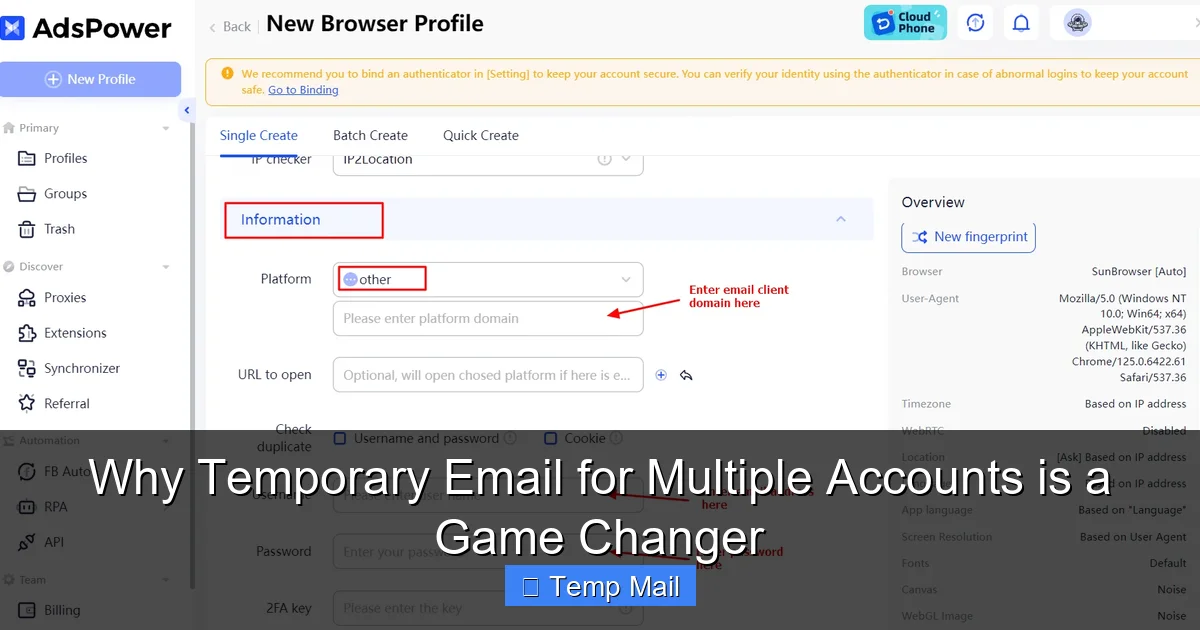
- A social media manager creating a separate, traceable email for each client’s Facebook Ads account.
- A marketer running 50 different lead magnet campaigns, each with its own unique email to track which source generates which sign-ups.
- A parent creating a distinct email for each child’s school apps, gaming accounts, and extracurricular sign-ups.
This creates a perfect, auditable trail. If an account is compromised or starts receiving spam, you know exactly which initial sign-up it came from. You can simply delete that specific disposable inbox, instantly cutting off all communication from that source, without affecting any other accounts.
Benefit 4: Fort Knox-Level Security for Your Crown Jewels
Your primary email is the key to resetting passwords for almost every other account you have. It’s the ultimate target for hackers. By never using it for low-to-medium-value sign-ups, you dramatically reduce the attack surface. Even if a temp mail service itself has a vulnerability (use reputable ones!), the only thing exposed is a now-defunct address. Your bank, your main cloud storage, your primary social media—all remain secure behind the fortress of your real, unused-for-sign-ups email address.
Practical Applications: Who Can Use This?
The utility of a temporary email for multiple accounts spans from the average person to large enterprises.
Visual guide about Why Temporary Email for Multiple Accounts is a Game Changer
Image source: img.adspower.net
For the Everyday User
- Free Trials & Software Downloads: Get that 30-day trial of Adobe Creative Cloud or that expensive business software without committing your real email. Once the trial email is done, delete the temp inbox.
- One-Time Access: Need to read a single article on a site with a hard paywall? Use a temp email. Need to view a document on Scribd once? Temp email.
- Online Shopping & Discounts: Use a new temp email for every store newsletter sign-up to snag a first-time discount code, then ditch it to avoid the weekly sale emails.
- Gaming & Apps: Sign up for that mobile game or forum app without cluttering your main inbox with game notifications and updates.
For Professionals & Businesses
- Digital Marketing & SEO: Test landing pages, gated content, and lead magnets. Create a unique email for each campaign variant to see which performs best without cross-contaminating data.
- Software Development & QA: Automate the creation of hundreds of test user accounts during user acceptance testing (UAT). No need to manually create and then delete real email accounts.
- E-commerce & Dropshipping: Register on supplier platforms, competitor pricing tools, or industry forums without exposing your business email.
- Cybersecurity Research: Researchers can safely sign up for suspected phishing or malware-distribution sites to analyze them without risking personal credentials.
For Privacy Advocates & Journalists
This is a critical tool. Whistleblowers, investigative journalists, and activists can use a new temporary email for each source or secure drop to maintain operational security and make it impossible for adversaries to correlate communications through a single email identifier.
Choosing the Right Temporary Email Service
With so many options, selection matters. Here’s your non-negotiable checklist:
Prioritize Reputation & No-Logs Policy
This is paramount. You are trusting this service with the contents of your temporary communications (even if they are just verification links). Research the provider. Do they have a clear privacy policy stating they do not log IP addresses, scan email content, or store data beyond the inbox lifespan? Open-source projects or services with a proven track record in the privacy community (like those recommended on privacy-focused forums) are safest. Avoid any service that is vague about logging.
Evaluate Feature Set vs. Your Needs
Are you just clicking a “verify email” link? A 10-minute inbox from any major provider is fine. Do you need to receive a PDF attachment? Ensure the service supports attachments. Are you a developer needing an API? Look for services like MailSlurp or Temp-Mail API that cater to programmatic access. For general use, services with a simple, clean interface and a manual “keep alive” button are ideal.
Domain Diversity is Key
Some websites have caught on and block emails from common temporary domains (like @tempmail.com). A good service will offer a variety of domains you can switch between. If your first choice is blocked, try the next domain on the list. This flexibility is crucial for reliability.
Beware of “Too Good to Be True”
If a service is completely free, ad-supported, and offers unlimited inboxes, understand that you are the product. They may be scanning email content for ad targeting or have other revenue models that conflict with privacy. A freemium model (free with basic features, paid for advanced features/longer time) is often more sustainable and privacy-respecting than a purely ad-funded one.
Best Practices & Crucial Caveats
To wield this tool effectively and safely, follow these guidelines.
DO: Use It for Sign-Ups & Verifications
This is its primary purpose. Create the account, verify it, get the download link or discount code, and then abandon the inbox. Its job is done.
DON’T: Use It for Critical Accounts
Never, ever use a temporary email for:
- Your primary bank or financial institution.
- Your main email provider (Gmail, Outlook, etc.) recovery email.
- Any account where password recovery is solely tied to that email address.
- Government services, official documentation, or legal contracts.
For these, use your permanent, secure email and enable two-factor authentication (2FA). Temporary emails are for the “peripheral” web, not your digital crown jewels.
DO: Manage Your “Real” Email Security Separately
Since your permanent email is now only used for critical accounts, treat it with extreme care. Use a unique, strong password stored in a password manager. Enable 2FA with an authenticator app (not SMS). This creates a clean, secure separation in your digital life.
DON’T: Expect Full Email Functionality
Temporary inboxes are for receiving, not sending. You typically cannot initiate emails from these addresses. They are a one-way communication channel: *website to you*. Also, the inbox is public. Anyone with the exact URL can view the emails. Do not send sensitive information to a temporary address, and be aware that if you share the inbox URL with someone (like to forward a verification link), they can see all subsequent emails in that inbox.
The Legal & Ethical Gray Area
Using a temporary email is perfectly legal. However, using it to circumvent bans, engage in fraud, sign up for services with terms of service that explicitly prohibit disposable emails, or to harass others is unethical and often against the platform’s rules. The tool is neutral; its ethical use depends on your intent. Stick to privacy protection and spam avoidance, and you’re on solid ground.
Conclusion: Reclaiming Control in the Digital Age
The internet was built on a foundation of email addresses, but its architects never envisioned the toxic ecosystem that would grow around them. We are now forced to trade our digital privacy for access, enduring a firehose of spam and constant risk of data breaches. The temporary email for multiple accounts strategy is more than a clever hack; it’s an act of reclamation. It’s a way to say, “I will not let my primary identity be commodified and scattered across a thousand insecure databases.”
By compartmentalizing your online presence, you build walls around your true self. You keep your sacred inbox clean. You sleep better knowing a breach at a random gaming forum won’t cascade into your financial life. You gain the freedom to explore, test, and access the web without leaving a permanent, traceable footprint. The power is no longer in the hands of the marketers and the hackers; it’s back in yours. Start small—use a temporary email for the next free trial or newsletter you sign up for. Feel the relief of an uncluttered primary inbox. Then expand. Create a separate one for your online shopping, your hobby forums, your app downloads. Build your system. This isn’t about being paranoid; it’s about being prudent. In a world of data harvesting, a disposable email isn’t just a tool—it’s your right to digital anonymity. Embrace it, and transform the way you exist online.
Frequently Asked Questions
Is using a temporary email legal?
Yes, using a temporary or disposable email service is completely legal. It is a legitimate tool for privacy protection. However, using it to commit fraud, evade legitimate bans, or violate a website’s specific terms of service (which some explicitly prohibit) can have consequences. Always use it responsibly for its intended purpose: privacy and spam avoidance.
Are temporary emails secure and private?
Security varies by provider. Reputable services do not require personal information to generate an address and often have no-logs policies, meaning they don’t store your IP or email contents. However, the inboxes are typically public—anyone with the exact URL can view emails. Therefore, they are secure for *receiving* verification links but should never be used to send or receive highly sensitive personal data like passwords or financial info.
What are the main limitations of temporary email?
The primary limitations are: 1) They are for receiving emails only; you cannot send from them. 2) They have a short lifespan (10 mins to a few days). 3) Inboxes are public URLs, so sharing the link shares access. 4) Some websites actively block known temporary email domains. 5) They are unsuitable for any critical, long-term account where password recovery depends on that email address.
How is temporary email different from regular email?
The core difference is permanence and ownership. A regular email (Gmail, Outlook) is tied to a long-term account you own, with storage, sending/receiving capabilities, and password recovery functions. A temporary email is a short-lived, anonymous inbox with no account ownership, designed solely for one-way receipt of messages, after which it is permanently deleted.
Can I use a temporary email for social media or banking?
Absolutely not. You should never use a temporary email for any account where you need to reliably recover access, receive critical security alerts, or establish long-term identity. This includes social media, banking, primary cloud storage, and government services. These require a permanent, secure email address you control exclusively.
What’s the best practice for using temporary emails with multiple accounts?
The best practice is to use a unique, new temporary email address for every single non-critical sign-up. This creates perfect segmentation. When the inbox’s purpose is fulfilled (account verified, download complete), simply close the browser tab and let it expire. Keep your permanent email address solely for your most critical, trusted, and recovery-dependent accounts, and secure it with a strong, unique password and 2FA.