Developers waste countless hours managing test email accounts and sifting through spam. Temporary email services provide disposable inboxes that isolate testing from personal or work communications. This tool automates verification flows, safeguards privacy, and keeps your primary inbox clean—making it essential for modern development and QA pipelines.
Key Takeaways
- Isolate Testing Environments: Temporary emails create a clean, separate channel for app sign-up and email verification tests, preventing cross-contamination with production data.
- Automate Verification Workflows: Use APIs and webhooks to programmatically retrieve verification codes, enabling fully automated end-to-end testing without manual inbox checking.
- Eliminate Spam and Clutter: Protect your primary developer inbox from marketing emails, password resets, and notifications generated during extensive testing cycles.
- Enhance Privacy and Security: Avoid using personal or corporate emails on third-party services or in test environments, reducing phishing risks and data leakage.
- Speed Up QA Cycles: Instantly generate a new email address for each test scenario, removing the friction of account creation and management.
- Integrate Seamlessly with CI/CD: Embed temporary email generation into your continuous integration pipelines for automated regression and user-flow testing.
- Choose the Right Tool for Your Needs: Understand the trade-offs between public services, self-hosted solutions, and API-first providers based on your security and scalability requirements.
📑 Table of Contents
- The Developer’s Inbox Dilemma: Why Your Personal Email Isn’t for Testing
- What Exactly is a Temporary Email Service? Beyond the “Spam Catcher”
- Integrating Temporary Email into Your Development Workflow: Practical Examples
- Security and Privacy: What You Need to Know
- Choosing the Right Tool: A Comparison for Developers
- The Future of Temporary Email in Development: Beyond Simple Testing
- Conclusion: Embrace Disposability for Permanently Better Workflows
The Developer’s Inbox Dilemma: Why Your Personal Email Isn’t for Testing
Let’s be honest. How many times have you used your personal Gmail or work Outlook address to test a “Sign Up” flow on a new project? Maybe you’ve created a dedicated “[email protected]” alias that’s now flooded with newsletters from a hundred forgotten SaaS trials. This isn’t just annoying; it’s a productivity killer and a security risk. Every time you use a persistent email for development and quality assurance (QA), you’re mixing critical, personal communications with the noisy byproduct of testing. You risk missing an important client email under a pile of “Confirm your email for AppX” messages. Worse, if that test account ever gets compromised or if the service you’re testing has a data breach, your primary email is now in the leak.
This is where the concept of a temporary email for developers shifts from a novelty to a necessity. It’s not just about avoiding spam; it’s about creating a sterile, disposable environment for your application’s email-dependent features. Think of it as a dedicated, flame-proof lab for testing combustion engines. You wouldn’t use your own garage for that, right? Your inbox deserves the same separation. Temporary email services provide exactly that: a throwaway inbox that exists solely for the duration of a test, after which it and all its clutter vanish into the digital ether.
The Core Pain Points Temporary Email Solves
Before diving into the “how,” let’s catalog the specific headaches these tools eliminate:
- The Account Creation Bottleneck: Manually creating new email accounts on various providers (Gmail, Outlook, Yahoo) is time-consuming and often triggers anti-bot mechanisms like CAPTCHAs and phone verifications.
- Inbox Pollution: Your primary inbox becomes a dumping ground for transactional emails from every library, framework, and third-party API you’ve ever tested. Finding a real email becomes a scavenger hunt.
- State and Data Bleed: Using the same test email across multiple test runs means previous data (verification codes, password reset links) can interfere with current tests, leading to false positives or failures.
- Security and Privacy Exposure: Your personal or corporate email address is a valuable piece of PII (Personally Identifiable Information). Exposing it in test environments on potentially insecure or unknown third-party platforms is a bad practice.
- Manual Verification Grind: The classic workflow: trigger an email, switch tabs to your inbox, wait, copy the code, switch back, paste. This constant context-switching shatters developer flow and slows down testing to a crawl.
What Exactly is a Temporary Email Service? Beyond the “Spam Catcher”
At its core, a temporary email service generates a random, unique email address (like [email protected]) that forwards incoming messages to a web-based inbox you can view. The key differentiator for developers is the API-first and automation-ready nature of modern services. They are not just for end-users wanting to bypass a website’s email gate. For developers, they are infrastructure components.
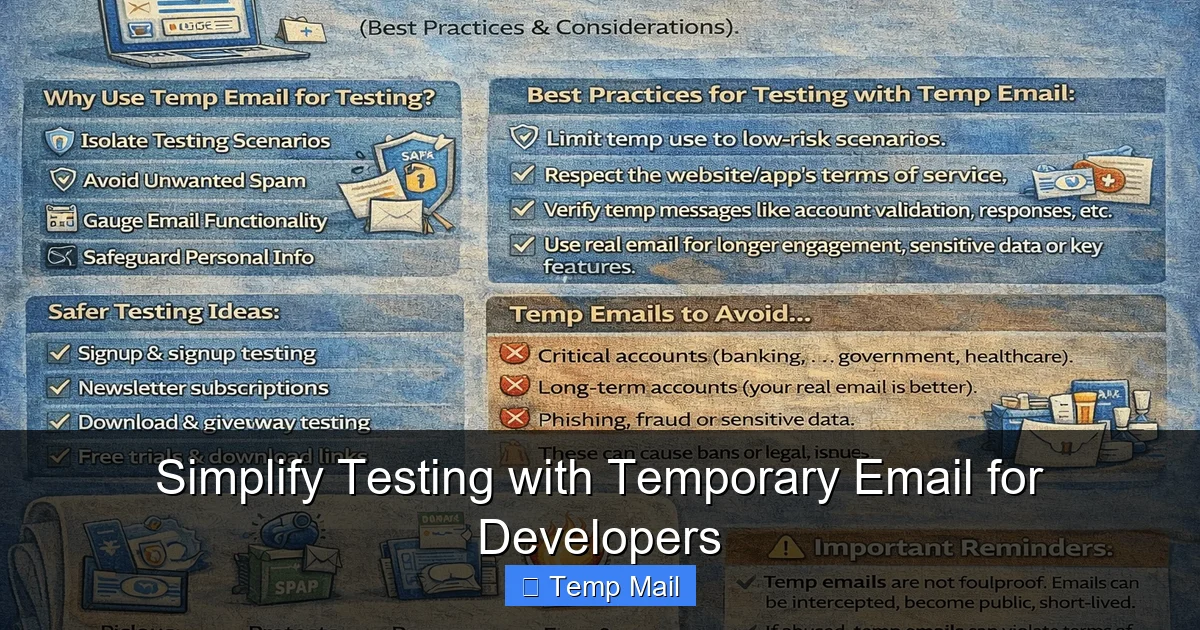
Visual guide about Simplify Testing with Temporary Email for Developers
Image source: temp-email.io
These services typically operate on one of two models:
- Public, Shared Inboxes: The address is generated from a common domain (e.g., @mailinator.com, @temp-mail.org). Anyone can generate an address on that domain, and while inboxes are usually isolated by the random prefix, the domain is public. This is great for quick, non-sensitive testing but offers no privacy for the email content itself on the provider’s side.
- Private, Dedicated Inboxes: Services like SimpleLogin or AnonAddy (which can be used in this context) or enterprise-focused tools provide a private domain or subdomain you control. Inboxes are truly isolated. This is crucial for testing features involving sensitive data or when compliance (like GDPR) is a concern, even in a test environment.
The modern developer-focused service provides a robust REST API and often webhooks. This means your test script can: 1) Request a new email address via API, 2) Use that address in your application under test (AUT), 3) Poll the API or wait for a webhook notification when an email arrives, 4) Parse the email body/subject to extract a verification code or link, and 5) Use that code to complete the flow—all without a human ever touching the mouse or keyboard.
Key Features to Look For in a Developer Tool
Not all temporary email services are created equal for development work. Here’s your checklist:
- API Access & Documentation: A well-documented, versioned API with clear endpoints for creating inboxes, listing messages, and retrieving content (HTML/text/attachments).
- Webhook Support: The ability for the service to push a notification to your server the moment an email arrives is the gold standard for efficiency and speed in automated tests.
- Inbox Lifetime Control: Can you programmatically delete an inbox? Can you set a TTL (Time To Live)? The best services let you clean up after your test suite finishes.
- Message Parsing: Does the API return clean text, or do you have to parse raw HTML? Some services offer smart extraction of OTPs (One-Time Passwords) and links.
- Rate Limits & Pricing: Free tiers are great for starters, but check the API call limits. A single test run might create 10 inboxes and poll 50 times. Ensure the pricing model aligns with your CI/CD frequency.
- Self-Hosted Option: For maximum security and control, open-source solutions like MailCatcher or MailHog (for SMTP capture) or Temp-Mail (self-hostable) let you run the entire stack on your own infrastructure. This is non-negotiable for some enterprise or highly regulated environments.
Integrating Temporary Email into Your Development Workflow: Practical Examples
Theory is fine, but let’s see code. Here’s how a typical integration looks using a popular service’s API (conceptual examples using pseudo-code/JavaScript).

Visual guide about Simplify Testing with Temporary Email for Developers
Image source: opengraph.githubassets.com
Example 1: End-to-End User Registration Test with API Polling
This is a common pattern in Selenium, Cypress, or Playwright tests.
// 1. Generate a new temporary email address via API
const emailResponse = await fetch('https://api.tempmail.dev/v1/email/create', {
  method: 'POST',
  headers: { 'Authorization': 'Bearer YOUR_API_KEY' }
});
const { email, token } = await emailResponse.json(); // email = "[email protected]", token = "inbox_id"

// 2. Use this email in your AUT (Application Under Test)
await page.fill('#email_input', email);
await page.click('#signup_button');

// 3. Poll the temporary email API for a new message
let verificationCode = null;
for (let i = 0; i < 20; i++) { // Poll for ~40 seconds
  const messages = await fetch(`https://api.tempmail.dev/v1/inbox/${token}`, {
    headers: { 'Authorization': 'Bearer YOUR_API_KEY' }
  }).then(res => res.json());

  const welcomeEmail = messages.find(msg => msg.subject.includes('Welcome'));
  if (welcomeEmail) {
    // 4. Extract code (simplified - use regex or an HTML parser)
    verificationCode = welcomeEmail.text.match(/Your code is: (\d{6})/)[1];
    break;
  }
  await new Promise(resolve => setTimeout(resolve, 2000)); // Wait 2s
}

// 5. Use the code to complete the flow
await page.fill('#verification_code', verificationCode);
await page.click('#verify_button');
Example 2: Using Webhooks for Instant Notification
Webhooks are more efficient. Your test script registers a webhook URL, then simply waits for a POST request.
// 1. Create inbox and specify your test server's webhook URL
const response = await fetch('https://api.tempmail.dev/v1/email/create', {
  method: 'POST',
  headers: { 'Content-Type': 'application/json', 'Authorization': 'Bearer YOUR_API_KEY' },
  body: JSON.stringify({
    webhook_url: 'https://your-test-server.com/webhook/tempmail'
  })
});
const { email, token } = await response.json();

// 2. Use email in AUT...

// 3. Your test server receives and processes the webhook
// POST payload: { "token": "inbox_id", "message": { "subject": "...", "text": "Your code: 123456" } }
// Your server extracts the code and makes it available (e.g., store in a DB, shared memory)
// Your test script can now query your server for the code associated with 'token'.
Example 3: Testing Password Reset Flows
This is a perfect use case. You can test the entire “Forgot Password” cycle without ever involving a real user’s inbox.
- Generate a temp email.
- Initiate password reset for a test user associated with that temp email (you may need to create the test user first via API/DB seed).
- Retrieve the reset link from the temp inbox.
- Visit the link, set a new password, and log in.
- Assert the flow completed successfully.
This verifies your entire password reset pipeline—from email generation to link expiry—in a fully automated, repeatable way.
Security and Privacy: What You Need to Know
Using a third-party temporary email service introduces its own threat model. You must understand the risks and how to mitigate them.

Visual guide about Simplify Testing with Temporary Email for Developers
Image source: opengraph.githubassets.com
The Provider’s Perspective: Your Data is Their Data
When you use a public temp mail service, you are sending potentially sensitive test data (even if it’s fake user data) through their servers. The provider can, in theory, read all emails passing through. Therefore:
- Never use temp email services for real user data. This should be exclusively for synthetic, test-data scenarios.
- Check the provider’s privacy policy and data retention rules. How long do they store emails? Do they log IP addresses? Is traffic encrypted (HTTPS/TLS)?
- For sensitive testing, self-host. Tools like MailHog (SMTP server that catches all mail) or MailCatcher run locally. Your test application’s SMTP settings point to `localhost:1025`. All emails are captured in a web UI on your machine. No data leaves your network. This is the most secure option.
Securing Your API Keys
Your API key for the temp mail service is a credential. Treat it like a password.
- Store it in environment variables or a secrets manager (HashiCorp Vault, AWS Secrets Manager, GitHub Secrets), never in source code.
- Use different keys for different environments (CI vs. local dev).
- Set up fine-grained permissions on the provider’s side if possible (e.g., only create inboxes, no delete).
- Rotate keys periodically.
Choosing the Right Tool: A Comparison for Developers
The landscape is diverse. Here’s a breakdown to match your use case.
| Service Type | Examples | Best For | Key Consideration |
|---|---|---|---|
| Public API Services | Temp-Mail.org API, 1secmail API | Quick, free, low-volume testing; open-source projects. | Shared domains, potential rate limits, less privacy. |
| Developer-Focused APIs | MailSlurp, TempMail.dev, Kickbox (disposable detect) | CI/CD integration, automated test suites, professional QA. | Paid plans for scale, robust API/webhooks, better support. |
| Self-Hosted/SMTP Catch | MailHog, MailCatcher, Papercut | Maximum security, offline development, strict compliance needs. | Requires setup/maintenance, only works for local/network apps. |
| Email Forwarding/alias Services | SimpleLogin, AnonAddy (with API) | Testing that requires a “real-looking” but disposable address. | More complex setup, often paid, but offers custom domains. |
Decision Flow: Which One Should You Pick?
Ask yourself these questions:
- Is my application running locally or on a private network? Yes → Self-hosted (MailHog) is simplest and most secure.
- Do I need to test email deliverability to real providers (Gmail, Outlook)? Yes → You need a service that actually sends emails to those providers, not just captures them. Use a developer-focused API like MailSlurp which provides real, working inboxes on various domains.
- Is cost a primary concern and volume low? Yes → Start with a free tier of a public API service, but be prepared to migrate as you scale.
- Am I in a heavily regulated industry (finance, healthcare)? Yes → Self-hosted or a provider with explicit BAA/DPA offerings and enterprise-grade security is mandatory.
The Future of Temporary Email in Development: Beyond Simple Testing
The use case is expanding. We’re moving beyond “just get the verification code.”
AI-Powered Test Data Generation
Next-gen tools combine temporary email with synthetic user profile generation. An AI can create a coherent persona (name, address, phone) and a corresponding disposable email, then use both to sign up for your app, creating a more realistic, end-to-end test scenario that also validates your data validation and sanitization logic.
Security Scanning and Phishing Simulation
Security teams use disposable email addresses to register on suspicious websites, track threat actor communications, and simulate phishing campaigns against employees in a controlled, traceable way. Developers building security tools need this functionality baked in.
Compliance and Data Governance Testing
How does your app handle a user’s request to delete their data? You can use a temporary email as the contact point for such requests in your test environment, ensuring your deletion workflows (including email notifications) function correctly without using a real person’s data.
Microservices and Event-Driven Architecture
In a distributed system, one service might send an event that triggers an email. A temporary email inbox can be the sink for that event’s output. Your integration test can verify that the correct event was published by checking the received email, decoupling the test from the internal implementation of the email-sending service.
Conclusion: Embrace Disposability for Permanently Better Workflows
The habit of using a personal email for testing is a legacy practice from a simpler time. Today’s complex applications, with their intricate email dependencies—from onboarding and password resets to notifications and newsletters—demand a more sophisticated, isolated approach. A temporary email for developers is not a hack; it’s a deliberate design choice for cleaner, faster, and more secure development cycles.
By integrating these tools into your CI/CD pipeline, you reclaim your focus. You eliminate the manual toil of inbox management. You protect your team’s privacy and your company’s data. Most importantly, you build a testing foundation that is as ephemeral and scalable as the cloud-native applications you’re building. Start small: pick a tool, write one test that uses a disposable inbox, and feel the friction disappear. Once you’ve automated the retrieval of a single verification code, you’ll wonder how you ever developed without it. The inbox you save might be your own.
Frequently Asked Questions
Is using a temporary email for development legally compliant?
Generally, yes, for testing and development with synthetic data. You must ensure you are not sending real user PII through these services. Always check your industry’s regulations (GDPR, HIPAA) and the provider’s terms of service. For strict compliance, use a self-hosted solution where data never leaves your network.
Are temporary email services secure for API keys and test data?
Security depends on the provider and your configuration. Reputable developer-focused services use HTTPS and have clear data policies. The primary risk is the provider itself having access to your test emails. For highly sensitive test scenarios, a self-hosted SMTP catcher like MailHog is the most secure, as all data remains on your local machine or private network.
Can I use temporary email to test email deliverability to Gmail/Outlook?
Yes, but only with specific services. Public shared inbox domains (like @mailinator.com) are often blacklisted by major providers, so emails sent to them may never arrive. Services like MailSlurp provide real, working inboxes on legitimate domains (e.g., @mailslurp.com) that can receive emails from any sender, making them suitable for deliverability testing.
What’s the biggest mistake developers make when using temp mail?
Using the same temporary email address across multiple, independent test runs. This creates state and leads to flaky tests (e.g., a previous test’s password reset email interferes with a new sign-up test). The best practice is to generate a fresh, unique email address for every test case or test suite run and dispose of it immediately after.
How do I integrate a temp email service into my existing Jest/Mocha/Playwright test suite?
Most services offer an NPM package or simple REST API. The pattern is: 1) Before your test, call the service’s API to create a new inbox and get the email address. 2) Use that address in your UI interactions. 3) After triggering the email-sending action, either poll the service’s API for the inbox’s messages or, preferably, have your test server listen for a webhook. 4) Parse the received message to extract the needed token/code and continue the test. Store the API key in your CI environment variables.
Are free temporary email APIs reliable for continuous integration?
They can be for small projects or open-source CI (like GitHub Actions with limited minutes). However, free tiers almost always have strict rate limits (e.g., 10 emails/month) and shared infrastructure that can be slow or unreliable. For any serious, frequent CI/CD pipeline, a low-cost paid plan from a developer-focused provider is a worthwhile investment for reliability and speed.