Temporary email with attachment support offers a perfect blend of privacy and practicality. It lets you send and receive files without using your primary email, protecting your identity and inbox from spam. These services are ideal for one-time file exchanges, signing up for untrusted platforms, or sharing documents securely without a long-term commitment. They are simple, often free, and automatically delete messages after a set time, ensuring your digital footprint remains minimal.
Let’s talk about a tool that’s surprisingly useful in our hyper-connected world: the humble temporary email. You’ve probably used one to snag a freebie or dodge a newsletter spam list. But what about when you need to actually send or receive a file? That’s where the game changes. Not all disposable inboxes are created equal, and a special subset—temporary email with attachment support—fills a critical niche for secure, anonymous file sharing. In this guide, we’re diving deep into which services let you attach files, how they work, and exactly when you should (and shouldn’t) use them.
Imagine this: you’re downloading a trial piece of software that requires an email to send a license key. You don’t want to use your work or personal email. A temp mail service is your first thought. But what if they need to send a large user manual or a configuration file? Suddenly, a basic temp mail that only handles text is useless. You need one that handles attachments. This capability transforms a simple spam filter into a legitimate, lightweight file transfer tool. It’s about convenience meeting privacy. Over the next few thousand words, we’ll unpack everything you need to become a savvy user of these services, from picking the right provider to understanding the hidden risks.
Key Takeaways
- Enhanced Privacy: Temporary emails shield your real identity and primary inbox from spam, marketing, and potential data breaches when sharing files.
- No Registration Required: Most services generate an inbox instantly, requiring no sign-up, password, or personal information to start sending attachments.
- File Size & Type Limits: Attachment support varies by service, with common limits between 10MB to 50MB for file formats like PDF, JPG, ZIP, and DOCX.
- Security Considerations: While convenient, these emails are not inherently encrypted; avoid sending highly sensitive data like financial records or legal contracts.
- Self-Destructing Nature: Inboxes and all contained attachments are automatically deleted after hours or days, providing a “burn after reading” effect for your files.
- Versatile Use Cases: Perfect for software trials, forum sign-ups, sharing designs with clients, or receiving one-time verification files without clutter.
- Service Variability: Not all temp mail providers offer attachment support; always check the specific features and limitations before using it for file transfer.
📑 Table of Contents
- Understanding Temporary Email with Attachment Support
- Top 5 Temporary Email Services with Reliable Attachment Support
- Security and Privacy: The Critical Deep Dive
- Practical Use Cases: When to Use (and Not Use) Temp Mail for Files
- Step-by-Step: How to Use Temp Mail for Attachments Safely
- Limitations and Workarounds: Knowing the Boundaries
- The Future and Final Verdict
Understanding Temporary Email with Attachment Support
Before we compare services, let’s get on the same page about what we mean. A standard temporary email service gives you a random, disposable inbox address that lives for, say, 10 minutes to 24 hours. Its primary job is to receive verification emails so you can bypass a sign-up wall. Temporary email with attachment support does all that and allows you to upload files (like PDFs, images, or documents) when composing an email or download files attached to incoming messages.
How It Differs From Standard Temp Mail
The core difference lies in infrastructure. Handling file uploads and storage, even temporarily, requires more server resources and bandwidth. A basic text-only temp mail can spin up thousands of lightweight inboxes on a single server. Add attachments, and you need storage space for those files, even if it’s just for an hour. This is why many free, ultra-short-lived temp mail services (the 10-minute ones) often disable attachments—it’s a cost-saving measure. Services that offer attachment support typically have slightly longer inbox lifespans (1-24 hours) and may have more robust backend systems to manage file transfers.
Common File Size and Type Restrictions
Expect limits. This isn’t your Gmail or Outlook. Most reputable temporary email with attachment support providers cap individual file attachments between 10MB and 50MB. Some might offer a total inbox storage cap. Common allowed formats include standard documents (.pdf, .doc, .docx, .txt), images (.jpg, .png, .gif), archives (.zip, .rar), and executables (.exe). However, you’ll often find restrictions on potentially dangerous file types like .js, .vbs, or .scr to prevent malware distribution. Always check the service’s FAQ for their specific policy. For example, one service might allow a 25MB PDF but block a 30MB ZIP file due to internal type filters.
The Underlying Technology: How Attachments Travel
When you attach a file to a temp mail, it’s typically uploaded to the provider’s temporary server storage. The email you send contains a reference link to that stored file, not the file itself. The recipient’s email client then fetches the file from that temporary URL when they open the message. This is why the file’s lifespan is tied to the inbox’s lifespan. Once the inbox expires, the server purges the stored file, and the link dies. It’s a clever, resource-efficient system but one that underscores the ephemeral nature of the service. You cannot rely on these emails as a long-term file archive.
Top 5 Temporary Email Services with Reliable Attachment Support
Not all disposable inboxes are up to the task. After testing numerous services for attachment functionality, reliability, and user experience, here are the top contenders that consistently deliver when you need to share a file anonymously.
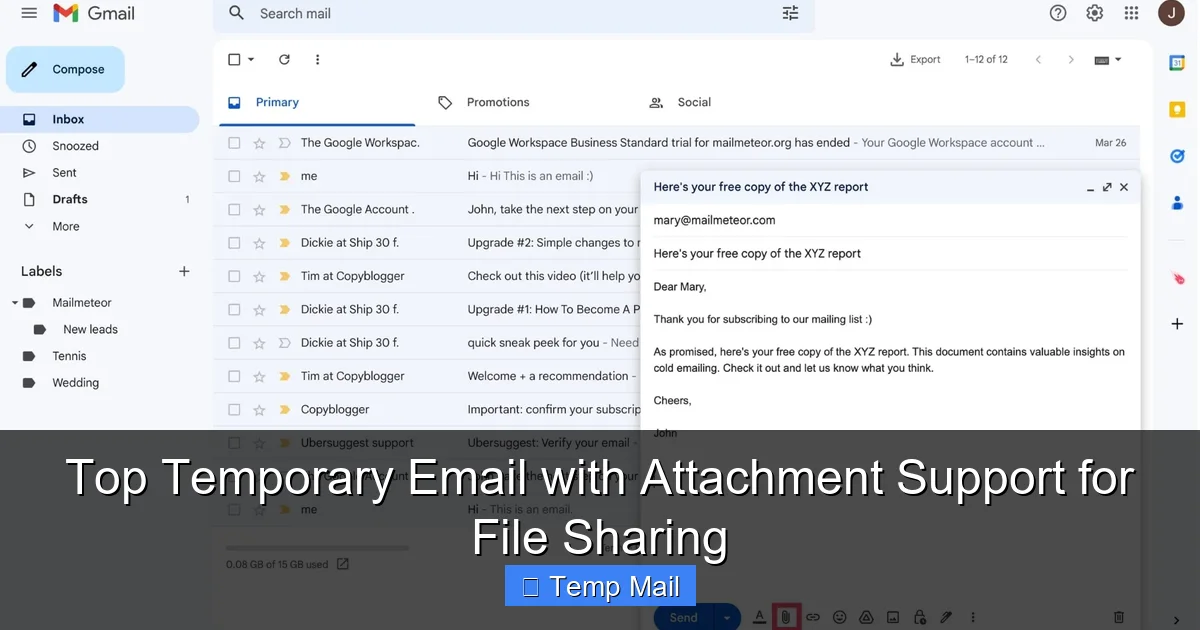
Visual guide about Top Temporary Email with Attachment Support for File Sharing
Image source: assets.mailmeteor.com
1. Temp-Mail.org: The User-Friendly Powerhouse
Temp-Mail.org is arguably the industry leader for a reason. It offers a clean, ad-light interface and robust attachment support. You can receive attachments up to 25MB and send them as well. The inbox lasts for a variable but typically generous period (often until you close the browser tab or a set time like 2 hours). It also provides browser extensions for quick access. A standout feature is its ability to generate multiple random addresses if you need more than one disposable inbox. For simple, reliable file sharing without the usual temp mail clutter, this is a top pick.
2. 10MinuteMail.com: The Classic with a Twist
The name suggests a 10-minute lifespan, but 10MinuteMail.com actually extends your inbox to 10 minutes after the last activity. This means if you’re actively using it to exchange files, it can last much longer. Attachment support is solid, with a 25MB limit. Its interface is retro but functional. The key advantage is its sheer simplicity and longevity-as-long-as-you-use-it model. It’s perfect for a quick, extended file exchange session without needing to create an account.
3. MailDrop: The No-Frills, Attachment-Ready Option
MailDrop is delightfully simple. No ads, no flashy graphics. You get an address, and that’s it. It explicitly supports attachments, allowing you to receive files up to 10MB. The inbox persists for as long as you keep the page open in your browser, making it ideal for a live, real-time file swap. However, you cannot send emails from MailDrop—it’s receive-only. So its use case is narrow: you give someone your MailDrop address, and they send you a file. If you need to initiate the send, look elsewhere.
4. Guerrilla Mail: The Veteran with Extras
Guerrilla Mail has been around forever and has evolved. It offers a 60-minute inbox lifespan by default (extendable), supports attachments up to 150MB (a massive limit in this space), and even allows you to send emails with attachments from your disposable address. It also includes a password you can set to protect your inbox from casual viewing. This combination of large file support, sending capability, and basic security makes it a versatile workhorse for more substantial file transfers.
5. Tempail.com: The Mobile-Friendly Contender
Tempail.com excels on mobile devices with a responsive design. It provides a 1-hour inbox and supports attachments up to 25MB for both sending and receiving. A unique feature is its “email alias” generator, which can create variations of your temporary address if you suspect one is getting spam. Its interface is modern and intuitive. For users on smartphones or tablets who need to quickly share a photo or document without installing an app, Tempail is an excellent choice.
Feature Comparison at a Glance
To help you decide, here’s a quick comparison of the key specs:
- Temp-Mail.org: Send/Receive, ~25MB limit, lifespan varies.
- 10MinuteMail.com: Send/Receive, 25MB, 10-min inactivity timer.
- MailDrop: Receive-only, 10MB, while browser tab open.
- Guerrilla Mail: Send/Receive, 150MB, 60-min default.
- Tempail.com: Send/Receive, 25MB, 1-hour fixed.
Your choice depends on your priority: maximum file size (Guerrilla Mail), pure simplicity (MailDrop), or balanced features (Temp-Mail.org).
Security and Privacy: The Critical Deep Dive
Using a temporary email with attachment support for file sharing is convenient, but it’s crucial to separate myth from reality regarding security and privacy. These services are not magic privacy shields; they are tools with specific strengths and glaring weaknesses.
Visual guide about Top Temporary Email with Attachment Support for File Sharing
Image source: png.pngtree.com
What “Anonymous” Really Means
“Anonymous” in this context mostly means anonymous to the recipient. The person you send a file to sees only your disposable address, not your real IP address or personal email. The service provider, however, does see your IP address when you create or use the inbox. Reputable services have privacy policies stating they do not log or correlate this data with your activity, and they purge all logs quickly. But you are ultimately trusting the provider’s word. For truly high-stakes anonymity, a Tor browser and a service with a proven no-logs policy are better starting points. For everyday use dodging spam, standard temp mail is sufficient.
Are Attachments Encrypted?
This is the biggest misconception. Almost all temporary email services do NOT provide end-to-end encryption for attachments. When you upload a file, it is stored on their server, typically in plain text or with standard server-side encryption (at rest). The email containing the link to that file is sent via standard SMTP, which is not encrypted by default. This means the file could theoretically be intercepted in transit or accessed by a malicious actor who compromises the provider’s temporary storage server. Therefore, you should never use temp mail to send:
- Financial documents (tax returns, bank statements)
- Legal contracts with signatures
- Medical records (HIPAA-protected info)
- Unpublished intellectual property (source code, manuscripts)
- Any password or private key
For these, use encrypted cloud storage (like Proton Drive or Tresorit) with a password-protected link, and share the link via a different, secure channel.
Data Retention and Deletion Policies
The “temporary” part is your primary privacy safeguard. Once the inbox expires—whether after 1 hour or 24 hours—the provider’s system should automatically and permanently delete the inbox and all associated files from their servers. However, there is no independent audit of this process. You must trust that the provider executes this correctly. Before using a service for a sensitive-but-not-critical file (like a draft design for a client), review their privacy policy for explicit statements about automatic deletion. Avoid services that state they may retain data for “analysis” or “improvement of services” without clear anonymization.
Mitigating Risks: Best Practices for Safe Sharing
You can significantly reduce risk by following these steps:
- Password-Protect Sensitive Files: Before attaching a PDF or ZIP file, encrypt it with a strong password using a tool like 7-Zip or Adobe Acrobat. Share the password via a different method (e.g., Signal, a phone call). Even if the email is intercepted, the file is useless.
- Use Strong, Random Inbox Names: Don’t use a predictable address like [email protected]. Let the generator create a completely random string. This prevents someone from guessing your inbox and trying to access it before it expires.
- Check for HTTPS: Ensure the service uses HTTPS (the padlock icon in your browser). This encrypts the connection between your browser and their server, preventing eavesdropping on your session.
- Assume the File is Public: The golden rule: if you wouldn’t want the file publicly posted on a billboard, don’t send it via temp mail.
Practical Use Cases: When to Use (and Not Use) Temp Mail for Files
Understanding the ideal scenarios for temporary email with attachment support is key to using it effectively and safely. Let’s break down the perfect use cases and the clear no-nos.
Visual guide about Top Temporary Email with Attachment Support for File Sharing
Image source: sparkle.io
Ideal Scenarios: The “Sweet Spot”
Think of temp mail for attachments as a digital version of a public locker. It’s for temporary, low-to-medium sensitivity items you need to pass to someone quickly without leaving a trail back to your main identity.
- Software & Game Trials: Many trial software or indie games email you a license key, serial number, or a small additional asset pack (like a game mod) after you sign up. Using temp mail keeps your gaming or work inbox spam-free.
- Forum or Community Sign-Ups: Some online forums require email verification and may send a welcome package with rules, a member badge image, or a small reference file. Temp mail handles this one-time receipt perfectly.
- One-Time Client/Contractor File Exchange: You’re a freelancer, and a client wants to send you a brief or a low-res sample image to review. Giving them a temp mail address avoids adding them to your professional contacts unless the project proceeds.
- Downloading “Gated” Content: A blog or website might require an email to download an ebook, template, or icon pack. They’ll send the download link to the provided address. Temp mail lets you grab the file without subscribing to their newsletter.
- Testing Email Delivery: If you’re a developer or marketer testing how an email with an attachment renders across clients, you can use a temp inbox as a quick, disposable test recipient.
Clear No-Go Zones: What to Avoid
There are situations where the risks far outweigh the convenience. Never use temporary email with attachment support for:
- Official Business or Legal Documents: Contracts, NDAs, invoices, or official forms require a verifiable, persistent, and secure email trail. Temp mail’s ephemeral nature invalidates it as a record.
- Academic Submissions: Universities and journals require a permanent, institutional or personal email for correspondence, file submissions, and records. A disposable address will get your submission ignored or lost.
- Anything Requiring a Reply: If you need a reliable, ongoing conversation, temp mail fails. The inbox will vanish, and the other party’s replies will bounce. It’s strictly for one-way or very short, synchronous exchanges.
- High-Value or Irreplaceable Files: Never send the only copy of a photo, a manuscript, or a design file this way. If the temp service has a hiccup, the file is gone forever. Always keep a master copy.
- Sensitive Personal Data: As mentioned, anything that could lead to identity theft or financial loss is off-limits. This includes scans of IDs, passports, or credit cards.
A Practical Walkthrough: Sharing a Design Mockup
Let’s make it concrete. You’re a graphic designer. A potential client found you on a freelance platform. They want to send you a rough logo sketch as a PNG for a quote. You don’t want them to have your business email yet.
- Go to Guerrilla Mail (chosen for its 150MB limit and send capability).
- Your inbox address is generated: [email protected].
- Copy that address and send it to the client: “Please send the sketch to this email.”
- The client replies from their email, attaching the sketch.png (5MB).
- You see the email in your Guerrilla Mail inbox, click the attachment, and download it.
- You reply from the same Guerrilla Mail interface with your quote (text only) and your real business contact details, stating “For official correspondence, please use my business email: [email protected]”.
- Once the client replies to your real email, you close the Guerrilla Mail browser tab. The inbox and the PNG file are purged within an hour.
Result: You received the file, protected your primary email, and established a professional channel for the real work. Perfect use case.
Step-by-Step: How to Use Temp Mail for Attachments Safely
Ready to try it? Follow this foolproof guide to maximize utility and minimize risk.
Step 1: Choose the Right Service for Your File
Look at your file. Is it a 5MB PDF? Almost any service will do. Is it a 45MB video clip? You need Guerrilla Mail or a similar high-limit provider. Is it a sensitive contract? Don’t use temp mail at all. Match the service’s attachment limit and send/receive capability to your immediate need.
Step 2: Generate Your Inbox (No Sign-Up)
Navigate to the service’s website. The inbox address is usually generated automatically on page load. Copy this address immediately. Some services let you customize the local part (before the @), but a random string is more private. If the service offers a “keep alive” or “extend” button, note it—you may need to click it if the file exchange takes time.
Step 3: Share the Address Securely
Send the disposable address to the person who will send the file. Use a different, secure channel than the one you’re trying to protect. If you’re avoiding spam from a website, paste it into their sign-up form. If it’s a person, send it via Signal, WhatsApp, or a text message. Do not send the temp mail address from your temp mail—that’s circular and pointless.
Step 4: Receive and Download the Attachment
Refresh the temp mail inbox periodically. When the email arrives, you’ll typically see a paperclip icon or the file size next to the subject. Click the email to open it. There should be a clear download button or link for the attachment. Click it and save the file to your computer. Do this immediately. Do not let the inbox expire before you’ve downloaded the file.
Step 5: (Optional) Send a Reply or Your Own File
If the service supports sending (like Guerrilla Mail or Temp-Mail.org), you can compose a reply. Attach your own file if needed, using the same limits. Keep the message text-only or with a small attachment. Remember, this is still a temp address. If a real conversation is needed, pivot to a permanent email in your first reply.
Step 6: Clean Up and Forget
Once the file exchange is complete, close the browser tab. If you’re on a public or shared computer, clear your browser history and cache. The service will automatically purge the inbox. There is no “delete account” button because there is no account. Your work is done. Do not bookmark or save the temporary address for future use—it will be invalid later.
Limitations and Workarounds: Knowing the Boundaries
Even the best temporary email with attachment support has hard limits. Understanding these boundaries prevents frustration and data loss.
The Inevitable Expiration Clock
This is the core limitation. Your inbox is a ticking time bomb. If the other party is slow to send the file, or if you download it and then need to access it again an hour later, you’re out of luck. There is no password recovery or “resend to this address” feature. The workaround is simple: download the file to your permanent storage immediately. Treat the temp mail as a delivery truck, not a warehouse. The second the file hits your hard drive, you’re safe.
Sender Reputation and Blocklists
Some websites and email services actively block known temporary email domains. If you try to sign up for a service with a temp mail address, it might be rejected outright. There’s no fix here; it’s a cat-and-mouse game. If a critical service blocks temp mail, you either need to use a real email or find a less common temp mail provider (though these are often lower quality). For file receipt, this is less of an issue, as you’re giving the address to a person, not a system.
No Folders, No Search, No Organization
You get one flat inbox. No folders to sort files, no robust search function, no labels. If you receive multiple attachments in a short session, you must download and organize them on your own computer immediately. The temp inbox itself offers zero organizational help. This makes it unsuitable for any multi-file project management.
The “Reply-To” Problem
If someone replies to your temp mail, their reply goes to the same disposable address. If your inbox has expired, their email bounces. This creates a communication black hole. The only workaround is to include a permanent contact method in the body of your first email from the temp address, clearly stating: “My temporary inbox will expire soon. For future correspondence, please use: [your real email].”
When Attachments Are Simply Too Big
If your file exceeds the service’s limit (e.g., a 200MB video), you must use an alternative. The best workaround is to upload the large file to a cloud storage service (Google Drive, Dropbox, WeTransfer) and then use the temporary email to send the shareable link to that cloud file. This combines the privacy of the temp address with the storage capacity of a dedicated file host. The link itself is the “attachment.”
The Future and Final Verdict
The landscape of temporary email with attachment support is stable but not static. As privacy concerns grow, we may see more services offering basic encryption for attachments or slightly longer, more predictable lifespans. However, the fundamental trade-off—convenience and anonymity versus security and permanence—will remain. These tools will never replace secure, encrypted email services for serious work, but their niche is secure and expanding as our digital lives become more cluttered.
So, what’s the final word? Temporary email with attachment support is a fantastic, underutilized tool in your digital privacy toolkit. It’s perfect for the mundane, the transactional, and the “I just need this one file” moments. Services like Guerrilla Mail and Temp-Mail.org lead the pack for their reliable attachment handling. The golden rules are simple: never send anything sensitive, download files immediately, and always pivot to a permanent channel for real relationships. Use it wisely, and it will save your primary inbox from a world of spam and your identity from unnecessary exposure. Use it recklessly, and you might lose important files or compromise your data. The power, as always, is in informed, deliberate use.
Frequently Asked Questions
Is it safe to send confidential documents via temporary email with attachment support?
No, it is generally not safe. These services typically lack end-to-end encryption, and files are stored temporarily on third-party servers. Only send non-sensitive, replaceable files. For confidential data, use encrypted email or secure cloud storage with password protection.
What is the largest file size I can usually attach?
Most services cap attachments between 10MB and 50MB. Guerrilla Mail is a notable exception, allowing up to 150MB. Always check the specific service’s limits before attempting to send a large file to avoid failure.
How long do the attached files actually stay on the server?
Attached files are stored only as long as the inbox exists. Once the temporary inbox expires (usually between 1 hour and 24 hours), the server automatically purges all emails and their attached files permanently.
Can I use temporary email for official business or legal agreements?
Absolutely not. Legal and business communications require a verifiable, permanent, and secure email address for record-keeping and enforceability. Temporary email addresses are invalid for contracts, NDAs, or official notices.
If I forget to download an attachment, can I recover it later?
No. Once the temporary inbox expires, the email and its attachment are deleted forever from the provider’s servers. There is no recovery option. You must download the file before the inbox timer runs out.
Are there any truly secure alternatives to temporary email for file sharing?
Yes. For secure file sharing, use end-to-end encrypted services like Proton Drive, Tresorit Send, or Firefox Send (when available). These allow you to share files via a link with optional passwords and expiration, without ever emailing the file itself. They provide far stronger privacy guarantees.