Temporary email auto-delete is a game-changing feature for digital privacy. It automatically erases your disposable inbox after a set time or upon inbox closure, ensuring no lingering data traces. This hands-off approach prevents spam, protects your identity, and simplifies managing one-time sign-ups without manual cleanup.
Let’s have a real talk about your digital footprint. Every time you use your personal email to sign up for a new app, download a PDF, or comment on a forum, you’re handing over a piece of your digital identity. That inbox becomes a target for spam, data brokers, and potential breaches. What if you could hit a big, red “erase” button on that entire interaction the moment you’re done? That’s the magic—and the necessity—of temporary email auto-delete. It’s not just a convenience; it’s a fundamental shield for your online privacy. In this guide, we’re diving deep into exactly how this automated cleanup works, why it’s critical, and how you can wield it like a pro.
You’ve probably used a temporary email before. You go to a site, it demands an email to proceed, and you quickly generate a random address from a service like Temp-Mail, 10MinuteMail, or Guerrilla Mail. You get your confirmation code, complete the task, and then… you might close the tab and forget about it. But what happens to that inbox? Does it just sit there, potentially accessible? This is where the “auto-delete” component transforms a simple disposable address into a truly secure tool. It’s the silent, automated guardian that ensures your temporary correspondence vanishes into the digital ether, leaving no trace behind.
Key Takeaways
- Auto-delete is the core privacy guarantee: The automatic expiration and permanent deletion of all emails is what makes temporary mail truly “disposable” and secure.
- It operates on two main timers: Inbox lifespan (e.g., 10 minutes to 48 hours) and email-specific lifespans after first view or receipt.
- Manual vs. automatic deletion: Auto-delete happens without user intervention, unlike manually clearing a temporary inbox, which may leave recovery options open.
- Not all temp mail services are equal: The robustness of their auto-delete protocols, encryption, and logging policies vary significantly between providers.
- It’s a tool for specific use cases: Ideal for one-time verifications, avoiding spam, and accessing gated content, but never for primary or sensitive communication.
- Legal and ethical boundaries apply: Using auto-delete temp mail for fraud, illegal activities, or to evade legitimate Terms of Service is prohibited and risky.
- User habits still matter: Never use a temp email for password resets, financial accounts, or any service where account recovery is essential.
📑 Table of Contents
- What Exactly is Temporary Email Auto-Delete?
- Why Auto-Delete is Non-Negotiable for Real Privacy
- How Different Providers Implement Auto-Delete: A Comparison
- Best Practices: How to Use Auto-Delete Temp Mail Effectively and Safely
- Potential Pitfalls and Limitations of Auto-Delete Systems
- The Future of Temporary Email and Auto-Delete Technology
- Conclusion: Embracing the Digital “Burn After Reading”
What Exactly is Temporary Email Auto-Delete?
To understand auto-delete, we first need to be crystal clear on what a temporary email service is. At its core, it’s a platform that provides you with a random, valid email address for a short, predefined period. The inbox associated with that address is accessible via a web browser, but there is no permanent password or traditional account login. The service itself manages the lifecycle.
Temporary email auto-delete is the built-in, automated system within these services that permanently and irreversibly erases all emails within an inbox and then typically destroys the inbox itself. This process is triggered by one of two primary events:
- Time-Based Expiration: The inbox is created with a countdown timer (e.g., 10 minutes, 1 hour, 48 hours). When that timer hits zero, the auto-delete protocol activates. All messages are purged from the server, and the inbox address is either recycled for another user or permanently decommissioned.
- Action-Based Trigger: Some services allow you to manually extend the inbox life, but the auto-delete is often set to trigger the moment you close your browser tab or navigate away from the inbox page. This is a more immediate form of cleanup.
The key distinction here is the word “auto.” You do not have to log in, select all messages, and hit delete. The system is designed to do this for you as a default, non-negotiable part of the service’s promise of disposability. It’s the critical feature that separates a true disposable email from a simple “alternate” email account you might create.
The Technology Behind the Vanishing Act
So, how does this actually work under the hood? When you request a temporary address, the service’s backend assigns you a random alias within a domain they control (e.g., [email protected]). An inbox folder is created on their email server and mapped to that alias. All incoming mail for that alias is routed to that folder.
The auto-delete process is managed by server-side cron jobs or scheduled tasks. These are automated scripts that run continuously in the background. The script checks every inbox against its creation timestamp and its configured lifespan. As soon as an inbox exceeds its allowed lifetime, the script executes a series of commands: it deletes all email files from the storage disk, removes the inbox directory structure, and purges the alias from the active routing table. In advanced systems, this deletion may also be accompanied by overwriting the storage sectors to prevent forensic recovery, though this is more common with security-focused providers.
This entire process is designed to be resource-efficient for the provider. By aggressively recycling inbox space, they can serve millions of users with a finite pool of server resources. Your privacy is a byproduct of their operational efficiency, which is a beautiful alignment of interests.
Why Auto-Delete is Non-Negotiable for Real Privacy
You might be thinking, “Can’t I just delete the emails myself?” The answer is a hard no, and here’s why relying on manual action is a catastrophic privacy flaw. Auto-delete isn’t a fancy extra; it’s the entire point.
Visual guide about Everything You Should Know About Temporary Email Auto Delete
Image source: i.ytimg.com
Human forgetfulness is the number one vulnerability. In the flow of daily life, you will forget. You’ll close that tab, get distracted by a meeting, and that temporary inbox—with its confirmation link, your username, maybe even a partial password—will sit on a server somewhere, unsecured and accessible. A data breach at that temporary email provider, or a malicious insider, could harvest that data. Auto-delete removes the human element from the equation. The clock is always ticking, and the purge is guaranteed.
Furthermore, auto-delete prevents “ inbox accumulation.” Even if you remember to go back and clear it, some services retain metadata about the inbox’s existence, who accessed it, and from what IP address. Only a full, system-level auto-delete ensures that all traces—content and metadata—are scrubbed according to the provider’s stated policy. It creates a true “burn after reading” environment.
The Spam and Data Broker Shield
Consider this common scenario: You use your main Gmail to sign up for a discount coupon at a retail store you kinda-sorta like. Six months later, you’re getting daily promotional emails from them and a dozen affiliated “partner” companies. Your email address was sold or leaked. With a temporary email that auto-deletes, that entire marketing chain is severed at the source. The inbox vanishes before any promotional backlog can build up, and the address becomes invalid for future mailings. You’ve effectively inoculated yourself against that specific spam vector.
Data brokers aggregate personal information from countless sources to build and sell profiles. A disposable email address that self-destructs provides no lasting data point for their algorithms. It’s a dead end. Over time, consistently using auto-delete temp mail for non-essential sign-ups dramatically reduces the amount of “verified” personal data linked to your real identity floating in the data broker ecosystem.
How Different Providers Implement Auto-Delete: A Comparison
Not all temporary email services are created equal. The auto-delete functionality varies in precision, transparency, and reliability. Here’s what to look for when choosing a provider.
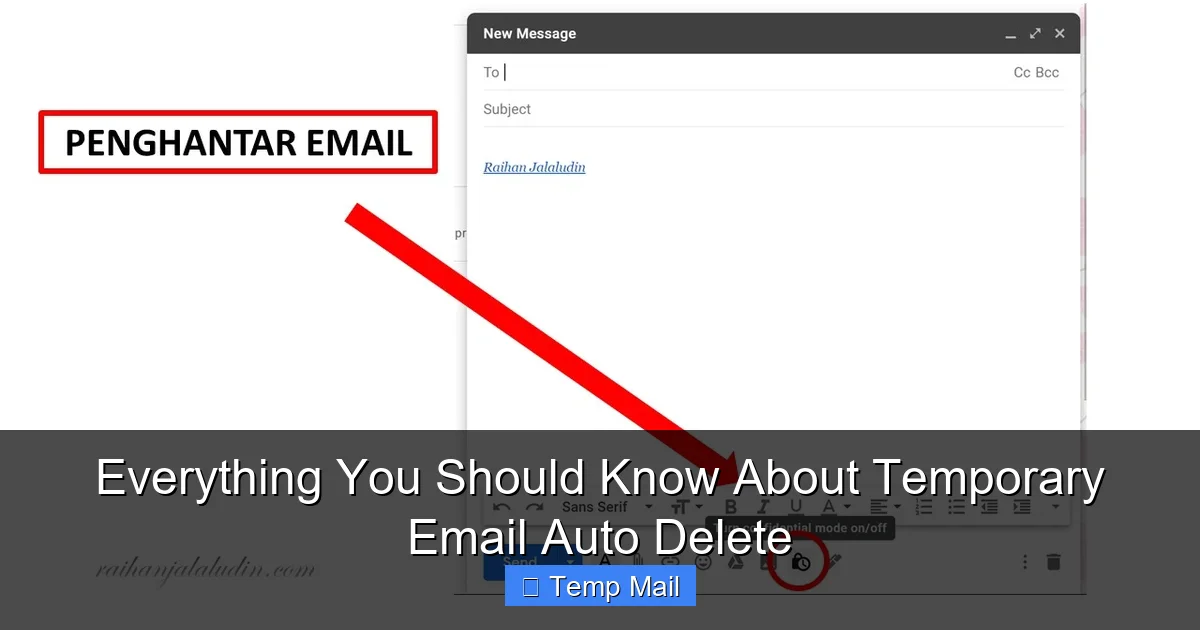
Visual guide about Everything You Should Know About Temporary Email Auto Delete
Image source: 1.bp.blogspot.com
Timer-Based vs. Session-Based Deletion
This is the primary dichotomy. Timer-based services (like 10MinuteMail, Temp-Mail) give you a clear countdown clock, often starting at 10 minutes and extendable in some cases. The auto-delete is precise and predictable. You know exactly when the digital shredder will activate. Session-based services (like some features of Guerrilla Mail) may tie the inbox lifespan to your browser session. Close the tab, and the auto-delete may trigger shortly after. This is less reliable if you accidentally close the window but need to access a code later.
Pro Tip: For any critical one-time verification (like a bank login or two-factor auth), always use a timer-based service and note the exact expiration time. Never rely on session-based persistence.
The “Refresh” or “Keep Alive” Button: Friend or Foe?
Many services feature a big, tempting button that says “Refresh,” “Extend,” or “Keep Alive.” Clicking it resets the inbox’s death clock. This is a useful feature if your 10-minute timer is about to expire and you’re still waiting for an email. However, it’s a double-edged sword. Each click extends your exposure window. The safest practice is to use the refresh function only when absolutely necessary and to be mindful that you are voluntarily prolonging the period that inbox exists on the server. The most privacy-pure approach is to let the original timer run its course.
Transparency in Privacy Policies
A trustworthy provider will have a clear, concise privacy policy that explicitly states their data retention and deletion practices. Look for language like: “All emails are automatically deleted from our servers after [X] time,” “Inboxes are permanently removed upon expiration,” and “We do not log or store IP addresses.” Avoid services that are vague or say they “may retain data for operational purposes.” Their auto-delete promise is only as good as their transparency.
Best Practices: How to Use Auto-Delete Temp Mail Effectively and Safely
Having the tool is one thing; using it correctly is another. Mismanagement can lead to locked accounts or missed opportunities. Here is your operational handbook.
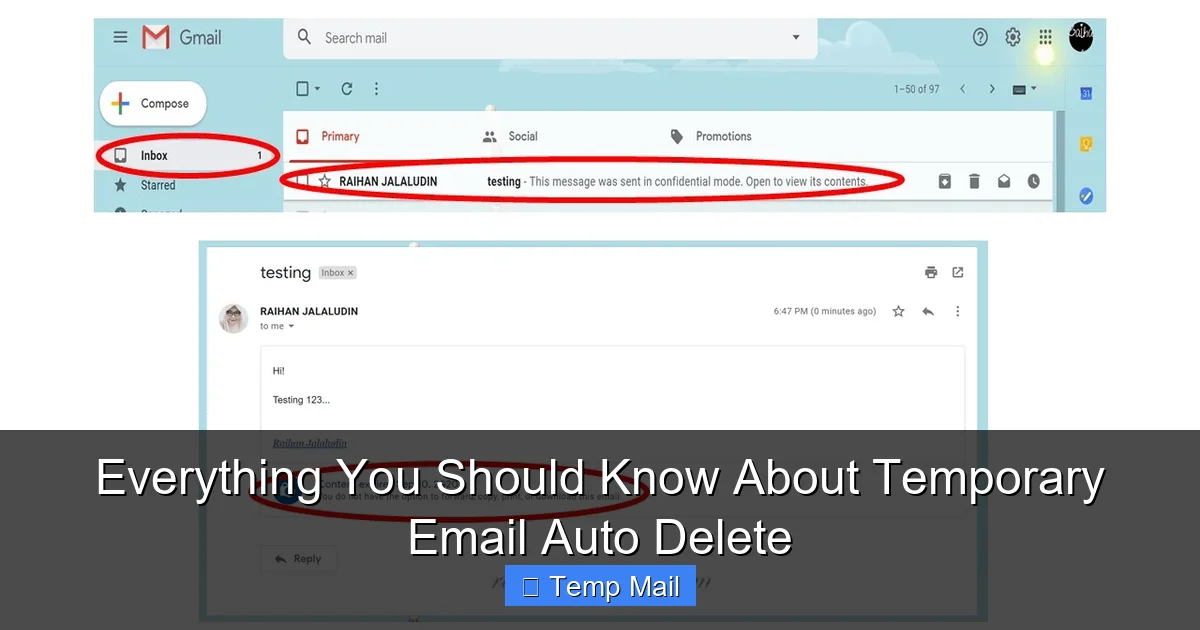
Visual guide about Everything You Should Know About Temporary Email Auto Delete
Image source: 1.bp.blogspot.com
The Golden Rule: Never for Account Recovery
This cannot be overstated. Do not use a temporary email for any service where you might need to recover a password or regain access to an account. If you forget your password for a social media, banking, or cloud storage account linked to a temp mail, you are permanently locked out. There is no “forgot password” email to retrieve. Treat the temporary email as a front door you intend to walk through only once, with no intention of ever needing a key to come back.
Strategic Use Cases: Where It Shines
- Downloading Gated Content: E-books, whitepapers, or templates that require an email. Get the file, let the inbox expire.
- One-Time Forum or Comment Sign-Ups: Participating in a discussion on a site you’ll never visit again.
- Testing App/Website Sign-Up Flows: As a developer or QA tester, you can rapidly create test accounts without polluting your real inbox.
- Accessing Public Wi-Fi Portals: Many coffee shop or airport Wi-Fi networks require an email for the captive portal. Use temp mail, get the password, and the inbox dies.
- Signing Up for “Free Trial” Services: Avoid the inevitable marketing drip campaign. The trial confirmation link works, but the follow-up spam has nowhere to go.
The “Copy-Paste-Check” Workflow
To avoid mistakes, adopt this ritual: 1) Open the temp mail service and your new temporary inbox side-by-side with the sign-up page. 2) Copy the temporary email address from the service. 3) Paste it meticulously into the sign-up form. 4) Submit. 5) Immediately switch back to the temp mail tab and hit “refresh” or wait for the incoming mail. 6) Copy the verification code/password/link and paste it into the destination site. 7) **Complete your task on the destination site.** 8) Close the tab. Do not linger. Let the auto-delete do its job.
Potential Pitfalls and Limitations of Auto-Delete Systems
While powerful, temporary email with auto-delete is not a silver bullet. Understanding its limitations is key to using it wisely.
The “Email Not Received” Black Hole
Sometimes, the verification email simply never arrives in your temporary inbox. This can happen because: the destination site blocks known disposable email domains, there’s a delay in the temp mail service’s mail server, or the email got flagged as spam and rejected. Since the inbox has a ticking clock, you have a very limited window to troubleshoot. If your critical email doesn’t arrive within 2-3 minutes, abandon the temp mail and try a different provider or your real email. Don’t waste time refreshing a dying inbox.
Provider Reliability and Uptime
Most free temp mail services operate on minimal infrastructure. They can be slow, experience downtime, or suddenly shut down. If the service goes offline before your inbox auto-deletes, there’s a small chance the inbox could be recovered later if the service comes back up. This is rare, but it underscores why you should never use these for anything important. For mission-critical tasks, a paid, more reliable disposable email service might be worth considering, though the auto-delete principle remains the same.
The False Sense of Complete Anonymity
Using a temporary email hides your *email address* from the service you’re signing up for. It does not make you anonymous on the internet. The destination site still logs your IP address, browser fingerprint, device information, and the time of the sign-up. If you are engaging in activity that requires true anonymity (e.g., whistleblowing), a temporary email is just one small layer. You would also need a VPN or Tor, and a privacy-focused browser. Auto-delete protects your email identity, not your entire digital footprint.
The Future of Temporary Email and Auto-Delete Technology
The pressure for privacy is growing, and temporary email services are evolving. We’re seeing several trends that will make auto-delete even more sophisticated and integrated.
API-Driven and Browser Extension Integration: The next step is seamless integration. Imagine a browser extension that, when you hover over an email field, suggests generating a temporary address and automatically fills it. The extension would then monitor the new tab for the verification email and paste the code for you, all while the backend service’s auto-delete timer ticks. This would make the process frictionless, encouraging wider adoption.
Enhanced Encryption and Zero-Knowledge Proofs: Forward-thinking providers are exploring end-to-end encryption for the temporary inbox itself. While the inbox is public by design (anyone with the URL can view it), some are adding password protection to the inbox view. More radically, concepts like zero-knowledge proofs could allow a service to prove an email was received and then auto-deleted without ever storing the content in a readable form on their servers.
Standardization and Regulatory Pressure: As data protection laws like GDPR and CCPA tighten, the “right to be forgotten” may extend to the data held by temporary email providers. Clear, auditable auto-delete policies will become a legal requirement, not just a nice feature. We may see industry standards for how long data can be retained before automatic deletion is mandated.
Will Major Platforms Ban Them More Aggressively?
The cat-and-mouse game will continue. As more users adopt privacy tools, platforms that rely on email for user tracking and marketing (like social media giants or SaaS companies) will likely invest more in blocking disposable email domains. This could lead to an arms race where temp mail services constantly rotate new domains. The ultimate winner might be platforms that accept the use of temp mail for low-stakes actions but enforce real emails for high-value transactions, creating a tiered verification system. The auto-delete feature will remain the core selling point for the services that survive this pressure.
Conclusion: Embracing the Digital “Burn After Reading”
Temporary email auto-delete is more than a tech gimmick; it’s a fundamental shift in how we should manage our digital identities. It operationalizes the privacy principle of data minimization—giving away only what is necessary, for only as long as necessary, and then ensuring it’s gone. The automated nature of the deletion is its greatest strength, compensating for human error and forgetfulness.
Incorporating this tool into your daily digital routine is a simple yet profound act of self-protection. It’s the digital equivalent of using a burner phone for a single call or shredding a document after you’ve filed it. Start small: use it for the next free ebook download or forum sign-up. Experience the peace of mind that comes from knowing that interaction has a built-in expiration date. As the web becomes more invasive, our tools must become more surgical and self-cleaning. Auto-delete temporary email isn’t the future of privacy—it’s a necessary practice for the present. Turn on the auto-delete, and let your digital ghosts vanish before they can haunt you.
Frequently Asked Questions
Is using a temporary email with auto-delete legal?
Yes, using disposable email services is legal for legitimate purposes like protecting privacy from spam or accessing gated content. It becomes illegal if used for fraud, to evade legal obligations, or to violate a website’s Terms of Service, which many sites explicitly prohibit.
Can emails in a temporary inbox be recovered after auto-delete?
For reputable services, recovery is virtually impossible. The auto-delete process is designed to permanently purge emails from servers. However, no system is 100% infallible; there is a minuscule chance of residual data in backups or server caches before deletion, but it is not accessible to users or the public.
What happens if I need a password reset for an account I signed up with a temp email?
You will be unable to recover that account. The password reset email will be sent to an inbox that no longer exists. This is why the golden rule is to never use a temporary email for any account you need to keep long-term or that has recovery mechanisms tied to the email.
Do temporary email services log my IP address or usage?
This varies by provider. Privacy-focused services claim not to log IP addresses or usage data, storing emails only in RAM until deletion. Less scrupulous services might log data for advertising or analytics. Always check the privacy policy of your chosen provider to understand their logging practices before use.
Can I send emails *from* a temporary address?
Most free temporary email services are receive-only. They are designed for you to get a verification code or download link, not to send emails. Some premium or specialized services offer limited sending capabilities, but this is not the norm and often comes with stricter anti-abuse monitoring.
Will websites know I’m using a temporary email?
Yes, easily. All temporary email services use publicly known domain names (e.g., @tempmail.demo, @10minutemail.com). Websites can check the domain against blocklists of disposable email providers. If a site blocks these domains, your sign-up will be rejected, which is a common and growing practice.