Using a temporary email for Discord isn’t just a trick—it’s a critical layer of digital self-defense. Your primary email is a key to your identity, and tying it to a platform like Discord exposes you to data breaches, spam, and unwanted tracking. A temp mail creates a disposable shield, letting you explore communities, verify accounts, and participate without sacrificing your real inbox or personal information. It’s the simplest, most effective step to take control of your online privacy today.
Key Takeaways
- Your Email is a Master Key: Your personal email address is linked to countless accounts. Using it for Discord risks that single point of failure.
- Spam is Inevitable, Not Optional: Discord servers and bots often harvest emails. A temp mail keeps promotional and phishing emails out of your primary inbox.
- Anonymity is a Right, Not a Luxury: For gamers, activists, or anyone seeking privacy, a temp email allows participation without revealing your identity.
- Verification is a Barrier, Not a Trap: Temp mail lets you breeze past Discord’s email verification steps securely, without commitment.
- Data Brokers Thrive on Your Email: Platforms sell user data. A disposable address breaks the chain, preventing your Discord activity from being sold and profiled.
- It’s Effortless and Free: The process takes 60 seconds and costs nothing, offering maximum privacy protection for minimal effort.
- Account Recovery is a Trade-Off: You must save your login details separately, as you cannot recover a Discord account via a deleted temp email.
📑 Table of Contents
- The Invisible Key to Your Digital Kingdom
- Why Your Primary Email is a Liability on Discord
- How Temp Mail for Discord Works: A Simple Shield
- Step-by-Step: Using Temp Mail for Discord Safely
- Pros, Cons, and Smart Best Practices
- Beyond the Basics: Temp Mail in the Larger Privacy Ecosystem
- The Unavoidable Truth: You Need This Now
The Invisible Key to Your Digital Kingdom
Think about your email address. It’s not just an inbox. It’s the master key to your digital life. It resets your bank password. It confirms your social media accounts. It’s the username for countless forgotten subscriptions from 2012. This single string of characters is a golden ticket for data brokers, hackers, and marketers. Now, imagine handing that master key to a vibrant, chaotic, and incredibly public platform like Discord. That’s exactly what you do every time you sign up with your personal, permanent email.
Discord is a universe of communities—gaming clans, study groups, hobbyist circles, political forums. It’s a place for connection. But that connection often requires an email for verification. The platform itself isn’t inherently evil; its privacy policy outlines data collection. The real risk comes from the ecosystem around it: malicious links in servers, bots that scrape member lists, and the simple fact that your email becomes a permanent data point in a corporation’s database. This is where the humble, powerful tool of a temporary email—temp mail—becomes your absolute necessity. It’s not about doing something shady; it’s about protecting your digital sovereignty.
Why Your Primary Email is a Liability on Discord
The Data Harvesting Reality
When you use your Gmail, Outlook, or Yahoo address for Discord, you’re creating a permanent, searchable link between your real identity and your Discord activity. Discord’s privacy policy states they collect “information you provide directly,” which includes your email. This data can be used for internal analytics, shared with “trusted partners,” and, in the event of a data breach (which happens to everyone from Marriott to Twitter), your email is exposed in a plaintext list for hackers to exploit. That exposed email then becomes the starting point for “credential stuffing” attacks, where hackers try that email/password combination on other sites, assuming you reuse passwords (which many do).

Visual guide about Why You Absolutely Need Temp Mail for Discord Today
Image source: temp-mail.io
The Spam Avalanche
Once your email is on Discord, it’s a target. Many public servers use “join” bots that automatically collect member emails for newsletters or promotional lists. Server owners can export member lists (with emails) if they have the proper bot permissions. You might sign up for a cute cat meme server and suddenly find your primary inbox flooded with offers for “exclusive” gaming gear or crypto schemes. A temp mail acts as a sacrificial inbox, catching all that spam so your real email remains pristine.
The Social Engineering Threat
Your email is a powerful tool for social engineering. If someone discovers your Discord-associated email, they can craft highly convincing phishing emails. “Your Discord account has been flagged for suspicious activity! Click here to verify.” If you use that same email for other critical accounts, the phishing attempt becomes even more dangerous. Segregating your Discord identity with a temp mail compartmentalizes this risk. A breach in one sphere doesn’t immediately contaminate the others.
How Temp Mail for Discord Works: A Simple Shield
The Disposable Inbox Mechanism
Temp mail services (like Temp-Mail, 10MinuteMail, or Guerrilla Mail) generate a random, unique email address that exists for a short period—often 10 minutes to a few hours. This inbox is publicly accessible on the service’s website without a password. You go to the site, copy the generated address, paste it into Discord’s sign-up or verification field, and then refresh the temp mail site to see the incoming verification email. You copy the code, paste it back into Discord, and you’re in. The beauty is that once the timer expires, that email address and all its history vanish into the digital void.
Visual guide about Why You Absolutely Need Temp Mail for Discord Today
Image source: 1.bp.blogspot.com
Perfect for the Verification Hurdle
Discord requires email verification for certain actions: creating a server with high member counts, enabling certain bot features, or sometimes just as a basic anti-spam measure for new accounts. This is a classic “friction” point. A temp mail makes this friction disappear. You’re not hesitating because you don’t want to “pollute” your main email. You click, you get the code in your disposable inbox, you verify, and you move on. It streamlines the onboarding process while protecting your primary contact point.
It’s a Privacy-First Mindset
Using a temp mail for Discord is a conscious choice to practice data minimization. You’re only giving Discord the absolute minimum required information to use the service—a placeholder email that serves one purpose and one purpose only. You’re not feeding the data broker ecosystem with a clean, monetizable email tied to your real name and other accounts. It’s a small act of digital rebellion that costs nothing but adds a significant barrier between your personal life and the public square of Discord.
Step-by-Step: Using Temp Mail for Discord Safely
Choosing a Reputable Service
Not all temp mail services are created equal. For Discord, you need reliability and speed. Look for services that don’t require registration, have a clear inbox display, and offer a decent lifespan (at least 30-60 minutes). Avoid services that are littered with deceptive download buttons or aggressive ads that can lead to malware. Trusted names in the space include Temp-Mail.org, 10MinuteMail.com, and Maildrop.cc. Bookmark the one you choose.
Visual guide about Why You Absolutely Need Temp Mail for Discord Today
Image source: 2.bp.blogspot.com
The 60-Second Setup Process
1. Open your chosen temp mail site in a new browser tab. A random email address will be generated instantly.
2. Copy that email address.
3. Go to Discord’s sign-up page. Paste the temp address into the email field. Create a strong, unique password (use a password manager!).
4. Complete the username and birthdate fields.
5. Click “Continue.” Discord will send a verification email.
6. Switch back to your temp mail tab. The email from Discord should appear within 10-30 seconds. Click on it to view the contents.
7. Find the 6-digit verification code. Copy it.
8. Return to Discord and enter the code. Your account is now verified and active.
The Golden Rule: Secure Your Account First
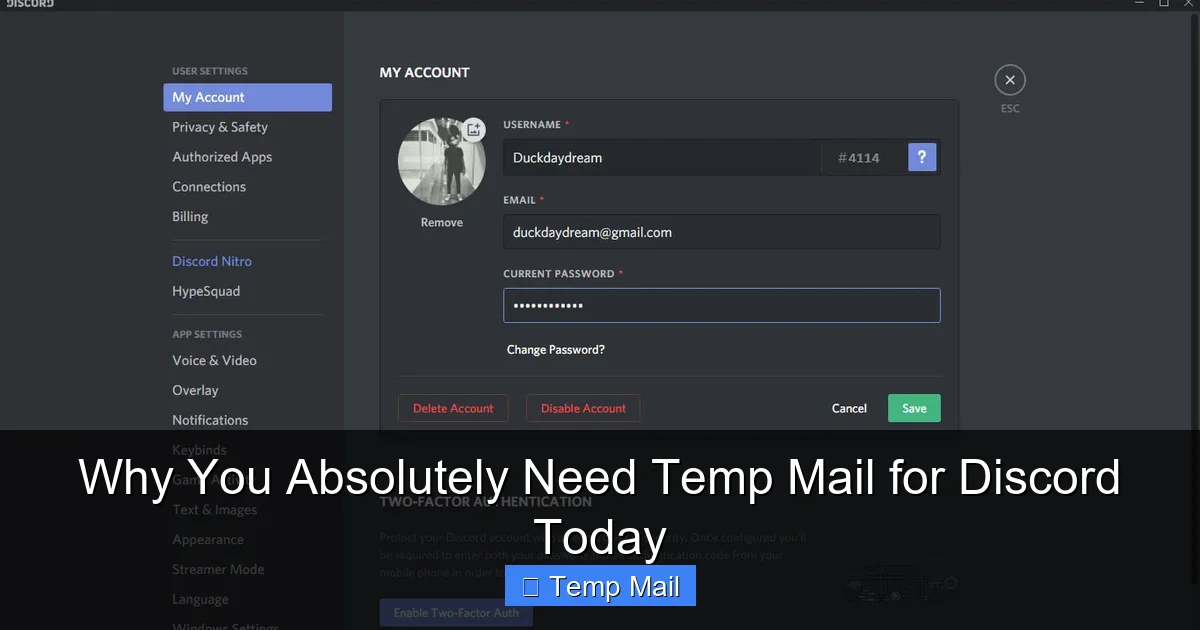
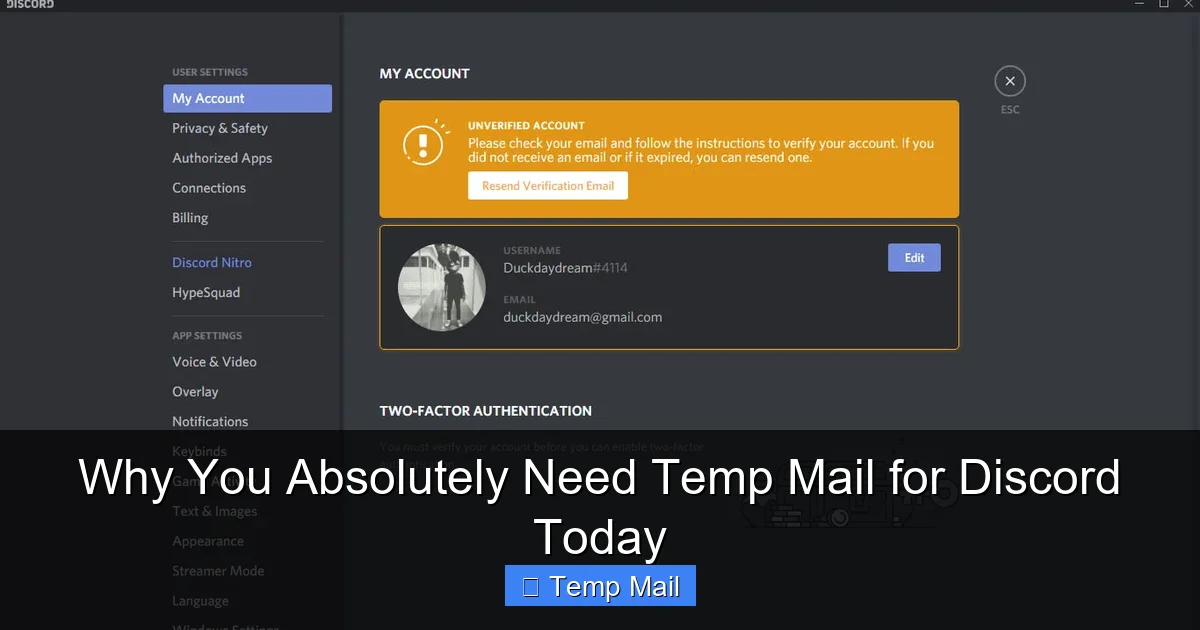
This is the most critical step. Before you even close the temp mail tab, go to Discord’s User Settings (the gear icon). Navigate to “My Account.” Here, you MUST add a second, permanent recovery email and, even more importantly, enable Two-Factor Authentication (2FA) using an authenticator app like Google Authenticator or Authy. The temp mail is for initial sign-up. Your permanent email and 2FA are your lifeboats if you ever get locked out or need to recover the account. Without these, once the temp mail expires, you have zero official way to recover your Discord account if you forget your password.
Pros, Cons, and Smart Best Practices
The Clear Advantages
- Unmatched Privacy: Your primary email remains completely separate and private.
- Zero Spam: All promotional and harvesting emails go to the disposable inbox.
- Quick & Free: No cost, no sign-up, no commitment. Takes less than a minute.
- Bypass Hesitation: Allows you to join servers you might otherwise skip due to email concerns.
- Test the Waters: Perfect for trying out Discord without committing your main identity.
The Honest Drawbacks & How to Mitigate Them
- No Account Recovery via Email: As stated, if you lose access and only have a temp mail on file, Discord support will likely not help you. Mitigation: Always set up 2FA and add a real recovery email immediately after sign-up.
- Inbox Lifespan: If the verification email is delayed, your temp inbox might expire. Mitigation: Use a service with a longer timer (e.g., 1 hour) and request the verification email again if needed.
- Perception: Some server admins might view an obscure temp email as a red flag for ban-evasion or spam (though this is less common). Mitigation: For servers you plan to be active in long-term, consider using a dedicated “alt” email from a free provider instead of a fully anonymous temp mail.
- Cannot Change Later: You cannot change the email on your Discord account to a temp mail after verification; you can only add a secondary email. The initial sign-up email is what’s used for critical alerts.
Advanced Tactics for Power Users
For those managing multiple accounts or communities, consider using a dedicated free email address (from ProtonMail for enhanced privacy, or a simple new Gmail) as your “Discord email.” This is a step between a fully disposable temp mail and your main email. It centralizes Discord communications but is still isolated from your primary identity. Combine this with a unique, strong password and 2FA for each Discord account. This layered approach is the gold standard for serious users who need both privacy and account recoverability.
Beyond the Basics: Temp Mail in the Larger Privacy Ecosystem
It’s One Tool in Your Arsenal
Relying solely on a temp mail for Discord is good, but building a privacy-centric habit is better. Use a password manager to generate and store unique passwords for every service. Use a privacy-focused browser (like Brave or Firefox with strict tracking protection). Consider using a VPN, especially on public Wi-Fi, to mask your IP address from Discord and other services. The temp mail is your first line of defense for your identity, but your IP address and password habits are your second and third lines.
Understanding Discord’s Actual Data Practices
Discord’s business model is primarily Nitro subscriptions and server boosts, not advertising. This means they are less reliant on selling your data to third parties than, say, Facebook or Google. However, they still collect vast amounts of data: your messages (which are not end-to-end encrypted by default), voice chat metadata, server joins, and your IP address. They use this to enforce Terms of Service, improve services, and for “legal and safety purposes.” A temp mail doesn’t hide your IP or your messages, but it severs one of the most personal and reusable data points: your permanent email address. It’s a targeted privacy win.
The Ethical Consideration: Anonymity vs. Accountability
Some argue that easy anonymity on platforms like Discord fuels harassment and toxic behavior. This is a valid societal concern. However, the tool itself is neutral. A temp mail protects a whistleblower organizing a support group as much as it could protect a troll. Platforms like Discord have a responsibility to moderate content and behavior through other means (reporting systems, IP bans for severe violations), not by forcing the surrender of personal emails. Your choice to use a temp mail is a personal privacy decision, separate from the platform’s moderation challenges.
The Unavoidable Truth: You Need This Now
The internet is a battlefield for your personal data. Every new account you create is a potential leak point. Discord, with its massive user base and complex server ecosystem, is a high-value target. Waiting until you’ve already had your inbox flooded with spam, or worse, until your email appears in a data breach from another site that leads hackers to your Discord, is waiting too long. The cost of inaction is a cluttered inbox, increased phishing risk, and a permanent, unchangeable link between your real-world identity and your Discord activities.
Integrating a temp mail into your sign-up routine for platforms like Discord is a five-second habit that pays massive dividends in long-term digital hygiene. It’s the digital equivalent of using a pseudonym at a coffee shop instead of giving out your home address. You can still enjoy the latte (the Discord community), but you don’t have to let the barista (the platform and its ecosystem) know where you sleep. The moment you create that new Discord account is the moment you should be reaching for a temporary email. Not tomorrow. Not “when I get around to it.” Today. Your future self, with a clean inbox and a compartmentalized digital identity, will thank you.
Frequently Asked Questions
Is using a temp mail for Discord against Discord’s Terms of Service?
Discord’s Terms of Service do not explicitly prohibit temporary email addresses. Their requirement is a “valid” email for verification, which a temp mail temporarily is. However, using a temp mail to evade a permanent ban is a clear violation. The key is intent: using it for initial privacy is generally acceptable, but using it to bypass account restrictions is not and will result in a ban.
What happens if the verification email takes longer than the temp mail’s lifespan?
If the temp inbox expires before you receive Discord’s email, you will need to restart the sign-up process with a new temp email address. This is why choosing a service with a longer timer (like 60 minutes) is wise. You can also usually request Discord to resend the verification email from the sign-up screen if you act quickly.
Can I add a temporary email as a secondary email to my existing Discord account?
No. Discord only allows you to add a secondary email for safety purposes, and it must be a valid, accessible email address you control. A temporary email, which will expire, would defeat the purpose of having a reliable recovery method. You should only use a temp mail for the initial, primary email during sign-up.
Will Discord know I’m using a temp mail?
Yes, technically. The email domain (e.g., @tempmail.demo) is publicly known. However, Discord does not typically block sign-ups from these domains, as it would inconvenience legitimate users. They primarily rely on other anti-abuse systems like phone verification for suspicious activity. Using a temp mail is a private action, not a hidden one from the platform’s systems.
What is the best temp mail service for Discord?
The best service is one that is reliable, fast, and has a clean interface. Recommended options include Temp-Mail.org (offers a browser extension), 10MinuteMail.com (very simple, 10-minute timer), and Maildrop.cc (no frills, 1-hour timer). Avoid services that require you to solve CAPTCHAs to view emails or are filled with misleading download ads.
I used a temp mail and now I can’t log in. What do I do?
If you did not set up Two-Factor Authentication (2FA) and add a real recovery email, your account is likely irrecoverable. This is the critical warning. If you did set up 2FA, use your recovery codes or the authenticator app to log in. Once logged in, immediately add a permanent email address in User Settings > My Account. Always secure your account before the temp mail expires.