Tired of spam clogging your primary inbox? A free random email generator creates disposable, temporary email addresses in seconds. These tools are your first line of defense against unwanted marketing, data breaches, and privacy erosion, offering a simple, no-cost way to sign up for websites, download files, or test services without sacrificing your personal information. It’s a pragmatic tool for anyone who values their digital privacy and inbox sanity.
Key Takeaways
- Primary Purpose: A random email generator creates temporary, disposable email addresses to shield your permanent inbox from spam, phishing, and data collection.
- Instant & Free: These services provide an email address immediately upon visiting the site, with no registration, password, or cost required.
- Limited Lifespan: Temporary emails are active for a short, predefined period (usually 10 minutes to a few hours) and are then automatically deleted.
- Not for Critical Accounts: Never use a temporary email for important accounts like banking, primary social media, or any service requiring password recovery.
- Privacy Over Security: While excellent for privacy (hiding your real email), the emails themselves are not secure for sending sensitive data, as providers can often read the content.
- Use Case Specific: Ideal for one-time sign-ups, forum registrations, software trials, accessing gated content, and testing email functionality in development.
- Simple Workflow: The process is straightforward: visit the generator site, copy the provided address, use it, and check the inbox on the same site until the address expires.
📑 Table of Contents
- The Inbox Invasion: Why Your Primary Email is a Target
- What Exactly is a Random Email Generator?
- The Unbeatable Benefits: Why Use a Temporary Email?
- Practical Use Cases: When to Reach for a Temp Mail
- How to Use a Random Email Generator: A Step-by-Step Guide
- Critical Security & Limitations: What You MUST Know
- Choosing the Right Generator & Best Practices
- The Future of Disposable Communication & Your Digital Hygiene
- Conclusion: Embrace the Disposable, Protect the Permanent
The Inbox Invasion: Why Your Primary Email is a Target
Your email address is more than just a communication tool; it’s a digital key. It unlocks your online identity, connects your accounts, and is often the primary way companies track your activity across the web. Every time you use it to sign up for a newsletter, download a free ebook, or create an account on a new app, you’re handing over a piece of your privacy. That “free” service often comes at the cost of your data being sold, shared, or, worse, breached in a security incident. The result? A primary inbox flooded with promotional emails, targeted ads that feel eerily personal, and the constant low-grade anxiety of potential spam and phishing attempts.
This is where a free random email generator becomes not just a convenience, but a essential tool for modern digital life. It acts as a protective buffer, a sacrificial layer between your real identity and the vast, often messy, expanse of the internet. Before we dive into how to use one, let’s understand the core problem it solves.
The Spam Snowball Effect
It starts innocently. You want a discount code, so you enter your email on a retail site. A week later, that site’s “partner” is emailing you. A month later, your inbox is a minefield of “limited time offers!” and “you won’t believe this deal!” Even if you unsubscribe, your email address is already on countless data broker lists, sold and resold. A temporary email breaks this chain at the very first link.
The Data Brokerage Reality
Your email is a goldmine for data brokers. It links your browsing history, purchase behavior, location data, and even inferred interests. Using a throwaway address for non-essential interactions prevents that specific activity from being tied back to your permanent identity, significantly reducing your digital footprint.
What Exactly is a Random Email Generator?
At its core, a random email generator is a web-based service that automates the creation of temporary email addresses. It’s a simple concept with powerful implications. Unlike creating a new account with Gmail or Outlook, which requires personal information and a permanent commitment, these generators work instantly and anonymously.
Visual guide about Free Random Email Generator for Secure Temporary Emails
Image source: yttags.com
How It Works Under the Hood
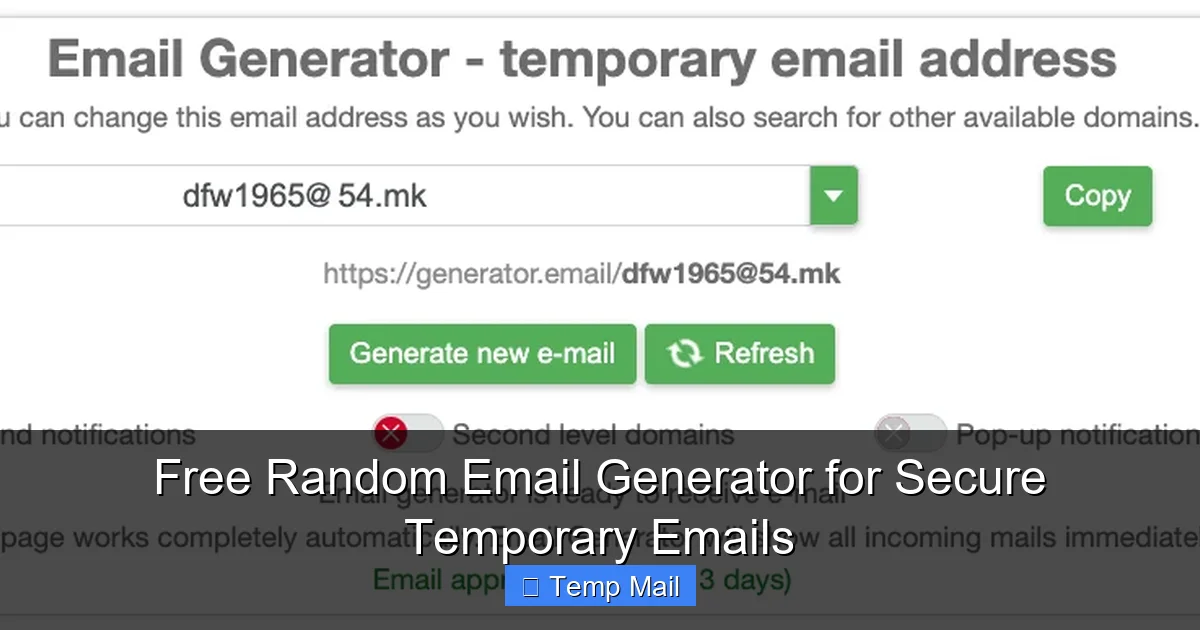
When you visit a random email generator website, its backend system automatically assigns you a unique, randomly generated email address from a large pool of domain names it controls (e.g., `[email protected]`). This address is active and ready to receive emails immediately. All emails sent to that address are routed to the service’s server and displayed in a web-based inbox that is accessible only through the browser tab you’re currently using. There is no password, no login, and no persistent session. Once you close the tab or the address expires after its set time (often 10 minutes to 1 hour, sometimes longer), the address and all its emails are permanently purged from the system.
Key Characteristics of Temporary Emails
- No Registration: Zero personal details are required. No name, no phone number, no secondary email.
- Randomly Generated: The username part (before the @) is a random string of characters, making it impossible to guess or associate with you.
- Ephemeral Inbox: The inbox is public to anyone who has the full address URL. This is a security feature for simplicity but means you shouldn’t use it for private info.
- Auto-Deletion: The entire address and its contents vanish after a short time, ensuring no long-term data residue.
The Unbeatable Benefits: Why Use a Temporary Email?
Using a random email generator isn’t about being paranoid; it’s about being pragmatic. The benefits extend far beyond just avoiding a cluttered inbox.
Visual guide about Free Random Email Generator for Secure Temporary Emails
Image source: rightinbox.com
1. Spam Prevention & Inbox Sanity
This is the most obvious and valuable benefit. Any email you expect to be promotional or low-value—a forum registration, a free webinar, a software beta test—gets a temporary address. The spam never reaches your primary inbox. Your important personal and professional communications remain pristine and easy to manage.
2. Enhanced Privacy & Anonymity
When you use a temporary email, you are not providing your real identity to a service that may not need it. This prevents that specific service from building a profile on *you*. It’s a small but significant act of data minimization, a core principle of privacy best practices. For activities where you want to browse or sign up without leaving a traceable personal email signature, this is crucial.
3. Bypassing Gated Content & “Email Locks”
How many times have you wanted to read an article, download a whitepaper, or see a pricing page, only to be stopped by a form demanding your email? A temporary email lets you instantly bypass these “email gates.” You get the content you want immediately, and the company gets an email address that will bounce in an hour. It’s a fair exchange for freely available content they were trying to leverage for leads.
4. Safe Software & Service Testing
Are you a developer testing email functionality in your app? A marketer checking if a lead magnet email sequence works? Or just a cautious user wanting to try a new, unknown app without commitment? A temporary email is the perfect test address. You can receive verification codes and test emails without risking your main account or cluttering it with test messages.
5. Avoiding “Login with Google/Apple” Traps
Many sites now push “Login with Google” or “Sign in with Apple.” While convenient, these methods often share more data than a simple email/password sign-up and lock you into their ecosystem. Using a temporary email for a standard sign-up (if the site allows it) can sometimes be a more private alternative, giving you control without federating your identity.
Practical Use Cases: When to Reach for a Temp Mail
Knowing *when* to use a random email generator is as important as knowing how. Here are the most common and effective scenarios.
Visual guide about Free Random Email Generator for Secure Temporary Emails
Image source: randomgenerate.io
Signing Up for New Websites & Apps
You’ve just heard about a new social platform, a productivity tool, or a gaming app. You want to explore it, but you’re not ready to fully commit your identity. Use a temporary email for the initial sign-up. If you love the service and decide it’s worth keeping, you can often later add a permanent email to your account settings. If you hate it or it’s sketchy, you simply walk away with zero fallout.
Downloading “Free” Resources
That promising ebook, template, or stock photo pack often requires an email. Is it from a reputable company you trust? Maybe use your real email. Is it from an unknown blog or a site you’ll likely never visit again? Use the random email generator. You get the file, and your inbox avoids the ensuing “nurture sequence” of 10 follow-up emails.
Forum & Community Registrations
Want to ask a question on a technical forum or join a hobbyist community? Many forums are riddled with spam accounts and have poor data handling. A temporary email lets you participate without exposing your primary contact. Just remember, if you forget your password, you can’t recover the account—which is fine for a one-time post.
Accessing One-Time Discounts or Coupons
Saw a “get 20% off your first order” pop-up? The business wants your email to add you to their marketing list. Use a disposable address, grab the discount code, make your purchase if you wish, and let the email address die. The promotional spam goes to a dead end.
Development & QA Testing
For developers and testers, temporary emails are indispensable. They allow you to test user registration flows, password reset emails, notification systems, and email verification steps in a clean, repeatable, and anonymous environment without polluting real inboxes.
How to Use a Random Email Generator: A Step-by-Step Guide
Using these tools is deliberately simple. Here’s a typical workflow, using a generic example.
Step 1: Navigate to a Reputable Generator Site
A quick search for “free temporary email” or “random email generator” will yield several options. Look for sites that have a clean interface, clear expiration times, and don’t bombard you with ads that look like download buttons. Popular, long-standing services are generally safer.
Step 2: Your Address is Automatically Created
Upon loading the page, you’ll see a large, clearly displayed email address. It will look something like: `[email protected]`. The username is random, and the domain is the service’s disposable domain. No action is needed to create it. It’s already live and receiving mail.
Step 3: Copy the Address and Use It
Click the built-in “Copy” button next to the address. Then, paste this temporary email wherever you need it: a website sign-up form, a software installation wizard, a contest entry. Complete the process as usual, including clicking any “send verification email” button the service provides.
Step 4: Monitor the Inbox on the Generator Site
After you’ve requested the verification email, switch back to the generator website tab. You should see the incoming email appear in the web-based inbox list within seconds or minutes. Click on it to view the contents, which will include the verification link or code you need.
Step 5: Copy the Code/Link and Complete Your Task
From the email body, copy the verification code or click the verification link (note: some links may not work perfectly due to security restrictions, so copying codes is often more reliable). Paste it into the original website’s verification field and complete your sign-up or download.
Step 6: Let It Expire
Once you have what you need, you can simply close the browser tab. The email address will automatically become inactive after its preset lifespan (often visible on the site, e.g., “Expires in 45 minutes”). All data is wiped. There is nothing for you to delete.
Critical Security & Limitations: What You MUST Know
A random email generator is a powerful tool, but it is not a magic shield. Understanding its limitations is vital for using it safely and effectively.
The Public Inbox Reality
This is the biggest security caveat. Because there is no login, anyone who knows the exact temporary email address can view the inbox by visiting the generator site and entering the address (or sometimes it’s automatically loaded if you keep the tab open). This means you should NEVER receive:
- Password reset links for important accounts
- Banking or financial statements
- Medical information
- Any confidential business documents
- Private messages from friends or family
The inbox is functionally public to anyone with the URL. Its purpose is for receiving low-sensitivity, one-time communications like verification codes.
No Long-Term Storage or Search
Once the timer expires, poof—the email and its address are gone forever. There is no archive, no “sent” folder, and no way to retrieve an old verification code if you need it later. Use it only for immediate, in-the-moment tasks.
Potential for Blocking
Some sophisticated websites and services maintain blocklists of known temporary email domains. If you try to sign up with an address from a popular generator, the site might reject it outright. In this case, you either need to use a different generator (some have less common domains) or, unfortunately, use a real email. This is a constant cat-and-mouse game between email providers and anti-spam measures.
Not for Account Recovery
If you create an account on a legitimate service using a temporary email and later forget your password, you are permanently locked out. The service cannot email a reset link to an address that no longer exists. Only use temp mail for accounts you intend to use fleetingly or where password recovery via email is not the primary method (e.g., some forums use security questions).
Limited Attachment Handling
While most generators can receive standard emails, they may struggle with large attachments or certain file types. Don’t rely on them for receiving critical PDFs or large installers. Use them primarily for text-based verification codes and links.
Choosing the Right Generator & Best Practices
Not all temporary email services are created equal. Here’s how to pick a good one and use it wisely.
What to Look For in a Service
- Clear Expiration Timer: The site should visibly show how much time is left on your address (e.g., “00:14:22 remaining”).
- Multiple Domain Options: Some services offer a choice of domains (e.g., @tempmail.demo, @disposable.email), which can help if one domain is blocked.
- No Forced Registration: If the site tries to make you create an account to “save your inbox,” it’s defeating the purpose. Avoid it.
- Minimal/Acceptable Ads: These services are free, so they need ads. But they shouldn’t have deceptive ads that mimic site buttons. A clean layout is a good sign.
- HTTPS Secure: The URL should start with “https://”. This encrypts the connection between your browser and their server.
Pro-Tips for Optimal Use
Use a dedicated browser tab or window. Never mix your temporary email tab with your regular browsing. Close it immediately after you’re done to avoid accidentally navigating away and losing the inbox.
Refresh manually if needed. Some inboxes don’t auto-refresh. If an expected email doesn’t arrive, hit the refresh button on the generator site.
Keep the tab open while waiting. The inbox is tied to your browser session in many cases. Closing the tab may make the address inaccessible even before its official expiration time on some services.
Have a backup generator. If your first choice is down, slow, or its domain is blocked, know one or two alternatives. A quick search for “temp mail” will give you options.
Never use it for anything serious. Repeat after me: temporary email is for temporary things. Your Netflix, bank, primary email, or cloud storage account deserves a real, secure, recoverable email address. There is no substitute for a permanent, password-protected inbox for your core digital life.
The Future of Disposable Communication & Your Digital Hygiene
The free random email generator is a symptom of a larger problem: the internet’s business model is often built on data extraction. As privacy regulations like GDPR and CCPA evolve and user awareness grows, the demand for tools that provide anonymity and control will only increase. We’re likely to see more integrated browser features (like Apple’s “Hide My Email” built into iCloud+) and password managers offering built-in alias generation.
Yet, the humble, standalone web-based temporary email generator will remain a vital, low-barrier tool for the global internet user. It democratizes privacy. You don’t need a paid subscription or a specific operating system; you just need a browser and 10 seconds.
Incorporating a temporary email into your routine is a foundational step in practicing good digital hygiene. It’s the equivalent of using a different, throwaway password for a sketchy site (which you should also do with a password manager). It’s about segmenting your digital identity, containing risk, and understanding that not every online interaction warrants the gift of your primary contact information.
Conclusion: Embrace the Disposable, Protect the Permanent
A free random email generator is deceptively simple but profoundly effective. It hands the power back to you, the user. No longer do you have to dread that “confirm your email” step because you know it will lead to a lifetime of spam. Now, you can confidently click “sign up,” grab your free resource, or test that new app with a smile, knowing your primary inbox remains a sanctuary for what truly matters: messages from family, friends, and colleagues.
Remember its purpose: it’s a shield, not a sword. It’s for privacy and convenience, not for secure transactions or identity establishment. Use it wisely for its intended purpose—as a temporary gateway—and rely on a secure, permanent email provider for the pillars of your digital life. Start using one today. Experience the immediate relief of an uncluttered inbox. It’s a small habit that delivers a massive return on your peace of mind and online privacy.
Frequently Asked Questions
Is using a random email generator legal?
Yes, using a temporary email service is perfectly legal. You are simply using a publicly available communication tool. The legality depends on how you use it; using it to commit fraud or illegal activities is, of course, illegal regardless of the email type.
Are temporary emails secure and private?
They offer privacy from the recipient (who doesn’t get your real email) but low security for the content. The inbox is publicly accessible to anyone with the full address URL, so never send sensitive personal or financial information via a temporary email. For security, use a encrypted, permanent email service.
How long do temporary emails last?
Most free random email generators keep addresses active for a short, predefined period, typically between 10 minutes and 1 hour. Some services may offer slightly longer durations (up to 24 hours) for certain domains. The exact time is always displayed on the generator’s interface.
Can I send emails from a temporary address?
Almost all free random email generators are receive-only. They are designed to allow you to *get* verification emails and links, not to *send* emails. Their primary function is as an inbox, not a full email client.
Will a temporary email work for all websites?
No. Many popular websites and services actively block known disposable email domains to prevent abuse and spam. If a site rejects your temporary address, you will need to use a different generator’s domain (if available) or a real email address.
What happens if I need to recover an account I signed up with a temp email?
You will almost certainly be unable to recover it. Since the email address expires and is deleted, password reset links will bounce. You should only use temporary emails for accounts you do not intend to keep long-term or where alternative recovery methods (like a phone number) are available and used.