A disposable email address is a temporary, anonymous inbox you use for sign-ups and downloads instead of your primary email. It acts as a protective shield, stopping spam, phishing attempts, and data harvesting from ever reaching your real identity. By using one for low-trust interactions, you keep your permanent email clean, secure, and private.
Key Takeaways
- Primary Defense: A disposable email is a sacrificial contact point that prevents spam and marketing lists from contaminating your main, personal inbox.
- Anonymity First: It requires no personal information to create, allowing you to interact with websites without revealing your true identity.
- Limited Lifespan: These addresses are designed to be short-lived, typically expiring after a set time or a certain number of emails received.
- Use Case Specific: They are perfect for one-time downloads, forum registrations, and any service you don’t plan to engage with long-term.
- Not for Critical Accounts: Never use them for banking, primary social media, or any account where recovery and long-term access are essential.
- Security Layer: While they don’t encrypt emails, they mitigate risk by isolating potential phishing and malware campaigns to a throwaway inbox.
- Simple Management: Most services offer a straightforward, no-login-required interface to check your temporary inbox quickly.
📑 Table of Contents
- Your Inbox Is Under Siege: Why You Need a Disposable Email Address
- What Exactly Is a Disposable Email Address?
- The Privacy Shield: How a Disposable Email Protects You
- When and Where to Use a Disposable Email (The Golden Rules)
- Navigating the Limitations: What Disposable Emails Can’t Do
- Best Practices for Maximizing Your Disposable Email Strategy
- The Future of Privacy: Beyond the Simple Throwaway Inbox
- Conclusion: Reclaim Your Digital Peace of Mind
Your Inbox Is Under Siege: Why You Need a Disposable Email Address
Think about your primary email address. It’s the key to your social media, your bank, your cloud storage, and countless other accounts. It’s your digital home base. Now, think about how many times a week you type that address into a website just to download a PDF, access a free template, or read an article. Every single time, you are handing over the keys to your digital home to a stranger. That website might be perfectly legitimate, but its security practices, its partners, or even its future owners are unknown variables. Your email address becomes a commodity, sold to marketers, scraped by bots, and targeted by phishers. This is not paranoia; it’s the daily reality of the modern internet. The solution isn’t to stop using online services. The solution is to stop using your real email for them. Enter the disposable email address—a simple, powerful tool that acts as a bodyguard for your primary identity.
This guide will walk you through everything you need to know. We’ll demystify how these temporary inboxes work, explore their critical role in privacy protection, detail exactly when and how to use them, and honestly discuss their limitations. By the end, you’ll understand why adopting a disposable email strategy is one of the easiest and most effective steps you can take to reclaim your online privacy and sanity.
What Exactly Is a Disposable Email Address?
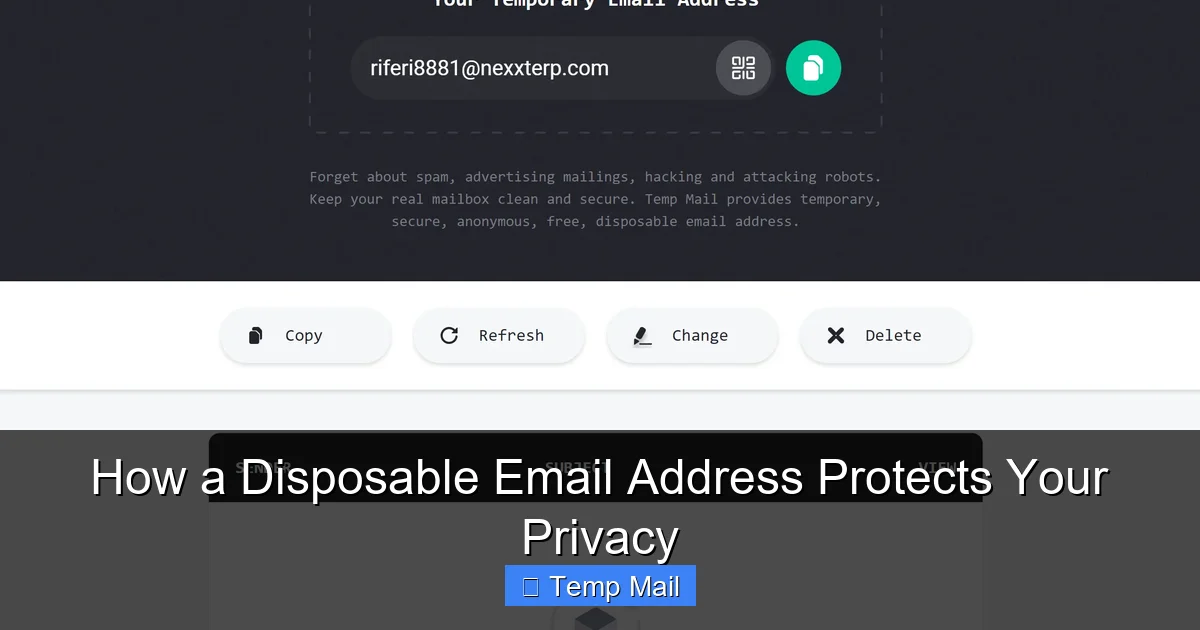
A disposable email address (DEA), also commonly called a temporary email or throwaway email, is a functional email account that is created instantly and automatically without any registration process. It’s designed to be used once or for a very short period and then discarded. The core principle is anonymity and temporariness. Services that provide DEAs generate random inbox addresses (e.g., [email protected]) on their servers. You go to their website, an address is assigned to you, and you can immediately start receiving emails sent to that address.
Visual guide about How a Disposable Email Address Protects Your Privacy
Image source: dailystory.com
The Mechanics: How a Temporary Email Service Operates
Behind the simple interface is a streamlined system. When you visit a service like Temp-Mail, Guerrilla Mail, or 10MinuteMail, their server dynamically creates a new mailbox in their database. This mailbox is associated with a random, unique address. You copy that address and paste it wherever a website asks for your email. When that website sends a confirmation link or a file, the email routes to the DEA service’s server and lands in your temporary inbox, which you can view by refreshing the service’s webpage. There is no password, no username to remember. The inbox exists solely for your current browser session or for a predetermined time limit (often 10 minutes to 1 hour). Once the time expires or the inbox is cleared, the address and all its emails are permanently deleted from the server. No traces are left behind.
The Privacy Shield: How a Disposable Email Protects You
Using a disposable email address is a direct application of the data minimization principle—you only give out the minimum information necessary. Here’s precisely how it builds a protective barrier around your digital life.
Visual guide about How a Disposable Email Address Protects Your Privacy
Image source: devdude.com
1. Eliminating Spam at the Source
Spam doesn’t just appear out of thin air. It originates from places where your email address has been harvested, shared, or sold. When you use your primary email to sign up for a free e-book, that company’s “partner” list is now enriched with your address. If that company suffers a data breach, your email is in the hacker’s hands. A disposable email intercepts this entire chain. The spam goes to the temporary inbox, which self-destructs. Your real inbox remains pristine. You are not just filtering spam; you are preventing it from ever being generated against you.
2. Anonymizing Your Online Footprint
Your email address is a unique identifier. It can be used to cross-reference your activity across hundreds of websites through data brokers. This creates a detailed profile of your interests, location (via IP logs at sign-up), and online behavior. A disposable email severs this link. The activity is tied to a random, anonymous string of characters that will cease to exist. Websites cannot build a persistent profile on *you*; they only have data linked to a phantom user that vanishes.
3. Containing Data Breach Fallout
Data breaches are inevitable. Major companies leak millions of records regularly. If your email is in a breached database, you are at high risk for credential stuffing attacks (where hackers try your email/password combo on other sites), phishing campaigns that use your real name and known accounts, and identity theft. If the breached email is a disposable one, the fallout is contained. The attackers have an email that leads nowhere. They cannot target your bank, your work, or your personal contacts. The breach is rendered largely useless.
4. Dodging Phishing and Malware Traps
Phishing emails are designed to look urgent and legitimate. They often address you by name and reference a real service you use. If all your logins are tied to one email, a successful phishing attack can compromise everything. A disposable email creates a cognitive and practical firewall. You know that any email arriving at your temp inbox is inherently suspicious because you only used that address for throwaway sites. You are highly unlikely to click a link or download an attachment from it. This simple habit drastically reduces your attack surface.
When and Where to Use a Disposable Email (The Golden Rules)
Knowing *how* to use a DEA is as important as knowing *that* to use one. Misusing it—for example, for your main cloud storage—can lock you out of your own data. Here is your practical guide.
Visual guide about How a Disposable Email Address Protects Your Privacy
Image source: labnol.org
Ideal Use Cases: Pull the Trigger Without Hesitation
- Content Gates & Lead Magnets: Any website that says “Enter your email to download this whitepaper/ebook/template.” You want the asset, not a lifetime relationship with their marketing department.
- One-Time Registrations: Signing up for a forum to ask a single question, a beta test for an app you’ll never use again, or a contest you don’t care about winning.
- Anonymous Browsing & Research: Accessing a news site that requires an email to read a few articles, or researching a sensitive topic where you don’t want your identity linked.
- Testing Services: As a developer or QA tester, creating test accounts for applications without polluting your real contact list.
- Downloading from Less-Known Software Sites: Third-party download portals that require an email to proceed, often to bombard you with offers.
Critical “Never” List: Accounts That Must Use Your Primary Email
- Financial Institutions: Banks, credit cards, investment platforms (e.g., PayPal, Stripe). Recovery and verification depend on a permanent, secure channel.
- Primary Communication Channels: Your main email provider (Gmail, Outlook, iCloud), primary social media accounts (Facebook, Twitter/X, LinkedIn), and messaging apps like WhatsApp or Telegram linked to your number.
- Government & Legal: Any official service (tax filings, DMV, court systems) where legal notices and recovery depend on a verified, lasting identity.
- Cloud Storage & Productivity: Google Drive, Dropbox, Microsoft OneDrive, Notion, etc. Losing access means losing your files.
- Password Managers: Your password manager’s recovery email is the master key to all your other passwords. It must be your most secure, permanent address.
- Any Service You Might Need to Recover: Ask yourself: “If I lost access to this account tomorrow, would being able to reset the password via email be critical?” If yes, use your primary email.
Navigating the Limitations: What Disposable Emails Can’t Do
Disposable email services are powerful, but they are not a magic bullet for all privacy concerns. Understanding their limitations is crucial for using them safely and effectively.
The Ephemeral Nature: You Cannot Retrieve It
The biggest drawback is the lack of persistence. Once the inbox expires or you close the browser window (depending on the service), the address and all contained emails are gone forever. There is no password recovery, no “forgot inbox” link. If a website sends a crucial follow-up email days later—like a subscription renewal notice or a receipt—you will never see it. This is why the “Never List” from the previous section is so vital. You are trading long-term accessibility for short-term privacy.
Blocked by Major Platforms
Many major services actively block known disposable email domains. Google, Apple, Facebook, and most major educational or corporate institutions have filters that prevent sign-ups from temp mail domains. They see these domains as high-risk for fraud and spam. This is actually a good thing—it signals that the service cares about security—but it means you can’t use a DEA for accounts you genuinely need to create on those platforms. Attempting to do so will result in an immediate rejection.
No Encryption or Advanced Security
Disposable email services are typically not designed with end-to-end encryption like ProtonMail. The provider of the temporary service can, in theory, read any email that passes through their servers. For most casual use (reading a confirmation code), this risk is negligible compared to the risk of giving your primary email to a shady site. However, you should never send sensitive personal data, confidential documents, or private messages via a disposable address. Its purpose is to receive low-risk communications, not to serve as a secure messaging channel.
Potential for Abuse and Blacklisting
Because they are anonymous, disposable emails are frequently used for malicious purposes: creating spam accounts, forum trolling, or signing up for illegal services. This means the domains themselves can get blacklisted by other email providers (like Gmail or Outlook). If you use a disposable address to sign up for a legitimate service that later sends you a welcome email, that email might be rejected or sent to spam because the temp mail domain has a poor reputation. This is a common frustration and a reason some services are hesitant to use them.
Best Practices for Maximizing Your Disposable Email Strategy
To integrate disposable emails seamlessly and safely into your digital routine, follow these actionable best practices.
Choose a Reputable Service and Stick to It
Not all temporary email services are created equal. Look for providers that offer a clear privacy policy, do not require registration, have a simple ad-supported model (which is sustainable), and offer a reasonable inbox lifespan (10-60 minutes is standard). Popular, established options include Temp-Mail, Guerrilla Mail, and 10MinuteMail. Avoid any service that asks for your real email to “receive emails” or that seems overly cluttered with misleading download buttons.
Use a Dedicated Browser or Profile
For an extra layer of separation, consider using a separate browser (like a dedicated Firefox profile or a Chromium-based browser like Brave) solely for activities where you use disposable emails. This prevents any tracking cookies or local storage from your “real” browsing session from being associated with your temp mail activity. It’s a small step that reinforces the anonymity wall.
Check Your Inbox Promptly
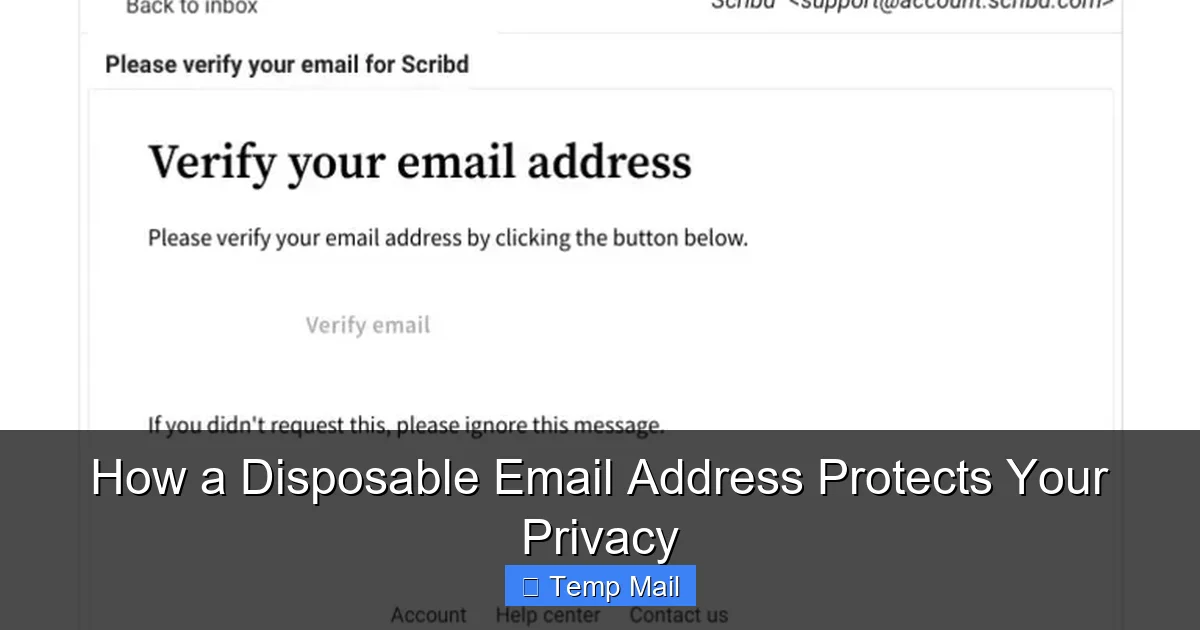
Since these inboxes expire, you must check them immediately after using the address. The typical workflow is: 1) Get temp address. 2) Paste it into the sign-up form. 3) Switch to the temp mail tab and hit refresh repeatedly for 1-2 minutes. Most confirmation emails arrive within seconds. If you miss it, the sign-up may fail, and you’ll need to generate a new temp address and start over. Don’t walk away.
Never Use the Same Disposable Address Twice
Treat each disposable email as a single-use item. If you need to sign up for another site later, generate a brand new address. Reusing a temp address defeats the purpose of anonymity, as it creates a link between multiple websites under the same disposable identity. The whole point is to have a unique, isolated point of contact for every low-trust interaction.
Combine with a Password Manager for Ultimate Security
Your best privacy setup is a combination of tools. Use a password manager (like Bitwarden, 1Password, or KeePass) to generate and store strong, unique passwords for every account—especially your critical ones tied to your primary email. Then, use a disposable email for everything else. This two-pronged approach ensures that even if a low-security site you used a DEA for is breached, the hackers get a useless email and a unique password that won’t work anywhere else.
The Future of Privacy: Beyond the Simple Throwaway Inbox
The concept of the disposable email is evolving. We are seeing the rise of more sophisticated privacy-preserving identity solutions. Some password managers now offer “alias” features (like Apple’s Hide My Email or Firefox’s Email Masking), which create forwardable, unique email addresses that route to your real inbox. These are more persistent than a 10-minute mail but can be disabled at any time, offering a middle ground. Furthermore, decentralized identity protocols and blockchain-based systems are being explored to give users true ownership and control over their digital identifiers. While these may not replace the simple, no-frills disposable email for quick tasks, they point toward a future where handing over your core identity for basic web access will seem as archaic as writing your phone number on a public bulletin board.
Conclusion: Reclaim Your Digital Peace of Mind
A disposable email address is one of the most underutilized yet powerful tools in the average internet user’s privacy toolkit. It’s not complicated, it’s not expensive (most are free), and it directly attacks the root cause of inbox clutter and identity exposure: indiscriminate email sharing. By consciously segregating your online life—using your permanent, secure email for your true digital identity (banking, primary cloud, core social) and a rotating cast of disposable addresses for everything else—you build a robust moat around your most personal information. You stop the spam at the pass, contain the damage of inevitable data breaches, and make phishing attempts obvious and ineffective. Start today. The next time a website asks for your email just to show you a blog post, generate a temporary one. Experience the quiet satisfaction of an inbox that only contains what you truly want to see. That is the essence of digital privacy: proactive, simple control.
Frequently Asked Questions
Are disposable email addresses legal to use?
Yes, creating and using a disposable email address is completely legal. These services operate within the law. However, using them for fraudulent activities, to bypass bans, or for illegal purposes is, of course, illegal. The tool itself is neutral; its ethical use depends on the user’s intent.
Can I send emails from a disposable email address?
Most basic disposable email services are designed primarily for receiving emails, such as confirmation links or download files. Sending capabilities are often limited, non-existent, or heavily restricted to prevent abuse for spam. They are not meant to be a full-featured replacement for your primary email client for correspondence.
Will a disposable email protect me from all spam?
It will protect your *primary* inbox from spam generated from the specific sites where you used the disposable address. However, it does not stop spam sent to your primary email from other sources (like a company you gave your real email to years ago). For comprehensive spam protection, you still need good filters and to be selective about where you share your permanent address.
What happens if I lose access to a disposable email before I get a confirmation code?
In that case, you simply cannot complete the registration for that specific service using that disposable address. The inbox expired, and the email is gone. Your solution is to start over: generate a new disposable email address and repeat the sign-up process. This is why it’s critical to have the service’s website and the temp mail tab open side-by-side and to check the inbox immediately.
Are my emails safe with a disposable email service?
Safety is relative. For receiving low-risk communications like verification links, the risk is minimal. However, you should not assume these services offer strong security or encryption. The provider can potentially access the emails. Never send sensitive personal data, passwords, financial information, or private messages via a disposable address. Its purpose is anonymity from the sender, not secure communication.
Do I need to create an account to use a disposable email service?
No, that is the defining feature of a true disposable email service. You visit the website, an address is generated for you instantly, and you can start using it immediately without providing any personal information, setting a password, or registering. The moment you close the tab, the address is typically gone. Some “alias” services (like Apple’s) require an account, but traditional temp mail does not.