Tired of Gmail prying on your sign-ups? A temporary email alternative to Gmail offers instant, disposable addresses to shield your primary inbox from spam, data mining, and security risks. These services provide a simple, private way to verify accounts, download files, or browse websites without long-term commitment. We’ve tested the top options to help you choose the most reliable, user-friendly service for your needs.
Let’s be honest: Gmail is incredible. It’s reliable, feature-packed, and free. But that very reliability comes at a cost—your privacy. Every time you use your primary Gmail address to sign up for a sketchy forum, download a free ebook, or access a one-time discount, you’re handing over a key to your digital life. Marketers, data brokers, and even malicious actors collect these email addresses, leading to a relentless barrage of spam, targeted ads, and increased security risks. What if you could just… vanish after the task is done? Enter the world of temporary email. A robust temporary email alternative to Gmail isn’t just a novelty; it’s an essential tool for the privacy-conscious user in 2024. This guide will walk you through everything you need to know, from why you need one to which service is the perfect fit for your specific needs.
Key Takeaways
- Privacy Shield: Temporary emails prevent your primary Gmail address from being harvested by marketers and data brokers, drastically reducing spam and profiling.
- No Registration Needed: The best services generate an inbox instantly—no sign-up, no password, no personal details required to start receiving mail.
- Use-Case Specific: Different services excel for different tasks; some are best for quick verifications, others for longer file downloads or forum sign-ups.
- Ephemeral by Design: Inboxes and addresses self-destruct after a set time (10 minutes to 24 hours), ensuring no long-term digital footprint is left behind.
- Not for Critical Accounts: Never use a disposable email for banking, primary social media, or any account where password recovery is essential—you will lose access permanently.
- Security Trade-Off: While great for anonymity, temp mail is not encrypted like Gmail; avoid sending sensitive personal or financial data through these addresses.
- Simple & Free: The core functionality is almost always free, supported by ads or premium tiers for extended time and custom domains.
📑 Table of Contents
Why You Need a Temporary Email Alternative to Gmail (The Core Problem)
Gmail’s business model is, fundamentally, advertising. To show you relevant ads, Google builds an extraordinarily detailed profile based on your emails, searches, and browsing. When you use your Gmail address across countless random websites, you’re feeding that profile with data you might not even realize you’re sharing. A temporary email breaks that chain. It’s a digital smoke bomb—you appear, you get what you need, and you disappear, leaving no trace for data miners to follow.
The Spam Avalanche
Sign up for one “free guide” with your Gmail, and suddenly your inbox is flooded with “limited-time offers” from companies you’ve never heard of. This is because your email was likely sold on a list. A disposable address acts as a dead-end for these marketers. Once the inbox expires, so does their ability to reach you. It’s the most effective spam filter you can employ at the source.
Data Minimization & Digital Footprint
Every account you create is a data point tied to your identity. Data breaches happen daily. If a forum you joined in 2015 with your Gmail gets hacked, your email is now in a criminal database. By using a temporary email for low-stakes, non-essential accounts, you practice data minimization. You simply reduce the number of entities that have your permanent contact information, shrinking your attack surface.
Bypassing “Email Walls”
How many times have you abandoned a download because it demanded an email? A temporary email lets you bypass these gates effortlessly. Need a PDF from a site that requires registration? Generate a temp address, get the file, and walk away. No newsletter subscription, no follow-up spam.
Top Contenders: Best Temporary Email Services Today
Not all temp mail services are created equal. Some are bare-bones and fast, others offer more control. After extensive testing for speed, reliability, inbox display, and ad intrusiveness, these stand out as the best temporary email alternative to Gmail options.

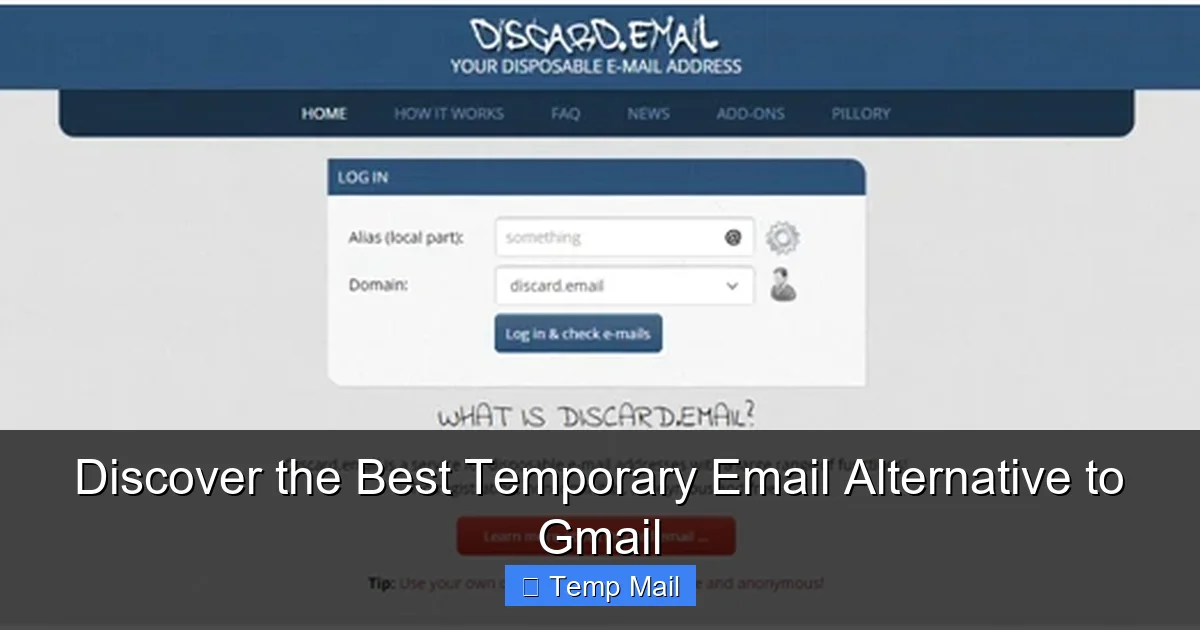
Visual guide about Discover the Best Temporary Email Alternative to Gmail
Image source: kinsta.com
1. Temp-Mail: The All-Rounder Champion
Temp-Mail (temp-mail.org) is often the first result for a reason. It’s fast, incredibly simple, and highly reliable.
- How it works: Visit the site, and a random email address is instantly generated. The inbox loads automatically and refreshes every 10 seconds.
- Key Features: Offers multiple domain options (e.g., @tempmail.com, @tmpmail.org). You can manually change the address prefix. Includes a basic “reply” function for some senders. Inbox lasts for 24 hours by default, but you can extend it by clicking a “keep this address” button.
- Best For: Quick verifications, downloading files, and general-purpose use where you might need 30-60 minutes of inbox life.
- Watch Out For: Ads are present but not overly obstructive. The interface can feel a bit dated.
2. 10MinuteMail: Pure Speed & Ephemeral Nature
As the name implies, 10MinuteMail (10minutemail.com) is designed for the absolute shortest tasks. Its philosophy is “here today, gone today.”
- How it works: You get a random address and a giant, clear countdown timer (starting at 10:00). The entire inbox and address self-destruct when the timer hits zero.
- Key Features: Unmatched simplicity. No options, no settings—just a timer and an inbox. You can extend the time by 10 minutes once. The domain changes frequently to avoid blacklisting.
- Best For: One-click email verifications where you know the confirmation email will arrive instantly. Perfect for that “click the link in your inbox” moment on a shady site.
- Watch Out For: The 10-minute limit is strict. If the verification email is delayed, you’re out of luck. Not suitable for anything requiring a longer wait.
3. Guerrilla Mail: The Veteran with Features
Guerrilla Mail (guerrillamail.com) has been around for ages and offers more user control than most.
- How it works: You can choose your own inbox name from a list and select from several domain options. The default timer is 60 minutes, but you can reset it.
Includes a “send email” function (useful for replying to certain automated systems). Allows you to “pin” an email to keep it after the reset. Has a “spam” filter toggle. Offers a slightly more polished interface. - Best For: Users who want a bit more agency—choosing a memorable address prefix or needing to reply to an automated sender.
- Watch Out For: More features can mean a slightly busier interface. The ad placements are more prominent than Temp-Mail’s.
4. Maildrop: The Minimalist’s Choice
Maildrop (maildrop.cc) is the opposite of feature-rich. It’s clean, ad-light, and focuses solely on receiving.
- How it works: You are given a random address. That’s it. No options, no timer displayed, no extensions. Inboxes are purged after 24 hours of inactivity.
- Key Features: Extremely clean, near-ad-free experience. It feels like using a very basic webmail client. The lack of a visible countdown reduces anxiety.
- Best For: Users who hate clutter and ads, and who are using the service for a task they’ll complete within a few hours.
- Watch Out For: The 24-hour inactivity purge is vague. You have no control. Also, because it’s so simple, some automated systems that check for “real” email patterns might flag it (though rare).
5. Tempail: Mobile-Friendly & Fast
Tempail (tempail.com) is a strong contender, especially for mobile users, with a modern interface.
- How it works: Generates an address instantly. Shows a clear countdown (default 1 hour). Allows address regeneration with a click.
- Key Features: Very mobile-responsive design. Offers a browser extension for quick access. Includes a “copy” button for the address. Inbox auto-refreshes smoothly.
- Best For: Smartphone and tablet users, or anyone who appreciates a sleek, modern UI over a utilitarian one.
- Watch Out For: Can have more pop-up ads and redirects than others. Be careful where you click.
How to Choose the Right Service for Your Needs
With these options, which temporary email alternative to Gmail should you bookmark? It depends entirely on your specific task. Here’s a quick decision matrix.

Visual guide about Discover the Best Temporary Email Alternative to Gmail
Image source: technofizi.net
Match the Service to the Task
- For “Click the Link in Your Email” Verifications: Use 10MinuteMail. You know the email will arrive in seconds. Set it, forget it, and let the timer do its job.
- For Downloading a File or Ebook: Use Temp-Mail or Maildrop. You have a bit more time (up to 24 hours) in case the download link email is delayed.
- If You Might Need to Reply: Use Guerrilla Mail. Its send function is unique and can help with certain automated reply systems.
- If You Hate Ads & Clutter: Use Maildrop. It’s the cleanest experience.
- If You’re on Your Phone: Use Tempail. Its mobile UX is superior.
Critical “Do Nots” – When NOT to Use Temp Mail
This is the most important section. A temporary email is a tool, and like any tool, misuse can cause serious problems.
NEVER use a disposable email for:
- Primary Bank Accounts, PayPal, or Financial Services: You will be locked out if you need to reset a password or receive a critical security alert.
- Your Main Social Media Profiles (Facebook, Twitter, Instagram): Recovery is impossible. Lose access to your account forever.
- Important Subscriptions (Utilities, Insurance, Official Government Correspondence): These require reliable, long-term communication.
- Any Account Where You Might Need Long-Term Access or Password Recovery: If you can’t reliably get a “forgot password” email, the account is a liability.
Think of it like a burner phone: Perfect for a one-time, anonymous transaction. Useless for your permanent, vital contacts.
Practical, Step-by-Step Use Cases & Tips
Knowing *how* to use these services effectively is key. Let’s walk through common scenarios.
Visual guide about Discover the Best Temporary Email Alternative to Gmail
Image source: technofizi.net
Scenario 1: Downloading a Gated PDF or Whitepaper
Step 1: Navigate to your chosen temp mail service (e.g., Temp-Mail).
Step 2: Copy the generated email address.
Step 3: Go to the website offering the download. Enter the temp address in the email field.
Step 4: Submit. Immediately switch back to the temp mail tab. The inbox should refresh and show the new email within 10-30 seconds.
Step 5: Open the email and click the download link. The file will download to your computer. Close the tab. Done. No newsletter. No follow-up.
Scenario 2: Signing Up for a Forum or Commenting System
Step 1: Use a service with a slightly longer timer, like Guerrilla Mail (60 min) or Temp-Mail (24 hr).
Step 2: Complete the registration. Check the temp inbox for the verification email and click the link to activate the account.
Step 3: Once you’ve posted your comment or accessed the forum, you can abandon the account. The email address will expire, and you will never be contacted again by that forum.
Pro-Tip: The “Plus” Addressing Trick with Gmail Itself
Did you know Gmail has a built-in, free temporary email alternative feature? It’s called “plus addressing.” If your Gmail is [email protected], you can use [email protected] (e.g., [email protected]). Mail sent to this variant still lands in your main inbox. You can then set up a filter in Gmail to automatically label, archive, or delete all emails sent to “you+*”. This gives you per-site disposable addresses *within* Gmail, allowing you to block entire senders easily. It’s not truly anonymous (the site still has your core Gmail), but it’s a powerful organizational and filtering tool that leverages your existing Gmail account.
Security & Privacy: The Essential Caveats
A temporary email is a privacy tool for your *contact information*, not a secure communication channel. Understanding its limits is crucial.
No Encryption Guarantee
Emails between the sender and the temp mail service, and from the service to you (via the web inbox), are typically not end-to-end encrypted like ProtonMail or even standard Gmail (which uses TLS in transit). Assume any content in the email body is readable by the service provider. Therefore, never send passwords, social security numbers, credit card info, or confidential documents through a disposable address.
Inbox Visibility
The core feature is that anyone with the inbox URL can see your emails. While services don’t publicly list inboxes, the URL is predictable based on the address. If you use a very common address prefix on a service with weak randomness, someone could theoretically guess and access your temporary inbox. This is why using the randomly generated address is safer than trying to pick a specific name.
Sender Reputation & Blacklisting
Because these domains are used for spam and throwaway accounts, some legitimate email providers (like corporate Microsoft 365 or strict corporate firewalls) might block emails coming from temp mail domains outright. If you’re trying to register for a professional service and it rejects your temp email, you’ll need to use a real address. This is a known trade-off.
Conclusion: Embrace Strategic Anonymity
Your email address is the master key to your digital identity. Guard it jealously. A temporary email alternative to Gmail is not about replacing your primary, trusted inbox for life’s important communications. It’s about creating a strategic buffer zone. It’s the digital equivalent of giving out a fake phone number at a bar—perfect for fleeting interactions where a long-term connection is neither desired nor necessary.
Start by bookmarking one or two services from our list—Temp-Mail for general use and 10MinuteMail for instant tasks. Get in the habit of asking yourself before any sign-up: “Is this a relationship I want to maintain, or a transaction I want to end?” If it’s the latter, reach for the temp mail. Your future inbox, free from unnecessary spam and data mining, will thank you. In the battle for digital privacy, the disposable inbox is a simple, powerful, and free weapon. Use it wisely.
Frequently Asked Questions
Is using a temporary email legal?
Yes, using a temporary email service is completely legal. These services operate within the law. The legality concern arises only if the disposable address is used for illegal activities like fraud or harassment, which is true of any communication tool.
Are temporary email services safe and private?
They are safe for their intended purpose: protecting your primary email from spam and data collection. However, they are not secure for sensitive data. Inboxes are not encrypted, and the provider can technically read any email content. Never use them for passwords, financial info, or private documents.
How long do temporary emails last?
It varies by service. Some, like 10MinuteMail, last exactly 10 minutes. Others, like Temp-Mail, last 24 hours by default but can often be extended. Some purge inboxes after a period of inactivity (e.g., 24 hours with Maildrop). Always check the specific service’s policy.
Can I send emails from a temporary address?
Most services are receive-only. A few, like Guerrilla Mail, include a basic send function to reply to emails received in that inbox. However, you cannot use them as a general-purpose SMTP server to send emails to arbitrary addresses. They are designed for one-way receipt.
Does Gmail offer a temporary email feature?
Gmail itself does not offer a separate, disposable email service. However, it has a powerful built-in feature called “plus addressing” (e.g., [email protected]). This lets you create unique, filterable addresses that all route to your main Gmail, acting as a pseudo-disposable system for organizing and blocking senders.
What happens if a crucial verification email gets sent to my expired temp address?
It is permanently lost. The inbox and its contents are deleted. This is why it is critical to only use temporary emails for services where you can re-request the verification email or where the verification is a simple, immediate click. For anything important, always use your permanent, accessible email address.