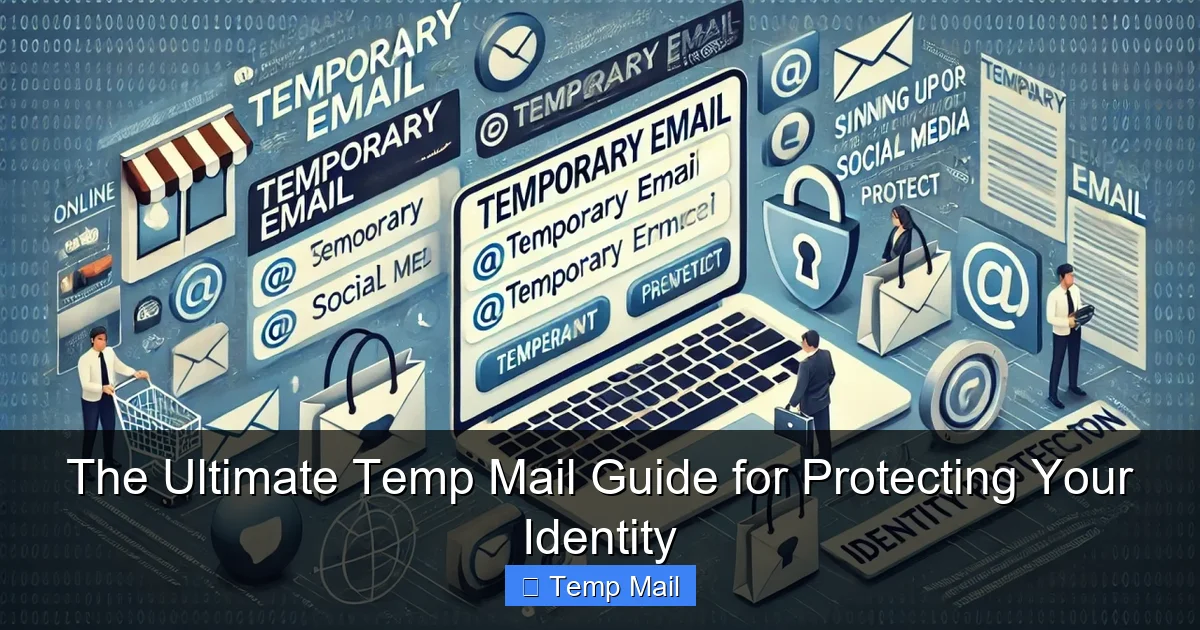
Temp mail, or disposable email, is a temporary, anonymous inbox that protects your primary email from spam, data harvesting, and unwanted tracking. By using it for sign-ups, downloads, and untrusted sites, you create a crucial firewall between your real identity and the digital world. It’s a free, simple, and powerful tool for reclaiming your online privacy.
Key Takeaways
- Primary Defense Against Spam: Temp mail acts as a sacrificial email address, keeping promotional and malicious emails out of your permanent inbox.
- Enhanced Privacy & Anonymity: It prevents websites from collecting your real email address, reducing your digital footprint and limiting data profiling.
- No Personal Registration Required: Most services generate an inbox instantly without asking for your name, phone number, or other personal details.
- Ideal for One-Time Interactions: Perfect for signing up for gated content, forum trials, software downloads, or any service you may use once.
- Mitigates Data Breach Risks: If a temp mail address is compromised in a breach, your primary email and linked accounts remain safe and unaffected.
- Not for Critical Accounts: Never use temp mail for banking, main social media, work, or any account where password recovery and long-term access are essential.
- Service Reliability Varies: Choose reputable providers; some temp mail services may have shorter lifespans or weaker privacy policies than others.
📑 Table of Contents
- What Exactly Is Temp Mail? Understanding the Disposable Email
- How Does Temp Mail Actually Work? The Simple Mechanics
- The Crucial Benefits: Why You Should Use Temp Mail
- Perfect Use Cases: When to Reach for Temp Mail
- Choosing a Temp Mail Service: What to Look For
- Limitations and Risks: The Other Side of the Coin
- Best Practices: Using Temp Mail Like a Pro
- The Future of Temp Mail and Digital Identity
- Conclusion: Your Inbox, Your Identity, Your Control
What Exactly Is Temp Mail? Understanding the Disposable Email
Let’s start with the basics. Temp mail, short for temporary mail or disposable email, is a service that provides you with a working email address for a short, predetermined period—usually 10 minutes to a few hours. Think of it as a burner phone for your inbox. You don’t own this address; you simply borrow it. You can receive emails sent to it, view them in a web-based inbox, and then, poof, it vanishes into the digital ether along with all its contents once the time expires or you manually delete it.
The core philosophy behind temp mail is anonymity and impermanence. It’s designed for interactions where you need to provide an email to proceed but have zero intention of maintaining a relationship with that sender. You’re essentially creating a buffer zone. Your real, permanent email address—the one tied to your bank, your family, your Apple ID—remains pristine, uncluttered, and, most importantly, hidden from entities that don’t genuinely need it.
The Disposable Email Advantage: A Closer Look
Why go through the trouble? The advantage is monumental in today’s data-driven economy. Every time you enter your primary email on a website, you’re often handing over a key piece of your digital identity. That email becomes a hook for:
- Marketing Spam: Immediate and relentless promotional emails.
- Data Brokerage: Your email is sold or shared with third-party advertisers.
- Phishing Attacks: Targeted attempts to steal your passwords or financial info.
- Account Linking: Creating a profile of your behavior across multiple sites.
A temp mail address is a throwaway shield. It gets the job done—lets you download that PDF, access that forum, or test that app—and then it’s gone, taking any future spam or data links with it.
How Does Temp Mail Actually Work? The Simple Mechanics
The process is beautifully simple, requiring no technical skill. Here’s the step-by-step:
Visual guide about The Ultimate Temp Mail Guide for Protecting Your Identity
Image source: boomerandecho.com
- Visit a Provider Site: Go to a temp mail website like Temp-Mail.org, 10MinuteMail.com, or Guerrilla Mail.
- Auto-Generated Inbox: The site instantly generates a random email address for you (e.g., [email protected]) and a corresponding inbox.
- Copy & Use: You copy that address and paste it wherever an email is required.
- Receive & View: Any emails sent to that address appear in the web-based inbox on the provider’s site. You often have a refresh button to check for new mail.
- Auto-Destruction: After a set time (the timer is usually visible), the inbox and all emails are permanently deleted from the server. The address may be recycled for another user later.
There’s no password, no login, no setup. It’s open, anonymous, and ephemeral. Some advanced services offer browser extensions or mobile apps for convenience, but the core function remains the same: instant, no-fuss inbox creation.
Behind the Scenes: What the Service Sees
It’s important to understand the limits of your anonymity. While the *recipient* of your email only sees the temp address, the temp mail provider itself technically sees the IP address from which you accessed their service to generate or check the inbox. A reputable provider will have a strict no-logs policy and will not associate that IP session with the specific inbox content. However, a shady provider could log that activity. This is why choosing a well-known, transparent service is part of the best practice.
The Crucial Benefits: Why You Should Use Temp Mail
Beyond the obvious spam reduction, the benefits of integrating temp mail into your digital routine are profound for your privacy and security posture.
Visual guide about The Ultimate Temp Mail Guide for Protecting Your Identity
Image source: tmailor.com
1. Fortifying Your Primary Email’s Security
Your primary email is the master key to your digital life. It’s used for password resets on countless sites, from social media to banking. If a hacker compromises your primary email, they can initiate a chain reaction, resetting passwords and locking you out of your own accounts. By using a temp mail for low-stakes sign-ups, you dramatically reduce the number of services that have a direct email link to your identity. A breach at a random forum won’t endanger your Gmail account if that forum only has a disposable address for you.
2. Escaping the Data Profiling Trap
Companies build detailed user profiles by aggregating data from various touchpoints, with your email often serving as the unifying constant. When you use a different temp mail for every new site or download, you shatter that profile. Each temp address is an isolated data point, useless for building a long-term picture of *you*. This makes you a less valuable target for targeted advertising and reduces the commercial incentive to harvest your data aggressively.
3. Bypassing Gated Content Without Commitment
How many times have you wanted to read a whitepaper, see a research study, or access a template, only to be stopped by a form demanding your email? Using your real address often means a lifetime of follow-up spam from that company. With a temp mail, you get the content instantly, with zero future obligation. You’re not being rude; you’re being strategically private. It’s a perfectly valid way to sample content without entering a marketing pipeline.
4. Testing Services and Software Safely
Want to try a new SaaS tool or download a piece of software that asks for an email during installation? Use a temp mail. If the service turns out to be sketchy, spammy, or you simply don’t like it, you’ve lost nothing. The temp address will die, and so will any communication from them. It creates a risk-free trial environment for your primary identity.
Perfect Use Cases: When to Reach for Temp Mail
Knowing *when* to use a disposable email is as important as knowing how. Here are the prime scenarios where temp mail shines.
Visual guide about The Ultimate Temp Mail Guide for Protecting Your Identity
Image source: tmailor.com
Online Forms and Lead Magnets
This is the #1 use case. Any website offering a “free ebook,” “webinar recording,” or “checklist” in exchange for your email is a candidate. You want the resource, not the newsletter. Paste the temp address, get the download link, and move on. The company gets their “lead,” and you get your privacy.
Forum and Community Sign-Ups
Joining a new online forum, Discord server, or hobbyist community? Often, they require email verification. Use a temp mail to get past the initial gate. If you become an active, long-term member, you can often later add a real email to your profile for notifications, but you’ve avoided initial spam.
App and Service Trials
Testing a new app, project management tool, or design software? Many require an email to create a trial account. A temp address is perfect here. Should you decide to pay for the service later, you can usually change the associated email in your account settings to your primary one.
Downloading from Less-Known Sources
When downloading freeware, open-source tools, or drivers from a developer’s personal site or a smaller repository, you might encounter an email gate. This is often a lead-generation tactic. Using temp mail protects you from potential future spam if that developer’s list gets sold.
Creating Test Accounts for Yourself
Need a second account on a platform for testing, but don’t want to use your main email? A temp mail is the solution. It’s great for testing how a website looks to a new user, checking email delivery systems, or creating a dummy account for a one-off task.
Choosing a Temp Mail Service: What to Look For
Not all temp mail services are created equal. While the core function is similar, features and trustworthiness differ.
Key Features to Prioritize
- Inbox Lifespan: Some give 10 minutes, others 1 hour, some 1 day. For most uses, 30-60 minutes is sufficient to receive a verification email. Longer is better for downloads that might take time.
- Domain Options: Services that offer multiple domain choices (e.g., @tempmail.com, @dispostable.com) allow you to pick one if a specific domain is blocked by a site.
- No Registration: The best services require zero sign-up. If a site asks you to create an account to get a temp email, it defeats the purpose.
- User Interface: A clean, fast-loading inbox with a clear timer and easy refresh button is crucial. Avoid services laden with ads that make the inbox hard to find.
- Privacy Policy: Take 30 seconds to scan it. Look for clear statements that they do not log IP addresses, store emails after deletion, or sell data.
Red Flags to Avoid
Steer clear of services that:
- Require you to solve CAPTCHAs constantly.
- Have a confusing interface where the inbox is buried.
- Have suspiciously long lifespans (days) but unclear data policies—they might be storing data.
- Are recommended only in shady, spammy forums.
- Ask for a “password” to access the inbox (this is not standard for true disposable email).
Stick with well-established names that have been around for years and are frequently recommended on tech and privacy-focused sites. Reputation in this space matters.
Limitations and Risks: The Other Side of the Coin
Temp mail is a powerful tool, but it’s not a magic bullet. Understanding its limitations is key to using it safely and effectively.
It’s a One-Way Street (Usually)
You can receive emails on a temp address, but you almost never can send emails from it. The service is designed for reception only. If a website requires you to send an email (e.g., to a support address) from your registered account, a temp address won’t work.
Not for Account Recovery or Critical Services
This is the golden rule. Never, ever use a temp mail for:
- Banking or financial accounts.
- Primary email accounts (Gmail, Outlook, etc.).
- Social media profiles you want to keep.
- Work or school accounts.
- Any service where you might need to reset a password years later.
If you forget your password to an account tied to a temp email, that account is permanently lost. There is no recovery.
Potential for Blocking
Some savvy websites actively block known temp mail domains to prevent abuse and fake sign-ups. If you find a site rejecting your temp address, you may need to try a different provider or use a different domain from the same service. This is a cat-and-mouse game; popular temp domains get blacklisted frequently.
The “Trust” Factor
While you’re hiding from the website, the temp mail provider itself is a third party. You are implicitly trusting them not to log or misuse the emails you receive. While reputable providers don’t, a malicious one could read sensitive information (like a password reset link) in those emails. This is why you should never use a temp mail to receive highly sensitive information like financial statements or confidential documents in the first place. Its purpose is for low-risk, transactional emails.
Best Practices: Using Temp Mail Like a Pro
To master the art of temp mail, follow these simple but effective habits.
Always Check the Timer
Before you even use the address, note how long you have. If you’re signing up for a service that might send a verification email in 5 minutes, a 10-minute window is fine. If you’re downloading a large file and the email with the link might come in 20 minutes, you need at least a 30-minute inbox. Be aware and plan accordingly.
Use a Different Address for Different Purposes
Don’t reuse the same temp mail address for multiple sites. The moment you use it twice, you’ve started to link those two sites together via that common email. The beauty is in the isolation. Generate a fresh one for each new sign-up or download.
Never Use It for Anything Important
Repeat after me: temp mail is for low-stakes, one-off interactions. If the email contains anything you might need to reference later—a receipt, a legal document, a password—do not use a disposable address. Use your primary email and maybe create a specific label/folder for it.
Clear Your Browser History (Optional but Good Habit)
Since accessing the temp inbox is done via a web browser, your browser history will contain the URL of the temp mail service and your specific inbox URL (which often includes the random address). If you’re on a shared computer or just extra cautious, clear your recent browsing history after you’re done. This prevents someone else from easily walking back to your temporary inbox.
Combine with Other Privacy Tools
Temp mail is one layer in a privacy stack. Use it alongside a reputable password manager, a privacy-focused search engine (like DuckDuckGo), and consider a VPN on public Wi-Fi. Together, these tools create a much more robust defense against data collection and surveillance.
The Future of Temp Mail and Digital Identity
As data privacy regulations like GDPR and CCPA give users more rights, and as awareness of digital footprints grows, tools like temp mail are moving from a “tech-savvy user” trick to a mainstream privacy hygiene practice. We may see more browsers or email clients integrating disposable address functionality natively. The pressure on websites to stop requiring emails for basic content access is also mounting. The ideal future is one where your real email isn’t the universal key to the internet, and disposable alternatives help bridge that gap today. Until then, temp mail remains a simple, free, and incredibly effective weapon in your personal security arsenal.
Conclusion: Your Inbox, Your Identity, Your Control
Protecting your identity online begins with controlling the leaks. Your email address is one of the most significant leaks. By consciously choosing to use a temp mail for the vast majority of online forms and sign-ups that don’t warrant your real contact information, you take back control. You stop the spam at the source, you fragment your digital profile, and you insulate your primary accounts from the fallout of data breaches at minor websites. It’s not about being paranoid; it’s about being prudent. It’s a five-second habit that pays massive dividends in reduced clutter, enhanced security, and greater peace of mind. Start using a disposable email today—your future self, with a clean and safe inbox, will thank you.
Frequently Asked Questions
Is using temp mail legal?
Yes, using temp mail is completely legal. It’s simply a service that provides a temporary email address. However, using it for illegal activities like fraud, hacking, or sending threats is, of course, illegal regardless of the email type used.
Can a temp email be traced back to me?
Generally, no. The email address itself contains no personal information. However, the temp mail provider may technically log the IP address used to access the inbox. A reputable provider with a no-logs policy will not store or associate this data. For maximum anonymity, using a VPN in conjunction with temp mail is recommended.
How long do temp emails last?
It varies by provider, but most temporary inboxes last between 10 minutes and 1 hour. Some services offer longer periods, up to 24 hours or even several days. The countdown timer is always displayed on the inbox page.
What’s the difference between temp mail and a VPN?
They protect different things. A temp mail protects your email identity from being collected and misused by websites. A VPN encrypts your internet traffic and hides your IP address from your internet service provider and the websites you visit. Using both together provides comprehensive privacy protection.
Can I use temp mail for social media like Facebook or Instagram?
Technically, you can, but it’s a very bad idea. You will be locked out of the account permanently if you ever need to reset your password, as the reset email will go to an address that no longer exists. Always use a real, accessible email for any social media or important online identity.
Will websites know I’m using a temp mail address?
Yes, easily. The domain of the temp mail service (e.g., @temp-mail.org) is visible to the website. Many sites actively block known disposable email domains to prevent spam and fake account creation. If your temp address is blocked, you’ll need to try a different provider or domain.