Tired of spam clogging your primary inbox? A temporary email with a custom name lets you create unique, disposable email aliases for any online sign-up. It’s your secret weapon for privacy, organization, and complete control over your digital footprint—all without commitment.
Key Takeaways
- Ultimate Spam Shield: A custom-named temporary email acts as a dedicated buffer, capturing unwanted promotional emails and keeping your permanent inbox pristine.
- Enhanced Privacy by Default: By never revealing your real email address to untrusted sites, you drastically reduce data leaks, profiling, and potential security breaches.
- Effortless Digital Organization: Create meaningful custom names (e.g., [email protected] or [email protected]) to instantly identify the source of any email.
- Zero Commitment, Maximum Flexibility: These addresses are truly temporary. Use them once for a download and discard them, or keep them active for a few days for a short-term project—no long-term obligations.
- Simple & Universally Accessible: No software installation or complex setup is needed. Generate a custom alias in seconds from any browser on any device.
- Safe for Testing & Sign-Ups: Perfect for testing website registrations, accessing gated content, or signing up for services you’re unsure about, with zero risk to your main accounts.
- Professional & Personal Segmentation: Use custom names to separate work-related trials, personal shopping accounts, and one-time forum registrations for crystal-clear inbox management.
📑 Table of Contents
- What Exactly Is a Temporary Email with a Custom Name?
- Why This Simple Feature is a Game-Changer
- Practical Use Cases: Where You’ll Use It Every Day
- Step-by-Step: How to Get Started
- Addressing Security and Privacy Concerns
- Advanced Tips and Best Practices
- The Future of Privacy: Temporary Email as a Norm
- Conclusion: Your Inbox, Your Rules
What Exactly Is a Temporary Email with a Custom Name?
Let’s start with the basics. You’ve likely heard of disposable or temporary email services. They give you a random, short-lived email address to use instead of your real one. But a temporary email with custom name takes this concept a giant step further. Instead of being stuck with a jumble of random letters and numbers like [email protected], you get to choose the first part of the address—the “name” before the @ symbol.
This means you can create something memorable and purposeful. Think [email protected], [email protected], or [email protected]. The service still provides the temporary domain (the part after @), but you control the unique identifier. This simple customization transforms a generic tool into a powerful, personalized organization system for your online life.
How It Differs from Standard Temporary Email
Standard disposable email is like getting a random locker number at a gym. You know it’s yours for a short time, but the number is meaningless. A temporary email with custom name is like choosing a locker with a specific label you’ll remember—“Running Gear” or Yoga Mat”. The core function—being temporary and disposable—remains the same. The key difference is user agency and memory. You’re no longer fighting a mental battle to recall which random address you used for which website. The custom name tells you instantly.
Why This Simple Feature is a Game-Changer
You might be thinking, “Is a custom name really that big of a deal?” In short, yes. It bridges the gap between a functional utility and an intuitive tool. The power lies in the psychology of recognition and control.

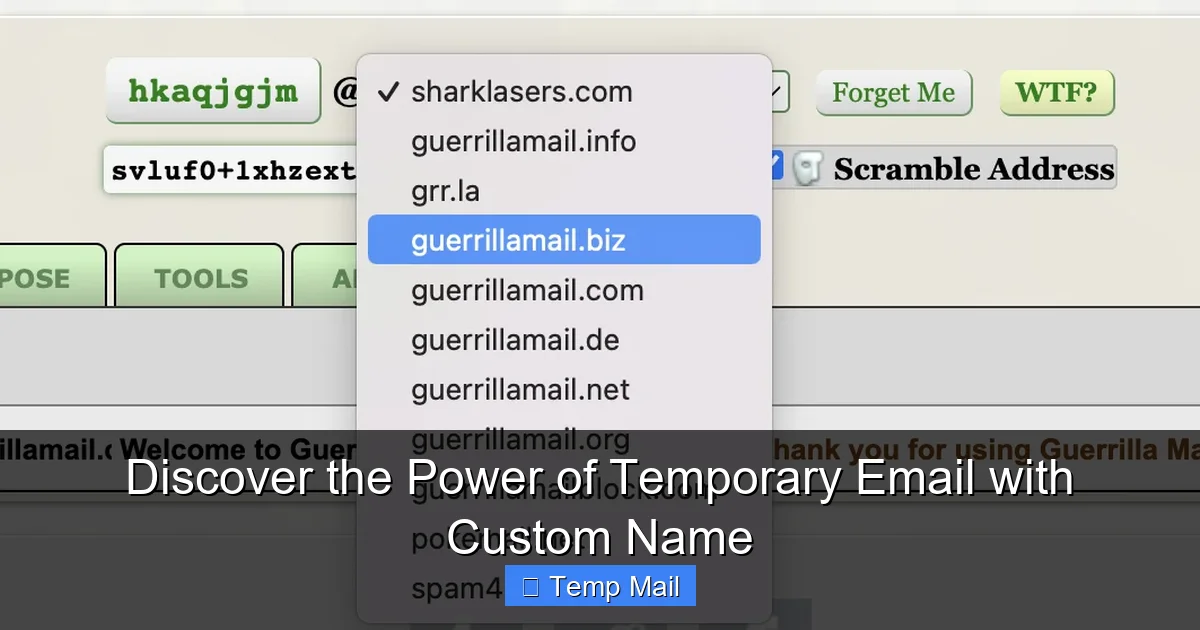
Visual guide about Discover the Power of Temporary Email with Custom Name
Image source: uploads-ssl.webflow.com
Fighting Information Overload with Context
Our digital lives are a constant stream of sign-ups, downloads, and registrations. Each one asks for an email. Using your primary email for all of them is an open invitation to a lifetime of promotional clutter. Using a random disposable address solves the spam problem but creates a new one: context loss. Which random address did I use for that free ebook? Which one was for the hardware store coupon?
A custom name embeds context directly into the address. [email protected] needs no second thought. You see an email from it, and you know exactly what it’s for. This mental offloading is incredibly powerful for staying organized without any extra effort.
The Psychology of Control and Trust
There’s also an element of perceived control. When you create the name, you feel more connected to and in charge of that digital identity, however temporary it may be. It feels less like using a shady, anonymous tool and more like deploying a smart, targeted strategy. This builds trust in the process, making you more likely to actually use these services consistently.
Practical Use Cases: Where You’ll Use It Every Day
The theory is great, but where does this actually fit into your routine? The applications are surprisingly vast and span both personal and professional spheres.
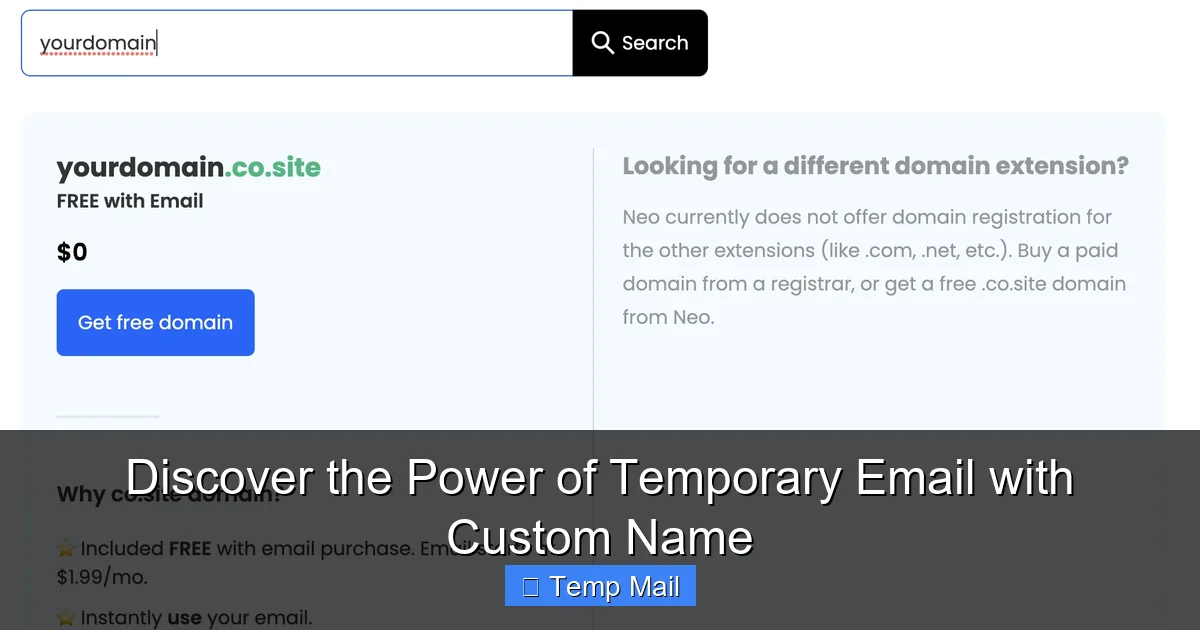
Visual guide about Discover the Power of Temporary Email with Custom Name
Image source: uploads-ssl.webflow.com
For the Savvy Shopper and Deal Hunter
Ever see a fantastic one-day sale that requires an email sign-up? Or a “free gift with purchase” that needs a newsletter subscription? Instead of risking your main email for potential spam, create a custom name like [email protected]. You get the coupon code, and the address itself reminds you of the deal’s nature. Once the sale is over, you can safely forget the alias.
For the Software Tester and Beta Enthusiast
Signing up for beta software, new app releases, or developer previews often means being flooded with update emails and product surveys. Use a clear custom name: [email protected]. All communication is neatly contained. If you decide the software isn’t for you, simply abandon the alias. No unsubscribe hassle, no lingering subscriptions.
For the Privacy-Conscious Social Media User
Creating a new account on a platform you’re testing out? Use a custom alias like [email protected]. This prevents the platform from linking that new account to your established online identity via your email, adding a layer of anonymity. It’s a simple step for digital compartmentalization.
For the Professional Managing Multiple Projects
Freelancers or project managers can use different custom aliases for different clients or projects. [email protected] vs. [email protected]. This keeps project-specific communications (like access to shared tools or client portals) separate from everything else, and it’s easy to delegate or revoke access by simply sharing the specific alias.
For Accessing Gated Content
Many blogs and websites gate valuable content (whitepapers, templates, toolkits) behind an email form. Use a custom name that describes the content: [email protected]. You receive the download link, and the email trail is self-documenting. If that site later gets spammy, you’ve isolated the risk to one disposable address.
Step-by-Step: How to Get Started
Using a temporary email with custom name is famously simple, but let’s walk through the process to highlight its ease.

Visual guide about Discover the Power of Temporary Email with Custom Name
Image source: uploads-ssl.webflow.com
Choosing Your Service
First, pick a reputable provider. Look for services that explicitly offer “custom alias” or “custom username” features. Key features to seek: a clear inbox interface, reasonable lifespan (usually 10 minutes to several days), and no mandatory registration. Popular options include Temp-Mail, Temp-Mail.org, and Mail.tm, but always check their current feature list for custom naming.
Generating Your Custom Alias
1. Visit the website. Open your chosen service in your browser.
2. Find the custom name field. This is usually prominently displayed on the homepage, often next to the randomly generated address they provide by default.
3. Get creative (but smart). Type your desired name. Use hyphens or underscores to separate words (e.g., online-course-marketing). Avoid personally identifiable information like your name or birth year.
4. Select your domain. You’ll often have a choice of several temporary domains (e.g., @tempmail.com, @tmpmail.org). Pick one.
5. Copy your new address. Your fully custom temporary email with custom name is ready! Use it immediately for sign-ups.
Using and Managing Your Inbox
The inbox for that specific alias will usually open in a new tab or be accessible via a unique URL. Refresh it to check for new emails. Emails typically auto-delete after a set period (often 1 hour to 10 days, depending on the service). There is no password. Simply keep the browser tab open or bookmark the unique inbox URL if you need to check back later within its lifespan.
Addressing Security and Privacy Concerns
It’s natural to have questions about safety. Let’s clear the air.
Is It Really Anonymous?
For the most part, yes. Reputable services do not require any personal information to generate an address. However, complete anonymity depends on your own actions. Do not log into the temporary inbox from a browser that is deeply logged into your personal Google or Facebook accounts, as that could create a linkage. For maximum privacy, use a private or incognito browser window.
Can Anyone Else Access My Emails?
Since there is no password, anyone who has the exact inbox URL could potentially see the emails if they access your device. This is a trade-off for convenience. The risk is similar to leaving a physical piece of mail on a public counter. For highly sensitive temporary communications, a custom alias might not be the best tool. It’s ideal for receipts, newsletters, and access links, not for confidential business contracts.
Are These Services Legal and Ethical?
Absolutely. Using a disposable email is a standard practice for privacy protection. The ethical consideration lies in how you use it. Using it to evade legitimate account bans on a platform you misuse would be against that platform’s terms of service. Using it to protect yourself from spam and data harvesting from a website you don’t fully trust is a smart, ethical choice for personal data management.
Advanced Tips and Best Practices
Once you’re comfortable, level up your strategy.
Create a Naming Convention System
Develop a simple, consistent format for your custom names. This makes managing dozens of aliases mentally effortless. For example:
- Service-Type-Purpose: [email protected], [email protected]
- Project-Client-Use: [email protected], [email protected]
Stick to your system, and you’ll always know an alias’s purpose at a glance.
Know the Lifespan and Plan Accordingly
Different services and even different domains within a service can have different email retention times. If you’re signing up for a service that sends a weekly newsletter, make sure you choose a service/domain that offers at least a 24-hour or 7-day lifespan. For a one-time download link, a 10-minute lifespan is perfectly fine.
Use for Two-Factor Authentication (2FA) with Caution
Some services allow you to use an email for 2FA codes. While you can use a temporary alias for this, it’s generally not recommended. If the temporary inbox expires before you log in again, you could be locked out of the account permanently. Reserve temporary emails for sign-up and communication, not for critical account recovery.
Never Use for Critical Accounts
Do not use a temporary email for your primary bank, main cloud storage, primary social media, or any account where recovery and long-term access are vital. The entire address could vanish, making account recovery impossible. These are for disposable interactions only.
The Future of Privacy: Temporary Email as a Norm
As data privacy concerns grow, tools like the temporary email with custom name are moving from a tech-savvy secret to a mainstream best practice. We are shifting from a paradigm of giving away our primary email for every minor interaction to one of strategic, compartmentalized digital identities. The custom name feature is the catalyst that makes this shift practical and user-friendly for everyone.
It represents a small but significant act of reclaiming control. You’re no longer a passive provider of your contact information; you become an active manager of your digital presence. Each custom alias is a tiny, intentional wall you build between your core identity and the noise of the commercial web. In an era of constant data collection, that level of granular control is not just powerful—it’s essential.
Conclusion: Your Inbox, Your Rules
Ultimately, a temporary email with custom name is more than just a spam filter. It’s a framework for a cleaner, more private, and more organized digital life. It turns the chore of managing countless online relationships into a simple, intuitive system. By creating purposeful aliases like [email protected] or [email protected], you inject clarity and control into every sign-up.
The barrier to entry is zero—no cost, no setup, no learning curve. The benefits are immediate and long-lasting: a pristine primary inbox, a minimized digital footprint, and the peace of mind that comes from knowing exactly which virtual door each email is knocking on. Start experimenting today. Create one custom alias for your next online download or sign-up. Experience the simple power of having an email address that works for you, not against you. Your future, less-cluttered self will thank you.
Frequently Asked Questions
Is a temporary email with a custom name truly free to use?
Yes, the vast majority of services offering this feature are completely free. They are supported by ads on their websites or premium plans for extended features. The core function of generating a custom alias and receiving emails is almost always provided at no cost.
How long does a custom temporary email address last?
The lifespan varies by provider and chosen domain. Common durations range from 10 minutes to 1 hour for short-term use, up to 24 hours, 7 days, or even 10 days for longer projects. Always check the specific service’s policy before using it for something that requires extended access.
Can I send emails from a temporary custom address?
Most temporary email services are designed for receiving emails only (like confirmation links, newsletters). The ability to send emails is rare and often restricted on free tiers to prevent spam. You should assume it’s a one-way inbox for receiving communications related to your sign-up.
Is it safe to use for password resets on important accounts?
Generally, no. If the temporary email address expires before you need to reset your password again, you will be permanently locked out of that account. Only use temporary emails for accounts where long-term access and recovery are not critical.
Will websites block or reject a temporary email address?
Some websites, especially financial institutions or high-security platforms, maintain blacklists of known disposable email domains and may prevent sign-up. Many common websites, forums, and content platforms accept them without issue. It’s a trial-and-error process depending on the site’s policies.
How do I choose a good custom name?
Use a clear, descriptive format with hyphens or underscores (e.g., job-alert-linkedin, free-ebook-design). Avoid using any real personal information like your name, birth year, or address. The goal is clarity for you, not anonymity for the service provider—the temporary nature already provides anonymity.