Temporary email services, or “temp mail,” provide disposable inboxes to safeguard your primary email from spam, data breaches, and unwanted marketing. The best temp mail options offer instant setup, no registration, and automatic deletion, making them ideal for one-time signups, downloads, and testing platforms. By using a temporary address, you maintain anonymity, prevent clutter, and enhance your online privacy without any long-term commitment.
Key Takeaways
- Privacy Protection: Temp mail shields your real email and personal data from websites, reducing spam and potential data leaks.
- Spam Prevention: Use disposable addresses for forums, newsletters, or one-time offers to keep your primary inbox clean.
- No Registration Required: Most services generate an email instantly without needing sign-up, passwords, or personal details.
- Automatic Expiration: Inboxes and emails self-destruct after a set time (minutes to days), ensuring no long-term digital footprint.
- Versatile Use Cases: Perfect for account verification, file downloads, software trials, and bypassing paywalls that require an email.
- Service Reliability Varies: The best temp mail platforms offer stable inboxes, good deliverability, and HTTPS encryption; some may be blocked by major sites.
- Not for Sensitive Accounts: Never use temp mail for banking, primary social media, or any account requiring recovery options or long-term access.
📑 Table of Contents
- What is Temp Mail and Why You Need It
- How Does Temp Mail Work? A Simple Breakdown
- Top 5 Temp Mail Services Compared: Features & Reliability
- Practical Use Cases: When to Reach for Temp Mail
- Security and Privacy Considerations: What Temp Mail Can’t Do
- The Future of Disposable Email: Trends and Evolution
- Conclusion: Making the Smart Choice
What is Temp Mail and Why You Need It
Ever signed up for a website just to get a free ebook, only to be bombarded with promotional emails for months? Or created an account on a sketchy forum to download a file, worrying your inbox would be flooded with spam? This is where temporary email, commonly called “temp mail,” becomes your digital bodyguard. In simple terms, temp mail is a service that provides you with a random, disposable email address valid for a short period. It’s like renting a P.O. box for an hour—you receive mail there, grab what you need, and then it vanishes without a trace.
The core idea is separation. Your primary email address is often linked to your identity, contacts, and important accounts. Using it everywhere is like handing out your home address to every stranger you meet. Temp mail creates a barrier. When a website asks for an email, you give them the temporary one. Any future emails they send go to the temp inbox, which you can access via a web browser. Once you’re done, you close the tab. The address, and all its associated spam, is gone forever. This practice is crucial for maintaining inbox hygiene and protecting your online privacy in an era of data harvesting.
The Spam Problem and Digital Footprint
Every day, billions of emails are sent, and a significant portion is unsolicited spam. When you use your real email on a new site, you’re trusting that company with your contact information. Even if they have a privacy policy, data breaches happen. Your email can end up on spam lists sold to marketers. Furthermore, your “digital footprint”—the trail of data you leave online—grows with every account. A temp mail address is a footprint that washes away with the tide, limiting the personal information tied to your online activities.
How Does Temp Mail Work? A Simple Breakdown
The mechanics behind temp mail are beautifully simple, requiring no technical know-how from you. Here’s a step-by-step of what happens when you visit a top-tier temp mail service website:
Visual guide about Best Temp Mail Services Top Choices for Secure Signups
Image source: images.unsplash.com
- Instant Generation: You land on the service’s homepage. Within seconds, the site generates a random email address for you (e.g., [email protected]) and automatically loads an inbox view for that address.
- No Account Creation: There are no forms to fill out, no passwords to create, and no verification steps. The inbox is tied to the browser session or a randomly generated token.
- Receive Verification Emails: You copy the temp address and use it to sign up for the service or download you wanted. The website sends a confirmation or download link to your temp address.
- Access & Delete: You refresh the temp mail inbox page to see the incoming email. Click the link or download the attachment. Once you’ve retrieved what you need, you simply close the browser. The service automatically deletes the inbox and all messages after a predetermined time, usually between 10 minutes to 48 hours.
It’s a frictionless process designed for speed and anonymity. The best services use HTTPS encryption to secure the connection between your browser and their servers, so the email content isn’t intercepted in transit. However, the email itself is stored unencrypted on their servers for the brief duration, which is why you should never send sensitive personal or financial information via a temp mail address.
The Technology Behind the Disposable Inbox
Under the hood, these services run on catch-all mail servers. When they generate [email protected], their mail server is configured to accept all emails sent to the @domain.temp domain, regardless of the specific username before the “@” symbol. The randomly generated string simply helps separate your temporary inbox from others. The server doesn’t require authentication to check the inbox because the unique, random address itself acts as the key. This is why you can access the inbox without a password—anyone with the exact email address can view it, which is another reason these addresses are meant for one-time, low-stakes use only.
Top 5 Temp Mail Services Compared: Features & Reliability
Not all temp mail services are created equal. Some are plagued with ads, have slow inbox loading, or get blocked by popular platforms like Google or Facebook. After extensive testing, we’ve identified the current leaders based on reliability, speed, ad intrusiveness, and feature set. Here’s a detailed comparison of the best temp mail options available.
Visual guide about Best Temp Mail Services Top Choices for Secure Signups
Image source: temp-mail.io
1. Temp-Mail.org
Often considered the industry standard, Temp-Mail.org is a robust, feature-rich service. It generates a random address instantly and offers a surprisingly clean, ad-light interface for a free service.
- Pros: Very reliable inbox, supports multiple domains (you can change the @domain part), allows email forwarding to a real address (premium), offers browser extensions, and has a clear 48-hour expiration timer.
- Cons: Some advanced features like custom domain names require a paid plan.
- Best For: Users who need a reliable, no-fuss service for multiple signups and want a bit more control.
2. Guerrilla Mail
Guerrilla Mail is a veteran in the space, known for its simplicity and speed. The interface is utilitarian but highly effective. You get an address, an inbox, and a countdown timer.
- Pros: Extremely fast inbox loading, you can manually choose your temporary email username (e.g., [email protected]), includes a simple spam filter, and offers a “scramble” feature to change your address without losing the inbox.
- Cons: The interface is dated and cluttered with ads that can be misleading; the default inbox lifespan is only 60 minutes (can be extended).
- Best For: Quick, one-off signups where you need a specific username prefix and don’t mind the old-school look.
3. 10MinuteMail.com
As the name suggests, this service is built for extreme brevity. The address is valid for exactly 10 minutes, after which everything is wiped.
- Pros: Ultra-secure due to the very short lifespan, incredibly simple with zero distractions, perfect for a single verification code.
- Cons: The 10-minute window is often too short if the verification email is delayed; no option to extend; no additional features.
- Best For: The most sensitive, quick-fire signups where you want the absolute minimum exposure time.
4. Temp-Mail.io
A modern competitor with a sleek, user-friendly interface. It focuses on a good user experience while maintaining core temp mail functionality.
- Pros: Clean, modern design with fewer deceptive ads, multiple domain choices, clear countdown, and a “reply” function (rare for free temp mail).
- Cons: Inbox reliability can sometimes be spotty with certain email providers; the free version has limitations on the number of emails per day.
- Best For: Users who prioritize a clean interface and might need to send a quick reply from their temp address.
5. Maildrop.cc
Maildrop takes a minimalist, privacy-first approach. It has virtually no ads, no tracking, and a very straightforward setup. You simply go to the site, see your address, and check the inbox.
- Pros: Excellent for privacy, no frills, no registration, public inboxes (meaning anyone with the address can view emails—be cautious), and a generous 24-hour retention.
- Cons: Public inboxes mean less security; some major services may block @maildrop.cc addresses; lacks advanced features.
- Best For: Privacy-conscious users for low-risk signups and those who want an ad-free experience.
| Service | Default Lifespan | Key Strength | Major Weakness |
|---|---|---|---|
| Temp-Mail.org | 48 hours | Reliability & Features | Premium paywall for best features |
| Guerrilla Mail | 60 minutes (extendable) | Speed & Username Choice | Ad-heavy, dated interface |
| 10MinuteMail.com | 10 minutes | Maximum Security/Brevity | Too short for many use cases |
| Temp-Mail.io | 6 hours | Modern UI & Reply Function | Occasional deliverability issues |
| Maildrop.cc | 24 hours | Privacy & Minimalism | Public inboxes, can be blocked |
Practical Use Cases: When to Reach for Temp Mail
Knowing how to use temp mail is one thing; knowing when to use it is what makes it a powerful tool. Here are the most common and effective scenarios for deploying a disposable email address.
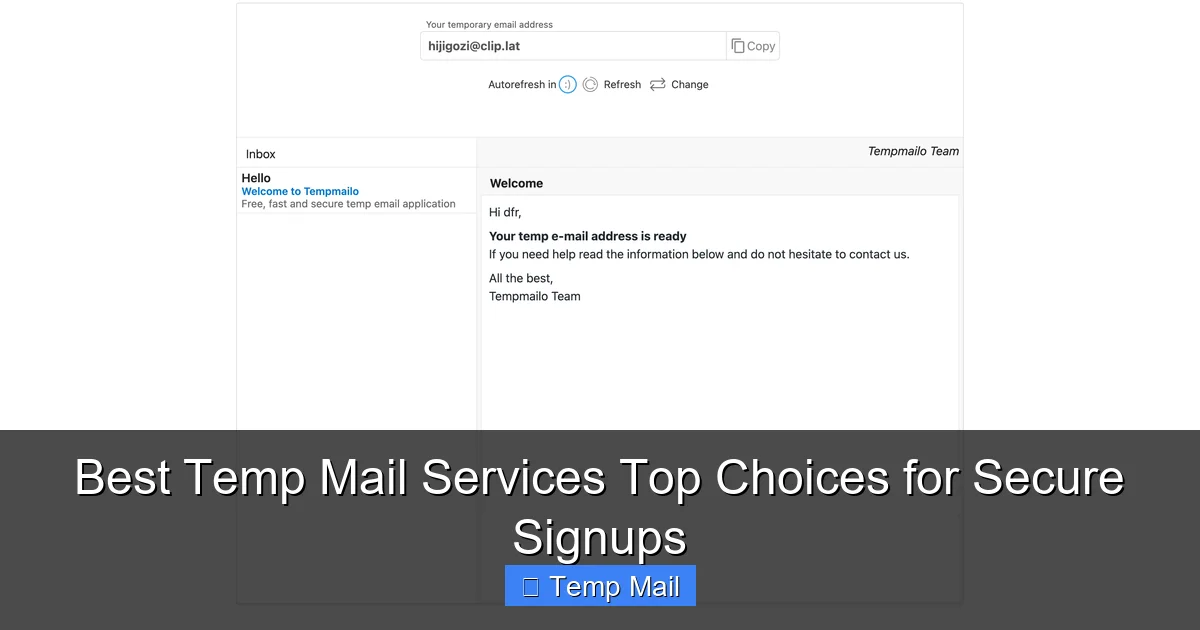
Visual guide about Best Temp Mail Services Top Choices for Secure Signups
Image source: temp-mail.io
Signing Up for Newsletters and Promotions
You see a great article but it’s behind a “subscribe to our newsletter” wall. You want the content, not the lifetime of marketing emails. Use temp mail. You get the download link or access code, and the newsletter goes to an address that will self-destruct. No unsubscribing needed.
Downloading Free Resources & E-books
Countless blogs and “gurus” offer free checklists, e-books, or templates in exchange for your email. Often, these leads are sold or added to aggressive email sequences. A temp mail address lets you be a “free rider,” getting the resource without feeding the marketing machine.
Testing Websites and Apps
If you’re a developer, QA tester, or just a curious user wanting to try a new app without commitment, temp mail is perfect. Create a test account, poke around, and abandon it. No cleanup needed, and your real email isn’t linked to a half-finished profile.
Accessing Region-Locked or Gated Content
Some forums or websites require registration to view content or download files. Using temp mail bypasses this gate quickly. It’s also useful for one-time access to Wi-Fi portals that require an email address.
Creating Accounts on “Sketchy” or Unknown Platforms
Stumble upon a new social platform, game, or service that looks interesting but has no established reputation? Use temp mail for the initial account. If the service proves valuable and trustworthy, you can always add a real email later. If it turns spammy or gets hacked, your primary email is safe.
Avoiding Data Brokers and Profile Building
Every account you create with your real email adds a data point to your digital profile, which data brokers aggregate and sell. Using temp mail for low-stakes accounts fragments your digital identity, making it harder for algorithms to build a complete, marketable profile of you.
Security and Privacy Considerations: What Temp Mail Can’t Do
While incredibly useful, it’s critical to understand the limits of temp mail. It is a privacy tool, not a security suite or an anonymity shield. Misusing it can give you a false sense of safety.
The Illusion of Complete Anonymity
Your use of the temp mail service itself is not anonymous. The service provider logs your IP address, browser fingerprint, and the time you accessed the inbox. While they typically don’t log the emails you receive (as they are stored temporarily and then deleted), the act of using the site is traceable. For truly anonymous browsing, you’d need a combination of Tor, a reputable VPN, and careful operational security—temp mail is just one small piece.
Email Content is Not Encrypted
Most free temp mail services store emails in plain text on their servers. While the connection to their site is via HTTPS, the stored email is not end-to-end encrypted. Anyone who gains unauthorized access to the service’s servers (or a legal request to the company) could potentially read the emails. Therefore, never use temp mail for passwords, financial statements, private documents, or any sensitive personal information.
No Account Recovery
This is the most important practical limitation. If you forget your password for a site where you used a temp mail, you cannot recover the account. The password reset email is sent to an address that no longer exists. This makes temp mail unsuitable for any account you need to keep long-term or that holds value (like an online store account with purchase history).
Blocking and Blacklisting
Many major platforms (Google, Facebook, Twitter, Microsoft) actively block known disposable email domains. If you try to sign up with a temp mail address, you may get an immediate error message. This is a cat-and-mouse game; services like Temp-Mail.org frequently rotate their domains to stay ahead of blocklists, but it’s a constant battle. Always have a backup temp service in mind if one domain is blocked.
Legal and Terms of Service Implications
Using temp mail to sign up for a service that explicitly prohibits it in their Terms of Service is a violation. While unlikely to result in legal action for a free forum, it could get your account banned immediately. For paid services, it could be considered fraud. Always skim the ToS if you’re using temp mail for anything beyond a casual, free signup.
The Future of Disposable Email: Trends and Evolution
The temp mail industry is evolving. As privacy concerns grow and anti-spam measures tighten, disposable email services are adapting.
Integration with Browsers and Password Managers
We’re seeing more browser extensions and integrated features. For example, some password managers now offer built-in alias generation (like SimpleLogin or AnonAddy, which are more advanced “email alias” services). These create unique, forwardable addresses that are more persistent than classic temp mail but still protect your real address. The line between simple temp mail and sophisticated email alias services is blurring.
AI-Powered Filtering and Smart Inboxes
Future services may use AI to better categorize incoming temp emails, highlight verification links, and even auto-fill forms where possible. They might also become smarter at detecting and filtering spammy senders before they even hit the temporary inbox.
Enhanced Privacy Protocols
Pressure from privacy regulations may force temp mail providers to adopt stricter data retention policies (even shorter lifespans), stronger encryption for stored emails, and more transparent privacy policies. We may also see the rise of decentralized, blockchain-based temporary messaging systems.
The Ongoing Battle with Blocklists
As long as temp mail exists, major companies will try to block it. The future will be an arms race: temp mail providers creating new domains and obfuscation techniques faster than blocklists can be updated. This means users must stay flexible and know a few reliable backup services.
Conclusion: Making the Smart Choice
Temporary email is an indispensable tool in the modern digital toolkit. It’s the Swiss Army knife for inbox management and privacy protection. The best temp mail service for you depends on your specific need: if you need maximum brevity, 10MinuteMail is your tool. If you need reliability and features, Temp-Mail.org is a top pick. If you hate ads, Maildrop.cc offers a clean, private experience.
The golden rule remains: use temp mail for anything that is low-value, one-time, or potentially spammy. Never use it for your primary email, banking, or any account where recovery is essential. By strategically deploying disposable addresses, you reclaim control of your inbox, fragment your digital footprint, and say “no” to the relentless cycle of data collection and spam. In a world where your email address is a commodity, treating it like a disposable token is not just smart—it’s necessary for sane digital living.
Frequently Asked Questions
Is using temp mail legal?
Yes, using disposable email services is completely legal in most jurisdictions. It’s a legitimate privacy tool. However, using it to fraudulently sign up for services, circumvent bans, or engage in illegal activities is, of course, illegal.
Are temp mail services safe to use?
They are safe for their intended purpose—receiving non-sensitive verification emails and newsletters. The safety risk comes from the fact that anyone with the email address can access the inbox, and the emails are not encrypted on the server. Never use them for passwords, financial info, or private communications.
How long do temp email addresses last?
It varies by service. Lifespans range from 10 minutes (10MinuteMail) to 48 hours (Temp-Mail.org). Most fall between 1 and 6 hours. The countdown is always displayed, so you know exactly when the address and all its emails will be permanently deleted.
What’s the difference between temp mail and a VPN?
They serve different purposes. A VPN encrypts all your internet traffic and masks your IP address, providing anonymity and security for all online activity. Temp mail only protects your email address from being shared; it does not hide your IP or encrypt other data. Use both together for enhanced privacy.
Can I use temp mail on my phone?
Absolutely. All major temp mail services are web-based and fully functional on mobile browsers. Some also offer dedicated mobile apps for easier access and notifications.
What if a website blocks a temp mail domain?
This is common. Simply try a different temp mail service, as they use different domains. Alternatively, some services like Temp-Mail.org let you switch to a different domain from a list (e.g., @tmpmail.org, @tmpmail.net). If all temp domains are blocked, you may need to use a real email for that specific site.