Shield your primary inbox from spam, data breaches, and phishing attempts by using a quick temporary email for any online sign-up or download. This instant, disposable solution prevents your real address from being sold to marketers or compromised in a breach, offering a critical layer of privacy with zero long-term commitment. It’s the simplest, most effective habit for taking control of your digital footprint today.
Have you ever hesitated to sign up for a promising new online service, simply because it demanded your primary email address? You’re not alone. That little voice in your head whispering, “What will they do with my email?” is a totally valid concern. I’ve been there, staring at the sign-up form, weighing the potential benefit against the looming threat of more spam, promotional nightmares, or worse—a data breach that exposes my main communication hub. It’s a modern digital dilemma. What if I told you there’s a simple, clever, and incredibly effective tool to sidestep this entire problem? Enter the world of the quick temporary email. It’s not just for the tech-savvy or the paranoid; it’s a fundamental tool for anyone who values their online privacy and sanity. Think of it as a disposable digital shield, a throwaway key that lets you peek into a room without leaving your actual house key behind. In this guide, we’re going to unpack why this simple concept has become non-negotiable for smart internet navigation.
Key Takeaways
- Shield your primary email from spam and marketing clutter.
- Minimize data breach risks by using disposable addresses.
- Avoid phishing scams with temporary, non-personalized emails.
- Sign up on untrusted sites without exposing your identity.
- Keep your main inbox organized and secure.
- Access instant email without registration hassles.
- Reduce your digital footprint with self-destructing addresses.
📑 Table of Contents
- What Exactly Is a Quick Temporary Email?
- The Internet Safety Shield: Core Benefits Explained
- Practical Scenarios: When to Reach for a Temp Mail
- Choosing the Right Service: A Practical Comparison
- Important Limitations and Considerations
- Best Practices for Maximum Protection
- Conclusion: A Small Step for a Safer Digital You
What Exactly Is a Quick Temporary Email?
Let’s strip away the tech jargon. A quick temporary email is, at its core, a randomly generated email address that lives for a short, predetermined time—usually anywhere from 10 minutes to 48 hours. You don’t register for it with a password, and you don’t tie it to your identity. You simply visit a provider’s website, and instantly, you’re given an address like [email protected]. That’s it. You use that address to sign up for a website, receive a verification link, download a file, or get a one-time password. Once its job is done or its timer runs out, it vanishes into the digital ether, along with all the emails it received. No trace. No cleanup required.
How Does It Actually Work?
The magic is in the simplicity. These services maintain a pool of domains and generate unique inboxes on the fly. When an email is sent to your temporary address, the service’s server catches it and displays it in a web-based inbox that’s only accessible via a unique session ID or the inbox name itself. There’s no persistent storage linking that inbox to you personally. Once the timeout expires, the system automatically deletes that inbox and everything in it, freeing up resources for the next user.
Key Features at a Glance
- Instant Creation: No sign-up, no password, no personal details. An address is ready in seconds.
- Automatic Deletion: Inboxes self-destruct after a set period, ensuring no long-term data residue.
- No Forwarding: Typically, these are receive-only addresses. You can’t send emails from them, which is a key security feature preventing misuse.
- Anonymous Access: Your IP address might be logged by the provider (check their privacy policy!), but the email address itself isn’t linked to your real identity.
The Internet Safety Shield: Core Benefits Explained
So why is this little trick so powerful for safety? It attacks the problem at its root: the unnecessary exposure of your primary email. Your main email is the master key to your digital life. It’s used for password resets on banking sites, official communications, and is often the username for countless other services. Compromising it can lead to a domino effect of security breaches. A quick temporary email acts as a sacrificial buffer. Let’s break down the protective layers it adds.

Visual guide about Why a Quick Temporary Email is Essential for Internet Safety
Image source: essentialsiteskills.co.uk
1. Slash Spam and Unwanted Marketing
This is the most immediate and satisfying benefit. That “free ebook” you downloaded? The forum you joined for a single question? The online contest you entered? Without a temp mail, those entities now have your email, and your inbox becomes their marketing playground. With a disposable address, all that promotional flurry is contained in a temporary inbox that disappears. Your primary inbox remains pristine, reserved for people and services you truly trust.
2. Mitigate Data Breach Fallout
We read about them constantly: a popular gaming site, a fitness app, a news outlet—all suffering breaches that leak user emails, passwords, and personal info. If you used your main email for that minor service, you’re now in the breach database. That leaked email can be used for “credential stuffing” attacks (trying that email/password combo on other sites) or become a target for phishing. By using a quick temporary email for low-stakes sign-ups, you ensure that a breach only exposes a disposable, now-defunct address, not your digital identity.
3. Preserve Your Privacy and Anonymity
Many websites and apps track you across the web by your email address, building detailed profiles for targeted advertising. Using a different, anonymous address for each minor interaction makes this profiling vastly more difficult. It’s a small act of reclaiming your privacy, creating noise in the data collection machine that makes the real you harder to pinpoint.
Practical Scenarios: When to Reach for a Temp Mail
Knowing the theory is great, but seeing the exact situations where this tool shines makes it stick. Here are real-world examples from my own digital life where a quick temporary email saved the day (or at least saved my primary inbox).
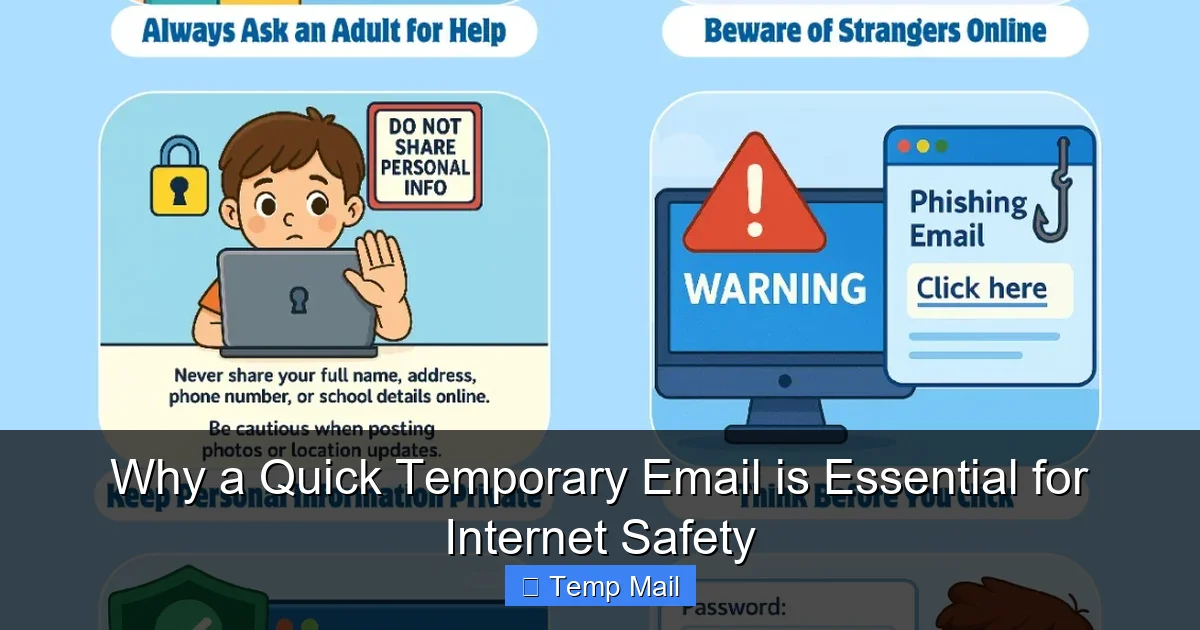
Visual guide about Why a Quick Temporary Email is Essential for Internet Safety
Image source: monkeypen.com
Downloading Gated Content or Software Trials
You want a whitepaper, a template, or a 14-day software trial. The site asks for your email to send the download link. This is a classic temp mail scenario. Use the disposable address, grab your file, and forget about it. No risk of being added to a decade-long nurture email sequence.
Signing Up for One-Time Access or Events
Need to access a webinar recording after it’s live? Registering for a community event that might spam you? Creating an account on a forum just to ask one burning question? These are perfect “one-and-done” use cases. The temporary address handles the verification and then fades away, mission accomplished.
Testing Website or App Functionality
If you’re a developer, tester, or just a curious tinkerer, you often need to create multiple test accounts on your own platform or a competitor’s. Using your real email for this is messy and unprofessional. A quick temporary email lets you spin up as many test identities as you need, cleanly and without consequence.
Bypassing “Email Required” Walls on News Sites
Many news websites let you read a few articles for free before demanding an email for a “free account.” Instead of subscribing with your main email (and getting daily newsletters you’ll never read), use a temp address. You get your article, and the site gets a dead-end email. It’s a fair exchange.
Choosing the Right Service: A Practical Comparison
Not all quick temporary email services are created equal. Some have better uptime, more generous time limits, or cleaner interfaces. While I can’t endorse one specific provider (the landscape changes!), here’s a framework for what to look for and a snapshot of common features.
Visual guide about Why a Quick Temporary Email is Essential for Internet Safety
Image source: pdsigns.ie
Critical Features to Look For
- Lifespan: How long does the inbox last? 10 minutes might be too short for some verifications; 1-24 hours is the sweet spot for most casual uses.
- Domain Availability: Does the service offer multiple domain options? Some sites block known temp mail domains. Having a few different provider options increases your chances of success.
- No Captcha or Hassle: The best services don’t make you solve puzzles to get an address. It should be truly instant.
- Refresh/Extend Option: Can you easily add more time to your inbox if you’re waiting on an important email? This is a useful feature.
- Clear Privacy Policy: Read it. Do they log IPs? Do they sell data? A reputable service will be transparent that the service is for privacy, not for harvesting data itself.
Popular Service Feature Comparison
| Feature / Service | Provider A (Example) | Provider B (Example) | Provider C (Example) |
|---|---|---|---|
| Default Lifespan | 10 minutes | 1 hour | 24 hours |
| Multiple Domains | Yes (5+) | Yes (2) | No |
| Manual Refresh | Yes | No | Yes |
| API Access | Paid plans | No | Yes |
| Typical Use Case | Very fast, single verifications | General purpose, balanced | Longer waits, developer testing |
Note: The above table is a generalized illustration. Always check the current specifications of any service you consider using.
Important Limitations and Considerations
A quick temporary email is a powerful tool, but it’s not a universal solution for everything. Using it incorrectly can backfire. Understanding its boundaries is key to using it safely and effectively.
When a Temp Email WILL Be Blocked
Many legitimate services, especially financial institutions (banks, PayPal), critical government portals, primary email providers (for account recovery), and major social media platforms, actively block known disposable email domains. They do this for good reason—security and preventing fraud. You cannot and should not try to use a temp mail for these essential, long-term accounts. It will fail at the sign-up stage, and attempting it might flag your activity.
The “Recovery Nightmare” Scenario
This is the biggest danger. If you use a temporary email to sign up for a service you later decide is valuable (say, a project management tool or a cloud storage account), and you forget to update your email to a permanent one, you will lose access. Password reset links will go to an inbox that no longer exists. There is no “forgot password” workaround. The rule is simple: never use a temp mail for any account you intend to keep long-term or that contains valuable data.
No Sending, Limited Receiving
You cannot send emails from a temporary address. It’s a receive-only channel. Also, some services may not deliver emails to certain temp mail domains due to poor sender reputation or spam filtering. If you don’t receive a verification email within a few minutes, try a different provider or domain.
Best Practices for Maximum Protection
To weave a quick temporary email seamlessly and safely into your digital routine, follow these practical habits. They turn a simple tool into a cornerstone of your personal security hygiene.
1. Have a Dedicated “Buffer” Email (Optional but Smart)
For services that require a “real” email but are on the fence (like a newsletter you might want long-term but are wary of), consider using a separate, free email address (like a new Gmail or ProtonMail) that you use only for these semi-important sign-ups. This keeps your primary email pristine and gives you a recoverable option if needed. Think of it as a secondary buffer zone.
2. Combine with a Password Manager
If you’re using a temp mail for a sign-up, you’ll also likely be creating a password. Use your password manager to generate and store that unique password. If the service is temporary, you can still store the credentials in your manager with a note like “Temp signup for X service – email was disposable.” This prevents password reuse and keeps things organized.
3. Check the Provider’s Policy
Spend 30 seconds scanning the privacy policy of your chosen temp mail service. Do they log IP addresses? Do they claim to encrypt inboxes? A service that explicitly states it does not log or correlate user data is preferable. Remember, you’re trusting them with the brief content of your inbox.
4. Use It for the Intended Purpose Only
Don’t use a temporary email for anything involving legal agreements, financial transactions, official identification, or critical two-factor authentication (2FA). Its ephemeral nature makes it unsuitable for anything requiring accountability or long-term verification.
5. Refresh and Monitor
If you’re using an inbox with a longer lifespan (e.g., 24 hours) and are expecting an important email (like a support response), keep the tab open and refresh it periodically. Don’t just close it and assume the email will be waiting later.
Conclusion: A Small Step for a Safer Digital You
Adopting the use of a quick temporary email isn’t about living in fear of the internet. It’s about navigating it with confidence and control. It’s a simple, zero-cost habit that dramatically reduces your attack surface, declutters your mind and your primary inbox, and gives you a powerful “off switch” for unwanted digital relationships. Think of it as the digital equivalent of using a pseudonym at a coffee shop instead of giving out your home address and phone number. You’re not doing anything shady; you’re just being smart about what information you volunteer.
Start small. Next time a random website asks for your email for a PDF guide, open a new tab, grab a temp address, and use it. Feel the relief of not adding another name to your primary inbox’s subscription list. That small act of privacy preservation is a building block for a more secure, less stressful online life. In a world where our data is constantly mined and sold, taking back control starts with these tiny, empowered choices. Your future self—the one with the clean inbox and the peace of mind—will thank you for it.
Frequently Asked Questions
How does a quick temporary email enhance my online privacy?
A quick temporary email provides a disposable address that shields your personal or primary email from being collected by websites, marketers, and potential spammers. By using it for sign-ups and downloads, you prevent your real identity and inbox from being linked to those services, significantly reducing your digital footprint and risk of targeted phishing.
Are quick temporary emails truly anonymous?
They offer a high degree of anonymity because they require no personal information to create and are not tied to your identity. However, the service provider itself may keep temporary logs, so for highly sensitive activities, additional tools like a reputable VPN are recommended for complete anonymity.
What are the main risks of using a temporary email?
The primary risk is the temporary nature; once the email expires, you lose access to any accounts or communications sent to it. Therefore, you should never use them for critical accounts like banking, primary social media, or any service where account recovery is essential, as you will be permanently locked out.
Can I use a quick temporary email for account verification?
Yes, a quick temporary email is perfect for verifying accounts on websites, forums, or apps where you want a one-time access pass. It allows you to complete the verification process without exposing your main email to potential spam or data breaches from that specific service.
How long does a quick temporary email address last?
Most services offer a short lifespan, typically between 10 minutes to 1 hour, with some providing a 24-hour option. This brief duration is intentional, ensuring the address self-destructs after its intended use, preventing long-term accumulation of spam or unauthorized access.
Why should I use a quick temporary email instead of my personal one?
You should use a quick temporary email to act as a protective buffer for your primary inbox. It filters out spam, marketing newsletters, and potential malware links from low-trust sites, keeping your personal email clean and secure while also preventing your main address from being sold on data broker lists.