Tired of cluttering your real inbox with test registrations and spam? Temporary email services are your secret weapon for clean, efficient website testing. They provide disposable inboxes that shield your primary email, automate verification steps, and keep your personal data safe while you validate every user flow. This handbook unlocks how to integrate these tools into your QA process for faster, more reliable releases.
Key Takeaways
- Temp mail is a dedicated tool for QA: It creates short-lived, anonymous email addresses specifically for testing website sign-ups, notifications, and email-dependent features without risking your personal or work inbox.
- It dramatically cuts manual work: Automatically receive verification links and one-time passwords in a disposable inbox, eliminating the need to switch between your real email and the test site.
- Privacy and spam protection are core benefits: Your primary email address remains hidden from test environments, third-party tools, and potential data breaches or spam lists.
- Not all temp mail services are equal: Choose providers based on API access, inbox longevity (10 mins to 1 day), domain variety, and whether they support attachments for your specific testing needs.
- It has clear boundaries: Never use temporary email for financial transactions, primary account recovery, or any legally binding agreements—it’s strictly for non-production testing.
- Integration is key for efficiency: The most powerful use comes from scripting temp email generation into your automated test suites (Selenium, Cypress) via APIs or browser extensions.
- Best practices prevent pitfalls: Always document which temp address was used for which test, clear browser cache between sessions, and use multiple service domains to avoid rate-limiting issues.
📑 Table of Contents
- What Exactly Is Temporary Email for Website Testing?
- Why Your Website Testing Process Urgently Needs Temporary Email
- How Temporary Email Services Work: A Step-by-Step Breakdown
- Top Practical Use Cases for Temporary Email in QA and Development
- How to Choose the Right Temporary Email Service for Testing
- Implementing Temporary Email in Your Workflow: A Practical Guide
- Advanced Tips and Common Pitfalls to Avoid
- The Future of Temporary Email in Testing and Privacy Trends
- Conclusion: Make Temporary Email Your Testing Superpower
What Exactly Is Temporary Email for Website Testing?
Let’s start with the absolute basics. Imagine you’re testing a new website’s registration form. You fill out your details, click “Sign Up,” and the site sends a confirmation link to your email. Now you have to pause your workflow, tab over to your personal inbox, find that email, click the link, and tab back. Do this 50 times for different test cases and variations, and your day is gone. Your real inbox is now also flooded with promotional emails from a site you’ll never use.
This is where temporary email services come in. They provide you with a random, disposable email address that lives for a short time—usually 10 minutes to a few hours. You use this address during website testing. All verification emails, password resets, or notification messages go to this ephemeral inbox, which you can view directly on the temp mail provider’s site or via an API. Once the testing session is over, you close the tab. The address dies. No trace. No spam in your primary Gmail or Outlook.
The Core Difference: Temp Mail vs. Your Regular Disposable Email
You might be thinking, “Can’t I just create another free Gmail account for testing?” Technically, yes. But that’s a clunky, permanent solution. A true temporary email for website testing is designed for impermanence and anonymity. It requires no sign-up, no password, and no personal information. The address is generated instantly. There’s no long-term management overhead. It’s a tool, not an account. This distinction is crucial for professional QA engineers and developers who need to spin up and tear down test identities at the speed of automation.
Why Your Website Testing Process Urgently Needs Temporary Email
If you’re involved in building or maintaining websites, you interact with email flows constantly. User registration, password recovery, contact forms, newsletter sign-ups, two-factor authentication (2FA), download gates—all these features rely on email. Testing them manually with a real address is inefficient and risky. Integrating them into automated test scripts without a disposable solution is often impossible. Here’s why adopting a temporary email strategy is non-negotiable for modern, efficient testing.
Visual guide about Temporary Email for Website Testing Your Essential Handbook
Image source: testingdocs.com
1. Reclaim Your Time and Mental Focus
The context-switching cost is real. Every time you stop testing to check a real inbox, you lose your flow state. With a temp mail inbox open in a separate browser window or a dedicated API call in your script, the verification link is a click or a parse away. This keeps you immersed in the test scenario. For automated suites, it’s revolutionary. Your script can request a new temp address, submit the form, poll the temp inbox for the email, extract the link, and follow it—all without human intervention. This turns a 5-minute manual chore into a 5-second automated step.
2. Achieve Unparalleled Test Data Isolation
Testing different user personas? You need separate email addresses. Testing edge cases like extremely long names or special characters in the email field? You need many addresses. Using your real email for all these tests creates a tangled web. How do you know which test email triggered which notification? With temporary email, you generate a unique, traceable address for every single test case. You can log that address (“[email protected]”) alongside your test results. This creates a perfect, isolated audit trail. When a test fails, you know exactly which disposable identity was involved.
3. Fortify Your Privacy and Security Posture
Every time you use your real email on a staging, UAT, or development site, you expose it. Those sites might have weaker security. They might inadvertently log your email in plain text. They might be owned by third-party vendors you don’t fully trust. Using a temp mail for website testing creates a air-tight barrier. Your primary email address—the key to resetting passwords on your bank, social media, and work accounts—never touches the test environment. If the test site is compromised, the leaked data is a meaningless, short-lived burner address. This is a fundamental security hygiene practice for any developer or tester.
4. Slash the Spam Influx to Zero
Test sites, especially those built with marketing tools, often have default settings that opt users into newsletters. Or, a bug might cause a “welcome” email to be sent 100 times. If you use your real inbox, you’ll be deleting that spam for weeks. With a disposable address, it vanishes when the address expires. You get a clean, spam-free primary inbox. This might seem small, but the psychological benefit of an uncluttered inbox and the time saved from managing test-related spam are significant.
How Temporary Email Services Work: A Step-by-Step Breakdown
Understanding the mechanics helps you use these tools more effectively. The process is beautifully simple, which is why it’s so powerful.
Visual guide about Temporary Email for Website Testing Your Essential Handbook
Image source: dandmgardencentre.ie
The Generation Phase: Getting Your Disposable Address
You visit a provider like Temp-Mail.org, 10MinuteMail.com, or use a browser extension. The service instantly generates a random email address for you. This address typically uses one of the provider’s own domains (e.g., `@temp-mail.org`, `@guerrillamail.com`). Some advanced services offer custom domain masking. The address is now active on their servers, and an inbox is provisioned and waiting for mail.
The Usage Phase: Testing Your Website
You navigate to the website you’re testing. In the email field, you paste the temporary address. You proceed through the flow that triggers an email—registration, password reset, etc. The website sends an email to the address you provided. That email is routed to the temp mail provider’s server, which stores it in the inbox associated with your specific disposable address.
The Retrieval Phase: Getting the Email Content
This is where methods diverge. Manual Testing: You simply refresh the inbox page on the temp mail provider’s site. The new email appears in a list. You click it, view the content, and click any links or copy codes. Automated Testing: Your script uses the provider’s API (if available). It sends a request with the disposable address, polls for new emails, and retrieves the raw MIME data or parsed text. It then uses regular expressions or HTML parsing to extract the verification link or code and feeds it back into the test script.
The Expiration Phase: Clean Slate
After the set time (10 minutes, 1 hour, 1 day), the provider automatically deletes the inbox and the email address. All data is purged from their servers. The address becomes invalid. Any future emails bounce. It’s gone, as if it never existed. This automatic cleanup is a core feature.
Top Practical Use Cases for Temporary Email in QA and Development
Let’s move from theory to practice. Where exactly do you use this? The applications are vast.
Visual guide about Temporary Email for Website Testing Your Essential Handbook
Image source: testrigor.com
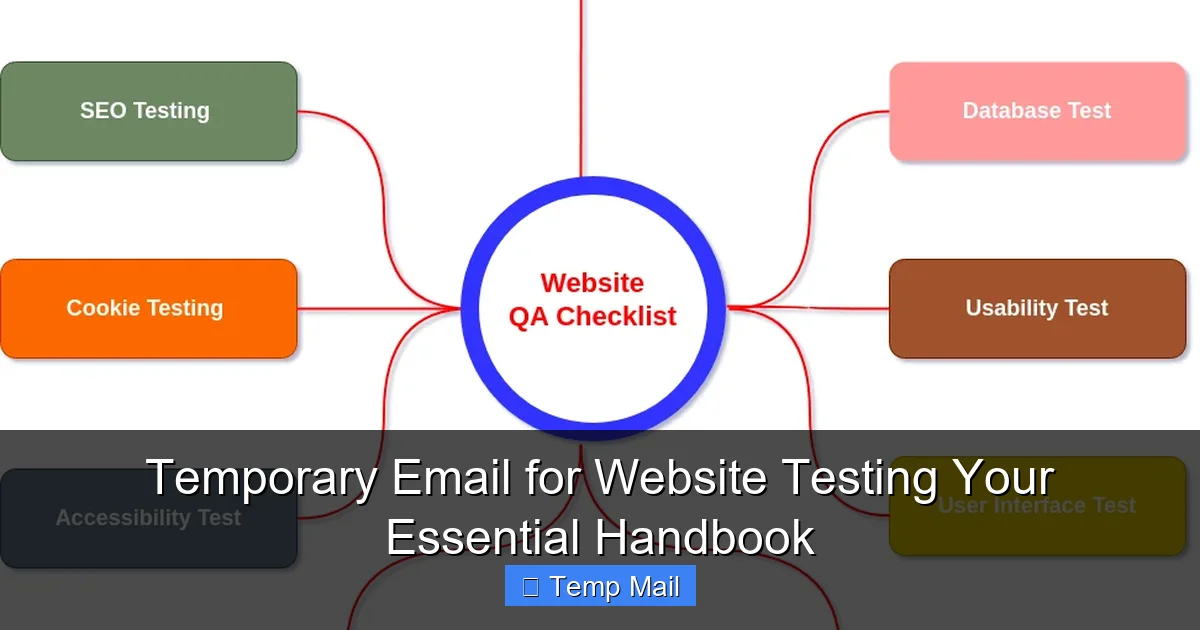
User Registration and Onboarding Flows
This is the #1 use case. You need to test:
- Successful sign-up: Does the confirmation email arrive? Does the link work and activate the account?
- Resend confirmation: Does the “Resend email” button function correctly?
- Invalid/used email: Does the system properly reject an already registered or malformed email?
- Email provider blocking: Does your site handle bounces from invalid domains?
With a temp mail service, you can script hundreds of these tests in minutes.
Password Reset and Account Recovery
Testing the “Forgot Password?” link is critical. You need to verify:
- The reset email is sent to the correct address.
- The reset link expires after the designated time.
- The link works exactly once.
- The new password meets complexity rules.
Using a disposable address for the target account means you can safely trigger and complete the reset cycle without affecting a real user.
Contact Forms and Lead Generation
You have a “Contact Us” form that emails submissions to a sales team. Or a “Download Whitepaper” form that sends a link. You must test:
- Does the form submit successfully?
- Does the notification email arrive with all field data correct?
- Does the auto-responder to the user contain the right attachment/link?
A temp inbox receives both the internal notification and the user-facing auto-response, allowing you to verify both sides of the transaction.
Two-Factor Authentication (2FA) via Email
Many apps use email as a 2FA method, sending a one-time code (OTC). You need to test:
- The code is sent immediately.
- The code is 6 digits (or whatever format).
- The code expires after, say, 5 minutes.
- An invalid code is rejected.
Temp mail lets you capture that OTC directly. You can even script tests that deliberately wait 6 minutes to verify expiration.
Newsletter and Marketing Automation Testing
Testing a new email template? A drip campaign? You need to see how the HTML renders in different clients. By signing up with a temp address, you can receive the marketing emails in the disposable inbox and inspect the rendering, links, and personalization tokens (like `{{first_name}}`). It’s a safe way to QA your email marketing without spamming your real list.
How to Choose the Right Temporary Email Service for Testing
Not all providers are built for professional testing. Here’s your buyer’s guide.
Key Feature Checklist
- API Availability: This is the most critical factor for automation. Does the service offer a documented, stable REST API or SMTP access? Can you programmatically create addresses, fetch emails, and delete inboxes? Services like Temp-Mail.org and Mailinator (paid plans) have robust APIs.
- Inbox Lifespan: How long does the inbox live? 10 minutes is fine for a quick manual check. For complex, multi-step user journeys (e.g., sign-up, wait 1 hour for a reminder email, then act), you need 1-24 hours. Look for configurable lifespans.
- Domain Variety: Some services offer multiple domains (e.g., `@tempmail.demo`, `@tmpmail.org`). This is useful if the site you’re testing blocks known temp mail domains. Rotating domains can bypass these blocks.
- Attachment Support: If your tests involve file uploads that get emailed (e.g., “Your receipt is attached”), you need a service that accepts and displays attachments.
- Rate Limits & Reliability: Free services often have strict limits on emails per hour or API calls. For serious testing, a low-cost paid plan is worth it for reliability and higher throughput.
- Browser Extension: For manual testers, a Chrome/Firefox extension that generates an address with one click and opens the inbox is a massive time-saver.
Top Service Comparisons
Temp-Mail.org: Excellent free tier with API, good domain variety, 1-day inbox. Very popular in the dev community. Solid for most automated needs.
Mailinator: The pioneer. Public inboxes are a privacy nightmare for production use, but their private, authenticated inboxes (paid) are perfect for testing. Extremely reliable API.
10MinuteMail: Simple, fast, reliable for quick manual tests. Limited API on free tier.
Guerrilla Mail: Offers a bit more control (you can choose from several domains), supports attachments. Good middle ground.
Recommendation: Start with Temp-Mail.org’s free API for proof-of-concept. For a professional team, invest in a paid Mailinator or Temp-Mail plan for guaranteed SLAs and no rate limiting.
Implementing Temporary Email in Your Workflow: A Practical Guide
Let’s get hands-on. Here’s how to weave this into both manual and automated processes.
For Manual Testers: The 2-Minute Setup
1. Bookmark Your Provider: Keep your chosen temp mail site pinned in your browser bar.
2. Use the Extension: Install the provider’s browser extension (e.g., Temp-Mail). Click the icon—it copies a new address to your clipboard and opens the inbox tab.
3. Paste and Test: Paste that address into the website’s form. Proceed with your test. When you need the email, switch to the inbox tab. It’s right there.
Pro Tip: Keep a simple spreadsheet. Column A: Test Case ID. Column B: Temp Email Used. Column C: Expected Email Subject. This links your test results to the specific disposable identity.
For Automation Engineers: The API Integration Pattern
Here’s a pseudocode pattern for a Selenium or Cypress test:
// 1. Generate a new disposable email via API
response = POST "https://api.temp-mail.org/request/email_address"
tempEmail = response.email
tempInboxToken = response.token // Some APIs use a token to poll

// 2. Use the temp email in your application test
driver.findElement(By.id("email")).sendKeys(tempEmail)
driver.findElement(By.id("submit")).click()

// 3. Poll the temp mail API for the verification email
wait(5 seconds) // Wait for email to arrive
emails = GET "https://api.temp-mail.org/request/mail/{token}"
verificationEmail = emails.find(email => email.subject.contains("Confirm"))

// 4. Extract the link from the email body
verificationLink = parseHtml(verificationEmail.body).find("a[href*='confirm']")

// 5. Navigate to the link to complete the flow
driver.get(verificationLink)
assert driver.findElement(By.id("account_active")).isDisplayed()
Critical Implementation Notes:
- Always add waits and retries when polling the inbox. Emails can take 5-30 seconds to arrive.
- Handle the case where the email never arrives (test failure).
- Clean up: Some APIs allow you to delete the inbox explicitly, but most expire automatically.
- Store the temp email address in your test’s context so you can log it if the test fails.
Advanced Tips and Common Pitfalls to Avoid
Go beyond the basics with these pro strategies and warnings.
Pro Tip: Simulate Real-World Delays
Don’t just poll the inbox every second for 5 seconds. That’s not how real email works. Implement a more realistic wait: poll after 10 seconds, then 15, then 30. This tests that your application’s “email sent” state is handled correctly if the user takes time to act. It also prevents hammering the temp mail provider’s API.
Pro Tip: Test Email Content and Localization
Temporary inboxes let you see the exact email your system sends. Use this to:
- Check for broken HTML/CSS in the email template.
- Verify all dynamic fields (name, company, date) populated correctly.
- Confirm links are absolute, not relative.
- Test localized email templates by changing your browser/app language before triggering the email.
Pitfall: Relying on a Single Provider Domain
Some websites have basic bot detection that blocks registration from known temp mail domains (e.g., `@temp-mail.org`). If your tests suddenly start failing, the site may have blacklisted that domain. Solution: Use a service that offers multiple domains or rotate between two different providers (e.g., Temp-Mail and Guerrilla Mail).
Pitfall: Assuming All Emails Are Instant
While usually fast, email delivery isn’t instantaneous. Your test script must have a reasonable timeout (e.g., 2-3 minutes) when waiting for an email. Don’t set a 10-second timeout and fail the build because of normal email latency.
Pitfall: Using Temp Mail for Final Production Staging
Never, ever use a temporary email address for a final User Acceptance Testing (UAT) sign-off with a real client or for performance testing with load. Those scenarios require persistent, real email addresses to simulate actual user behavior and communication paths. Temp mail is for development and quality assurance environments only.
The Future of Temporary Email in Testing and Privacy Trends
The role of disposable email is evolving beyond just a QA tool.
Integration with Development Pipelines
We’re moving towards “shift-left” testing, where QA happens earlier and continuously. Temporary email APIs are becoming standard components in CI/CD pipelines. A build can automatically deploy a feature branch, run a suite of end-to-end tests that involve email verification, and report back—all without a human touching the keyboard. Look for tighter integrations with tools like Jenkins, GitHub Actions, and GitLab CI.
AI and Smart Parsing
Future temp mail services may use AI to not just store emails but intelligently parse them. Instead of you writing regex to find a link, the API could return a structured object: `{ “action”: “confirm_email”, “link”: “https://…”, “expires_in”: 3600 }`. This would make automation scripts even simpler and more robust.
The Privacy Regulation Catalyst
With regulations like GDPR and CCPA emphasizing data minimization and user privacy, the practice of using real email addresses for internal testing is coming under scrutiny. Companies are realizing that using employee emails on test sites creates a personal data processing event that needs to be documented. Widespread adoption of temporary email for website testing is a simple, compliant answer to this emerging governance requirement.
Conclusion: Make Temporary Email Your Testing Superpower
Temporary email is more than a convenience; it’s a fundamental tool for professional, efficient, and secure website testing. It solves the core problems of workflow disruption, test data contamination, privacy exposure, and spam. By integrating a disposable email service into your manual checks and, more importantly, your automated test suites, you unlock faster test cycles, cleaner data, and a safer development process. Start today: pick a provider with a good API, write a simple script to generate an address and check an inbox, and experience the immediate boost in your testing productivity. In the relentless pursuit of quality, eliminating friction is key—and nothing removes friction quite like a perfectly temporary inbox.
Frequently Asked Questions
Is using temporary email for website testing legal and safe?
Yes, it is completely legal and a standard industry practice for testing non-production systems. It is safe as long as you use it only for its intended purpose: validating functionality in test, staging, or development environments. Never use it for real financial transactions or official account creation where you need account recovery.
How long do temporary email addresses typically last?
Duration varies by provider and plan. Common options are 10 minutes, 1 hour, and 24 hours. For most manual testing, 1 hour is sufficient. For complex automated test suites that might span multiple steps or include waiting periods, a 24-hour inbox is safer. Always check your provider’s specific policy.
What’s the real difference between ‘temporary email’ and ‘disposable email’?
The terms are often used interchangeably. However, “disposable email” sometimes refers to services where you manually create an address that you can later discard (like a fake Gmail). “Temporary email” usually implies the address is auto-generated, anonymous, and has a very short, fixed lifespan with no login required. For website testing, both serve the same core purpose of anonymity and impermanence.
Will using a temporary email address affect my website’s SEO?
No. Search engine crawlers do not interact with user registration or contact forms. They index publicly available content. Using a temp email during testing has zero impact on your site’s search rankings, as these actions occur in non-production environments that are typically blocked from crawlers via robots.txt or authentication.
Can I use temporary email to test two-factor authentication (2FA) systems?
Absolutely. This is a prime use case. You can trigger the email-based 2FA code, capture it in the disposable inbox, and input it into the application to complete the authentication flow. This tests the entire 2FA delivery and validation process without needing a real phone or permanent email.
What happens if a website I’m testing blocks known temporary email domains?
This is a common hurdle. First, try a different temp mail provider—they use different domains. Second, look for a provider that offers “domain masking” or a wide range of custom domains. Third, for critical testing, you may need to use a dedicated, long-term “test” email account (like a company Gmail) that you keep solely for this purpose, though this sacrifices some anonymity and convenience.