A one time email is a temporary, disposable email address that exists for a short period—usually minutes or hours—before automatically deleting itself. Its primary purpose is to act as a protective barrier between your real, personal email inbox and the vast, often risky, corners of the internet. By using this tool, you can sign up for websites, download files, or access content without ever revealing your primary email address, thereby stopping spam, preventing data aggregation, and significantly reducing your digital footprint and risk of identity theft.
Key Takeaways
- It’s a Digital Bouncer: A one time email acts as a front door to your online activity, allowing unwanted “guests” (spam, marketing lists, data harvesters) in while keeping your real inbox secure and private.
- Zero Personal Information Required: You never provide your name, phone number, or primary email to create a disposable address, ensuring no link can be traced back to your true identity from the account itself.
- Automatic Self-Destruction: These addresses have a built-in expiration timer. After a set time or once used, the inbox and all contained messages are permanently purged from the server.
- Spam and Phishing Mitigation: Any spam, phishing attempts, or unwanted marketing sent to the disposable address vanish with it, never cluttering or threatening your permanent email account.
- Control Over Your Data Trail: Every website or service you register with with a one time email creates a dead-end data point, preventing companies from building a profile on you based on your email history.
- Not for Critical Accounts: These are ideal for one-off interactions, not for accounts you need to recover long-term (like banking or primary social media), as you will lose access permanently.
- Simple and Instant: No registration, no password, no setup. You generate a working email address in seconds, copy it, use it, and forget it.
📑 Table of Contents
- What Exactly Is a One Time Email?
- How a One Time Email Fortifies Your Identity
- Practical, Everyday Scenarios for Using Disposable Email
- Choosing the Right One Time Email Service
- Debunking Myths and Addressing Concerns
- The Future of Ephemeral Communication and Your Digital Self
- Conclusion: Your Inbox, Your Rules
What Exactly Is a One Time Email?
Imagine you’re walking through a crowded, unfamiliar city. You need to ask for directions, but you’re hesitant to give out your home address to a stranger. What do you do? You might give a vague, non-specific location. In the digital world, a one time email is that vague, non-specific location for your inbox. It’s a temporary, disposable email address that you can use for a single purpose or a very short duration, after which it ceases to exist. It’s not a secret or a hack; it’s a simple, legitimate tool designed for privacy in an era of relentless data collection.
These services generate a random email address (like [email protected]) that you can use to register for a website, download a file, or access a gated article. The inbox for this address is usually displayed to you on the service’s webpage. You can check it for a confirmation email or a download link. Once you close the browser tab or after a predetermined time (often 10 minutes to 1 hour), that address and all its contents are automatically deleted from the server. There’s no password, no recovery option, and no permanent record. It’s a digital ghost—present for a moment, then gone without a trace.
The Core Technology: Simplicity and Ephemerality
The magic of a one time email lies in its deliberate lack of features. Unlike Gmail or Outlook, these services don’t store emails on long-term servers with complex user databases. Instead, they create a temporary mailbox linked to a randomly generated string. When you visit the site, your session is tied to that specific address. Any email sent to it during that session is held in a volatile memory cache. The moment the session expires or you navigate away, the system purges that cache. This architecture is intentionally simple to minimize security risks and maintenance costs for the provider, while maximizing user anonymity.
How a One Time Email Fortifies Your Identity
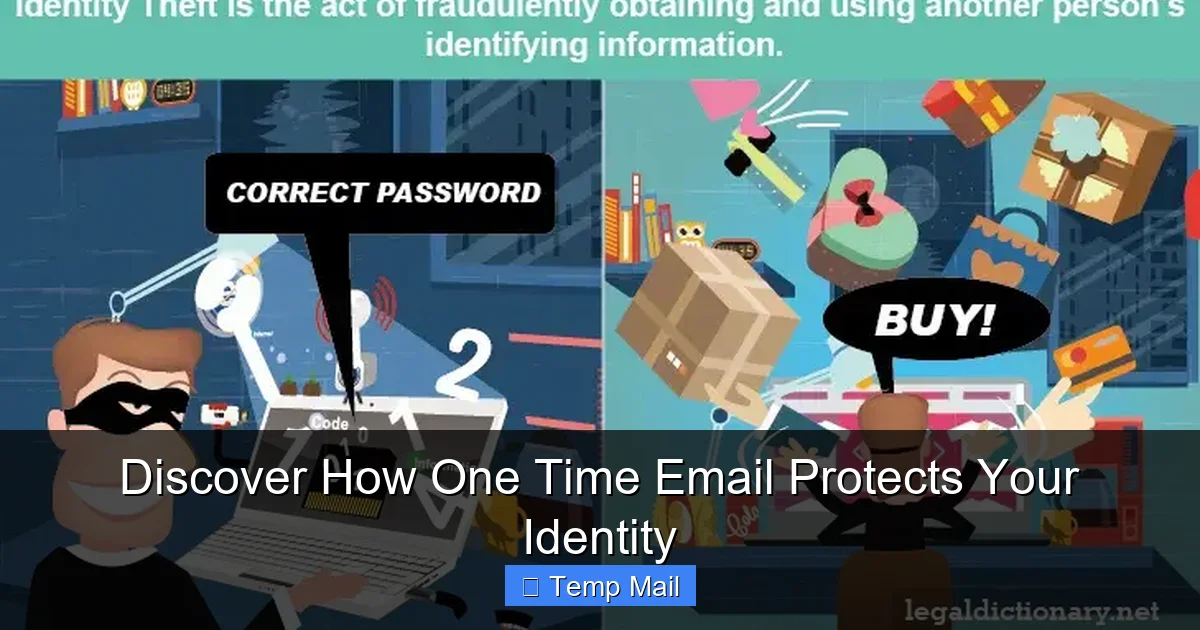
Your primary email address is often the master key to your digital identity. It’s used for password resets, account verifications, and is frequently the username for countless services. If a company you trusted suffers a data breach, that email address is now in the hands of hackers. It becomes the starting point for “credential stuffing” attacks, where bots try that email and commonly used passwords on hundreds of other sites. A one time email breaks this chain of vulnerability at the very first link.
Visual guide about Discover How One Time Email Protects Your Identity
Image source: scitechdaily.com
The Spam and Data Harvesting Shield
Let’s be honest: many “free” online services are funded by advertising and data sales. When you sign up with your real email, you’re not just getting access; you’re often giving that company permission to track your activity, build a profile, and sell aggregated data. Worse, you’re likely to be added to their promotional email list. With a disposable address, you give them an address that will reject their future emails within the hour. The data point ends there. It cannot be linked back to you, your real interests, or your other accounts. You’ve effectively short-circuited their data harvesting engine for that specific interaction.
Mitigating the Risk of Breaches and Credential Stuffing
Consider a recent news headline: “Popular Gaming Forum Hacked, 2 Million Emails Exposed.” If you used your personal email for that forum, it’s now on a dark web list. Hackers don’t just have your email; they know you’re a gamer and might target you with fake game download links or account-stealing scams. If you had used a one time email for that forum registration, the breach is meaningless. The exposed email address is a dead end. No one can use it to find your social media, your bank accounts, or your other logins. Your true identity remains insulated. You simply create a new disposable address for your next forum sign-up. The breach becomes a non-event for you personally.
Practical, Everyday Scenarios for Using Disposable Email
Knowing the theory is one thing; knowing *when* to use it is what makes this tool powerful. Integrating a one time email into your daily digital routine is a habit that pays immediate dividends in peace of mind. Here are the most common and effective use cases.
Visual guide about Discover How One Time Email Protects Your Identity
Image source: recipesforwellbeing.org
For One-Time Downloads and Content Gating
You’ve found an incredible whitepaper, a useful software trial, or a must-see template. The website asks for your email to send the download link. This is the #1 perfect scenario for a disposable address. You get the file you need instantly, and you never have to worry about that company adding you to a weekly newsletter you’ll never read or selling your contact info. The download link is sent to the temporary inbox, you grab it, and the address dies. No clutter, no follow-up spam.
During Online Shopping and Deal Hunting
Signing up for a new e-commerce site to snag a one-time discount code? Using your primary email will almost certainly enroll you in a relentless promotional stream. Use a one time email instead. If the store is reputable and you plan to become a regular customer, you might use a secondary, more permanent-but-not-primary email later. But for that first discount, disposable is the way to go. It also protects you if that smaller boutique store’s security isn’t top-notch.
Accessing Forums, Comment Sections, and Social Platforms
Want to join a discussion on a niche forum or comment on a news article without your real identity being tied to your opinion? A disposable email is perfect. It allows you to participate in a community or conversation without creating a permanent, searchable data point linking your username to your email history. This is especially valuable for sensitive topics or for maintaining a professional separation from personal interests.
Testing Services and Avoiding Unwanted Trials
You want to test a SaaS tool’s free trial without committing your real email and dealing with aggressive upgrade emails for the next six months. Use a one time email to sign up. Test the features you need, and when the trial period ends, the account will simply be associated with a non-existent email. No cancellation hassles, no guilt-tripping marketing emails. You’ve tested the product on your terms.
- Pro Tip: Keep a list of 2-3 trusted one-time email service bookmarks. If one is down or slow, you have an instant backup.
- Pro Tip: For sites that require email verification, check if the disposable service you use can receive replies (most can). Use it to get the verification link, complete the sign-up, and then abandon the address.
Choosing the Right One Time Email Service
Not all temporary email providers are created equal. While the core function is similar, differences in user experience, security, and features can matter. Here’s what to look for when selecting your go-to tool.
Visual guide about Discover How One Time Email Protects Your Identity
Image source: legaldictionary.net
Key Features to Prioritize
First and foremost, the service should be no-registration. The entire point is anonymity; asking you to create an account defeats the purpose. Look for an interface that is clean, fast, and free of aggressive ads. Some services display ads on the page (which is how they stay free), but they shouldn’t be malicious or trick you into clicking. Check the stated email lifespan. 10-60 minutes is standard for a true “one time” use. Some offer “longer-term” disposables (24 hours), which can be useful for multi-day interactions but are less secure.
Security and Privacy Policies
Read the provider’s privacy policy, however brief. Do they log IP addresses? Do they claim to not store emails after deletion? The best services explicitly state they do not monitor, log, or sell user activity. Remember, while the email is temporary, the *act* of visiting the site is logged by your ISP and the service’s server. For absolute privacy in sensitive activities, you’d need to combine a disposable email with a VPN. For most everyday use, a reputable provider is sufficient.
Popular Service Examples (No Endorsement)
Well-known names in this space include TempMail, 10MinuteMail, and Guerrilla Mail. They all operate on the same basic principle: visit the site, get an address, use it, close the tab. Some offer browser extensions or mobile apps for quicker access. The key is to use a service that is reliable and has been around for a while, as fly-by-night sites might not deliver emails properly or could be harvesting the data themselves. A quick web search for “best temp mail 2024” can give you current user reviews and rankings.
Debunking Myths and Addressing Concerns
Because disposable email is a tool that can be used for both legitimate privacy and, admittedly, less savory purposes, it carries some misconceptions. Let’s clear the air.
“Isn’t Using a One Time Email Dishonest?”
Not at all. You are not lying; you are simply choosing *what* information to share. A website asking for your email is making a request, not issuing a command. You have every right to withhold your permanent, personally identifiable information. Using a temporary address is no more dishonest than using a cash gift card instead of a credit card for a purchase. It’s a choice about the level of data you’re willing to exchange for a service.
“Can They Be Traced Back to Me?”
The email address itself contains no personal information. However, your internet activity *can* be traced via your IP address by the disposable email service provider and the website you are visiting. For the vast majority of users concerned about commercial spam and data mining, this level of tracing is irrelevant—the provider doesn’t care about you, and the website only sees a random email, not your real one. If you are engaged in activities where your IP anonymity is critical, you must use additional tools like a VPN or Tor network, regardless of your email choice.
“What About Two-Factor Authentication (2FA)?”
This is a critical limitation. You should never use a one time email for any account where you enable two-factor authentication via email. If you do, you will be locked out of the account the moment the disposable address expires. 2FA codes are time-sensitive and require persistent access. Use a one time email only for services that send a one-time link for initial verification, not for ongoing security codes.
The Future of Ephemeral Communication and Your Digital Self
The concept of the disposable email is part of a larger shift towards “ephemeral data” and user-controlled privacy. As data privacy regulations like GDPR and CCPA give users more rights, and as public awareness of data harvesting grows, tools that offer granular control become mainstream. We are moving from a model of “everything is stored forever” to “data has a purpose and a lifespan.”
Integration with Broader Privacy Suites
Expect to see one time email functionality baked into more comprehensive privacy tools. Password managers like Bitwarden and 1Password are already exploring or integrating masked email features (which are similar but often more persistent and manageable). Browser suites like Brave are looking at built-in privacy shields. The future isn’t about remembering dozens of disposable addresses; it’s about having a smart system that automatically generates and manages them for every new site sign-up, with a master dashboard to control them all.
A Cultural Shift Towards Intentional Data Sharing
Using a tool like a one time email is a small but significant act of digital self-assertion. It signals a change from the passive “give away your email for access” model to an active “I will share only what is necessary for this specific interaction.” This mindset, adopted by millions, forces companies to reconsider their data collection practices. If users consistently withhold their primary email, the value of aggressive email list building diminishes. It’s a grassroots, user-driven way to reshape the internet’s economic model, one temporary address at a time.
Conclusion: Your Inbox, Your Rules
Your email inbox should be a tool for your communication, not a billboard for advertisers or a honeypot for hackers. The relentless pursuit of our data by companies and criminals makes passive acceptance a risky strategy. A one time email is not a silver bullet for all online threats, but it is an incredibly effective, simple, and immediate first line of defense. It reclaims your control over one of the most common and revealing data points: your email address. By adopting the habit of using a disposable address for any non-essential, one-off interaction online, you create a powerful buffer zone. You stop spam at the source, you cut off data trails before they start, and you insulate your primary identity from the inevitable breaches that plague the modern web. Start today. Bookmark a reputable service. Use it the next time a website asks for your email for a PDF guide or a discount code. Experience the quiet satisfaction of an inbox that stays clean, because the address you gave away was designed to vanish. That’s not just smart browsing; that’s smart identity protection.
Frequently Asked Questions
Is using a one time email legal and safe?
Yes, using a disposable email service is completely legal and safe for legitimate privacy purposes. The service itself is a legitimate business tool. Safety depends on using it correctly—never for illegal activities, fraud, or to bypass bans on platforms where you are a member.
Will I receive emails sent to my one time email after it expires?
No. Once the disposable address expires (either after a time limit or when you close the session), the mailbox is permanently deleted from the server. Any emails sent to that address after expiration are bounced back to the sender or simply lost. There is no way to recover them.
Can a website detect that I’m using a one time email?
Yes, many websites and services maintain lists of known disposable email domains and will block sign-ups from those addresses. This is why some sites may not accept a temporary email. For sites that do accept it, you are free to use it. If a site blocks it, you’ll need to use a different email strategy for that particular service.
What’s the difference between a one time email and a secondary permanent email?
A secondary permanent email (like a second Gmail account) is a long-lasting account you control with a password. It requires management and can still be targeted for spam or breached. A one time email requires no management, has no password, and self-destructs. It’s for single-use, throwaway interactions, whereas a secondary email is for ongoing relationships with trusted services.
Can I use a one time email for important accounts like banking or social media?
Absolutely not. You should never use a disposable email for any account you need to access long-term, recover a password for, or that contains sensitive personal or financial information. You would lose all access permanently the moment the address expires. Reserve it only for low-stakes, one-time interactions.
Do I need to create an account or set a password to get a one time email?
No. The entire process is designed for instant, anonymous use. You simply visit the disposable email provider’s website, and they instantly generate a random email address for you. There is no sign-up, no password, and no personal information required to start using it immediately.