A temp mail inbox is a free, disposable email address that lasts for a short time, typically 10 minutes to a few hours. Its primary purpose is to shield your primary email from spam, data breaches, and unwanted marketing when signing up for websites, downloading files, or accessing gated content. These inboxes require no registration or personal information, offering a simple layer of anonymity. However, they are not designed for important accounts, password recovery, or sensitive communications. Use them strategically for low-stakes, one-time interactions to maintain your digital hygiene and inbox sanity.
Key Takeaways
- Privacy Shield: A temp mail inbox acts as a protective barrier, preventing websites and services from collecting your primary email address and associating it with your identity.
- Spam Prevention: By using a disposable address for sign-ups and downloads, you effectively route all potential spam and promotional emails to an inbox that auto-deletes, keeping your main inbox clean.
- No Commitment, No Trace: These accounts require zero registration, passwords, or personal details. Once the timer expires or you close the browser, the inbox and its history are permanently erased.
- Not for Important Accounts: Never use a temp mail inbox for banking, social media, work, or any service where account recovery or long-term access is critical. You will be locked out permanently.
- Security Layer: While not for sensitive data, they reduce your exposure by limiting the number of databases containing your primary email, thus lowering the risk of it being involved in a data breach.
- Universal Access Tool: They are perfect for bypassing “email walls” to access articles, PDFs, or trial software without committing your real contact information.
- Legal and Ethical Use: Temp mail is a legitimate privacy tool. Issues arise only if used for fraud, harassment, or to circumvent terms of service maliciously.
📑 Table of Contents
- What Exactly Is a Temp Mail Inbox?
- How Does a Temp Mail Inbox Actually Work?
- The Undeniable Benefits of Using a Temp Mail Inbox
- Common and Clever Use Cases for Temp Mail
- The Risks, Limitations, and Things to Avoid
- How to Choose a Good Temp Mail Service
- The Future of Temp Mail and Digital Privacy
- Conclusion: A Simple Tool for a Complex Problem
What Exactly Is a Temp Mail Inbox?
Imagine you’re trying to download a free e-book or sign up for a trial software. The website asks for your email address. You hesitate. That email is your digital key to your bank, your social life, your work. Handing it over feels like giving a stranger a copy of your house key. This is the exact problem a temp mail inbox solves.
At its core, a temp mail inbox (also called a disposable email, throwaway email, or temporary email) is a service that provides you with a random, functioning email address for a very short period—usually anywhere from 10 minutes to 48 hours. You don’t create an account to get it. You simply visit a website, and a new inbox address is generated for you instantly. You can use that address to receive a single verification email or a couple of links, and then… it’s gone. The entire inbox, along with any messages it contained, is automatically and permanently deleted.
This concept is a direct response to the modern web’s obsession with email collection. From forums and news sites to software downloads and discount coupons, the email gate is ubiquitous. A temp mail inbox is your tactical bypass, allowing you to access what you need without leaving a permanent trail back to your primary identity. It’s not a replacement for your everyday email; it’s a specialized tool for specific, low-stakes scenarios.
The Disposable Philosophy: Use and Abandon
The philosophy behind temp mail is “use and abandon.” Unlike your Gmail or Outlook account, which you maintain for years, a temp inbox is meant to be used once or twice and then discarded. This transient nature is its superpower. Because the address is not tied to you in any recoverable way, any future spam sent to it vanishes into the void. You never have to unsubscribe. You never have to see it. It simply ceases to exist.
Think of it like a paper map you use for a single road trip and then recycle. You used it for its purpose—navigation—and then you have no need to keep it. Your primary email is your permanent home address. You wouldn’t give that out to every cashier who asks for a zip code. Similarly, a temp mail inbox is the digital equivalent of a “guest address” for fleeting interactions.
How Does a Temp Mail Inbox Actually Work?
The mechanics behind a temp mail inbox are surprisingly simple, which is part of why the service is almost universally free. There’s no complex infrastructure for long-term storage or user management.

Visual guide about Everything You Need to Know About Temp Mail Inboxes
Image source: is1-ssl.mzstatic.com
When you visit a provider’s website (like Temp-Mail.org, 10MinuteMail, or Guerrilla Mail), their system instantly generates a random email address, typically using their own domain (e.g., [email protected]). It then creates a corresponding, isolated inbox on their servers linked to that random string of characters. This address and its inbox are stored in active memory for a preset duration.
The Auto-Deletion Clock: Your Inbox’s Expiration Date
As soon as the address is generated, an invisible countdown clock starts. This timer is the core feature. Common expiration times are 10 minutes, 1 hour, or 1 day. Some services allow you to extend the time manually. During this window, any emails sent to that address appear in the browser-based inbox displayed on the provider’s site. You can open them, click links, or view attachments.
The moment the timer hits zero, the system purges that specific inbox from its active memory. The email address itself becomes invalid. Any subsequent emails bounced to it are rejected. There is no “recovery” process. There is no password reset. The data is gone. This automated lifecycle ensures no long-term storage costs for the provider and maximum privacy for you.
No Registration, No Logins, No History
Because the service doesn’t require you to create an account, there is no central database linking “John Doe” to “[email protected].” The only connection is the temporary session in your browser. If you close the browser tab or lose your internet connection, you lose access to that specific inbox. You cannot log back in from a different device or later to check it. This is a critical security and privacy feature. It means the provider themselves cannot associate a series of temp mail activities with a single user, as there is no user profile.
This architecture is fundamentally different from standard email. With Gmail, your identity is verified, your data is stored for you, and your activity is logged for account management. With a temp mail inbox, you are an anonymous, transient visitor. The service provides a utility—a temporary mailbox—and then forgets you ever used it.
The Undeniable Benefits of Using a Temp Mail Inbox
Why would anyone choose a fleeting, anonymous inbox over their reliable, feature-rich primary email? The benefits are powerful and directly address major pain points of the modern internet.
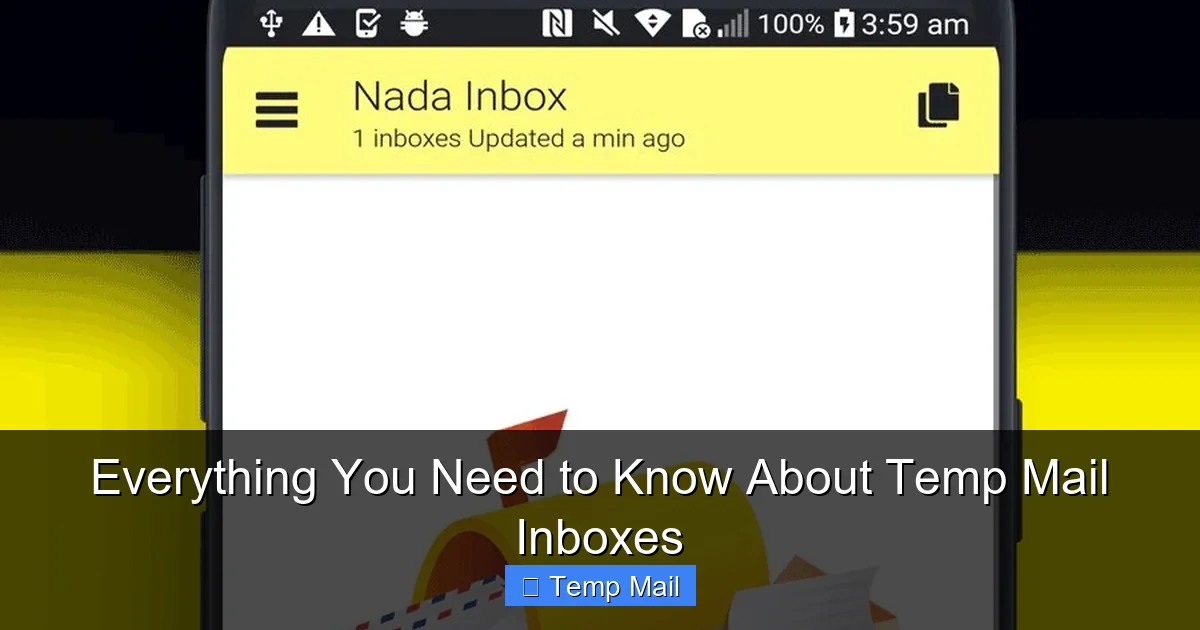
Visual guide about Everything You Need to Know About Temp Mail Inboxes
Image source: image.winudf.com
1. Fortifying Your Privacy and Anonymity
Every time you enter your primary email on a website, you are providing a unique identifier that can be (and often is) used to build a profile about you. Data brokers, advertisers, and even the website itself can link your email address to your browsing behavior, purchases, and location. Over time, this creates a detailed digital shadow. Using a temp mail inbox for non-essential sign-ups severs this link. The website gets an email address that leads nowhere after an hour. Your real identity remains disconnected from that particular interaction, significantly reducing your digital footprint and making it harder for you to be tracked and profiled across different sites.
2. Winning the War Against Spam
This is the most obvious and gratifying benefit. Spam doesn’t just clog your inbox; it can be a phishing vector and a productivity killer. When you use your primary email for a free trial or a forum, you often unwittingly consent to marketing emails. Even if you unsubscribe, your address is often sold or shared. A temp mail inbox is a spam sponge. All that promotional noise and unwanted newsletters are directed to an inbox that self-destructs. You get the download link or verification code you need, and the spam never reaches your important accounts. It’s a proactive, zero-effort spam filter.
3. Zero Commitment, Zero Risk
There’s no psychological barrier. You don’t have to think, “Do I really want this company to have my email forever?” The answer is always no for low-value exchanges. A temp mail inbox removes that hesitation. You can explore a service, download a resource, or test a tool with a single click, knowing there are no long-term consequences. You’re not committing to a newsletter subscription you’ll forget to cancel. You’re not creating another account you’ll never use. It’s a no-strings-attached interaction, which perfectly matches the intent of many “free” web offers.
4. Bypassing “Email Gating” Effortlessly
The “enter your email to read this article” or “email to download this PDF” model is pervasive. While some sites use it legitimately for content delivery, many use it for aggressive lead generation. A temp mail inbox is the perfect key for these locks. You get immediate access to the content you want without feeding your primary email into a marketer’s database. It’s a form of quiet protest against the pervasive monetization of attention and a way to reclaim frictionless access to information.
5. A Simple Layer of Security
While you should never send sensitive data like passwords or credit card numbers *to* a temp mail inbox, using one *from* provides a security benefit. It limits the “attack surface.” Each website that has your primary email is a potential point of failure in a data breach. By using disposable addresses for less-trusted sites, you ensure that if that site is hacked, the leaked database contains a temp address that is already dead, not your live, valuable primary email used for everything else. This compartmentalization is a smart security practice.
Common and Clever Use Cases for Temp Mail
Knowing *how* to use a temp mail inbox is as important as knowing *why*. Here are the most common and effective scenarios where it shines.

Visual guide about Everything You Need to Know About Temp Mail Inboxes
Image source: darksms.com
Signing Up for Free Trials and One-Time Offers
This is the classic use case. You want to try a SaaS tool for 14 days or get a sample product. The sign-up form demands an email. Use your temp address. You’ll receive the activation link, create your temporary account, use the service, and then let it expire. The company has no way to email you after the trial to pressure you into a paid plan because your inbox is gone. You avoid the post-trial marketing drip campaign entirely.
Downloading Gated Content
That whitepaper, template, or research report that requires an email? Use the temp mail. The website sends the download link to the disposable address. You access it, and the trail ends. This is especially useful for content you only need once or for research purposes where you don’t want to be added to a mailing list.
Registering on Forums or Commenting Systems
Many online forums, especially older or niche ones, require registration to post. If it’s a forum you’ll only visit once or twice to ask a specific question, a temp address is perfect. It prevents that forum from having your real email, which could be used for spam or, worse, if the forum’s security is poor and gets hacked.
Testing Website or App Functionality
If you’re a developer or tester, you might need to verify email functionality without using real user accounts. Temp mail inbox services are invaluable for this. You can automate the process of generating a new disposable email, triggering a “send verification” action in your app, and then checking the temp inbox for the email to complete the test flow.
Protecting Your Identity on Craigslist or Similar Platforms
When posting an ad on a classifieds site, you often have the option to hide your email but have inquiries forwarded. Using a temp address as the forward-to target adds a layer of anonymity. Potential buyers see a disposable address, and you can communicate through it until the transaction is complete, after which the inbox expires.
Creating a Buffer for “Sketchy” Websites
Let’s be honest: not all websites are created equal. Some feel a bit spammy or questionable from the start. If you have a gut feeling that a site might not respect your data or might sell your email aggressively, using a temp mail inbox is a smart preemptive move. It’s a low-cost way to satisfy their form requirement while protecting your main identity.
The Risks, Limitations, and Things to Avoid
A temp mail inbox is a tool, and like any tool, it has a specific design purpose. Using it outside those parameters can lead to problems. Understanding its limitations is crucial for safe and effective use.
Never Use for Important, Long-Term Accounts
This is the golden rule. Do not, under any circumstances, use a disposable address for:
- Banking or Financial Services: You will be locked out if you need a password reset or security alert.
- Social Media (Facebook, Instagram, Twitter, etc.): Account recovery is email-based. Lose the temp inbox, lose the account and all its content.
- Primary Cloud Storage (Google Drive, iCloud, Dropbox): Same recovery issue. Also, these services often have terms against disposable emails.
- Work or Professional Accounts: Your employer needs to be able to contact you reliably.
- Any service where you might need to recover a password years later.
For these, use your robust, permanent, secure primary email. The temp mail inbox is for the opposite end of the spectrum.
Not a Tool for Anonymity and Illegality
While it provides anonymity from the *service you’re signing up for*, it does not make you anonymous on the internet. Your IP address is still visible to the temp mail provider and the target website. Law enforcement, with proper legal process, can often trace activity back to the user through IP logs and provider cooperation. Therefore, a temp mail inbox should never be used for:
- Fraudulent activities
- Harassment or threats
- Creating fake accounts to manipulate reviews or polls
- Circumventing bans maliciously
- Any illegal purpose
Using the tool for such purposes violates the terms of most providers and can have serious legal consequences. Its ethical use is for privacy from *marketing*, not from *accountability*.
Reliability and Deliverability Issues
Some sophisticated websites and services actively block known temp mail inbox domains. They maintain lists of disposable email providers and will reject addresses from those domains during sign-up. This is because they want legitimate, engaged users. If you encounter this, you’ll need to use your real email. Additionally, some very important transactional emails (like from a government agency) might be blocked by receiving servers if sent to a disposable domain, though this is rare for the user-initiated sign-up scenario.
Attachment and Security Limitations
Most temp mail inbox services are extremely basic. They are designed for text emails and simple links. You should:
- Avoid downloading attachments from temp mail inboxes. The provider could potentially scan them, and they are often not scanned for malware by the service itself.
- Never trust a “password reset” email sent to a temp inbox. If you requested it, you’ll never get it. If you didn’t request it, it’s a phishing attempt targeting the temp address, which is a waste of the attacker’s time but a sign the site is insecure.
- Understand that while the connection to the provider’s site is usually HTTPS, the content of emails is not encrypted end-to-end like in some secure messengers.
Treat the inbox as a simple text reader for verification codes and links. Anything more is outside its intended threat model.
How to Choose a Good Temp Mail Service
Not all temp mail inbox providers are created equal. While the core function is similar, features, usability, and security practices vary. Here’s what to look for.
Essential Features Checklist
- No Registration Required: The entire point is anonymity. If a service asks you to create an account to get a temp email, it misses the mark. You should get an address immediately upon visiting.
- Clear Expiration Timer: The site should display a visible countdown. You need to know exactly how much time you have.
- Auto-Refresh Inbox: The inbox should automatically check for new emails every 10-30 seconds. Manual refresh is a minor inconvenience, but auto-refresh is superior.
- Multiple Domain Options: Some providers offer a choice of domains (e.g., @tm-mail.com, @tmpmail.org). If one domain is blocked by a site you’re trying to access, you can try another.
- Copy-to-Clipboard Button: One-click copying of the email address is a essential usability feature.
- HTTPS Only: The website must use HTTPS to encrypt the session between your browser and their server. Never use a provider that only uses HTTP.
- Simple, Ad-Light Interface: Many free providers rely on ads. A clean interface with non-intrusive ads is preferable to one bombarding you with pop-ups and misleading download buttons.
Red Flags to Avoid
- Services asking for a “password” to access your temp inbox. This is not standard and suggests they are storing your data longer or linking it to a session in an insecure way.
- Websites filled with aggressive ads, especially those mimicking “Download” buttons. These are often ad-heavy, low-quality services that may also serve malware.
- Providers that don’t clearly state their data retention/deletion policy. If it’s not clear that emails are deleted permanently after expiration, be wary.
- Services that require you to solve CAPTCHAs just to generate an address. While a minor hurdle, it can indicate they are trying to prevent abuse, which is good, but excessive CAPTCHAs can be a sign of a struggling or poorly managed service.
Popular and Reputable Providers (Neutral Overview)
While I cannot endorse specific commercial entities, several providers have established reputations for reliability and simplicity within the privacy community. Well-known names include Temp-Mail.org, 10MinuteMail.com, Guerrilla Mail, and Maildrop.cc. They generally adhere to the “no registration, auto-delete” model. It’s good practice to have 2-3 providers bookmarked, as one might occasionally be down or have a domain blocked by a particular website you’re trying to access.
The Future of Temp Mail and Digital Privacy
The temp mail inbox exists because of a fundamental imbalance on the web: the assumption that users will freely give up their primary contact information for trivial benefits. As data privacy awareness grows, tools like disposable email are becoming standard practice for savvy users.
We may see evolution in two directions. First, integration with privacy-focused browsers and password managers. Imagine your browser or password manager offering to generate and auto-fill a disposable email address seamlessly during sign-up, managing the inbox within its own secure interface. Second, there could be more advanced, privacy-preserving email forwarding services that create unique, forward-only aliases for each site (like SimpleLogin or AnonAddy, which are a different but related class of service). These aliases can be disabled permanently if spam starts, offering a more permanent but still disposable-like solution.
Ultimately, the rise of the temp mail inbox is a symptom of a larger issue: the commodification of the email address. Until websites and regulators adopt stricter norms around data collection and “email gating,” the disposable inbox will remain a vital, user-controlled tool for maintaining sovereignty over one’s digital identity. It represents a small but significant act of resistance—a way to say, “You can have my attention for this moment, but you cannot have my identity.”
Conclusion: A Simple Tool for a Complex Problem
The temp mail inbox is not a magic bullet for all your privacy needs. It won’t encrypt your messages or hide your IP address. Its power lies in its beautiful simplicity and its ruthless temporariness. It is the perfect instrument for its intended purpose: to accept the transient, spammy, or low-value requests for your email address and then vanish without a trace, leaving your primary inbox pristine and your main identity unlinked.
By incorporating this tool into your daily digital routine—using it for every free trial, every gated download, every one-off forum registration—you actively combat data proliferation and spam. You take a small, easy step toward reclaiming control. Remember the cardinal rule: use it for the disposable, and reserve your permanent, secure email for what truly matters. In the ongoing battle for digital hygiene, the temp mail inbox is a lightweight, highly effective piece of armor. Use it wisely.
Frequently Asked Questions
Is using a temp mail inbox legal?
Yes, using a temp mail inbox is completely legal. It is a legitimate privacy tool. Legal issues only arise if the disposable address is used for illegal activities like fraud, identity theft, or harassment, which would be illegal regardless of the email type used.
How long does an email in a temp mail inbox last?
It varies by provider, but most temp mail inboxes and their contents are automatically deleted between 10 minutes and 48 hours after generation. The specific timer is always displayed on the provider’s site. Once expired, the address and all emails are permanently gone.
Can I use a temp mail inbox for social media or banking?
Absolutely not. You should never use a disposable email for any account where you need long-term access, password recovery, or security alerts. For social media, banking, email, or cloud storage, you must use a permanent, secure email address you control and can access indefinitely.
Are temp mail inboxes secure?
For their intended purpose—receiving non-sensitive verification emails—they are generally secure. The connection to the provider’s site is usually HTTPS. However, they offer no encryption for email content and should never be used to send or receive sensitive personal, financial, or password information. Their security model is based on ephemerality, not encryption.
What happens to my data when the temp mail expires?
Reputable providers permanently delete the entire inbox and its emails from their servers the moment the timer expires. There is no way to recover it. The email address also becomes invalid and will reject any future emails sent to it. Your data is not stored long-term.
Why would a website block a temp mail inbox domain?
Websites block disposable email domains to prevent spam, fake accounts, and abuse. They want users who are genuinely engaged and can be contacted long-term. If a site blocks your chosen temp mail inbox domain, you’ll need to use your primary email or try a different disposable provider’s domain if the site allows it.