Stop giving away your real email for one-time sign-ups. An instant email address is a temporary, disposable inbox you can create in under a minute, with no personal details required. It’s your frontline defense against spam, data harvesting, and inbox clutter, perfect for testing services, downloading files, or accessing gated content. Simply visit a provider site, get your random address, and use it—then forget it. It’s the fastest, simplest way to protect your primary identity online without any commitment.
You’re about to download a free ebook, sign up for a webinar, or access a “gated” article. The website asks for your email address. You hesitate. Is this site trustworthy? Will this lead to a lifetime of spam? What if it gets hacked? Your primary email is your digital passport—you don’t hand it out to just anyone. But what if you could have a throwaway email, ready in seconds, for exactly this moment? That’s the power of an instant email address. It’s not a secret tool; it’s a simple, public service that puts you back in control of your online identity. In this guide, we’ll walk through everything you need to know, from how this magic works to exactly how you can create your own in under 60 seconds, and most importantly, when and how to use it wisely.
Key Takeaways
- Instant Creation: A fully functional temporary email address is generated for you automatically the moment you visit a provider’s website, taking literally seconds.
- Privacy by Design: No name, phone number, or existing email is needed. Your anonymity is guaranteed from the first click, shielding you from data brokers and spam lists.
- Zero Commitment: There are no passwords, account recovery, or long-term obligations. The inbox exists solely for your immediate purpose and self-destructs.
- Spam Prevention: By using a disposable address for sketchy sites or one-time downloads, you permanently keep promotional and malicious emails out of your permanent inbox.
- Universal Access: These services work on any device with a web browser—phone, tablet, or computer—without installing any apps or software.
- Ephemeral Security: While great for privacy, these inboxes are inherently public if someone guesses the address; never use them for sensitive accounts like banking or password resets.
- Eco-Friendly Disposal: After a set time (usually 10 minutes to 1 hour) or upon closing the browser tab, the address and all its emails are permanently erased from the server.
📑 Table of Contents
- What Exactly Is an Instant Email Address?
- How Does Instant Email Work? The Magic Behind the Curtain
- Step-by-Step: Create Your Instant Email in Under 60 Seconds
- Top 5 Use Cases: When to Reach for a Disposable Inbox
- The Honest Truth: Advantages and Crucial Limitations
- Security and Privacy: Are Temporary Emails Safe?
- Choosing the Right Service: A Quick Comparison
- Conclusion: Your Digital Bouncer
What Exactly Is an Instant Email Address?
Let’s start with the basics. An instant email address, more formally known as a disposable or temporary email, is a unique email inbox that is created for you on the spot, without any registration process. Unlike Gmail, Outlook, or Yahoo, where you choose a username, set a password, and verify the account, a temporary email is generated randomly by a server the moment you land on a provider’s website.
The Core Philosophy: Ephemeral Communication
The entire philosophy is ephemerality. “Ephemeral” means lasting for a very short time. These services are designed for communication with a short, predefined lifespan. The inbox you receive—something like [email protected]—exists solely to receive the single verification email or download link you need. Once that purpose is fulfilled, or after a short automatic timeout (often 10-60 minutes), the server deletes the address and all its contents forever. There is no “sent” folder, no long-term storage, and no way to recover it later. It’s a digital secret note that self-destructs.
A Brief History: From Anonymity to Mainstream Utility
The concept emerged in the late 1990s and early 2000s alongside growing concerns about spam and online privacy. Early adopters were tech-savvy users and those in sensitive professions. Initially, some services required manual creation, but the “instant” model—where the inbox is pre-generated and ready upon page load—became the standard because it removed all friction. Today, with data privacy regulations like GDPR and CCPA and rampant data harvesting, instant email address services have moved from a niche hacker tool to a mainstream utility for everyday internet users who value their inbox peace.
How Does Instant Email Work? The Magic Behind the Curtain
It feels like magic, but it’s clever, straightforward server logic. Understanding this helps you use these tools more effectively and safely.
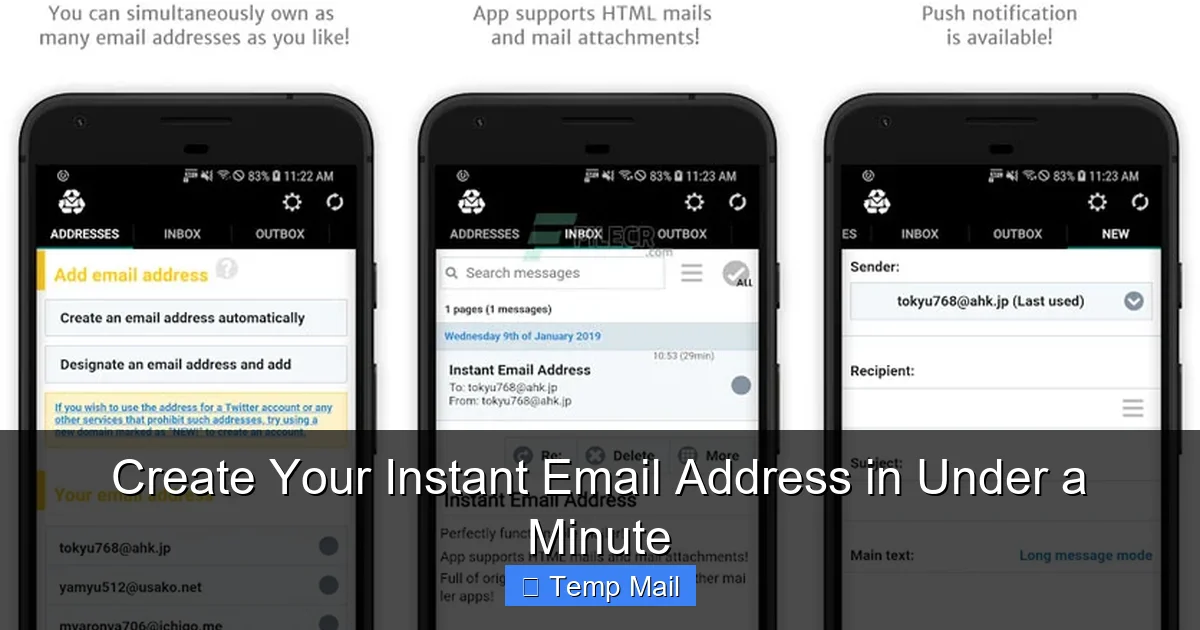
Visual guide about Create Your Instant Email Address in Under a Minute
Image source: media.imgcdn.org
The Server-Side Generation Process
When you visit a site like Temp-Mail.org or 10MinuteMail.com, their server immediately performs two actions: First, it generates a completely random string of characters (the username) and pairs it with its own domain name. Second, it creates a new, isolated database entry for this combination, linked to your unique browser session via a session cookie or a token in the URL. This entire process happens in milliseconds. You are presented with the email address and a live, updating inbox that polls the server for new messages every few seconds. No personal data is tied to this session.
The Technology Stack: Simple but Effective
These services typically use standard email server software (like Postfix or Exim) but configured to accept mail for any address at their domain without authentication—a setting called “catch-all.” They don’t need to store user accounts. The “inbox” you see is simply a filtered query: “Show me all emails received for *this specific random address* in the last hour.” The auto-deletion is a simple cron job that purges old database entries. This simplicity is why they can be offered for free at scale.
Choosing a Provider: What to Look For
Not all instant email address services are identical. Key differentiators include:
- Domain Rotation: Reputable providers offer multiple domain names (e.g., @mailinator.com, @guerrillamail.com). This prevents your single address from being easily blocked by websites.
- Inbox Lifespan: Some give you 10 minutes, others 1 hour, and a few even 24 hours. Choose based on your task. A quick verification needs only 10 minutes; a longer forum registration might need an hour.
- Browser-Based vs. Extensions: Most are pure web apps. Some offer browser extensions for quicker access, but be cautious—extensions can have more permissions.
- Ad-Supported Model: Understand that free services display ads. This is their revenue. A cluttered interface is the trade-off for a free, instant tool.
Step-by-Step: Create Your Instant Email in Under 60 Seconds
This is the core of our promise. Here is the literal, click-by-click process. We’ll use a generic example, but the steps are identical across all major providers.
Step 1: Navigate to a Provider (5 Seconds)
Open your browser. Type in the URL of a trusted temporary email service. Examples include Temp-Mail.org, 10MinuteMail.com, GuerrillaMail.com, or DropMail.me. Bookmark one for future speed. No search needed if you have it saved.
Step 2: Your Address is Ready (0 Seconds – It’s Instant)
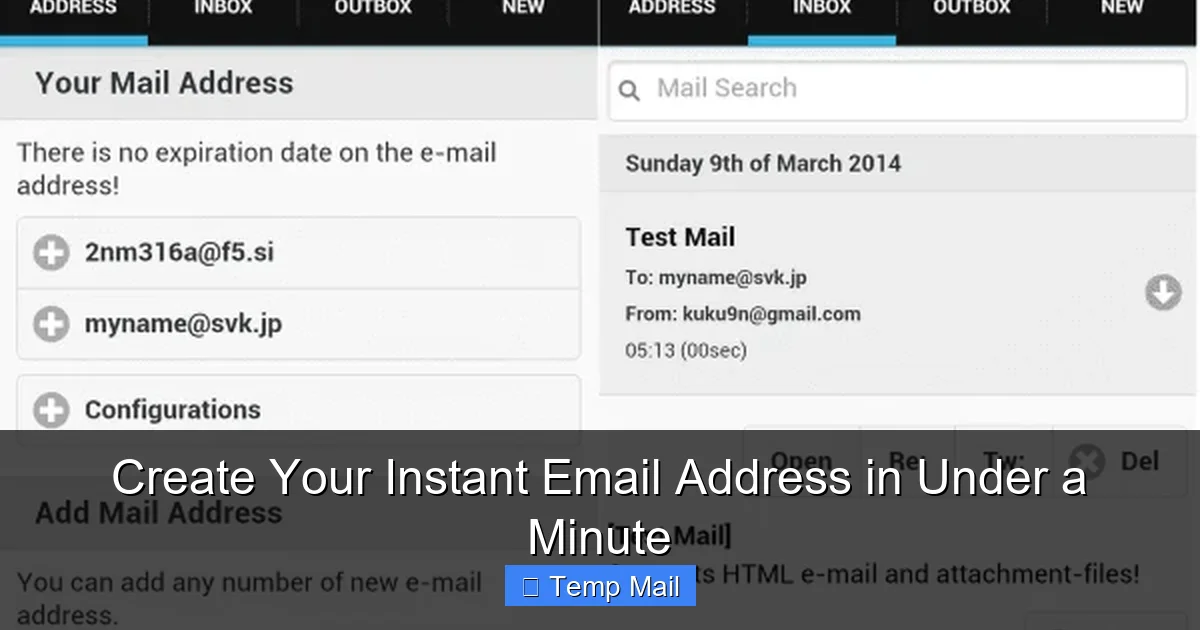
The moment the page loads, look at the top of the screen. You will see a long, garbled email address already filled in for you. Something like [email protected]. That’s yours. It’s already active and listening for mail. There is no “Create Account” button to click. It exists. This is the instant in instant email address.
Step 3: Copy and Use It (10 Seconds)
Highlight the address and copy it (Ctrl+C / Cmd+C). Navigate to the website that was asking for your email. Paste it into the sign-up or download form. Proceed with the process. If the site sends a verification email, switch back to your temp mail tab. You’ll see the email appear in the inbox list within 10-30 seconds. Click it to view the content and find the link or code you need.
Step 4: Complete Your Task and Close (15 Seconds)
Use the verification link or code. You’re done. You do not need to log out or delete anything. Simply close the browser tab. Your instant email address will expire on the server after its allotted time (check the provider’s countdown timer). Any future emails sent to that address will bounce. You have successfully protected your real inbox.
Pro-Tip: The “Refresh” Button is Your Friend
If an email doesn’t arrive immediately, don’t panic. Hit the “Refresh” or “Check Inbox” button on the temp mail site. These services sometimes have a slight delay in polling the real mail server. Wait 30 seconds, refresh, and it will almost certainly be there.
Top 5 Use Cases: When to Reach for a Disposable Inbox
Knowing how to create one is easy. Knowing when to use it is the real skill. Here are the most common and smart applications.
1. Bypassing “Email Gate” for Content or Downloads
This is the #1 use case. A blog post says “Subscribe to our newsletter to read the full article.” A software site says “Enter your email to download the trial.” A research paper is locked behind a form. Use your instant email address. You get the content or file instantly, and you never get added to a newsletter list that you’ll never read. The provider gets their “lead,” you get what you want, and your primary inbox remains pristine. It’s a fair, no-strings-attached exchange.
2. Creating Test Accounts for Apps and Services
Want to try a new project management tool, a dating app, or a streaming service without the sales team calling you? Use a disposable email to sign up for the free trial. Explore the features. When the trial ends, you simply abandon the account. The company has no way to email you about “renewing” because the address is gone. This is perfect for one-time evaluations.
3. Avoiding Spam from “Sketchy” or One-Time Vendors
You’re buying a single item from a pop-up online store you found on social media. You’re entering a contest from a brand you’ve never heard of. You’re signing a petition on a third-party site. In all these cases, the primary value of your data to them is your email address for marketing. By using a temporary one, you sever that connection immediately after the transaction. You’ll never get their “exclusive offers” or “win a cruise!” emails.
4. Registering for forums or Comment Sections
Many online forums, especially technical or gaming ones, require registration to post. You might want to ask one question or share a solution. Creating a permanent account with your real email just for this is overkill and invites forum spam. A instant email address lets you participate, get the confirmation email, and then disappear from the forum’s mailing list forever.
5. Protecting Your Identity on Public or Shared Computers
You’re at a library, a hotel business center, or a friend’s computer and need to access a site that requires email verification. Logging into your personal Gmail on a public machine is a security risk—you might forget to log out, or the machine could have keyloggers. Using a temporary email service in the browser leaves no trace on that computer (if you clear the session) and reveals zero personal information about you.
The Honest Truth: Advantages and Crucial Limitations
An instant email address is a powerful tool, but it is not a universal replacement for your primary email. Using it incorrectly can cause real problems.
Advantages: Freedom and Cleanliness
The benefits are clear:
- Unmatched Speed & Convenience: Zero setup. It just works.
- Ironclad Spam Protection: Inbox zero for your real email.
- No Data Trail: No personal info tied to the address.
- No Password Fatigue: No new password to remember or manage.
- Cost: The vast majority are completely free.
Limitations: What It CANNOT Do (Critical!)
Never use a disposable email for:
- Important Account Recovery: If you use a temp mail to sign up for Facebook, your bank, or your main cloud storage, you will be locked out forever when you need to reset your password. The recovery email will bounce.
- Any Long-Term Relationship: Work communications, school portals, subscriptions you genuinely want (like a Netflix account)—these need permanence.
- Sending Emails (Usually): Most services are receive-only. You cannot send emails from a instant email address. They are for intake, not outreach.
- Legal or Financial Documents: Any service with legal or financial implications (contracts, official government sites) requires a verifiable, permanent email address.
- High-Security Environments: Corporate SSO logins, internal company portals, or academic systems will often block known disposable email domains outright.
Security and Privacy: Are Temporary Emails Safe?
This is the most common concern. The answer is nuanced: they are safe for their intended purpose, but they come with specific risks you must understand.
The Privacy Win: Hiding From Data Harvesters
The primary privacy win is that you are not providing your primary email, which is a key identifier used to link your activity across the web. By using a random string, you break that tracking chain for that specific site. The provider of the temp mail service also generally cannot tie that random address back to you, as no login or personal info was provided. For the website you signed up for, they only have the disposable address, which becomes useless after a short time.
The Security Risks: The Inbox is Public
Here’s the critical trade-off: the inbox is not private. Because the email address is random and public, anyone who guesses or stumbles upon that exact address can view the emails in that inbox if they visit the provider’s site. There is no authentication. This is by design for convenience, but it means:
- Never receive sensitive information like password reset links for important accounts, credit card statements, or private documents.
- The content of the verification email (which might contain your name or the username you chose for the new service) is visible to anyone who checks that public inbox.
- Some providers may log IP addresses or have other minimal logs for abuse prevention, though reputable ones claim not to store them long-term.
Best Practices for Safe Usage
1. Use for One Thing Only: Assign one instant email address per website or purpose. Never reuse the same temp address across multiple sites.
2. Assume It’s Public: Treat everything in that inbox as if it’s on a billboard.
3. Check the Provider’s Policy: Look for a privacy policy. Do they claim to not log IPs? How long is data retained?
4. Use HTTPS: Ensure the provider’s site uses HTTPS (padlock icon).
5. Clear Your Browser: After you’re done, close the tab and clear your browser session/cookies to ensure no residual session data is left on your machine.
Choosing the Right Service: A Quick Comparison
With dozens of options, here’s a non-exhaustive cheat sheet based on common needs.
- For Absolute Speed & Simplicity: 10MinuteMail.com or Temp-Mail.org. The interface is dead simple, address is ready instantly, countdown timer is clear.
- For Longer Sessions (1 Hour): GuerrillaMail.com or DropMail.me. They offer a longer lifespan and sometimes a simple “extend” button if you need a few more minutes.
- For Multiple Addresses & Domains: Mailinator.com (has a public inbox feature too, be careful!) or Tempail.com. They offer a wide selection of domains you can choose from if one gets blocked.
- For Minimalist, No-Frills Experience: Dispostable.com or ThrowAwayMail.com. Very basic interfaces, often just the address and inbox.
- What to AVOID: Services that require you to solve CAPTCHAs to generate an address, or that have excessive, malicious pop-up ads. Also, avoid any service that asks for any personal information to “create” the account. The instant email must be instant and anonymous.
Conclusion: Your Digital Bouncer
An instant email address is more than just a convenience; it’s a fundamental privacy tool for the modern web. It acts as your digital bouncer, standing between the chaotic, data-hungry party of the internet and your personal, valuable inbox. The process of creating one is so simple—visit, copy, paste, forget—that it should be your default reflex for any online interaction that feels transactional, temporary, or suspicious. By understanding its strengths (speed, anonymity, spam prevention) and its absolute limitations (no security for sensitive accounts, public inboxes), you can wield this tool with confidence. So the next time a website asks for your email, pause. Ask yourself: “Is this relationship permanent?” If the answer is no, you now know exactly what to do. Open a new tab, get your instant email address in under a minute, and reclaim your digital peace.
Frequently Asked Questions
Is using an instant email address legal?
Yes, using a temporary email service is completely legal in virtually all jurisdictions. It is a standard tool for privacy protection. However, using it to commit fraud, evade legal obligations, or send malicious content is illegal, as the action itself is the crime, not the tool used.
How long does an instant email address actually last?
It varies by provider, but the standard lifespan is between 10 minutes and 1 hour from the moment the address is generated. Some services offer a “extend” button to add more time. The address and all its emails are permanently deleted from the server after this period expires or when you close the browser session, whichever comes first.
Can I send emails from a temporary address?
Almost never. The vast majority of instant email address services are receive-only. They are designed to let you *get* a verification code or link, not to *send* emails. Some advanced services may offer a limited send function, but it’s not the norm. Assume you cannot send from a disposable inbox.
What happens if I need an email from a site after my temp address expires?
You will not receive it. Once the disposable address is deleted by the provider’s server, any email sent to it will bounce back to the sender with an “unknown user” or “address not found” error. This is why you must use a temporary address only for processes you intend to complete within its short lifespan.
Are there any hidden costs or risks to using these services?
The main “cost” is viewing advertisements, which is how free providers sustain themselves. The primary risk is the public nature of the inbox—anyone can see the emails. There is also a small risk that a website you use it on will block the provider’s domain, preventing you from signing up. This is why using a service with multiple domain options is helpful.
How do I choose the best instant email service for my needs?
Prioritize services that offer a clear countdown timer, multiple domain options (in case one is blocked), a clean ad experience, and a clear privacy policy stating they do not store messages after deletion. For most users, starting with a well-known provider like Temp-Mail.org or 10MinuteMail.com is the safest and simplest bet.