A temporary email address is a disposable inbox that shields your primary email from spam, data collection, and potential breaches. You generate it instantly for any online activity where sharing your real contact info feels risky, like signing up for a forum or downloading a free ebook. It auto-deletes after a short period, making it a simple, free tool for reclaiming your digital privacy.
Key Takeaways
- Privacy Shield: A temporary email address acts as a protective barrier, preventing websites and spammers from accessing your permanent, personal email inbox.
- Spam Prevention: By using disposable email for non-essential sign-ups, you drastically reduce the amount of promotional and unsolicited emails landing in your main account.
- Anonymity & Control: It allows you to interact online without revealing your identity, giving you control over which services can contact you directly.
- Auto-Expiration: These addresses are designed to be short-lived, typically self-destructing after a few hours or days, ensuring no long-term digital footprint.
- Not for Critical Accounts: Never use a temporary email for important services like banking, primary cloud storage, or social media accounts where account recovery is essential.
- Provider Trust Matters: Choose reputable temporary email services that don’t log your activity or sell data, as you are still trusting a third party with your temporary communications.
- Part of a Larger Toolkit: For maximum privacy, combine a temporary email address with other tools like a password manager and VPN.
📑 Table of Contents
- Understanding the Temporary Email Address: Your Digital Disguise
- How Does a Temporary Email Address Actually Work?
- Practical Use Cases: When and Why to Use Disposable Email
- Choosing the Right Temporary Email Service: What to Look For
- The Important Limitations and Risks You Must Know
- Best Practices: Using Temporary Email Like a Pro
- Conclusion: Empowering Your Digital Life, One Disposable Inbox at a Time
Understanding the Temporary Email Address: Your Digital Disguise
Imagine you’re at a bustling street fair, and a vendor asks for your home address to enter you into a free raffle. You’d likely hesitate. Why? Because your home address is personal, private, and linked to your entire life. Handing it over to a stranger for a trivial prize feels risky. The same principle applies to your primary email address online. Every time you type it into a random website’s sign-up form, you’re giving a potential stranger (or a data-hungry company) the keys to your digital home. A temporary email address is your digital disguise—a simple, effective way to participate in online activities without compromising your real identity or inbox security.
This isn’t about being paranoid; it’s about being practical. The average person has dozens, if not hundreds, of online accounts. Many of these are for one-time downloads, trial services, or forums you visit once. Using your everyday email for all of them is like using your master key for every door you encounter—convenient, but incredibly dangerous if that key gets copied or lost. A disposable inbox solves this by providing a throwaway, single-use alternative that keeps your permanent email pristine and private.
What Exactly Is a Temporary Email Address?
A temporary email address is a fully functional email account that is generated on-demand by a third-party service. It looks and acts like a regular email address (e.g., [email protected]), but with crucial differences. It requires no personal information to create, no password (or a very simple one), and most importantly, it has a very short lifespan. The inbox exists for a predetermined period—often just 10 minutes to a few hours—or until you close the browser tab. After that, the address and all its messages are permanently deleted from the server, never to be seen again. It’s the digital equivalent of a burner phone, designed for anonymity and convenience.
How It Differs from Your Regular Email
Your primary email (from Gmail, Outlook, etc.) is persistent, secure, and tied to your identity. It’s the hub for password resets, important communications, and often linked to other critical accounts. A temporary email address is the opposite: impermanent, less secure by design (since anyone with the URL can access the inbox), and completely decoupled from your real self. Think of your main email as your bank vault and the temporary one as a locked box you use for a day and then throw away. You wouldn’t store your life savings in the locked box, but you might use it to securely pass a document to a colleague in a coffee shop.
How Does a Temporary Email Address Actually Work?
The magic of a temporary email address lies in its simplicity and automation. There’s no complex setup. Here’s a step-by-step breakdown of what happens when you use one.
Visual guide about How to Use a Temporary Email Address for Online Privacy
Image source: atempmail.com
Step 1: Instant Generation
You visit a website like Temp-Mail.org, 10MinuteMail.com, or Guerrilla Mail. The service instantly generates a random email address for you, often based on a random string of characters. You don’t need to register, provide a phone number, or set a password. The address and its corresponding inbox are created on the fly and assigned to your browser session via a unique URL or a cookie.
Step 2: Receiving and Viewing Emails
You copy this generated address and paste it into the website or service that requires an email. If that service sends a confirmation email or a download link, it will arrive in the temporary inbox within seconds. You refresh the temporary email service’s webpage (or the specific inbox URL you were given) to see new messages. The interface is typically very basic—just a list of received emails and a way to view their content or click links.
Step 3: Auto-Deletion and Cleanup
This is the core feature. A countdown timer is usually displayed prominently on the page, showing how much time is left before the inbox expires (e.g., 9:45 remaining). Once the timer hits zero, the server automatically purges the email address and all its contents. The address is then recycled and made available for someone else to use. If you close the browser tab before the timer ends, you can often return to the same inbox by revisiting the same URL (if it was saved) or by generating a new one, but the old one will still expire on schedule. This automatic cleanup ensures no lingering data.
Practical Use Cases: When and Why to Use Disposable Email
Knowing how it works is one thing; knowing when to use it is where true privacy power lies. A temporary email address is a specialized tool, not a universal replacement. Here are the most common and smart scenarios for its use.
Visual guide about How to Use a Temporary Email Address for Online Privacy
Image source: i.ytimg.com
1. Signing Up for Newsletters or Promotional Offers
You want that 10% off coupon from a retail site, but you know signing up for their newsletter will flood your main inbox with weekly sales pitches. Use a disposable email. You get the coupon code, and your primary email remains spam-free. This is the single most effective use case for curbing promotional email overload.
2. Downloading Gated Content (Ebooks, Whitepapers, Templates)
Many blogs and companies offer valuable free resources in exchange for your email address. Often, the follow-up is a aggressive sales sequence. A temporary email address lets you download the PDF or template without committing to a long-term marketing relationship. Just check the temporary inbox for the download link, grab the file, and let the inbox expire.
3. Accessing One-Time Services or Trials
Need to use a free online tool for a single project—a PDF converter, a graphic design editor, a file compression site? These services often require an email to start. Use a disposable address. Since you likely won’t use the service again, there’s no need for a persistent account, and you avoid being added to their user list for future marketing.
4. Registering on Forums or Commenting Sections
Want to post a comment on a news article or join a discussion on a niche forum? Many sites require an email for account creation, but the forum’s privacy policy might be non-existent. Using a temporary email address protects you from potential data leaks or spam from that specific community. It’s perfect for low-stakes, anonymous participation.
5. Testing Website or App Sign-Up Flows
If you’re a developer, QA tester, or just curious, you can use a disposable email to test how a website handles email verification, password reset flows, or welcome emails without cluttering your real inbox or creating dozens of fake permanent accounts.
6. Avoiding Data Brokers and Unwanted Tracking
Every email you provide gets sold, aggregated, and used to build a profile of your interests. By consistently using a temporary email address for non-essential interactions, you create noise in these data profiles. You make it harder for companies to connect your activity across different sites to your true identity.
Choosing the Right Temporary Email Service: What to Look For
Not all temporary email address services are created equal. While they all share the core concept of disposability, features, reliability, and privacy policies vary. Here’s what to consider when selecting a provider.
Visual guide about How to Use a Temporary Email Address for Online Privacy
Image source: bouncegeek.com
Essential Features: Lifespan and Domain Selection
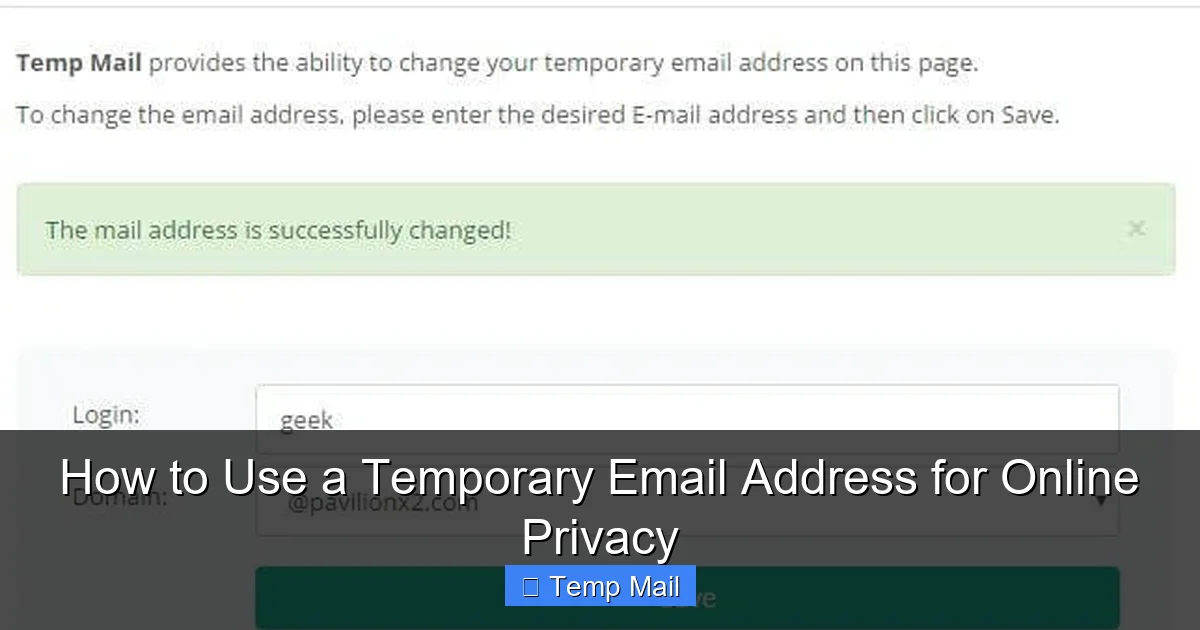
The most critical factor is the inbox lifespan. Some services offer 10 minutes (great for a quick verification code), others 1 hour, and some up to 24 hours or even a few days. Choose based on your need. If you need to receive an email that might take a few hours to arrive (like a manual review from a small company), a longer lifespan is better. Also, check if you can choose from multiple domain names (e.g., @tempmail.com, @disposable.com). This can be useful if a particular site blocks known disposable email domains.
Privacy Policy and Data Handling
This is paramount. Read the service’s privacy policy. Do they log your IP address? Do they store the content of emails on their servers after deletion? Do they sell aggregated data? The best services explicitly state they do not log activity, do not require personal info, and delete all data immediately upon expiration. Avoid services that are vague or hint at data retention.
User Interface and Reliability
A good service should be fast, clean, and ad-light (though most are ad-supported). You don’t want a cluttered page where it’s hard to find your inbox. Test a few. Does the inbox refresh automatically? Is the copy button handy? Reliability is also key—if the service is down, you won’t receive that important verification email. Look for services with a reputation for uptime.
Popular and Reputable Services
While I cannot endorse specific services, some long-standing, widely used options include Temp-Mail, 10MinuteMail (by SensorTower), Guerrilla Mail, and Maildrop. They generally offer the core features reliably. For longer lifespans (24-48 hours), services like TempMailo or DropMail are popular. Always do a quick search for recent reviews before settling on one for a sensitive task.
The Important Limitations and Risks You Must Know
A temporary email address is a powerful tool, but it’s not a magic invisibility cloak. Understanding its limitations is crucial to using it safely and effectively.
It’s Not for Account Recovery or Important Accounts
This is the golden rule. Never, ever use a disposable email for any account you need to keep long-term or that involves money, identity, or critical data. This includes:
- Banking & Financial Services: You will be locked out if you need a password reset.
- Primary Email Accounts (Gmail, Outlook, etc.): Losing access means losing access to everything linked to it.
- Social Media Profiles: Your main Facebook, Twitter, Instagram accounts.
- Cloud Storage (Dropbox, Google Drive): Your files could be lost.
- Government or Healthcare Portals.
For these, use your most secure, permanent, and well-protected primary email address.
Security and Traceability Concerns
While the website you sign up with cannot trace the temporary email back to you, the temporary email service provider itself can see the activity. A malicious or logging provider could, in theory, link the temporary address to your IP address at the time of use. This is why choosing a reputable, no-log provider is essential. Furthermore, the inbox is accessible to anyone who has the URL. If you are on a public computer or share your screen, someone could walk away with the open tab and read your temporary emails. Always close the tab when done.
Blocked by Some Services
Many popular websites (like Google, Facebook, major banks, and even some gaming platforms) actively block domains from known temporary email address services. They see it as a red flag for fraud or spam. If you try to sign up with a disposable address on these sites, you’ll likely get an error message. This is a good thing—it tells you that service values account legitimacy and that you should be using a real email there anyway.
No Long-Term Storage or Search
Once the inbox expires, everything is gone. There is no archive, no search function across old emails, and no way to retrieve a specific message from last week. If you need to keep a receipt, a confirmation, or a reference number, save it to a document or password manager immediately after receiving it.
Best Practices: Using Temporary Email Like a Pro
To get the most out of your temporary email address while staying safe, follow these practical tips and strategies.
Adopt a “Tiered” Email Strategy
Don’t just have one primary email and disposables. Create a system:
- Tier 1 (Primary): Your most secure, personal email (e.g., Gmail with 2FA). Used only for banking, primary accounts, and close friends/family.
- Tier 2 (Secondary): A dedicated email for online shopping, newsletters you actually want, and less critical but recurring services. This keeps commercial emails separate from your core life.
- Tier 3 (Disposable): The temporary email address for everything else: one-off sign-ups, random downloads, forum registrations, and any site you don’t fully trust.
This layered approach compartmentalizes your digital life and contains spam and potential breaches.
Always Check the “From” and “Reply-To” Addresses
When you receive an email in your temporary inbox, don’t just click links. Look at the sender’s actual email address. Is it from the company you signed up with, or is it a strange Gmail/Yahoo address? This is a quick phishing check. Also, check if the “Reply-To” header matches the sender. Discrepancies are a major red flag.
Use It for Link Verification, Not File Downloads (Sometimes)
It’s generally safe to click verification links that simply confirm your email (they usually just set a flag on the server). However, be cautious with download links for executable files (.exe, .dmg) or highly sensitive documents. While the temporary service itself isn’t scanning files, you are still downloading from the original website. Ensure you trust the source website before downloading anything, even to a disposable inbox.
Combine with a VPN for Enhanced Anonymity
For the highest level of privacy when using a temporary email address, connect to a reputable VPN first. This masks your real IP address from the temporary email service provider. Now, neither the website you’re signing up for nor the disposable email provider can easily link the activity back to your physical location or ISP. This creates a much stronger anonymity shield.
Know When to Abandon Ship
If you use a temporary email for a service that later becomes important to you (e.g., you start using a free project management tool regularly), immediately go into the tool’s account settings and change your email to your Tier 2 or Tier 1 address. Do this before the disposable inbox expires. Losing access to an account you’ve built content in is a frustrating mistake.
Conclusion: Empowering Your Digital Life, One Disposable Inbox at a Time
The temporary email address is more than just a spam-fighting hack; it’s a fundamental tool for digital self-defense in an era of relentless data collection. It represents a conscious choice to stop giving away your primary contact information as freely as you might hand out business cards at a networking event. By strategically using disposable inboxes for the vast majority of low-stakes, one-time, or promotional online interactions, you reclaim control. You stop the bleeding of your personal email into the data broker ecosystem. You declutter your main inbox, making it a true space for important communications. And you add a significant layer of anonymity that makes tracking your movements across the web far more difficult.
However, this power comes with a responsibility to understand its limits. It is a shield for peripheral activities, not a fortress for your core digital identity. Use it wisely, pair it with other privacy practices like strong unique passwords and two-factor authentication, and always maintain your most critical accounts under your real, secure, and well-guarded primary email. Start today: next time a website asks for your email to read an article or get a discount, pause, open a new tab to a disposable email service, and use that instead. Feel the immediate relief of protecting your privacy, one temporary address at a time.
Frequently Asked Questions
Is using a temporary email address legal?
Yes, using a temporary email address is completely legal in virtually all jurisdictions. It’s simply a service that provides a temporary communication channel. However, using it to commit fraud, bypass bans, or engage in illegal activities is, of course, illegal regardless of the email type.
Can a temporary email address be traced back to me?
It depends. The website you use the disposable address on cannot trace it back to your real identity. However, the temporary email service provider can potentially see your IP address and timestamp when you accessed the inbox. Choosing a no-log, reputable provider minimizes this risk. For maximum anonymity, use a VPN in conjunction with the disposable email.
Can I use a temporary email for password resets on important sites?
Absolutely not. This is the most critical mistake to avoid. If you forget your password for a site where you used a disposable email, you will be permanently locked out of that account. Only use your permanent, secure email for any service where account recovery is important.
Are temporary emails safe for online shopping or payments?
No. You should never use a temporary email for any transaction involving payment, shipping, or financial information. Order confirmations, shipping notifications, and payment receipts must go to a permanent, accessible email address you control. Use your Tier 2 secondary email for shopping, not a disposable one.
How long do temporary emails really last?
It varies by service. Common lifespans are 10 minutes, 1 hour, 6 hours, or 24 hours. Some services allow you to extend the time manually. Always note the countdown timer on the inbox page and act accordingly. Never assume it lasts longer than the stated time.
Do temporary email services keep logs of the emails I receive?
This is a major differentiator between services. Reputable, privacy-focused services do not store logs of inbox activity or email content after deletion. However, less scrupulous services might keep data for analysis or sale. You must read the privacy policy of your chosen provider to understand their data handling practices. When in doubt, assume the emails are not fully private from the service provider itself.