Tired of your primary inbox drowning in spam? A 10 minute mail service gives you a temporary, throwaway email address that self-destructs after a short period. This powerful tool acts as a privacy shield, allowing you to sign up for websites, download files, or access content without ever revealing your real email. By using a disposable address, you sever the link between your online activity and your personal identity, drastically reducing spam, data harvesting, and potential security risks. It’s a simple, free, and incredibly effective habit for anyone looking to take control of their digital footprint.
Key Takeaways
- Disposable Defense: 10 minute mail provides a temporary email address that expires, creating a vital barrier between your real identity and low-trust online interactions.
- Spam Annihilation: By using a disposable address for sign-ups and downloads, you keep promotional and malicious emails out of your permanent inbox forever.
- Data Minimization: You actively reduce the amount of personal data (your primary email) scattered across the web, limiting exposure in data breaches.
- Zero Commitment: Access gated content or verify accounts instantly with no long-term obligation, no password to remember, and no cleanup required.
- Not for Everything: Never use 10 minute mail for critical accounts (banking, primary social media, job portals) where you need reliable, long-term access and recovery.
- Tool, Not a Shield: While it enhances privacy, it does not make you anonymous online; other tracking methods like IP addresses and cookies still exist.
- Choose Wisely: Opt for reputable temporary mail services that don’t log your activity and offer a clean, ad-light interface for the best experience.
📑 Table of Contents
- Your Inbox’s New Best Friend: An Introduction to Disposable Email
- What Exactly is a 10 Minute Mail? The Mechanics of Disposability
- The Privacy Powerhouse: How 10 Minute Mail Shields Your Identity
- When to Pull the Trigger: Perfect Use Cases for Disposable Email
- The Critical Limitations: What 10 Minute Mail CAN’T Do
- Mastering the Tool: Best Practices for Safe & Effective Use
- The Bigger Picture: Disposable Email as a Pillar of Digital Hygiene
- Conclusion: Embrace the Ephemeral for Lasting Privacy
Your Inbox’s New Best Friend: An Introduction to Disposable Email
Let’s have a real talk about your email inbox. That sacred space is supposed to be for messages from friends, family, and maybe a few important newsletters you actually want. But for most of us, it’s a warzone. It’s overflowing with promotions from a store you bought from once three years ago, “exclusive” offers you never asked for, and the occasional phishing attempt that makes your heart skip a beat. Why does this happen? Because everywhere you go online, websites big and small beg for your email address. “Enter your email to read this article!” “Sign up with email to download this PDF!” “We’ll send you a discount code!”
We’ve been conditioned to give out our primary email like it’s a loyalty card, but every single submission is a data point sold, shared, or leaked. What if you could say “yes” to all those prompts without ever giving away the keys to your digital kingdom? Enter the world of 10 minute mail—a brilliantly simple concept that is a cornerstone of modern digital hygiene. This isn’t some complicated tech hack; it’s a free, instant service that hands you a temporary email address, lets you use it, and then makes it vanish into the digital ether. In this deep dive, we’ll explore exactly how this tool supercharges your online privacy, when to use it, and how to make it a seamless part of your daily browsing.
What Exactly is a 10 Minute Mail? The Mechanics of Disposability
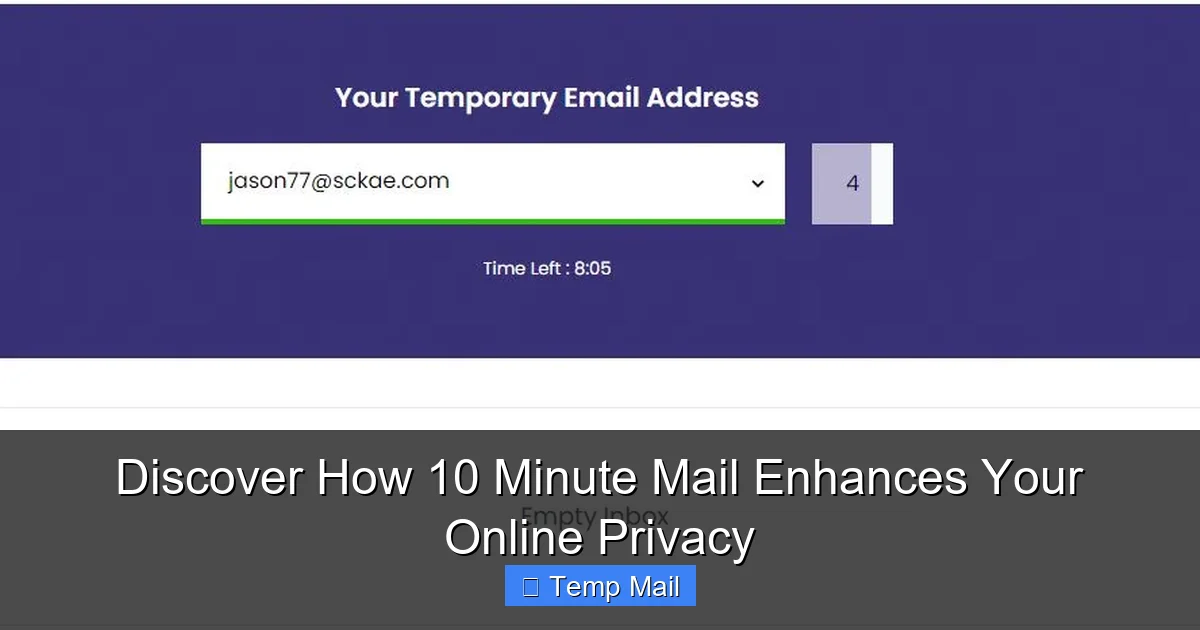
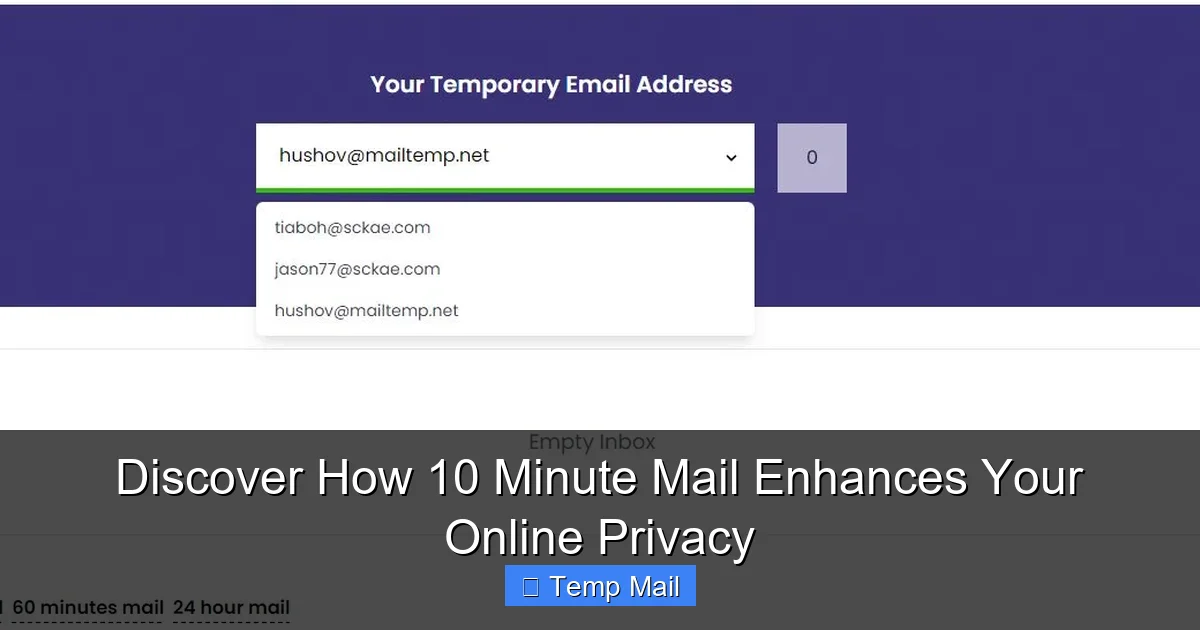
At its core, a 10 minute mail service is a platform that generates a random, working email address for you on the spot. The name comes from the typical lifespan of these addresses—often around 10 to 60 minutes—though some services offer longer durations. You don’t need to create an account, set a password, or provide any personal information to get one. You simply visit the website, and a new address is automatically assigned to you, complete with an inbox that’s already active and waiting.
Visual guide about Discover How 10 Minute Mail Enhances Your Online Privacy
Image source: filepicker.io
The Lifecycle of a Disposable Email
Think of it like a burner phone, but for email. Here’s the typical lifecycle:
- Generation: You land on a service like Temp-Mail, Guerrilla Mail, or 10MinuteMail. The system instantly creates a unique address (e.g., [email protected]) and shows it to you along with a countdown timer.
- Usage: You copy that address and paste it into the website that’s requesting it. If you need to verify an account, you switch back to the 10 minute mail tab and hit “refresh” to see if a verification email has arrived. It usually does within seconds.
- Receiving: The service’s system intercepts all emails sent to that disposable address and displays them in a simple web-based inbox. You can open attachments (though caution is advised) and click links.
- Destruction: Once the timer hits zero, the email address is permanently deleted from the service’s servers. The inbox is wiped. All emails are gone. That address is now dead and will never be reused. If someone tries to email it later, it simply won’t exist.
This entire process is automated, requires zero maintenance from you, and leaves no trace behind on your permanent devices.
The Privacy Powerhouse: How 10 Minute Mail Shields Your Identity
Now, let’s get to the heart of the matter: privacy. Using a temporary email isn’t just about avoiding clutter; it’s a proactive security and privacy strategy. Here’s how it fundamentally changes your online relationship with data-hungry companies.
Visual guide about Discover How 10 Minute Mail Enhances Your Online Privacy
Image source: 10-minutemail.com
1. Slashing Spam at the Source
Spam isn’t just annoying; it’s a vector for malware and phishing scams. The primary way your primary email gets on spam lists is through data sharing and breaches. When you use your real email to sign up for a sketchy forum, that forum might sell its user list. If that forum gets hacked, your email is in the breach database. By using a 10 minute mail for that forum, you ensure that any future spam sent to that disposable address simply vanishes when the address expires. Your permanent inbox remains pristine because you never gave the source a valid, long-term way to contact you.
2. Achieving True Data Minimization
Privacy experts constantly talk about “data minimization”—only giving out the absolute minimum information necessary. Your email address is a master key. It’s often the username for dozens of accounts, a recovery tool for passwords, and a unique identifier that links your activity across platforms. By using a disposable address for non-essential services, you practice radical data minimization. You are actively choosing not to create a persistent digital record tied to your identity for that particular action. Fewer data points about you in the wild mean a smaller attack surface for identity thieves and a thinner profile for data brokers to sell.
3. Dodging the “Account Linking” Web
Many “free” services aren’t free; you pay with your data. They use your email to track your behavior across the web, build a profile, and serve targeted ads. If you use different disposable emails for different types of sites (e.g., one for gaming forums, another for recipe blogs), you fracture that tracking profile. It becomes much harder for an advertiser or data aggregator to confidently say that “user@tempmail123” and “user@tempmail456” are the same person accessing their services. You introduce noise into the surveillance economy.
4. Bypassing “Email Gating” Without Commitment
How many times have you abandoned reading an article or skipped downloading a useful template because it demanded an email? A 10 minute mail eliminates this friction. You can access the content you want, get the file you need, and walk away with zero commitment. The website gets its “lead,” you get what you wanted, and you never hear from them again. It’s a win-win that respects your time and attention.
When to Pull the Trigger: Perfect Use Cases for Disposable Email
Knowing when to use a temporary address is as important as knowing how. Here are the prime scenarios where a 10 minute mail is not just helpful, but a best practice.
Visual guide about Discover How 10 Minute Mail Enhances Your Online Privacy
Image source: 10-minutemail.com
Signing Up for “Gated” Content or Downloads
This is the #1 use case. E-books, whitepapers, webinars, software trials, and stock photo downloads often require an email. Use your disposable address. You get the resource immediately, and the company’s drip-feed marketing campaign has nowhere to go.
Registering on New or Low-Trust Websites & Forums
Are you trying out a new social platform, joining a niche hobby forum, or creating an account on a site you’ve never heard of? Start with a temporary email. If the site proves valuable and you decide to stay long-term, you can often change the email associated with your account later to your primary address. This initial buffer protects you if the site turns out to be spammy or has poor security.
One-Time Verification for Apps or Services
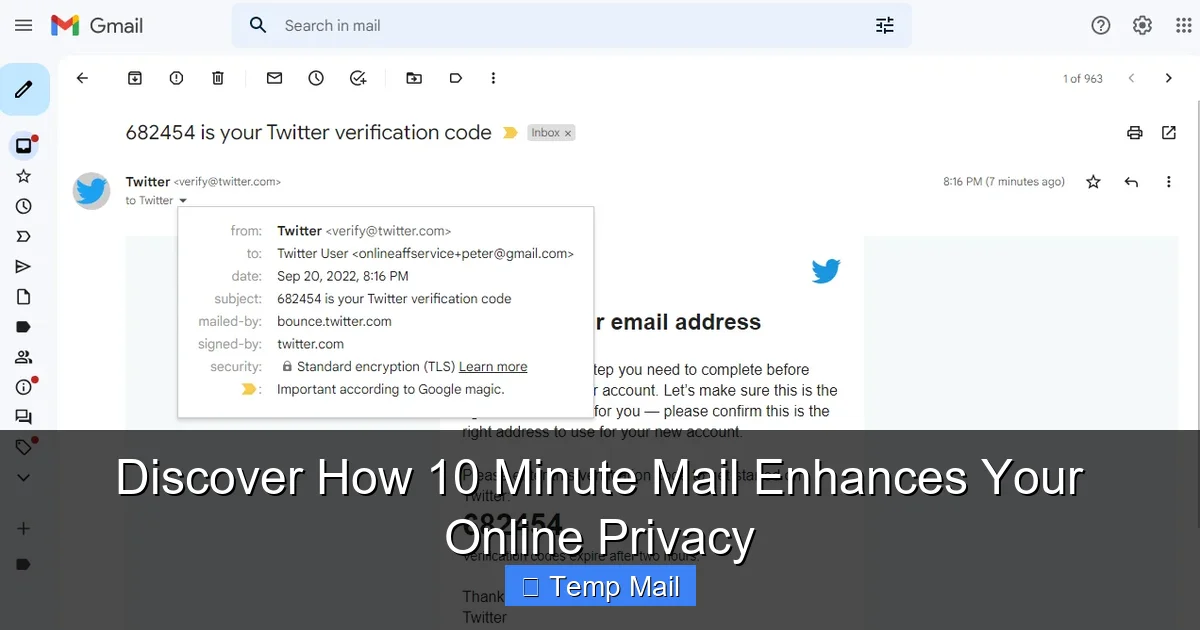
Some apps, especially those offering a free trial, require email verification to unlock full features. Use the disposable address, verify, use the trial, and forget about it. No risk of being auto-enrolled in a paid subscription you forgot to cancel, because they can’t email you a renewal notice.
Creating Test Accounts for Developers or QA
If you’re a developer, tester, or just someone setting up a complex system that requires multiple test accounts, disposable emails are a lifesaver. You can script account creation without managing a fleet of real email inboxes.
Protecting Your Identity on Public or Shared Computers
Using a library or hotel computer? Never enter your primary email credentials. Use a 10 minute mail for any required sign-ups, and ensure you close the browser tab completely afterwards. This prevents session hijacking or keyloggers from capturing your permanent credentials.
The Critical Limitations: What 10 Minute Mail CAN’T Do
It’s crucial to understand the boundaries of this tool. A 10 minute mail is a privacy scalpel, not a privacy cloak. Using it incorrectly can backfire.
Never for Essential, Long-Term Accounts
This is the golden rule. Do not use a disposable email for:
- Financial accounts: Banking, PayPal, investment platforms.
- Primary communication: Your main email provider (Gmail, Outlook), professional email.
- Critical social media: Facebook, Instagram, LinkedIn (account recovery is impossible).
- Government/Legal: Tax services, official portals, any service with legal ramifications.
- Job applications & professional networking: Recruiters and HR systems need to be able to reach you reliably.
If you lose access to the email, you lose access to the account, often forever. There is no “forgot password” recovery.
It Doesn’t Make You Anonymous Online
Using a temporary email only anonymizes one data point: your email address. Your IP address (visible to the websites you visit), browser fingerprint, cookies, and any information you voluntarily type into forms are still being collected. Think of it as hiding your name tag, but not wearing a disguise. For true anonymity, you’d need a VPN and Tor browser, but that’s a different level of complexity.
Potential for Abuse and Blacklisting
Because disposable emails are frequently used for spam and fraud, some websites actively block known temporary email domains. You might find that a particular site simply won’t accept an address from a popular 10 minute mail service. This is a trade-off you accept. Additionally, if you use a disposable address to send malicious emails (which you shouldn’t!), the entire domain could get blacklisted, affecting other innocent users.
Attachment and Link Dangers
While most services allow you to view received emails, be extremely cautious with attachments and links. A malicious file could contain a virus. A link could lead to a phishing site designed to steal credentials you might enter (thinking it’s the site you were signing up for). Always scan attachments with a local antivirus and hover over links to check the true URL before clicking.
Mastering the Tool: Best Practices for Safe & Effective Use
To integrate 10 minute mail seamlessly and safely into your routine, follow these pro tips.
Choose a Reputable Service
Not all temporary mail providers are created equal. Look for services that:
- Have a clean, straightforward interface without overwhelming, malicious ads.
- Clearly state they do not log or store your emails after deletion.
- Offer a reasonable lifespan (10-60 minutes is standard; some offer 1 day).
- Allow you to manually delete the inbox before the timer expires if you’re done.
- Don’t require you to solve a barrage of CAPTCHAs just to get an address.
Popular, long-standing options like Temp-Mail, Guerrilla Mail, and 10MinuteMail are generally reliable starting points.
Maintain a Mental (or Physical) Separation
Develop a habit. When you see an email gate, your first thought should be: “Is this a disposable email situation?” If yes, open a new tab, grab a temp address, and proceed. Never default to your primary email out of convenience. Some users even keep a specific 10 minute mail tab permanently open in their browser for quick access.
Use Browser Extensions for Power Users
For those who use this tool frequently, browser extensions can automate the process. Extensions like “Temp Mail” can generate a disposable address with one click and auto-fill it into web forms, streamlining the workflow significantly.
Clear Your Browser Data After Sensitive Sessions
If you used a public or shared computer, close the 10 minute mail tab and then clear your browser’s recent history, cookies, and cache. This ensures no session data remains.
Know When to Abandon Ship
If a website is asking for a phone number after you’ve provided a disposable email, that’s a major red flag. Legitimate services rarely have such high barriers for basic access. It’s often a sign they are trying to collect more persistent data. In this case, it’s usually best to abandon the sign-up entirely. Your desire for the content isn’t worth the potential privacy invasion.
The Bigger Picture: Disposable Email as a Pillar of Digital Hygiene
Using a 10 minute mail is more than a neat trick; it’s a conscious vote for a less cluttered, more private digital life. It’s one of the easiest, most impactful habits you can adopt. Combined with other practices—using a password manager, enabling two-factor authentication, being wary of public Wi-Fi, and regularly auditing app permissions—it forms a robust personal security strategy. You start to see your primary email address not as a universal key, but as a valuable asset to be guarded and only used for entities you trust implicitly. You reclaim your inbox, reduce your attack surface, and send a message to data-hungry companies that you won’t be a passive source of their revenue without consent.
The power is in the simplicity. No installation, no cost, no complex setup. Just a cleaner inbox and greater peace of mind. So the next time you’re about to hand over your email for a “free” ebook or to peek at an article, pause. Open a 10 minute mail instead. Experience the freedom of a disposable identity, and never look back at a spam-filled inbox with resignation again.
Conclusion: Embrace the Ephemeral for Lasting Privacy
In an online world designed to collect, track, and monetize every click, taking back control starts with small, deliberate actions. The 10 minute mail is a perfect embodiment of this philosophy. It leverages the power of ephemerality—the idea that not everything needs a permanent record—to protect your permanent identity. By understanding its mechanics, respecting its limitations, and applying it strategically to the countless low-stakes interactions that populate our digital days, you build an invisible fortress around your most personal information. You stop feeding the data brokers, you starve the spam machines, and you simplify your online existence. It’s a zero-cost, high-reward tool that belongs in every privacy-conscious internet user’s toolkit. Start using it today, and discover how a little disposability can lead to a lot more security and sanity.
Frequently Asked Questions
Is using a 10 minute mail legal and safe?
Yes, using a temporary email service is completely legal and safe for both the sender and receiver, provided it’s not used for illegal activities like fraud or sending threats. The safety largely depends on the service you choose; reputable providers do not log your activity. However, you should never use it for sensitive transactions or to send confidential information, as the inbox is not secure or private from the service provider itself.
What happens to the emails I receive? Are they really deleted?
Emails received by a 10 minute mail address are stored temporarily on the service’s servers so you can view them in your web-based inbox. Once the address expires (after the timer runs out) or you manually delete it, all associated emails and the address itself are permanently purged from the system and are unrecoverable. They are not forwarded or stored long-term.
Can I use a 10 minute mail for important account recovery?
Absolutely not. This is the most critical limitation. If you use a disposable email for an account and then forget your password, you will be unable to recover the account because the recovery email no longer exists. Always use a permanent, secure email address for any account where you need long-term access, financial information, or official communications.
Why do some websites block temporary email domains?
Websites block known disposable email domains to prevent spam, fake account creation, and abuse of their free trials or resources. Since 10 minute mail addresses are often used to create throwaway, fraudulent, or spammy accounts, sites implement these blocks to maintain data quality, reduce server abuse, and ensure their services are used by genuine users.
How is a 10 minute mail different from a regular email alias or forwarding service?
A 10 minute mail is truly temporary and requires no setup or account. An alias or forwarding service (like SimpleLogin or AnonAddy) creates a permanent, unique forwarding address that you own and control. You can manage it, send from it, and it will forward emails to your real inbox indefinitely. It offers more control and longevity but requires initial setup, whereas a 10 minute mail is instant, anonymous, and short-lived.
Can I send emails from a 10 minute mail address?
Most basic 10 minute mail services are receive-only; they are designed for you to get a verification code or download link, not to send emails. Some advanced services may offer limited sending capabilities, but this is rare and often restricted to prevent abuse. You should always assume a disposable address is for receiving only.