Using a temporary email is a smart, privacy-focused strategy to claim sign-up bonuses without cluttering your primary inbox or risking your personal data. This guide explains exactly how disposable email services work, provides a foolproof step-by-step process for bonus redemption, and critically examines the potential risks and ethical considerations. Mastering this technique allows you to safely access free trials, welcome offers, and promotional credits from countless websites while maintaining control over your digital footprint.
You’ve found it. That amazing new streaming service promising a 30-day free trial. The online casino offering 50 free spins just for signing up. The forex trading platform handing out a $50 no-deposit bonus. The temptation is real. But then you hesitate. You think about the inevitable spam. The way your primary inbox becomes a wasteland of “special offers” and “last chance” reminders from a company you tried once. What if there was a way to get the bonus, get the code, and never hear from them again? Enter the world of the temporary email. This isn’t some shady hack; it’s a legitimate privacy tool used by millions. In this complete guide, we’ll walk through exactly how to use a temporary email to claim sign-up bonuses safely, effectively, and ethically.
Key Takeaways
- Privacy Shield: A temporary email acts as a protective barrier, preventing companies from obtaining your real email address and linking it to your bonus activity.
- Spam Prevention: By using a disposable address for sign-ups, you effectively route all subsequent marketing emails and newsletters to an inbox that self-destructs, keeping your primary inbox clean.
- Inherent Temporariness: All temporary emails have a short lifespan (usually 10 minutes to a few days). You must complete the sign-up and bonus claim process within this window before the address deactivates.
- Service Violation Risk: Many websites’ Terms of Service explicitly prohibit disposable emails. Using one can lead to immediate account suspension and forfeiture of any unclaimed bonus.
- Security is Not Guaranteed: While good for privacy, some free temp mail services may not use encryption. Never use them for sensitive transactions like banking or password resets on critical accounts.
- Strategic Selection: Not all temp mail services are equal. Choose providers with reliable inbox refreshing, no captcha walls, and a clear display of incoming emails to ensure you receive your bonus confirmation.
- Ethical Awareness: Consider whether the bonus offer has genuine value. Using a temp email to exploit free trials with no intent to convert may be against the spirit, if not the letter, of the offer.
📑 Table of Contents
- What is Temporary Email and How Does It Work?
- Why Use Temporary Email for Sign-Up Bonuses?
- Step-by-Step: Claiming Your Bonus with Temp Mail
- The Dark Side: Risks and How to Mitigate Them
- Pro Tips: Mastering the Art of Temporary Email Usage
- Alternatives to Temporary Email for Bonus Hunting
- Conclusion: Smart Privacy, Not Shady Tactics
What is Temporary Email and How Does It Work?
Before we dive into claiming bonuses, let’s demystify the tool itself. A temporary email, also called disposable or throwaway email, is a service that provides you with a random, fully functional email address for a limited time. You don’t need to register, provide a password, or link it to any of your real accounts.
The Technology Behind Disposable Emails
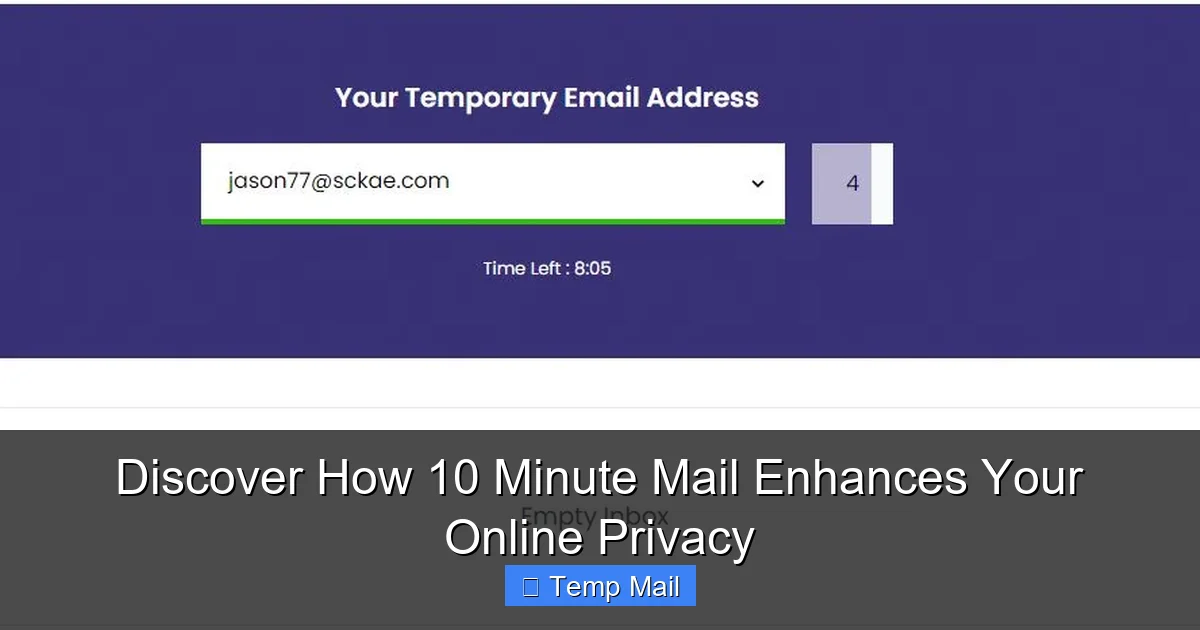
These services work by having a pool of pre-generated email addresses. When you visit a site like Temp-Mail.org, Guerrilla Mail, or 10MinuteMail, their system assigns you one of these addresses from the pool. The address is now “live” on their server. Any emails sent to that address are routed to their servers and displayed in a public inbox associated with that address—an inbox you can see simply by staying on their webpage. The address and its inbox are active for a preset period (10 minutes, 1 hour, 1 day) or until you close your browser session, after which the address is recycled back into the pool for someone else to use. There’s no long-term storage, no password protection, and no connection to your identity.
Common Features of Temp Mail Services
While designs vary, most reputable temporary email services share core features. They generate a random address for you instantly. They have a clean, simple interface showing your current address and a list of received emails. They often include a “refresh” button to manually check for new mail. Some offer browser extensions or mobile apps. Advanced features might include multiple address generation, domain selection (e.g., @tempmail.com vs. @tmpmail.org), and the ability to extend the inbox lifetime. For our purpose of claiming bonuses, the key features are reliability (emails must arrive), a clear display of sender and subject, and a sufficient lifespan to complete the sign-up process.
Why Use Temporary Email for Sign-Up Bonuses?
Now, the core question. Why go through this extra step? The reasons boil down to three powerful benefits: privacy, inbox hygiene, and access.
Visual guide about How to Claim Sign Up Bonuses Using Temporary Email
Image source: moneyminority.com
The Privacy Advantage
When you sign up for a bonus with your primary Gmail or Outlook address, you are giving that company a direct, permanent line to one of your most personal digital assets. They can sell that data to advertisers, add you to endless mailing lists, and create a profile of your interests based on the bonuses you claim. A temporary email severs this link. The company only has a disposable address that will vanish. They cannot build a dossier on “you” because “you” at that address don’t exist beyond a few hours. This is your first line of defense against data harvesting and profiling.
Dodging the Spam Bullet
Let’s be honest: the primary reason most of us dread signing up for bonuses is the spam. That “welcome” email is rarely the last. It’s the first shot in a barrage of promotional blasts. Using a temporary email is like giving out a P.O. box that auto-shreds its contents after a week. The bonus confirmation email arrives, you copy the code, redeem it, and then the address dies. The spam never reaches your primary inbox. Your important emails from family, work, and real subscriptions remain pristine. It’s a simple, highly effective filter.
Bypassing Geographic Restrictions
This is a more nuanced but valuable point. Some sign-up bonuses, especially in the worlds of online gaming, betting, or streaming services, are geo-restricted. They’re only offered to users with an IP address from a specific country. While a temporary email doesn’t change your IP, it is often a necessary companion to a VPN or proxy service. Some sites will block known disposable email domains. By using a less common or “premium” temp mail provider that isn’t on common blocklists, you can sometimes skirt this initial barrier, especially when combined with a VPN to make your location appear correct. It’s not a guaranteed fix, but it’s a useful tool in the toolbox.
Step-by-Step: Claiming Your Bonus with Temp Mail
Alright, theory is over. Let’s get practical. Here is your exact, repeatable process for claiming any sign-up bonus using a temporary email.
Visual guide about How to Claim Sign Up Bonuses Using Temporary Email
Image source: i1.creditdonkey.com
Step 1: Choose and Prepare Your Temporary Email
Do this before you visit the bonus offer site. Open a new browser tab and go to a trusted temporary email provider. I recommend starting with sites like Temp-Mail.org, 10MinuteMail, or Maildrop. These are established, reliable, and have clean interfaces. Once the page loads, your new email address will be displayed prominently. Copy it to your clipboard. Important: Keep this tab open and do not close it! This is your inbox. You will need to refresh it to see incoming emails.
Step 2: Navigate to the Bonus Offer and Sign Up
In a separate browser tab, go to the website offering the sign-up bonus (e.g., a casino, trading platform, or SaaS tool). Find the registration page. In the email field, paste the temporary email address you copied. Fill in any other required details (username, password, country). For country, if you’re using a VPN, select the country that matches your VPN’s location to avoid a later verification mismatch. Complete the CAPTCHA if present and submit the registration form.
Step 3: Locate the Confirmation/Bonus Email
Almost immediately, switch back to your temporary email tab. Hit the refresh button. You should see an email from the website you just signed up for. The subject line often contains words like “Welcome,” “Confirm,” “Verify,” or “Bonus.” Click on it to open the email. Inside, you will typically find a link to verify your account and/or a unique bonus code (e.g., WELCOME50).
- For a bonus code: Simply copy the alphanumeric code and navigate to the bonus or cashier section of the website to enter it.
- For a verification link: Click the link. It will usually open a new tab confirming your account is active and the bonus is credited. Sometimes the bonus is automatic upon verification.
Critical Tip: Complete this entire step within the lifespan of your temporary email. If the email arrives with only 2 minutes left on the clock, you must act fast. Copy that code immediately.
Step 4: Redeem and Log In with Your Permanent Email (Optional but Wise)
Once you have the bonus credited or the code applied, your immediate goal is achieved. However, for ongoing use of the service (if you plan to use it beyond the bonus), you should now go into your account settings and change your email address from the temporary email to your real, permanent email address. This ensures you can recover your account, receive legitimate updates, and maintain access long-term. Do this after the bonus is secure. Some sites may require re-verification with the new email.
The Dark Side: Risks and How to Mitigate Them
Using a temporary email is powerful, but it’s not without pitfalls. A savvy user knows the risks and how to avoid them.
Visual guide about How to Claim Sign Up Bonuses Using Temporary Email
Image source: coinwire.com
When Sites Ban Disposable Emails
This is the most common failure point. Many companies, especially in finance, crypto, and established e-commerce, maintain dynamic blocklists of known temporary email domains. If you try to sign up with an address from `throwaway.email`, the site’s system may reject it instantly or silently discard your registration. Mitigation: Use a less common provider. Services that allow you to choose from multiple domains (like `@tmpmail.org` or `@tmpmail.net`) are often more effective than the most popular ones. If one domain is blocked, try another from the same service. A quick Google search for “list of disposable email domains” can show you which ones are most commonly blocked.
Security Concerns and How to Stay Safe
The free temporary email model has a trade-off: convenience vs. security. The inbox is public. Anyone who stumbles upon the same random address while it’s active could, in theory, see your emails. Furthermore, the connection to the temp mail site may not be as rigorously secured as your Gmail. Mitigation: Never, under any circumstances, use a temporary email for:
- Password resets on important accounts (bank, main email, social media).
- Any transaction involving real money deposits or sensitive financial data.
- Communications containing personal identification numbers, scans of IDs, etc.
- Stick to its intended purpose: low-stakes sign-ups for bonuses and free trials.
The Ethical Consideration
This is a gray area. Companies offer sign-up bonuses as a customer acquisition cost. They expect a certain conversion rate—some users will become paying customers. Using a temporary email to claim a bonus with zero intention of ever engaging with the service beyond the freebie is, at best, ethically questionable. It’s exploiting the offer’s generosity. Mitigation: Use this technique for services you are genuinely curious about and might consider using long-term. If you claim a bonus from a poker site with a $50 free chip, have the intention of playing a few hands. If you take a 14-day trial of a project management tool, actually try to use it. This keeps you on the right side of the offer’s spirit. For one-time, no-strings-attached credits (like a $5 sign-up bonus from a payment app), the ethical line is much blurrier, as the cost to the company is minimal.
Pro Tips: Mastering the Art of Temporary Email Usage
Now that you know the how and why, let’s level up your game with expert strategies.
Managing Multiple Bonuses Efficiently
If you’re a serious bonus hunter, you’ll be juggling multiple offers. Do not try to use a single temporary email for everything. Its inbox will become chaotic, and you might miss a crucial verification email. Instead, adopt a systematic approach. Open one tab for each bonus you are actively pursuing. Generate a new temp address for each site. Label your browser tabs clearly (e.g., “Casino A – Bonus,” “Streaming Service B – Trial”). This prevents cross-contamination and ensures you don’t accidentally use the wrong code on the wrong site.
Knowing When to Switch to a Permanent Email
The moment of truth comes when the bonus is in your account. As mentioned in the step-by-step guide, your next move should be to change the email on the account to your permanent one. But when should you do this? The safest time is after you have met any initial requirements (like entering a bonus code) and the bonus is visibly credited. For some casino no-deposit bonuses, you might need to contact support to have the funds released. Wait until that process is complete. Then, immediately update your contact email. This secures your account for the long haul. If you forget and the temporary email dies, you could be locked out of an account with a significant balance.
Alternatives to Temporary Email for Bonus Hunting
The temporary email is the sledgehammer of the bonus hunter’s toolkit. But sometimes, you need a scalpel. Here are two refined alternatives.
Dedicated Bonus Email Accounts
This is the classic, low-tech method. Create a new email address with a free provider (Gmail, Outlook) specifically for all your sign-up bonuses and free trials. Use this address exclusively for that purpose. The benefit over a temporary email is permanence and reliability. You won’t have an address die mid-process. The downside is that this dedicated inbox will still fill with spam, requiring occasional manual cleanup. It also creates a single point of failure—if that account is ever compromised or you forget the password, you lose access to all services tied to it.
Email Aliasing Services
This is the modern, sophisticated solution. Services like SimpleLogin, AnonAddy, or DuckDuckGo’s Email Protection allow you to create unlimited unique email aliases that forward to your real inbox. For example, you could create `[email protected]`. All mail sent there gets forwarded to `[email protected]`, and you can send replies from the alias. You can disable or delete the alias at any time, instantly stopping all future mail from that sender. This offers the privacy and spam-stopping power of a temporary email but with the reliability and forwarding convenience of a permanent address. It’s an excellent paid or freemium alternative for serious users.
Conclusion: Smart Privacy, Not Shady Tactics
Claiming sign-up bonuses with a temporary email is a powerful application of a simple privacy tool. It empowers you to navigate the digital marketplace without sacrificing your inbox peace or personal data. The process is straightforward: get a temp address, sign up, grab the code, and then secure your account with a real email. However, this power comes with responsibility. You must be aware of the risks—account bans, security limitations, and ethical lines. By choosing reliable providers, acting quickly within the email’s lifespan, and switching to a permanent email post-redemption, you can enjoy the vast majority of welcome offers and free trials safely. Think of the temporary email not as a tool for deception, but as a shield for your primary digital identity. Use it wisely, respect the intent behind the offers, and you’ll unlock a world of bonuses with a clean conscience and an empty spam folder.
Frequently Asked Questions
Is using a temporary email for sign-up bonuses legal?
Yes, using a temporary email is perfectly legal. The act of creating and using a disposable email address is not against any laws. However, it may violate the specific Terms of Service of the website you are signing up for, which could result in the suspension of your account and forfeiture of the bonus.
Are temporary email services safe and secure?
For the specific purpose of receiving a bonus confirmation email, they are generally safe. However, they are not secure for sensitive information. The inboxes are often not password-protected and may lack HTTPS encryption on some free sites. Never use a temporary email for password resets, banking, or any communication containing personal identification numbers.
How long does a temporary email last?
It varies by provider. Lifespans can range from 10 minutes (10MinuteMail) to 1 hour, 1 day, or until you close your browser tab. Always check the countdown timer on your chosen service. You must complete the sign-up and bonus claim before the address and its inbox expire and are permanently deleted.
What happens if a website detects I’m using a disposable email?
The most common outcome is that your registration will be blocked. You may see an error message saying the email domain is invalid. Alternatively, the site may accept the registration but later, during verification or withdrawal, flag the account and freeze it, confiscating any bonus winnings. Always have a backup plan, like a different temp mail domain or a dedicated permanent email.
Can I use the same temporary email for multiple bonus offers?
Technically yes, but it’s a bad practice. Using one temp address for multiple sites means all those companies’ emails go into the same public inbox. This creates confusion, increases the chance you’ll miss a crucial email, and links all those accounts together in the eyes of the temp mail provider’s logs (though they typically don’t keep them). A new, unique temp address for each offer is the cleanest method.
What is the best alternative to a temporary email for claiming bonuses?
The best balance of privacy, reliability, and spam control is an email aliasing service like SimpleLogin or AnonAddy. These create unique, forwardable email addresses that you can disable at will. For a simpler, free method, creating a dedicated, separate email account (e.g., a new Gmail) solely for bonuses is a reliable, if less elegant, alternative that avoids the lifespan problem of true disposable email.