Using a temporary email for Instagram is a powerful, simple way to boost your online privacy. It lets you sign up or interact without handing over your real email address, effectively creating a shield against spam, data harvesting, and unwanted tracking. This guide shows you exactly how, when, and why to use temp mail for Instagram safely and effectively.
Let’s be honest: our digital lives are messy. Every new app, website, or online service asks for an email address. That email becomes a key that unlocks not just that service, but a gateway into your broader digital footprint. For a platform as pervasive as Instagram—a place where we share snippets of our lives, interests, and connections—the email you use matters more than you might think. What if you could create a Instagram account, or interact with its features, without ever exposing your primary, personal email? Enter the world of temporary email, or “temp mail,” a deceptively simple tool that offers a significant leap in privacy. This isn’t about being shady; it’s about being smart, intentional, and in control of your data. In this ultimate guide, we’ll unpack everything you need to know about using temp mail for Instagram, from the “how” and “why” to the crucial “what to watch out for.”
Key Takeaways
- Anonymity Shield: A temp mail for Instagram sign-up decouples your real identity from your social media activity, making it harder for platforms and data brokers to build a complete profile on you.
- Spam & Marketing Barrier: Your primary inbox stays clean. Any promotional emails or data breach notifications from Instagram go to the disposable address, which you can simply discard.
- Security Enhancement: It reduces the “attack surface” by ensuring your personal email isn’t publicly associated with your Instagram account in case of a platform-wide breach.
- Not for Everything: Temp mail is ideal for initial sign-up, contest entries, or testing, but you should never use it for account recovery, as you will lose access to the account if you need to reset your password.
- Provider Choice Matters: Use reputable temp mail services that don’t require sign-up and have clear privacy policies. Avoid services that ask for personal details to generate an email.
- Instagram’s Stance: While Instagram doesn’t officially forbid temp mail, their automated systems may flag or block some disposable email domains to combat spam. Be prepared for potential verification hurdles.
- Best Practice is Layered Privacy: Temp mail is one tool. Combine it with a strong, unique password, two-factor authentication (using an authenticator app, not SMS), and a dedicated VPN for maximum Instagram privacy.
📑 Table of Contents
- What Exactly is Temp Mail? The Disposable Email Primer
- Why Instagram Specifically? The Privacy Pain Points
- Step-by-Step: How to Use Temp Mail for Instagram
- The Double-Edged Sword: Benefits vs. Risks & Limitations
- Best Practices for Temp Mail & Instagram Privacy
- The Bigger Picture: Is Temp Mail the Ultimate Privacy Solution?
What Exactly is Temp Mail? The Disposable Email Primer
At its core, a temporary email service provides you with a random, working email address for a short period—usually 10 minutes to a few hours—without requiring any registration, password, or personal information. It’s like renting a P.O. box for your digital mail that self-destructs after use.
How It Works: The Mechanics of a Disposable Inbox
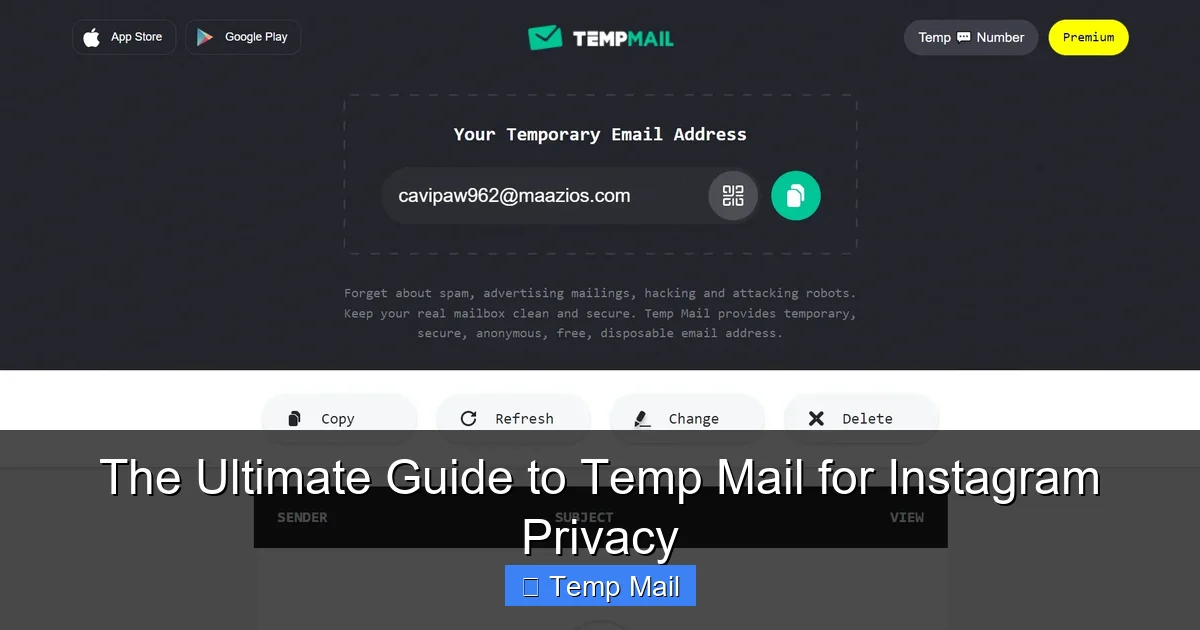
When you visit a temp mail website (like Temp-Mail.org, 10MinuteMail, or Guerrilla Mail), the service instantly generates a unique email address for you, such as [email protected]. This address is active on their server. You can then copy this address and use it anywhere a standard email is required. Any emails sent to that address appear in a public inbox on the temp mail site, accessible to anyone who has that exact URL. Once the time limit expires, or you manually delete the inbox, the address and all its contents are permanently wiped from existence.
The Core Philosophy: Separation of Identity
The fundamental principle behind temp mail is separation. It severs the direct, permanent link between your online action (creating an Instagram account) and your real-world identity (your name, your primary email, your main device). For privacy advocates, this is a foundational step in minimizing data aggregation. Every time you use your real email for a new service, you’re adding another data point to your digital dossier. Temp mail lets you participate in the online world without contributing to that permanent, searchable record.
Why Instagram Specifically? The Privacy Pain Points
Instagram, owned by Meta, is a data-driven advertising behemoth. Its business model relies on understanding users to serve targeted ads. While you can’t escape this entirely, you can control the quality of the data you provide. Using your primary email for Instagram ties that account directly to you in several ways.
Visual guide about The Ultimate Guide to Temp Mail for Instagram Privacy
Image source: cdn.comparitech.com
1. The Cross-Platform Profile Link
If you use your Gmail or Outlook address for Instagram, Meta can more easily connect your Instagram activity to your other activities within its ecosystem (like Facebook, if you use the same email there) and potentially to other services where that email is used. This creates a richer, more invasive profile for advertising. A temp mail breaks this specific link.
2. The Data Breach Domino Effect
We’ve seen it time and again: a major platform suffers a breach, and user emails, usernames, and sometimes passwords are leaked onto the dark web. If your Instagram email is your primary email, that breach gives hackers a key to your most important communication channel. They can use it for phishing, credential stuffing attacks on other sites, or identity theft. If that Instagram email is a temp address that expired months ago, the breach yields a dead end for attackers targeting your core identity.
3. The Unwanted Marketing & Notification Avalanche
Instagram and its partners are prolific email senders. From “You have a new follower!” to “Your favorite brand is having a sale!” to “Update your privacy settings,” your inbox can get flooded. Using a temp mail for the initial sign-up means all those promotional and notification emails go to an address you can ignore and discard. Your primary inbox remains for people and matters you truly care about.
Step-by-Step: How to Use Temp Mail for Instagram
Okay, convinced of the “why”? Let’s get practical. Here’s exactly how to do it, from start to finish.
Visual guide about The Ultimate Guide to Temp Mail for Instagram Privacy
Image source: appmole.com
Step 1: Choose and Open Your Temp Mail Service
Navigate to a trusted temp mail provider website. Look for ones that don’t bombard you with ads or ask for any personal info. Good ones will immediately display a random email address and an inbox window. Copy the email address to your clipboard.
Step 2: Start the Instagram Sign-Up Process
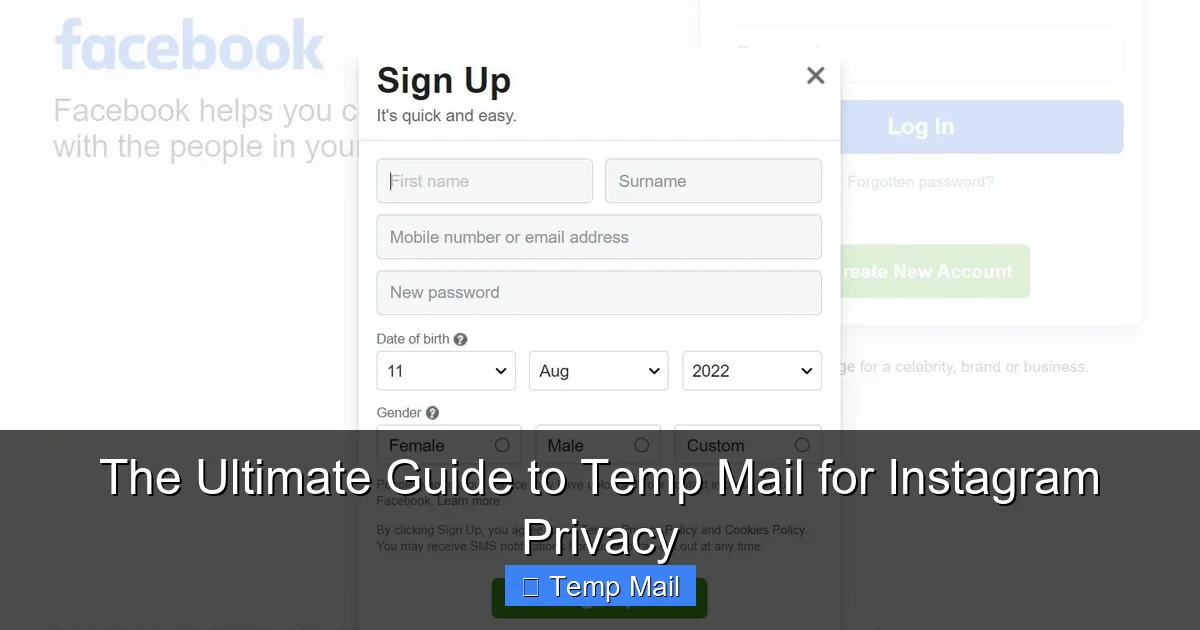
Open the Instagram app or website. Tap “Create New Account.” When prompted for your email address, paste the temp mail address you just copied. Proceed to create a username and password. Use a strong, unique password here—this is non-negotiable, regardless of the email used.
Step 3: Navigate the Verification Hurdle
Instagram will immediately send a 6-digit verification code to the email address you provided. Here’s the critical step: do not leave the Instagram sign-up screen. Switch back to your browser tab with the temp mail inbox. Refresh the inbox page (some auto-refresh, some don’t). You should see an email from Instagram. Open it and copy the 6-digit code. Quickly switch back to Instagram and enter the code. You have a limited time, usually a few minutes, so this must be done swiftly.
Step 4: Complete Your Profile & Start Using
Once verified, you can add a profile picture (consider using a non-personal image for extra privacy), bio, and start following accounts. Your Instagram account is now live and associated with a disposable email that will likely expire in an hour or two.
Step 5: The Crucial Follow-Up: Account Recovery Setup
This is the most important step many people miss. While your account is active, go to your Instagram Settings > Account > Personal Information. Here, you will see your email listed. You cannot change this email to a temp mail address if you need to recover your account. Therefore, the correct workflow is:
- Use temp mail for initial sign-up and verification.
- Once the account is created and verified, immediately change the email address on the account to a secure, long-term email that you control (this could be a dedicated “social media” email, not your primary work email).
- Ensure this recovery email is secure with 2FA.
This gives you the privacy benefit of a temp mail start while securing your ability to recover the account later. If you never change it from the temp mail, the account will become inaccessible once that email address dies.
The Double-Edged Sword: Benefits vs. Risks & Limitations
Temp mail isn’t magic fairy dust. It’s a tool with specific strengths and clear boundaries. Understanding both is key to using it effectively.
Visual guide about The Ultimate Guide to Temp Mail for Instagram Privacy
Image source: temp-mail.io
Primary Benefits Recap
- Enhanced Anonymity: Decouples your Instagram handle from your main email identity.
- Inbox Sanity: Zero spam from Instagram in your primary inbox.
- Breach Mitigation: Limits fallout if Instagram is breached or if your account is targeted.
- Testing & Experimentation: Perfect for creating a throwaway account to explore a niche interest or test bots/automation tools without risking your main account.
Significant Risks & Limitations to Accept
- Account Recovery Impossibility: If you don’t change the email post-verification, you will lose the account. Forgetting your password means no reset link can be sent to an expired address.
- Instagram’s Anti-Spam Algorithms: Instagram actively blocks known disposable email domains. There’s a chance the temp mail domain you pick will be rejected during sign-up, or your account could be flagged for review later. You may need to try a few different temp mail providers.
- No Long-Term Communication: You cannot receive important, long-term communications from Instagram (like policy update notices that require action) to a temp address. This is why changing it is mandatory.
- Feature Restrictions: Some features, like certain payment integrations or age verification for sensitive content, may require a verified, permanent email and could be blocked on an account with a temp mail history.
- Trust & Security of the Provider: While you’re not giving them personal info, the temp mail service itself could be logging IP addresses or displaying your inbox publicly. Use reputable, no-logging providers.
Best Practices for Temp Mail & Instagram Privacy
To wield this tool like a pro, follow these non-negotiable best practices.
1. The Mandatory Email Swap
As detailed in Step 5, this is rule #1. Within 24 hours of creating your Instagram account with a temp mail, log in and change the account email to a secure, alternative address you own and will keep long-term. Think of the temp mail as a one-time key to get in the door, not the permanent address for that house.
2. Layer Your Defenses: Don’t Rely on Temp Mail Alone
Temp mail is one layer. Build a fortress:
- Password: Use a password manager to generate and store a unique, complex password for Instagram.
- Two-Factor Authentication (2FA): Enable this immediately. Do not use SMS/text messages for 2FA on Instagram (SIM-swapping is a risk). Use an authenticator app like Google Authenticator, Authy, or Microsoft Authenticator.
- VPN: Consider using a reputable, paid VPN when accessing Instagram, especially on public Wi-Fi. This masks your IP address, adding another layer of anonymity to your login location.
- Privacy Settings: Scour Instagram’s privacy settings. Make your account private, limit who can see your friends list, and disable ad personalization based on data from partners where possible.
3. Know When *Not* to Use Temp Mail
Avoid using temp mail for:
- Any account where you are the sole administrator (e.g., a business Instagram page linked to a Facebook Page). Losing access is catastrophic.
- Accounts where you need to receive official documents, receipts, or legal communications.
- Any service where you might need to prove ownership or identity later.
Stick to using it for personal, non-critical accounts where anonymity is the primary goal and recovery is not a concern.
4. Choose Your Temp Mail Provider Wisely
Do a quick search for “best temp mail 2024.” Look for services that:
- Have no registration requirement.
- Offer a clear domain list (some provide multiple domain options if one gets blocked).
- Have a simple, ad-light interface.
- State a clear privacy policy (even if minimal). Avoid any that ask for a CAPTCHA to *view* your own inbox—that’s a red flag for data harvesting.
Have 2-3 bookmarked providers. If Instagram blocks domain A, try domain B from provider 2.
The Bigger Picture: Is Temp Mail the Ultimate Privacy Solution?
While incredibly useful, a temp mail for Instagram is a tactical tool, not a strategic victory in the privacy war. It solves the specific problem of email linkage but doesn’t address other tracking vectors like your device ID, browsing behavior linked via the Instagram app, or facial recognition on your photos.
True Instagram privacy requires a mindset shift. It means regularly auditing your app permissions (what other apps have access to your Instagram?), being mindful of what you post (location tags, recognizable backgrounds), and understanding that “free” platforms like Instagram are paid for with your attention and data. The temp mail is your first, easy win in that audit—it’s the digital equivalent of using a pseudonym at a coffee shop instead of your real name and credit card. It’s a simple, effective barrier that costs you nothing but a few extra clicks during sign-up.
Ultimately, using a temp mail for Instagram is about reclaiming a tiny piece of your digital autonomy. It’s a statement that not every piece of data you provide needs to be tied to your core identity. By understanding its power, its limits, and by combining it with other strong privacy hygiene practices, you can enjoy Instagram’s creative and connective features while significantly shrinking your digital shadow. Start with that disposable email today, and take back control of your inbox, and by extension, your online identity.
Frequently Asked Questions
Is using temp mail for Instagram safe?
Yes, using a reputable temp mail service is safe for the initial sign-up and verification of an Instagram account. The primary risk is account loss if you fail to change the email to a permanent address later, as you cannot recover a password for an expired email. The temp mail provider itself sees the verification code, but this is a minimal, temporary risk compared to exposing your primary email to potential breaches.
Will Instagram ban my account if I use a disposable email?
Instagram does not officially ban accounts for using a temp mail at sign-up. However, their anti-spam systems actively block known disposable email domains. You may be prevented from using a specific temp mail address during sign-up. More importantly, if you never change the email to a permanent one, you will effectively lose the account when the temp mail expires, which is functionally similar to a ban from your perspective. The key is the mandatory email swap after verification.
How long does a temp mail for Instagram last?
The temporary email address itself typically lasts between 10 minutes and 2 hours, depending on the provider. This is only sufficient for receiving the initial verification code during Instagram’s sign-up process. The Instagram account itself will remain active indefinitely, provided you change the account’s registered email to a permanent address within a day or two of creating it.
What if Instagram doesn’t send the verification code to the temp mail?
This can happen for two reasons: 1) The temp mail provider’s domain is blocked by Instagram’s filters, so the email is never sent. 2) The email went to the temp inbox but you didn’t refresh the inbox page quickly enough. The solution is to use a different temp mail provider (try a different domain) and complete the verification within the 2-3 minute window Instagram provides. Have the temp inbox open on a second screen or browser tab if possible.
Can I use temp mail for an Instagram business or creator account?
We strongly advise against it. Business and creator accounts are often linked to Facebook Pages, ad accounts, and monetization tools. These integrations require a verified, permanent, and secure email address for legal, financial, and recovery purposes. Using a temp mail here introduces an unacceptable risk of permanent loss of access to a business-critical asset. Use a dedicated, secure business email instead.
What’s a better alternative to temp mail for Instagram privacy?
A better long-term strategy is to create a dedicated “social media” email address using a privacy-focused provider like ProtonMail or Tutanota. This email is used only for social media sign-ups. It’s permanent, secure with 2FA, and completely separates your social media identity from your personal/financial identity. You get the separation benefit of temp mail without the expiration risk. Use the temp mail only for one-time sign-ups where you have no intention of keeping the account long-term.