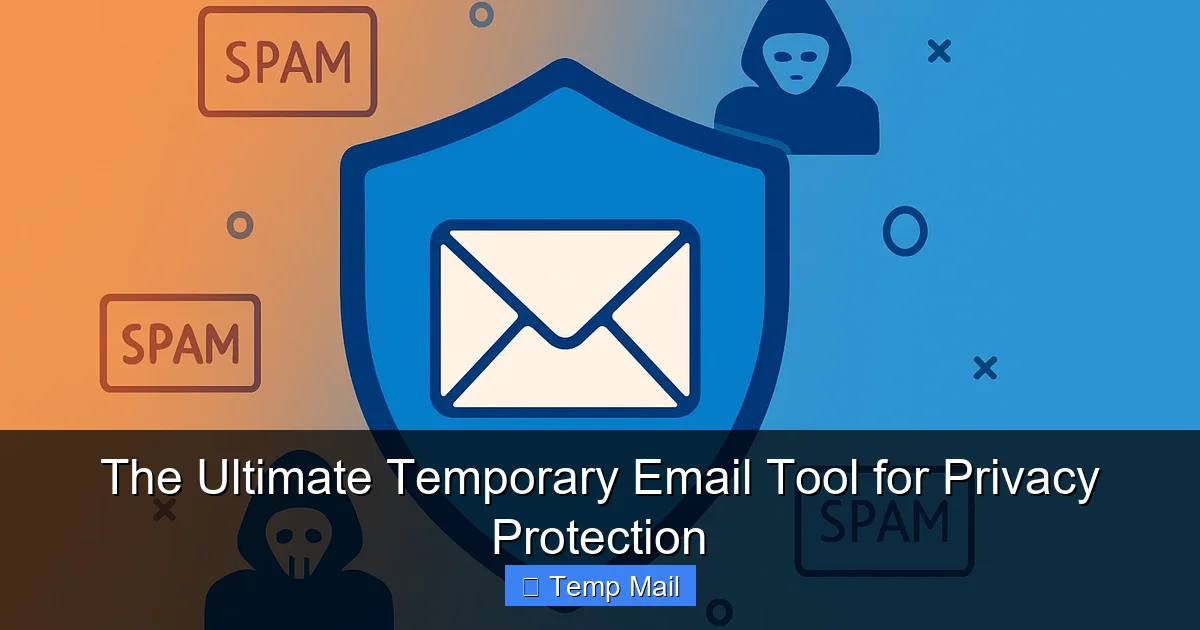
The ultimate temporary email tool provides unrivaled privacy protection by creating disposable addresses that shield your real inbox from spam, phishing, and data breaches. It ensures secure, anonymous online interactions without any registration, making it essential for safeguarding personal information and maintaining digital anonymity.
Key Takeaways
- Shield Your Primary Email: Use disposable addresses to block spam and data breaches.
- Avoid Unwanted Communications: Register on websites without exposing your real inbox.
- Enhance Online Anonymity: Mask personal identity with temporary email solutions.
- Simplify Account Verification: Complete sign-ups swiftly without long-term email commitments.
- Auto-Delete for Security: Emails vanish automatically, minimizing digital footprint.
- Free and Instant Access: No registration or fees required for immediate privacy protection.
📑 Table of Contents
- Your Inbox is a Billboard, and It’s Time to Tear It Down
- What Exactly *Is* a Temporary Email Tool (And Why You Need One)
- How a Temporary Email Tool Becomes Your Privacy Shield
- Real-World Scenarios: When to Reach for the Temp Mail
- What Makes a Great Temporary Email Tool? Key Features to Look For
- Tool Comparison: A Look at Popular Temporary Email Services
- Beyond the Tool: Building a Holistic Privacy Mindset
- The Conclusion: Your Inbox, Your Rules
Your Inbox is a Billboard, and It’s Time to Tear It Down
Let’s be real for a second. How many times this week have you sighed, rolled your eyes, and clicked “Delete All” on a mountain of promotional emails you never asked for? You sign up for what seems like a harmless free trial, a webinar, or a discount code, and suddenly your inbox is a digital haunted house, filled with the ghosts of newsletters past. It’s not just annoying; it’s a privacy drain. Every click, every sign-up, leaves a breadcrumb trail that companies use to build a profile of you—your interests, your habits, your digital life. What if I told you there’s a simple, powerful tool to fight back, to reclaim your digital space without going off-grid? That tool is a temporary email tool, and it might just be the most underrated privacy weapon you’re not using.
I used to be that person. My primary email was a mess—a chaotic mix of work, personal, and a thousand forgotten subscriptions. I felt trapped, as if giving my real email was a non-negotiable toll for accessing the internet. The turning point came when I tried to access a simple file from a forum and was immediately bombarded with spam. That’s when I discovered the world of disposable email addresses. It wasn’t about hiding illegal activity; it was about basic digital hygiene, like using a throwaway cup for a water fountain instead of bringing your fine china. This guide isn’t just a list of tools; it’s your blueprint for building a smarter, more private digital life using a temporary email tool.
What Exactly *Is* a Temporary Email Tool (And Why You Need One)
In the simplest terms, a temporary email tool is a service that provides you with a random, disposable email address for a short period—usually 10 minutes to a few hours. You use it to receive a single verification email or download a file, and then it vanishes into the digital ether, along with all the spam it might attract. No password, no personal details, no long-term commitment. Think of it as a secret identity for your online errands.
Visual guide about The Ultimate Temporary Email Tool for Privacy Protection
Image source: hackread.com
The Disposable Difference: Not All “Alternate” Emails Are Equal
It’s important to distinguish a true temporary email tool from email aliasing services (like those offered by password managers or Gmail’s “plus addressing”). Aliases forward to your main inbox, so spam still reaches you, just filtered. A disposable address is truly isolated. Once it’s gone, the connection to your real identity is severed. This is the core of its privacy power.
How a Temporary Email Tool Becomes Your Privacy Shield
Using a temporary email tool is a proactive act of data minimization—the principle of only sharing the absolute minimum information necessary. Let’s break down exactly how this simple tool creates a robust barrier around your personal data.
Visual guide about The Ultimate Temporary Email Tool for Privacy Protection
Image source: i.ytimg.com
1. Slaying the Spam Dragon at the Source
The most immediate benefit is a cleaner primary inbox. By using a disposable address for any non-critical sign-up (that random e-book, that one-time forum access, that app you’re just trying out), you ensure any subsequent marketing emails have nowhere to go. The temporary email tool‘s address expires, and the spam dies with it. Your real email remains pristine for bills, family, and essential communications.
2. Dodging Data Brokers and Profiling
When you use your primary email across dozens of sites, you create a unified profile that data brokers can buy and sell. A temporary email tool fragments that profile. A data broker can only see a single, anonymous interaction from a disposable address that no longer exists. You become a ghost in their machine, significantly reducing the accuracy of any profile they try to build about you.
3. Breaking the Tracking Chain
Many websites use your email as a persistent identifier to track your behavior across the web, even in incognito mode. A disposable address severs that chain. The activity is tied to a transient, meaningless identifier, not to you as a person. It’s a small but significant step towards anonymous browsing for everyday tasks.
4. A Critical Layer Against Credential Stuffing Attacks
This is a big one. If a website you used your primary email for suffers a data breach, hackers now have a key piece of your identity. They’ll try that email and common passwords on hundreds of other sites (a “credential stuffing” attack). By using a unique, disposable address for low-stakes sites, you ensure that a breach there doesn’t compromise your login for your bank, social media, or email itself. The stolen credential is useless because the email address is already defunct.
Real-World Scenarios: When to Reach for the Temp Mail
Knowing the theory is great, but knowing *when* to use it is everything. Here’s a practical guide for integrating a temporary email tool into your daily digital routine.
Visual guide about The Ultimate Temporary Email Tool for Privacy Protection
Image source: temporary-email.net
- Downloading Gated Content: That whitepaper, template, or research paper that requires an email? Use a disposable address. You get the file, and you avoid the inevitable drip-feed of sales emails.
- Signing Up for Trials & Freemium Services: That 7-day software trial, that free app tier, or that “freemium” online tool. Use the temporary email tool. If you love it and decide to upgrade, you can always switch to your real email later. If you forget, you’re not locked into a paid plan you don’t use.
- Accessing Public Wi-Fi or Guest Networks: Many cafes, airports, and hotels require an email to access their Wi-Fi. This is a prime target for spam and data harvesting. A disposable address is perfect here.
- Posting on Forums or Comment Sections: If a forum requires registration to post or view content (and it’s not a vital professional community), use a temp address. This protects you from both forum-specific spam and potential data leaks from that forum’s database.
- One-Time Online Forms & Surveys: Any form that feels like a lead generator—”Get a free quote,” “Enter to win,” “Rate your experience”—is a candidate. You provide the disposable address, get the promised entry or quote, and walk away clean.
Critical Exception: Never use a temporary email tool for anything related to your finances, primary online identity (social media main accounts), official government services, medical records, or any account where password recovery is essential. You will be locked out forever.
What Makes a Great Temporary Email Tool? Key Features to Look For
Not all temporary email tool services are created equal. Some are slow, cluttered with ads, or have tiny inbox time limits. Here’s what separates the useful from the frustrating.
Essential Features for a Smooth Experience
- Inbox Lifespan & Extendability: Look for a minimum of 10-15 minutes. Better yet, services that let you extend the lifespan with a single click (often 10 more minutes) are a lifesaver for slow-loading verification emails.
- No Registration Required: The whole point is anonymity. The best tools generate a new inbox for you instantly, with no account creation, no CAPTCHA (or a simple one), and no personal info asked.
- Clean, Ad-Light Interface: Some free services bombard you with pop-ups and misleading “download” buttons. A good temporary email tool has a clean, functional interface where the inbox is the hero.
- Multiple Domain Options: Some sites block known disposable email domains. Services that offer several domain choices (e.g., @tempmail.com, @tmpmail.org, @discard.email) increase your chances of bypassing these blocks.
- Reply Functionality (Rare but Golden): A few advanced tools allow you to send a reply from the disposable address. This is incredibly useful for a quick back-and-forth with a support bot before the address expires.
The Trade-Offs: Understanding Limitations
Be prepared for compromises. Free temporary email tool services may have slower servers, limited storage (though usually fine for text emails), and the aforementioned ad clutter. The inbox is public; anyone with the random address could technically view it (though it’s highly unlikely anyone is trying). Most importantly, some sophisticated websites (Google, Apple, major banks, some social platforms) actively detect and block disposable email domains. This is a feature, not a bug—it’s a signal that you should probably be using your real identity there anyway.
Tool Comparison: A Look at Popular Temporary Email Services
Let’s get practical. Below is a comparison of some widely used, reputable temporary email tool services. This isn’t an endorsement of one over another, but a snapshot to help you find your fit.
| Service Name | Key Strength | Inbox Time | Notable Feature | Potential Drawback |
|---|---|---|---|---|
| Temp-Mail.org | Extremely user-friendly, fast | Until browser tab closed (default 2 hrs) | One-click copy address, multiple domains, browser extension | Can be ad-heavy on free version |
| 10MinuteMail.com | Simple, classic, reliable | Exactly 10 minutes (extendable) | No-frills, transparent countdown timer | Very basic interface, fewer domain options |
| Guerrilla Mail | Long history, feature-rich | 60 minutes (extendable) | Can create a “pseudo-inbox” with a password for slightly longer use, reply function | Interface can feel dated, more ads |
| DropMail.me | Strong privacy focus, open-source | Varies, often until tab closed | Emphasizes data deletion, no logs claim, simple design | Occasional downtime due to popularity |
| Mailinator (Public) | Massive public inboxes | Inboxes last ~a few hours | No need to generate a new address; you can just guess a random one (e.g., [email protected]) | Extremely public; anyone can read the same inbox. Never use for anything sensitive. |
Note: Always check the current terms of service and features on the service’s website, as they can change.
Beyond the Tool: Building a Holistic Privacy Mindset
Relying solely on a temporary email tool is like locking your front door but leaving your windows wide open. It’s a fantastic habit, but it’s just one layer. To truly protect your privacy, think in layers.
Combine with Other Essential Practices
- Use a Dedicated “Spam” Email First: Before even reaching for a disposable address, have a secondary email account (e.g., a free Gmail or ProtonMail account) that you use for most non-essential sign-ups. This is your first line of defense. Only use the temporary email tool for the sketchiest, most one-off sites.
- Leverage a Password Manager: This lets you use unique, strong passwords for every site. If a site using your disposable address is breached, the hacker has a useless password for your real accounts.
- Check Privacy Policies: Before signing up anywhere, quickly glance at the privacy policy. Does it say they sell your data? If yes, that’s a definite sign to use your temporary email tool.
- Regularly Audit Your Digital Footprint: Use services like Have I Been Pwned to check if your email (real or disposable) has appeared in a known breach. This helps you understand the risks.
The Conclusion: Your Inbox, Your Rules
The constant barrage of spam and the silent erosion of our digital privacy can feel inevitable, like digital taxes we can’t avoid. But it’s not. Adopting the simple habit of using a temporary email tool for the vast majority of your online interactions is a powerful act of reclamation. It’s not about being paranoid; it’s about being prudent. It’s the digital equivalent of giving out your business phone number for important calls and using a burner for the pizza place. You are not a product to be tracked and sold. You are a person with a right to a clean inbox and a fragmented, protected digital identity.
Start small. Next time you’re about to enter your email for a free checklist or a 10-minute webinar, pause. Open a new tab, generate a disposable address from a temporary email tool, and use that instead. Feel the quiet satisfaction as your primary inbox stays serene. That small act is you, taking back control, one temporary address at a time. The tools are free, the learning curve is zero, and the benefit—a slimmer, safer, more private digital life—is absolutely priceless.
Frequently Asked Questions
What is a temporary email tool and how does it protect my privacy?
A temporary email tool provides a disposable, anonymous email address that automatically deletes after a short period. By using it for sign-ups and online forms, you shield your primary email from spam, data mining, and potential breaches, keeping your personal inbox and identity private.
Is the ultimate temporary email tool secure against hackers?
Yes, reputable tools use encryption for data in transit and do not require any personal information to create an address. However, it’s crucial to never use a temporary email for sensitive transactions like banking, as the inbox is not password-protected and is inherently public.
Can I use a temporary email for important account registrations?
You can use it for many registrations, but it’s not recommended for critical accounts you need to recover long-term, like primary social media or financial services. Since the address expires, you would lose access to password reset emails, making account recovery impossible.
How long does a temporary email address last?
Most temporary email tools automatically delete the address and all contained messages after a set period, typically ranging from 10 minutes to 24 hours. Some tools offer a slightly longer window, but the core feature is the short, disposable lifespan for enhanced privacy.
Can I send attachments with a temporary email tool?
Generally, no. Temporary email services are designed primarily for receiving verification links and simple messages. They almost always block incoming attachments to prevent malware and reduce server load, focusing on lightweight, secure receipt of essential communications.
Is using a temporary email tool legal and allowed by websites?
Yes, using a temporary email is legal. However, some websites’ terms of service explicitly prohibit disposable emails to prevent fraud and abuse. While you can often bypass initial sign-up blocks, the site may later suspend or delete such accounts if detected.