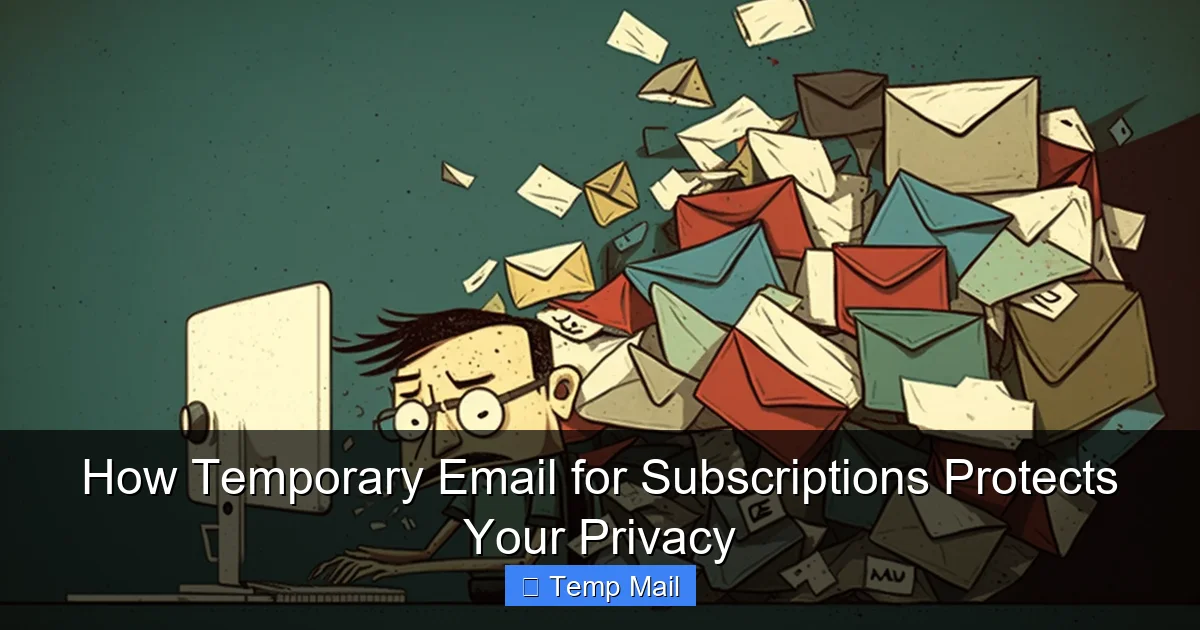
Temporary email for subscriptions acts as a disposable shield for your personal inbox. By using a throwaway address for online sign-ups, you prevent spam, marketing lists, and potential data breaches from ever reaching your main email. This simple tool dramatically reduces digital clutter and safeguards your privacy with minimal effort.
You know the feeling. You find a great article, a tempting discount, or a useful tool online. To access it, the website asks for your email address. You hesitate. You know that entering your primary email likely means signing up for a newsletter you’ll never read, or worse, having your address sold to a marketing list that will bombard you for years. Your finger hovers over the back button. There’s a better way. A smarter, more private way. It’s called using a temporary email for subscriptions, and it’s one of the simplest, most powerful tools for taking back control of your digital privacy.
Think of your primary email address as your home address. You wouldn’t give it to every random store clerk, magazine salesman, or survey taker you encounter on the street. You’d use a P.O. box or simply decline. A temporary email service provides that digital P.O. box. It’s a disposable, forward-free inbox that exists solely for the purpose of receiving that one confirmation email or download link. Once its job is done, you close that virtual box, and everything inside vanishes. No clutter, no long-term commitment, no risk to your main communication hub. In this guide, we’ll explore exactly how temporary email for subscriptions works, why it’s a cornerstone of modern digital hygiene, and how you can use it effectively every single day.
Key Takeaways
- Primary Email Isolation: A temporary email for subscriptions creates a vital firewall between your primary, sensitive email account and the countless online services vying for your contact information.
- Spam and Marketing Elimination: It effectively stops promotional emails, newsletters, and data broker lists from cluttering your main inbox, as the disposable address can be discarded after use.
- Data Breach Minimization: If a service you signed up with suffers a data breach, your temporary email address (and any associated fake data) is the compromised credential, not your real identity.
- Enhanced Anonymity: It allows you to interact with websites, download resources, or access gated content without revealing your true identity or personal email address.
- Control Over Your Digital Footprint: You consciously decide where your email address lives, reducing the permanent, searchable trail of your online activity tied to your primary identity.
- Simple & Accessible: No software installation is needed; reputable temporary email services are free, web-based, and ready to use in seconds.
- Not for Critical Accounts: The key principle is to use temporary email for low-stakes subscriptions and sign-ups, never for essential accounts like banking, primary cloud storage, or password recovery.
📑 Table of Contents
- The Problem with Your Primary Email: A Magnet for Digital Clutter
- What Exactly is a Temporary Email Service?
- The Direct Benefits: Why You Should Make the Switch Today
- Practical Use Cases: Where to Use Your Disposable Address
- Choosing the Right Temporary Email Service
- Best Practices and Crucial Limitations: Avoiding Pitfalls
- The Future of Digital Identity and the Role of Disposable Addresses
- Conclusion: Your Inbox, Your Rules
The Problem with Your Primary Email: A Magnet for Digital Clutter
Your primary email address is more than just a communication tool; it’s a master key to your digital identity. It’s the username for your social media, the recovery option for your bank account, and the contact point for friends and family. Because of its importance, you protect it fiercely. Yet, we routinely compromise that very security by sharing it widely and carelessly. Every time you use it to sign up for a free webinar, download an ebook, or get a one-time discount code, you are handing over a piece of your digital identity to an entity you may not trust or ever interact with again.
The Spam Snowball Effect
That first newsletter you reluctantly signed up for? It’s the seed. That company’s email list is often shared with “partner” companies or sold to data brokers. What starts as one email a month can quickly balloon into dozens. Your inbox becomes a battlefield of promotions, “exclusive offers,” and updates you never wanted. Unsubscribing can be a chore—sometimes it doesn’t work at all, and clicking “unsubscribe” merely confirms to spammers that your address is active and monitored. This avalanche of marketing noise not only wastes your time but also increases the risk of phishing attacks, where sophisticated scams mimic legitimate newsletters to steal your credentials.
The Data Breach Domino
Consider the news: another major company suffers a data breach. Millions of email addresses, passwords, and personal details are leaked onto the dark web. If you used your primary email to sign up for that company’s service years ago, your address is now in that leak. Even if you used a strong, unique password, your email address itself becomes a target. Hackers and spammers use breached databases to fuel massive spam campaigns or to try and breach other accounts where you might have reused that email. Using a temporary email for subscriptions with unrelated, fake details means that even if that service is breached, the leaked data is virtually useless for targeting your real identity or your primary accounts.
The Unwanted Profile
Every service you sign up for builds a profile. They track your interests based on what you download, which links you click in their emails, and how you engage. When you use your primary email, all this behavioral data is linked directly to you, the person. Over time, this creates a detailed, often saleable, picture of your preferences, habits, and even your location. A temporary email for subscriptions severs this direct link. The profile exists for the disposable address, not for you, creating a significant gap in the data trail you leave behind.
What Exactly is a Temporary Email Service?
A temporary email service (also called disposable email, throwaway email, or temp mail) is a web-based platform that generates a random, unique email address on demand. This address can receive emails for a limited time—typically a few hours to a few days—without requiring any registration, personal information, or password. The inbox is publicly accessible via a unique URL generated for your session, or sometimes with a simple code.
Visual guide about How Temporary Email for Subscriptions Protects Your Privacy
Image source: anonymmail.net
Core Mechanics: How the Magic Happens
These services operate on a simple principle: they maintain a pool of domain names (like @tempmail.demo or @10minutemail.com) and assign incoming mail to randomly generated usernames. When you visit a site like Temp-Mail.org or 10MinuteMail.com, the system instantly creates an address for you, such as [email protected]. You copy this address and paste it into the sign-up form of the website you’re visiting. Any confirmation or welcome email sent to that address appears in the web-based inbox displayed on the temp mail site. There is no forwarding to your real inbox. Once the designated time expires (or you manually delete it), the address and all its emails are purged from the system forever. No logs, no traces.
Key Features to Look For
Not all temporary email services are created equal. The best ones offer:
- Multiple Domain Options: Allows you to generate addresses from different domains, which can help if a specific site blocks known temp mail domains.
- Adjustable Expiry: The ability to extend the inbox life (e.g., from 10 minutes to 1 hour or 1 day) is crucial for services with slower email delivery.
- No Registration: The entire point is anonymity. You should never need to create an account to use the service.
- Simple, Clean Interface: A clutter-free inbox that auto-refreshes to show new emails.
- Reply Capability (Rare): Some advanced services allow you to reply from the temporary address, useful for one-time customer service queries.
It’s also important to understand what these services are not. They are not encrypted, secure communication channels for sensitive data. They are a one-way pipe for receiving single-use verification emails. Never send personal information, passwords, or confidential documents through a temporary address.
The Direct Benefits: Why You Should Make the Switch Today
Integrating a temporary email for subscriptions into your daily web browsing isn’t just about avoiding clutter; it’s a proactive privacy strategy with tangible benefits.
Visual guide about How Temporary Email for Subscriptions Protects Your Privacy
Image source: strapi.smsverified.com
1. Reclaiming Inbox Zero and Mental Peace
The most immediate and gratifying benefit is a pristine primary inbox. Your main email becomes what it should be: a tool for communication with people and organizations you genuinely care about. No more sifting through “50% off” banners to find a message from your boss. This reduction in digital noise lowers stress and saves countless hours over the year. You’re no longer at the mercy of marketers’ sending schedules.
2. Fortifying Your Security Posture
Security and privacy are two sides of the same coin. By limiting the number of services that have your primary email, you dramatically reduce your attack surface. If a temp mail address is used in a breach, the hacker gains nothing of value to your core identity. Furthermore, it breaks the chain of “credential stuffing” attacks, where hackers try your email and common passwords on hundreds of popular sites. If your email isn’t associated with that site, the attack fails before it starts.
3. Taking Control of Your Data
In the modern economy, your data is the product. Every sign-up is a data point. By using a disposable address, you are opting out of that specific data economy. You are saying, “I will consume this content or use this tool, but I do not consent to being profiled and marketed to long-term.” It’s a small but significant act of digital self-determination. You decide the lifespan of your association with a service.
4. Bypassing Gated Content with Confidence
How many times have you wanted to read an industry report, access a research paper, or see a piece of content behind an email gate? Using your primary email felt like a high price to pay. Now, you can use your temporary email for subscriptions to get the PDF or link instantly, with zero commitment and no fear of future spam. The content is accessed; the marketing funnel is short-circuited. It’s a fair exchange.
Practical Use Cases: Where to Use Your Disposable Address
Knowing how to use a temporary email is just as important as knowing why. Here are the prime scenarios where it should be your default choice.
Visual guide about How Temporary Email for Subscriptions Protects Your Privacy
Image source: blog.superhuman.com
For One-Time Downloads and Lead Magnets
This is the #1 use case. An ebook, whitepaper, template, or software trial in exchange for an email address. The business model here is explicitly to build an email list. You are the product being cultivated. Use your temp mail, get your download, and walk away. No guilt, no future clutter.
For Online Forum or Community Registration
Joining a discussion board, a gaming community, or a hobbyist forum? These platforms often have high email traffic for notifications, replies, and promotions. Your primary email does not need to be involved. Use a disposable address. If the community becomes truly valuable, you can always add your real email later, but start anonymous.
For “Try Before You Buy” or Free Trials
Signing up for a 14-day trial of a SaaS product? The goal is to evaluate the tool, not to become a long-term marketing recipient. Use the temp email for the initial sign-up and confirmation. Be aware: for services that require ongoing billing or serious use, you will eventually need a stable email. But for the evaluation phase, stay disposable.
For Contests, Sweepstakes, and Giveaways
Entry forms for giveaways are notorious for automatically enrolling you in multiple partner newsletters. Your odds of winning are already slim; don’t sacrifice your inbox privacy for them. Use a temporary address to enter. If you miraculously win, the contest organizer will have a way to contact you via that address (so check it briefly!).
For Accessing Public Wi-Fi or Guest Logins
Some airports, hotels, or cafes require an email address to access their guest Wi-Fi network. This is a perfect low-stakes use. Provide a temporary email, connect, and forget about it. There’s no reason for the network provider to have your primary contact.
For Testing Website or App Sign-Up Flows
If you’re a developer, designer, or just a curious user testing how a website’s registration and email confirmation process works, a temporary inbox is an indispensable tool. It lets you go through the full flow repeatedly without polluting your real inbox.
Choosing the Right Temporary Email Service
The landscape of temp mail providers is vast. While many are excellent, some have limitations or poor practices. Here’s your checklist for selection.
Essential Criteria: Speed, Simplicity, and Lifespan
The core requirement is instant inbox creation. You click, you get an address. No waiting. The interface should be clean, with a large inbox display and a clear refresh button. Look for services that offer at least a 1-hour default lifespan; 10 minutes is often too short for some confirmation emails to arrive. The ability to extend time with a single click is a major plus.
Domain Diversity and Blockage Avoidance
Some websites have caught on and actively block known disposable email domains. If you find your temp mail isn’t receiving a confirmation email, the site may have blocked that provider’s domain. Services that offer multiple domain choices (e.g., @tmpmail.org, @tmpmail.net, @discard.email) give you the flexibility to switch if one gets blocked. A provider that frequently rotates or adds new domains stays ahead of these blocks.
Privacy Policy and Data Handling
Read the privacy policy. The best services explicitly state they do not log IP addresses, do not store emails after deletion, and do not require any personal information. Avoid services that ask for a CAPTCHA on every visit or have aggressive, misleading ads that mimic download buttons. Your goal is anonymity and cleanliness.
Recommended Service Features
While we cannot endorse specific commercial services, look for these hallmarks of a good provider: a clear, non-persuasive homepage stating its purpose; a straightforward inbox view with sender/subject/date columns; a “copy email address” button; a manual “delete” button for emails; and a visible countdown timer for the inbox expiry. Mobile-friendly design is also a significant advantage for on-the-go use.
Best Practices and Crucial Limitations: Avoiding Pitfalls
Using a temporary email for subscriptions is simple, but doing it correctly is key to avoiding frustration and security mishaps.
The Golden Rule: Never Use for Critical Accounts
This cannot be stressed enough. Do not use a temporary email for:
- Banking, financial services, or cryptocurrency exchanges.
- Primary cloud storage (Google Drive, iCloud, Dropbox).
- Your main social media accounts (Facebook, Twitter, Instagram).
- Any service where you need to recover a lost password. If you lose access to the temp inbox, you lose access to the account forever.
- Government services, official documentation, or legal contracts.
These are your “digital crown jewels.” They require a permanent, secure, and fully controlled email address that you will never lose access to.
Managing the “Forgot Password” Trap
Even on low-stakes sites, you might create an account with a password. If you later forget that password and the site’s reset link goes to your expired temporary email, you’re locked out. The solution is simple: for any site where you use a temp email, either use a password manager to store the credentials (so you never need to reset) or consciously choose a very simple, unique password that you won’t forget, understanding you may have to abandon the account if you do forget it.
Checking Your Inbox Efficiently
Temporary inboxes are ephemeral. You must check them shortly after signing up for a service, as the confirmation email often has a short validity window (15-60 minutes). Keep the temp mail tab open in your browser as you go through the sign-up process. Refresh it a few times after submitting the form. Once you’ve received the necessary email (clicked the link, got the code), you can close the tab. There is no need to keep it open indefinitely.
Understanding the Limits: No Forwarding, No Long-Term Storage
Do not expect your temporary email to act like a normal inbox. You cannot set up filters, forward emails to your main account, or expect emails to be there in a week. Its purpose is singular: receive that one email. Embrace this limitation. It’s the feature that provides the privacy benefit. If you find yourself needing to keep an email for longer than a few hours, ask yourself if you should have used your primary address for that particular service instead.
The Future of Digital Identity and the Role of Disposable Addresses
As data privacy regulations like GDPR and CCPA evolve, and as users become more savvy, the concept of a single, permanent email for everything is becoming antiquated. We are moving toward a model of contextual identity, where we present different facets of ourselves to different services. The temporary email is a foundational tool in this shift.
Privacy-First Browsing as Standard
Using a temporary email is the email equivalent of using a VPN or a privacy-focused browser. It’s a low-friction, high-impact habit that signals you are a conscious user, not a passive data source. As this behavior becomes more common, it pressures companies to be more transparent about how they use email addresses and to offer genuine value in exchange for contact information, rather than relying on dark patterns and pre-checked newsletter boxes.
Integration with Other Privacy Tools
The future likely holds tighter integration between temporary email services and other privacy tools. Imagine your password manager suggesting a temp mail address when you encounter a sign-up form. Or browser extensions that automatically detect email fields and offer to fill them with a newly generated disposable address from your preferred provider. This seamless integration will make using temporary email for subscriptions the effortless default, not a conscious extra step.
Beyond Email: The Philosophy of Disposable Identifiers
The principle behind temporary email extends to other digital touchpoints. We already see it with phone numbers (Google Voice, Burner apps) and even credit card numbers (privacy.com, virtual cards from banks). The idea is to provide a real, functional identifier for the transaction at hand, but one that is easily revocable and does not tie back to your core identity. Temporary email is the first and most accessible step in adopting this “least privilege” principle for your digital life.
Conclusion: Your Inbox, Your Rules
Your primary email address is a valuable asset. It’s the key to your online kingdom. Yet, we treat it like a handout, giving it away for the slightest digital convenience. It’s time to change that habit. By making a temporary email for subscriptions your go-to tool for any non-essential sign-up, you immediately and dramatically strengthen your privacy posture. You stop the spam at the source. You minimize your exposure in data breaches. You reclaim your attention and your inbox. The process is free, takes two seconds, and requires no technical expertise. Start today. The next time a website asks for your email, pause. Ask yourself: “Is this critical?” If the answer is no, open a new tab, generate a disposable address, and protect your real self. Your future self—the one with the clean inbox and the peace of mind—will thank you.
Frequently Asked Questions
Is using a temporary email for subscriptions legal?
Yes, using a temporary email service is completely legal. It is simply a tool for receiving electronic communication. The legality depends on how you use the information received, not the address itself. It is a standard practice for privacy-conscious individuals and professionals.
Can a temporary email be traced back to me?
A reputable temporary email service that requires no registration and does not log IP addresses provides a high degree of anonymity. The email address itself is randomly generated and not linked to you. However, if you personally identify yourself in the content of an email you send (which you shouldn’t do from a temp address), or if your IP address is logged by the service you are signing up with, that could create a link. The address itself is not inherently traceable.
What happens if I need to reset a password for an account I signed up with a temporary email?
You will not be able to receive the password reset link once the temporary inbox has expired. This is why the golden rule is to never use a temporary email for any account where you might need to recover access later. For low-value accounts where you use a simple, memorable password, this may be acceptable. For important accounts, always use your permanent, secure email.
Will websites stop working if I use a temporary email?
Some websites actively block domains from popular temporary email providers. If this happens, you simply need to use a different temporary email service or a different domain from the same provider. The vast majority of websites for content access, trials, and downloads will work perfectly with a disposable address.
Are temporary email services safe from malware and viruses?
The temporary email service itself is just an inbox viewer. The safety risk comes from the emails you receive. Never click on suspicious links or download unexpected attachments from any email, whether from a temporary or permanent address. The temporary inbox is not more or less risky in this regard than your primary inbox; the standard caution for all email applies.
Can I send emails from a temporary address?
Most standard temporary email services are receive-only. Their purpose is to let you receive a single verification or download email. Some advanced or paid services may offer limited reply or send functionality, but this is not common. Do not rely on a temporary address for two-way communication.