Email without registration, often called disposable or temporary email, provides a quick, anonymous inbox for one-time use without any sign-up process. It’s the perfect tool for safeguarding your primary email from spam, verifying accounts on untrusted sites, and accessing gated content hassle-free. While incredibly useful for privacy, it’s crucial to understand its limitations and best practices for secure usage.
Ever felt that pang of hesitation before clicking “Sign Up” on a website? You want the free ebook, the discount code, or to view that one article, but the thought of adding yet another newsletter to your overflowing primary inbox is daunting. What if there was a way to get that verification email without handing over your real email address? Enter the world of email without registration—a simple, powerful tool for navigating the modern web with more control and less spam.
This isn’t about creating a fake identity; it’s about creating a temporary, throwaway address. Think of it like using a public restroom. You need it for a quick, specific purpose, and then you move on, leaving no permanent trace behind. In this comprehensive guide, we’ll unpack everything you need to know about these disposable email services: how they work, when to use them, the hidden risks, and why they might just become your new best friend for online privacy.
Key Takeaways
- Privacy Shield: Temporary emails act as a barrier, preventing your real identity and primary inbox from being exposed to marketers, data breaches, and spam.
- Spam Prevention: By using a disposable address for newsletters, forum sign-ups, or downloads, you keep clutter and phishing attempts out of your permanent email.
- No Commitment: These services require zero personal information, no password, and no long-term commitment—the inbox is typically active for 10 minutes to a few hours.
- Limited Functionality: Temp mail is designed for receiving a single verification code or link; you generally cannot send emails from it or use it for critical accounts like banking or social media.
- Security Awareness: While the service itself is safe, the inboxes are public. Never use temp mail for sensitive communications, password resets for important accounts, or any transaction involving personal data.
- Legal & Ethical Use: These tools are legal and ethical for protecting privacy, but using them to evade bans, create fake accounts maliciously, or commit fraud violates terms of service and often the law.
📑 Table of Contents
What Exactly is Email Without Registration?
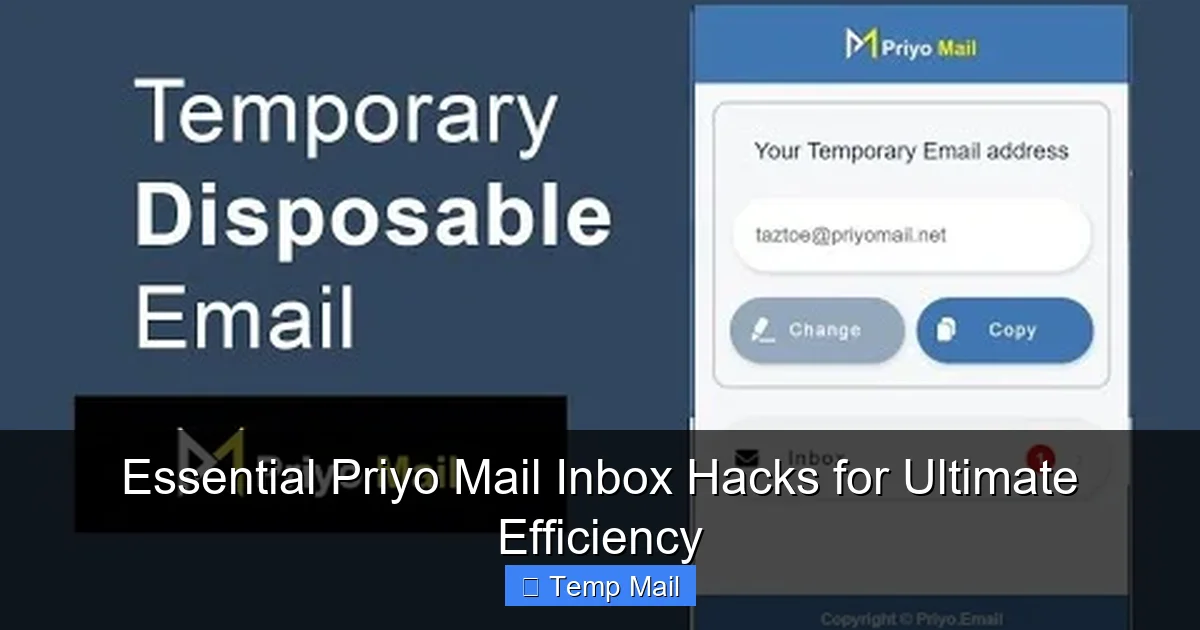
At its core, email without registration—commonly known as disposable email, temporary email, or “temp mail”—is a service that provides you with a working email address and inbox for a very short period, typically without asking for any personal details. There’s no “Create Account” form. You simply visit a website like Temp-Mail.org, Guerrilla Mail, or 10MinuteMail, and a random inbox is generated for you on the spot.
The Disposable Difference
This differs fundamentally from free email providers like Gmail or Outlook. Those services require a full registration process (name, phone, recovery email, password) because they are designed for long-term, personal communication. Your identity is tied to that address. A disposable email is the opposite: it’s meant to be used once or twice and then forgotten. The provider doesn’t care who you are; they just provide a transient mailbox that auto-deletes after its short lifespan.
How It Works: The Technical Simplicity
The magic is in the backend simplicity. When you visit a temp mail site:
- The server instantly generates a random email address (e.g., [email protected]).
- It creates a corresponding inbox database entry linked only to that random string and your current browser session (often via a cookie or session ID).
- Any email sent to that address by an external service is stored in that specific, temporary inbox.
- You can refresh the page to see new emails. After the time limit (10 minutes, 1 hour, 1 day) or if you close the browser session, that inbox and all its contents are purged from the server forever.
Core Use Cases: When and Why to Use Temp Mail
Knowing how it works is one thing; knowing when to use it is where the real value lies. Email without registration shines in specific scenarios where your primary email would be a liability.

Visual guide about Everything You Need to Know About Email Without Registration
Image source: newtypeofclass.com
1. Dodging Unwanted Newsletters and Spam
This is the most common and legitimate use case. You’re interested in a one-time download—a whitepaper, a template, a software trial—and the site insists on an email for the download link. Using your primary address often leads to a relentless stream of promotional emails. A disposable email captures that link and then vanishes, keeping your main inbox pristine.
2. Verifying Accounts on Low-Trust Platforms
You want to join a forum, comment on a blog, or sign up for a new app that you’re not sure you’ll stick with. Providing your real email risks that address being sold to data brokers or hacked if the site has poor security. A temp mail lets you complete the verification (most sites send a code) and test the service without long-term commitment or risk to your core identity.
3. Bypassing Content Gates
Many professional websites use “content walls” where you must enter an email to read an article or watch a video. Journalists, students, and researchers often use a disposable address to access this gated content for a single project without subscribing to a newsletter they don’t want.
4. Testing and Development
Developers and QA testers use temp mail services to quickly generate test email addresses for signing up new users in an app, testing email notification flows, or checking form validation without managing a pool of real accounts.
5. Protecting Your Identity on Public or Shared Computers
If you’re using a library computer, a hotel business center, or a friend’s device, logging into your personal email can leave behind traces. Using a temporary service for any necessary sign-ups ensures no persistent login cookies or history are tied to your real account on that machine.
The flip side: Limitations and Significant Drawbacks
While powerful, disposable email is not a universal replacement for your primary address. Understanding its limitations is critical to using it effectively and safely.
Visual guide about Everything You Need to Know About Email Without Registration
Image source: stillmomentsofficial.com
You Cannot Send Emails (Usually)
The vast majority of temp mail services are receive-only. They do not have SMTP servers set up for outgoing mail. You cannot use them to send a message to a friend or a business. Their entire purpose is to be a passive inbox.
No Long-Term Access or Recovery
Once the inbox expires or you close the browser tab, it’s gone. If you need to reset a password for an account you signed up with a temp email a week later, you are permanently locked out. This makes it utterly unsuitable for any account you need to maintain—social media, banking, primary work tools, cloud storage.
Blocked by Major Platforms
Smart companies know about disposable email domains. Google, Facebook, Apple, Microsoft, Twitter, and most major SaaS platforms actively block known temp mail domains from being used during sign-up. They want a real, persistent user. If you try to use a disposable address here, you’ll simply get an error message.
Public Inboxes: A Privacy Paradox
Here’s the irony: while the service protects your identity from the recipient, the inbox itself is often not private. On many sites, anyone who knows the randomly generated address can view the inbox by visiting the same URL. This is why you should never use temp mail for anything containing personal data, sensitive documents, or private communications. The “temporary” part applies to the server storage, not necessarily to access control.
Security and Privacy: Navigating the Risks
The promise of anonymity is attractive, but it comes with a caveat: you are trusting a third-party service with whatever emails you receive. Not all temp mail providers are created equal.
Visual guide about Everything You Need to Know About Email Without Registration
Image source: europeonice.files.wordpress.com
What the Provider Sees
Even without a formal registration, the service provider technically has access to the emails passing through their system. Reputable services claim not to log IP addresses or scan email content, but there’s no independent audit guaranteeing this. A malicious or compromised provider could read the emails you receive.
The “Man-in-the-Middle” Risk
If you are accessing a temp mail service over an unsecured HTTP connection (instead of HTTPS), your internet service provider or anyone on your local network could potentially intercept the session and see the emails as they are delivered to your browser. Always check for the padlock icon and “https://” in the URL.
Best Practices for Safe Usage
To mitigate these risks:
- Use HTTPS-only sites: Only use temp mail providers that enforce SSL encryption.
- Assume it’s public: Never receive a password, bank statement, or private message on a disposable address.
- Don’t reuse addresses: Each new site should get a fresh, random address. Never use the same temp email twice.
- Close the tab: Once you’ve retrieved the needed verification code, close the browser tab to end the session.
- Research the provider: Stick to well-known, established services like Temp-Mail, Guerrilla Mail, or 10MinuteMail. Read their privacy policy (look for “no logs” claims).
Legal and Ethical Considerations
Using a tool designed for anonymity raises questions about appropriate use. It’s vital to distinguish between ethical privacy protection and unethical evasion.
Ethical & Legal Uses
Using email without registration to:
- Protect your primary email from spam.
- Access a free resource without subscribing to a newsletter.
- Test a website or app as an anonymous user.
- Sign up for a forum where you desire pseudonymity.
- Safeguold your identity on a public computer.
These are all legitimate exercises of your right to privacy and are perfectly legal.
Unethical and Prohibited Uses
Using temp mail to:
- Create multiple fake accounts to spam, harass, or manipulate platforms (e.g., upvoting, review bombing).
- Evade a permanent ban from a service (e.g., a game, a social platform).
- Sign up for a service with fraudulent intent (e.g., using a fake identity to get a discount you’re not entitled to).
- Receive illegal materials or conduct illegal transactions anonymously.
These actions violate the Terms of Service of virtually every website and often constitute fraud, harassment, or other illegal activities. The anonymity provided by temp mail does not make these actions legal; it just makes you easier to ban if caught, as your activity is linked to a disposable, unverifiable source.
The Future and Alternatives
The landscape of digital identity is evolving, and disposable email is just one tool in the privacy toolkit.
Browser-Based Privacy Features
Modern browsers like Safari and Firefox, and email services like Apple’s iCloud+, offer “Hide My Email” or “Masked Email” features. These generate unique, forwardable email aliases tied to your real account. Unlike disposable mail, these aliases are persistent, can send and receive mail, and are managed from your primary inbox. They offer a more robust, long-term solution for the same spam-prevention problem.
The Regulatory Environment
With regulations like GDPR and CCPA emphasizing data minimization and user consent, some argue that forcing an email for basic content access may become less common. However, the business model of many media companies relies on email capture, so disposable addresses will remain a cat-and-mouse game.
Choosing the Right Tool for the Job
The rule of thumb is simple: for anything you need to log into more than once, or that involves money, identity, or long-term value, use your real, primary email. For one-off, low-stakes interactions where you just need a quick inbox to get a link or code, email without registration is the perfect, no-fuss solution. It’s about matching the tool to the task’s importance and risk level.
Conclusion: A Powerful Tool for a Specific Job
Email without registration is not a secret weapon for hiding online; it’s a pragmatic utility for managing the inevitable friction of the modern internet. It empowers you to say “no” to unwanted data collection, to sample services without obligation, and to keep your primary digital home—your personal email address—clean and secure. Its power lies in its disposability and simplicity.
However, that same disposability is its weakness. It is a key that unlocks a door but cannot be used to build a house. Use it wisely for its intended purpose: as a temporary shield for low-stakes interactions. Never rely on it for your digital identity, your finances, or your important relationships. By understanding its mechanics, respecting its limits, and applying it with clear intent, you can significantly reduce spam and protect your privacy without sacrificing the functionality you need from the web.
Frequently Asked Questions
Is using disposable/temporary email legal?
Yes, using a temporary email service is completely legal. These services operate within the law and are a legitimate tool for protecting your privacy online. The legality depends on how you use the address; using it for fraud, harassment, or to evade legal bans is illegal, regardless of the email type.
Can I use a temp mail for Gmail or Facebook sign-up?
No, you generally cannot. Major platforms like Google and Meta actively block known disposable email domains during their sign-up processes to prevent spam and abuse. If you try, you will receive an error message stating the email is invalid or not allowed.
Are temporary emails safe from hackers?
They are safe in the sense that your real email and password are not at risk. However, the inbox itself is often publicly accessible if someone guesses the random address, and the provider could potentially see the contents. The safety is in isolation, not in strong security. Never use them for sensitive data.
How long do disposable emails last?
It varies by provider. Common lifespans are 10 minutes, 1 hour, 1 day, or until you close the browser session. Some services offer slightly longer periods (up to a week) for a more “persistent” disposable inbox. Always check the specific timer on the service you are using.
What happens to emails after the inbox expires?
Once the time limit expires or you end the session, the server permanently deletes the inbox and all its contents from their databases. The email address is then recycled and may be assigned to a new, random user in the future.
Can I send emails from a disposable address?
Almost never. The vast majority of temporary email services are receive-only. They do not have the capability to send outgoing mail. Their sole function is to provide a destination for incoming verification emails or newsletters. If you need to send emails, you must use a standard email provider.